Sprache auswählen

RUT-50 Private Party Vehicle Use Tax Form – Printable PDF

  1. Sprache Englisch
  2. Land USA
  3. Abteilung Illinois Department of Revenue
  4. Aktivität Vehicle Use Tax
RUT-50 Private Party Vehicle Use Tax Form – Printable PDF

The Illinois RUT-50 is the Private Party Vehicle Use Tax Transaction form required when you purchase a vehicle from a private seller. This form calculates the tax due based on the purchase price or fair market value and must be filed within 30 days of acquiring the vehicle.

Instead of printing, printing, filling in ink, and scanning, you can complete the RUT-50 instantly online with Formize’s secure PDF filler. The fillable version is fully compatible with the official Illinois Department of Revenue requirements.

Below you’ll find everything you need to know – from eligibility and required documents to step‑by‑step instructions for completing the form without ever leaving your browser.

FAQ
  • Who must file Form RUT-50?

    Anyone who buys a motor vehicle from a private party and will use the vehicle in Illinois must file Form RUT-50 within 30 days of acquisition.

  • Can I file the RUT-50 electronically?

    Yes. You can file the form electronically through MyTax Illinois, but you still need a printable copy of the completed form for the Secretary of State’s title and registration process.

  • What if I don’t know the purchase price?

    When the purchase price isn’t stated (e.g., a gift), use the fair market value of the vehicle, which you can obtain from a licensed dealer.

  • Are trade‑in allowances allowed on the RUT-50?

    No. Trade‑in allowances are not permitted on Form RUT-50; the full purchase price or fair market value must be reported.

  • How do I correct a mistake after filing?

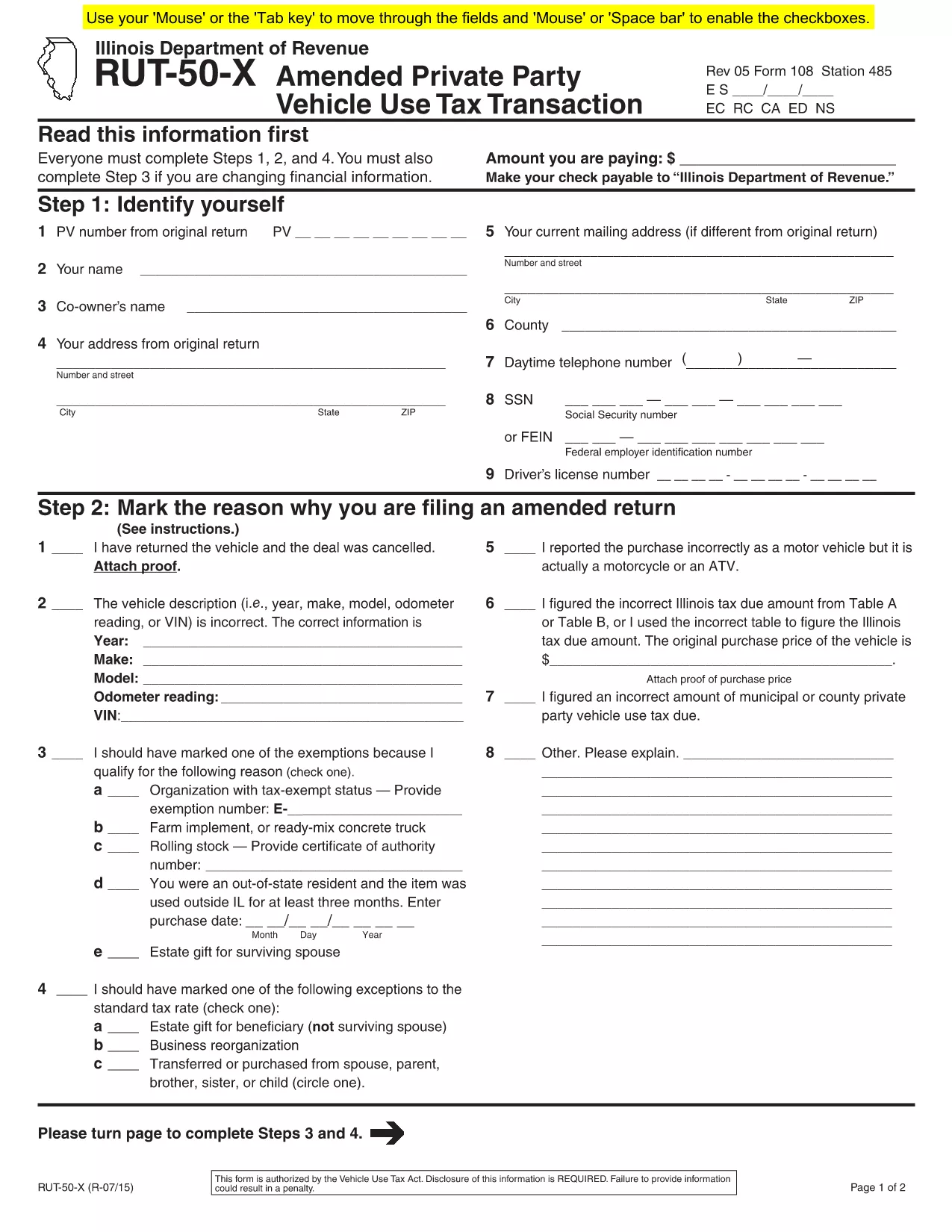
    If you need to amend the form, file Form RUT-50‑X (Amended Private Party Vehicle Use Tax Transaction) on paper; there is no electronic amendment process.

  • Do I need to attach a bill of sale?

    Attaching a copy of the bill of sale or proof of purchase is recommended to avoid future notices from the Department of Revenue.

  • Is there a fee to use Formize’s PDF filler?

    Formize offers a free fillable version for the RUT-50. No additional fees are charged for completing or downloading the PDF.

  • Where do I submit the completed RUT-50?

    Submit the printed copy to the Illinois Secretary of State when you apply for a title and license plates. Keep a copy for your records.

WIE MAN

So füllen Sie RUT-50 PDF kostenlos online in 7 einfachen Schritten aus:

  1. 1
    Open the Fillable Form
    Click the “Fill out this form” button on this page. The Formize PDF Filler app will load in a new tab.
  2. 2
    Enter Purchaser Information
    Type the buyer’s name, address, driver’s license number, and SSN or FEIN into the highlighted fields.
  3. 3
    Enter Seller Information
    Provide the seller’s name, phone number, and address exactly as they appear on the bill of sale.
  4. 4
    Describe the Vehicle
    Fill in the VIN, year, make, model, odometer reading, and purchase price (or fair market value for gifts).
  5. 5
    Select Exemptions or Exceptions (if any)
    Check the appropriate box for exemptions or special situations and enter the required dollar amount.
  6. 6
    Review & Submit
    Double‑check all entries, then click the “Submit” button. The completed PDF will be generated automatically.
  7. 7
    Print or Save
    Download the finished PDF, print a hard copy for the Illinois Secretary of State, or save it for your records.
Formize PDF Filler-App
ÜBER

RUT-50 PDF-Vorlage

Mit den traditionellen Funktionen zum Anzeigen und Ausfüllen eines PDF-Dokuments, kombiniert mit den Vorteilen einer Webanwendung und einem ansprechenden Layout, können Sie RUT-50 PDF in wenigen Minuten fertigstellen.

MERKMALE

PDF-Filler

Der einfachste Weg, PDF-Formulare online auszufüllen

  • Füllen Sie schnell RUT-50 PDF aus
    Suchen Sie nach einer Möglichkeit, RUT-50 PDF schnell online auszufüllen? Mit unserem kostenlosen Online-PDF-Formularausfüller wissen Sie, wie Sie dieses PDF-Dokument in weniger als einer Minute bearbeiten und ausfüllen.
  • Einfach zu bedienender Online-PDF-Editor
    Haben Sie es satt, PDF-Dateien auszudrucken, damit Sie sie bearbeiten können, bevor Sie sie erneut scannen und zurücksenden? PDF-Dokumente kostenlos online bearbeiten. Nutzen Sie unseren Online-PDF-Editor, um Zeit und Papier zu sparen.
  • Tolle Tools, alle Plattformen
    Sie fragen sich, wie Sie RUT-50 PDF auf einem Mac ausfüllen oder vielleicht einen kostenlosen PDF-Ausfüller verwenden können? Unsere Online-PDF-Tools funktionieren auf allen Plattformen.
  • Sichere Dateispeicherung
    Fertige "RUT-50 PDF"-Dateien werden in einer gesicherten Datenbank gespeichert, die vom Amazon Cloud-Hosting verwaltet wird. Sie können Ihre Dateien jederzeit aus unserem System löschen. In jedem Fall werden diese Dateien nach 24 Stunden automatisch gelöscht.
  • Chatten Sie mit RUT-50 PDF
    Chatten Sie mit „RUT-50 PDF“ auf Chatize, einem kostenlosen PDF-Leseassistenten. Stellen Sie Fragen und erhalten Sie Antworten von „RUT-50 PDF“. Klicken Sie einfach oben auf die Schaltfläche Mit Dokument chatten.

Füllsitzung löschen

Die ausgewählte Füllsitzung löschen? In diesem Fall gehen Ihre Fortschritte beim Ausfüllen des Formulars verloren.

Bearbeitungssitzung löschen

Ausgewählte Bearbeitungssitzung löschen? In diesem Fall geht Ihr Fortschritt beim Erstellen und Bearbeiten des Formulars verloren.