Επιλέξτε γλώσσα

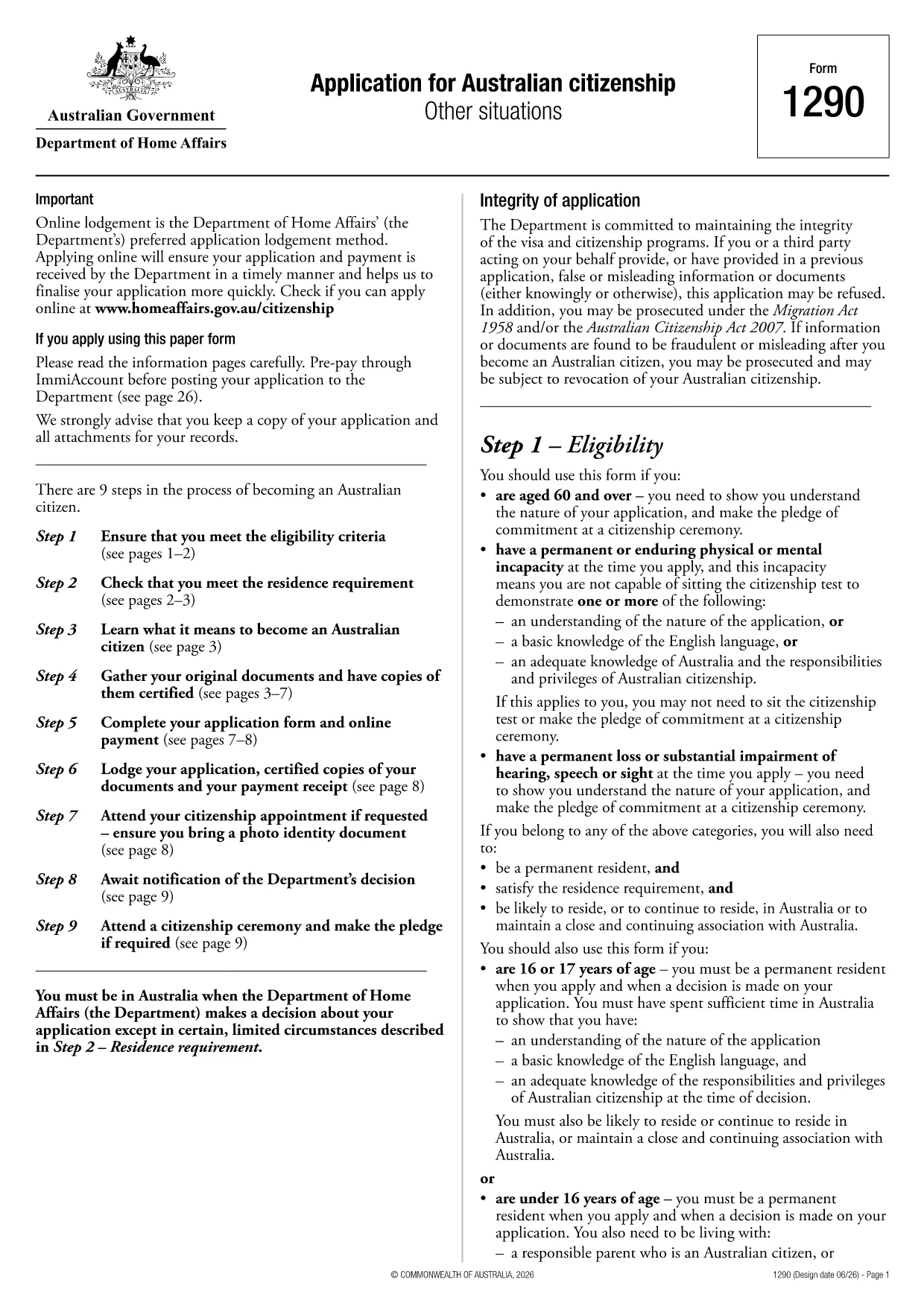
Applying for Australian citizenship is a major step, and the first requirement is submitting the correct application form. The Application for Australian citizenship – Other situations (Form 1290) is the official PDF provided by the Department of Home Affairs. With Formize you can open the PDF directly in your browser, fill every field, and save a completed copy without printing.

What is the Australian Citizenship Application Form?

Form 1290 is used when you apply under special circumstances such as:

  • Applying after a previous citizenship application was refused
  • Applying for a child born overseas to Australian parents
  • Other exceptional cases defined by the Department of Home Affairs

The form is a fillable PDF, meaning each field can be typed into, checked, or selected directly on the screen.

How to Fill the Form Using Formize

Instead of downloading the PDF and opening a separate editor, simply click the "Fill out this form" button on this page. The Formize PDF Filler will load in seconds, letting you complete the application online.

Key Sections & Required Information

Make sure you have the following documents handy before you start:

  • Proof of identity (passport, birth certificate)
  • Evidence of residency in Australia
  • Previous citizenship or visa details
  • Supporting documents for the specific "other situation" you are applying under

Each section of the form is clearly labelled. Fill in personal details, residency history, and the reason for your special application. Use block letters as required.

Common Mistakes & Tips for a Successful Submission

  • Do not leave any mandatory field blank. The PDF will highlight missing information when you try to save.
  • Use black or blue ink equivalents when printing. If you later need a hard copy, the digital entry will translate cleanly.
  • Double‑check dates and passport numbers. A typo can delay processing.
  • Save a copy for your records. After completing the form, download the filled PDF and store it securely.

Once you have completed the form, you can either download it for printing and mailing to the Department of Home Affairs or submit it electronically if the department accepts digital submissions.

FAQ
  • Do I need to print the form after filling it online?

    If the Department of Home Affairs requires a paper copy, print the completed PDF using black or blue ink. Otherwise, you can submit the digital file directly if electronic submission is accepted.

  • Can I save my progress and return later?

    Yes. The Formize PDF Filler lets you save the partially completed form to your device or cloud storage, then reopen it later to finish.

  • What documents should I have ready before starting?

    You’ll need proof of identity, residence history, any previous citizenship or visa details, and supporting evidence for the special situation you’re applying under.

  • Is there a fee for using Formize to fill the form?

    Formize’s basic PDF filling feature is free. Any government filing fees are paid directly to the Department of Home Affairs, not through Formize.

  • How do I know if my application was received?

    After mailing the printed form, you’ll receive a receipt from the Department. If you submit electronically, you’ll get a confirmation email with a reference number.

  • Can I edit the form after I’ve downloaded it?

    Yes, as long as the PDF is not locked. Open the downloaded file again in Formize to make any needed changes before final submission.

ΠΩΣ ΝΑ

Πώς να συμπληρώσετε το Australian citizenship application form δωρεάν, στο διαδίκτυο με 5 εύκολα βήματα:

  1. 1
    Open the Fillable Form
    Click the "Fill out this form" button on the page. The Formize PDF Filler app will load instantly in your browser.
  2. 2
    Enter Your Information
    Type directly into each field, select dates from the calendar picker, and upload any required supporting documents.
  3. 3
    Review & Validate
    Use the built‑in validation to ensure no required fields are missing. Correct any highlighted errors.
  4. 4
    Save or Download
    When completed, click "Save" to store the filled PDF in your cloud storage or download it to your device for printing.
  5. 5
    Submit to the Department
    Print and mail the form with supporting documents, or follow any electronic submission instructions provided by the Department of Home Affairs.
Διαμορφώστε την εφαρμογή Filler PDF
ΣΧΕΤΙΚΆ ΜΕ

πρότυπο Australian citizenship application form

Με το παραδοσιακό σύνολο λειτουργιών για την προβολή και τη συμπλήρωση ενός εγγράφου PDF, σε συνδυασμό με τα πλεονεκτήματα μιας εφαρμογής ιστού και την αποκριτική διάταξη, μπορείτε να ολοκληρώσετε το Australian citizenship application form μέσα σε λίγα λεπτά.

ΧΑΡΑΚΤΗΡΙΣΤΙΚΆ

Πλήρωση PDF

Ο ευκολότερος τρόπος για να συμπληρώσετε το Australian citizenship application form στο διαδίκτυο

  • Συμπληρώστε γρήγορα Australian citizenship application form
    Αναζητάτε έναν τρόπο να γεμίσετε γρήγορα το Australian citizenship application form στο διαδίκτυο; Με το ηλεκτρονικό μας δωρεάν συμπλήρωμα φόρμας PDF, θα ξέρετε πώς να επεξεργαστείτε και να συμπληρώσετε αυτό το έγγραφο pdf σε λιγότερο από ένα λεπτό.
  • Εύκολο στη χρήση διαδικτυακό πρόγραμμα επεξεργασίας PDF
    Βαρεθήκατε να εκτυπώνετε αρχεία PDF ώστε να μπορείτε να τα επεξεργαστείτε, πριν τα σαρώσετε ξανά και τα στείλετε πίσω; Επεξεργαστείτε έγγραφα PDF δωρεάν online. Χρησιμοποιήστε το ηλεκτρονικό μας πρόγραμμα επεξεργασίας pdf για να εξοικονομήσετε χρόνο και χαρτί.
  • Υπέροχα εργαλεία, όλες οι πλατφόρμες
    Αναρωτιέστε πώς να συμπληρώσετε το Australian citizenship application form σε Mac ή μήπως πώς να χρησιμοποιήσετε ένα πρόγραμμα πλήρωσης PDF δωρεάν; Τα διαδικτυακά μας εργαλεία PDF λειτουργούν σε όλες τις πλατφόρμες.
  • Ασφαλής αποθήκευση αρχείων
    Τα ολοκληρωμένα αρχεία "Australian citizenship application form" αποθηκεύονται σε μια ασφαλή βάση δεδομένων που διαχειρίζεται η φιλοξενία Amazon Cloud. Μπορείτε να διαγράψετε τα αρχεία σας από το σύστημά μας ανά πάσα στιγμή. Σε κάθε περίπτωση, αυτά τα αρχεία διαγράφονται αυτόματα μετά από 24 ώρες.
  • Συζήτηση με Australian citizenship application form
    Συνομιλήστε με το "Australian citizenship application form" στο Chatize που είναι ένας δωρεάν βοηθός ανάγνωσης PDF. Κάντε ερωτήσεις και λάβετε απαντήσεις από το "Australian citizenship application form". Απλώς κάντε κλικ στο κουμπί Συζήτηση με έγγραφο παραπάνω.

Διαγραφή συνεδρίας συμπλήρωσης

Διαγραφή της επιλεγμένης περιόδου συμπλήρωσης; Σε αυτήν την περίπτωση, η πρόοδός σας στη συμπλήρωση της φόρμας θα χαθεί.

Διαγραφή συνεδρίας επεξεργασίας

Διαγραφή της επιλεγμένης συνεδρίας επεξεργασίας; Σε αυτήν την περίπτωση, η πρόοδός σας στη δημιουργία και την επεξεργασία της φόρμας θα χαθεί.