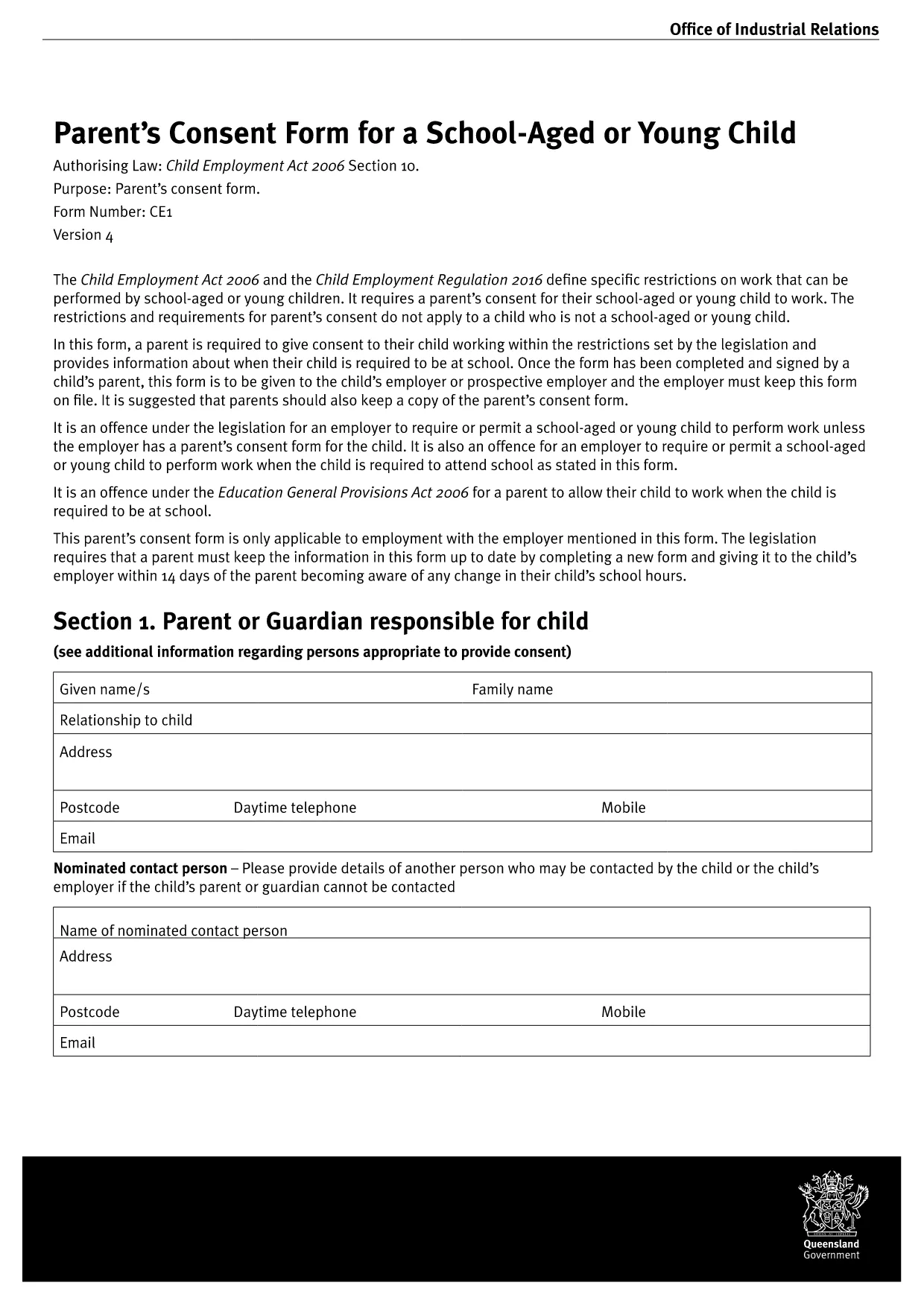
Looking for a consent form pdf free download that you can complete without installing any software? You’ve come to the right place. This page provides the official Parent Consent Form for a School‑Aged or Young Child used across Queensland schools. The PDF is fully fillable, printable, and ready for immediate use.
What Is This Consent Form For?
The form authorises a child to participate in school‑related activities, work placements, or travel when a parent or guardian cannot be present. It captures essential details such as the child’s name, dates, activity description, and the parent’s consent signature.
How to Fill the Form Online with Formize
Instead of downloading the file and opening a PDF editor, simply click the "Fill out this form" button on this page. The Formize PDF Filler app will load in your browser, letting you type directly into each field, add dates, and sign electronically.
Common Mistakes to Avoid
- Leaving mandatory fields blank – the filler will highlight missing information before you can submit.
- Using the wrong date format – stick to DD/MM/YYYY as shown in the example.
- Signing with a raster image – use the built‑in signature tool for a clean, searchable signature.
- Forgetting to save – click “Save” after each section to avoid losing data.
Where to Submit the Completed Form
Once you have filled, saved, and printed (or emailed) the form, submit it to the school’s administration office, the designated activity coordinator, or the relevant travel officer. Most schools accept a PDF attachment via email, but always check the specific instructions provided by the institution.
Download the PDF Directly
If you prefer to work offline, you can download the original PDF file from the official Queensland Government source below. The file is 100 % compatible with Formize’s online filler.
Download Parent Consent Form PDF