
Επιλέξτε γλώσσα

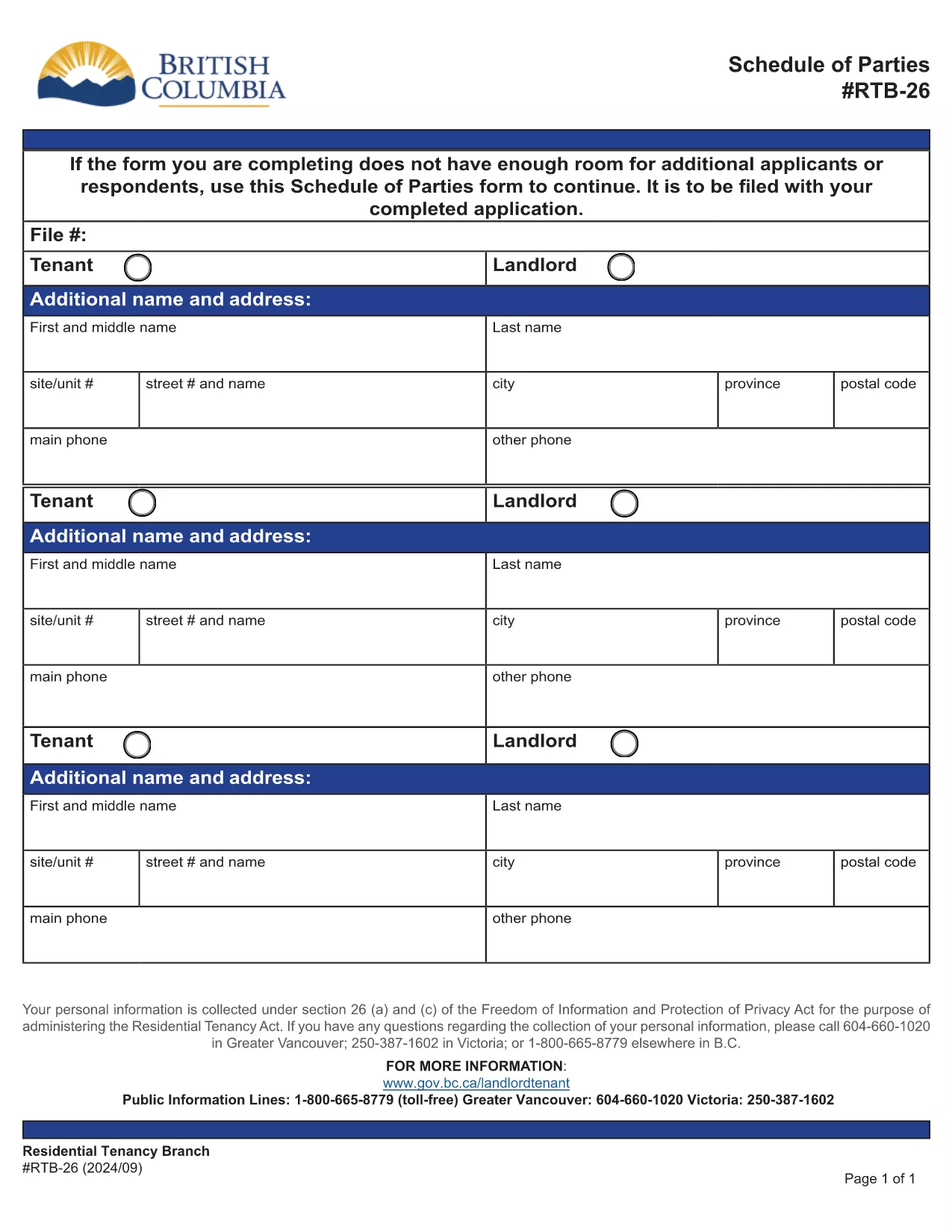
RTB-26 Schedule of Parties – Fillable PDF Form (Canada)

  1. Γλώσσα Αγγλικά
  2. Χώρα Καναδάς
  3. Δραστηριότητα Μίσθωση
  4. κατάσταση Βρετανική Κολούμπια
RTB-26 Schedule of Parties – Fillable PDF Form (Canada)

The RTB-26 Schedule of Parties is the official form used under British Columbia's Residential Tenancy Act to list all tenants and landlords involved in a tenancy. Landlords attach this form when there are additional names to add or remove from the original tenancy agreement.

What Is the RTB-26 Schedule of Parties?

RTB‑26 captures the names, contact information, and relationship of each party to the tenancy. It ensures the Residential Tenancy Branch (RTB) has an up‑to‑date record, which is essential for dispute resolution, rent increases, and ending a tenancy.

How to Complete the RTB-26 Form Online

With Formize’s free fillable PDF tool you can complete RTB‑26 directly in your browser—no Adobe Acrobat required. Follow the simple steps below to fill, save, and submit the form.

Common Mistakes to Avoid on RTB-26

  • Leaving fields blank: Every field marked with an asterisk (*) is mandatory.
  • Incorrect dates: Use the exact date format (YYYY‑MM‑DD) as shown in the example.
  • Mismatched signatures: All parties must sign; a missing signature can delay processing.

Why Use Formize’s Fillable PDF Filler?

Formize automatically validates entries, highlights required fields, and lets you download a completed PDF ready for upload to the RTB portal. It saves time, reduces errors, and works on any device.

Ready to get started? Click the “Fill out this form” button below, let the Formize PDF Filler load, and complete the RTB‑26 in minutes.

FAQ
  • Who needs to fill out the RTB‑26 Schedule of Parties?

    Both landlords and tenants must complete RTB‑26 whenever a new person is added to or removed from the tenancy agreement.

  • Can I submit a printed version of RTB‑26?

    Yes, you can print the completed form and mail it, but submitting the digital PDF through the RTB portal is faster and reduces processing time.

  • Is the Formize filler free to use?

    Yes, Formize provides a free, web‑based fillable PDF editor for all British Columbia tenancy forms, including RTB‑26.

  • What should I do if I make a mistake after saving?

    Open the saved PDF again in Formize, correct the error, and re‑save. The filler retains all previously entered data.

  • Do I need Adobe Acrobat to fill RTB‑26?

    No. Formize’s online filler works in any modern browser, eliminating the need for Adobe Acrobat or other PDF editors.

  • How long is the RTB‑26 valid after submission?

    The form remains valid until the tenancy ends or another Schedule of Parties is filed to update the party list.

  • Can I attach additional documents to the RTB‑26 PDF?

    Yes, after completing the form you can merge other supporting PDFs using Formize’s “Add Attachment” feature before downloading.

ΠΩΣ ΝΑ

Πώς να συμπληρώσετε το RTB-26 δωρεάν, στο διαδίκτυο με 5 εύκολα βήματα:

  1. 1
    Click the Fill Out Button
    Press the “Fill out this form” button on this page to launch Formize’s PDF filler.
  2. 2
    Wait for the Filler to Load
    The fillable PDF will appear in your browser within a few seconds. No download is required.
  3. 3
    Enter All Required Information
    Complete each highlighted field, double‑check dates and signatures, and use the built‑in validation to avoid errors.
  4. 4
    Review and Save
    When all sections are filled, click “Save” to download a completed copy of the RTB‑26 form.
  5. 5
    Submit to the RTB
    Upload the saved PDF to the British Columbia Residential Tenancy Branch portal or email it as instructed in your tenancy agreement.
Διαμορφώστε την εφαρμογή Filler PDF
ΣΧΕΤΙΚΆ ΜΕ

Έντυπα για τους ιδιοκτήτες και/ή τους ενοικιαστές για να προτείνουν ενέργειες σχετικά με συμβάσεις μίσθωσης.

Το RTB-26 είναι το είδος των συμφωνιών μίσθωσης κατοικιών που χρησιμοποιούνται από τους περισσότερους ιδιώτες ιδιοκτήτες και ενώσεις κατοικιών.

Υπάρχουν ορισμένα ζητήματα στα οποία οι ιδιοκτήτες ή οι ενοικιαστές πρέπει να ακολουθούν ορισμένους κανόνες που ορίζονται στους κανονισμούς. Σε ορισμένες περιπτώσεις μπορεί να χρειαστεί να συμπληρώσουν ένα έντυπο, που ονομάζεται «προκαθορισμένο έντυπο», το οποίο προτείνει μια ενέργεια που μπορεί να επηρεάσει το άλλο μέρος στη σύμβαση μίσθωσης.

Τα έντυπα ονομάζονται προκαθορισμένα έντυπα επειδή η διατύπωσή τους έχει συνταχθεί προσεκτικά για να διασφαλιστεί ότι το άτομο που συμπληρώνει το έντυπο και το άτομο στο οποίο επιδίδεται μπορεί να κατανοήσει τι προτείνεται και τι μπορεί να κάνει ως απάντηση. Η μη προβολή της σωστής φόρμας μπορεί να ακυρώσει την ενέργεια που προτείνεται.

Δεν μπορείτε να αλλάξετε τη διατύπωση σε αυτές τις φόρμες, εκτός εάν μια φόρμα αναφέρει ότι μπορείτε να το κάνετε. Εάν αλλάξετε τη διατύπωση, το έντυπο μπορεί να ακυρωθεί. Πρέπει επίσης να συμμορφώνεστε με τυχόν περιόδους ειδοποίησης που ορίζονται στη φόρμα.

ΧΑΡΑΚΤΗΡΙΣΤΙΚΆ

Πλήρωση PDF

Ο ευκολότερος τρόπος για να συμπληρώσετε το RTB-26 στο διαδίκτυο

  • Συμπληρώστε γρήγορα RTB-26
    Αναζητάτε έναν τρόπο να γεμίσετε γρήγορα το RTB-26 στο διαδίκτυο; Με το ηλεκτρονικό μας δωρεάν συμπλήρωμα φόρμας PDF, θα ξέρετε πώς να επεξεργαστείτε και να συμπληρώσετε αυτό το έγγραφο pdf σε λιγότερο από ένα λεπτό.
  • Εύκολο στη χρήση διαδικτυακό πρόγραμμα επεξεργασίας PDF
    Βαρεθήκατε να εκτυπώνετε αρχεία PDF ώστε να μπορείτε να τα επεξεργαστείτε, πριν τα σαρώσετε ξανά και τα στείλετε πίσω; Επεξεργαστείτε έγγραφα PDF δωρεάν online. Χρησιμοποιήστε το ηλεκτρονικό μας πρόγραμμα επεξεργασίας pdf για να εξοικονομήσετε χρόνο και χαρτί.
  • Υπέροχα εργαλεία, όλες οι πλατφόρμες
    Αναρωτιέστε πώς να συμπληρώσετε το RTB-26 σε Mac ή μήπως πώς να χρησιμοποιήσετε ένα πρόγραμμα πλήρωσης PDF δωρεάν; Τα διαδικτυακά μας εργαλεία PDF λειτουργούν σε όλες τις πλατφόρμες.
  • Ασφαλής αποθήκευση αρχείων
    Τα ολοκληρωμένα αρχεία "RTB-26" αποθηκεύονται σε μια ασφαλή βάση δεδομένων που διαχειρίζεται η φιλοξενία Amazon Cloud. Μπορείτε να διαγράψετε τα αρχεία σας από το σύστημά μας ανά πάσα στιγμή. Σε κάθε περίπτωση, αυτά τα αρχεία διαγράφονται αυτόματα μετά από 24 ώρες.
  • Συζήτηση με RTB-26
    Συνομιλήστε με το "RTB-26" στο Chatize που είναι ένας δωρεάν βοηθός ανάγνωσης PDF. Κάντε ερωτήσεις και λάβετε απαντήσεις από το "RTB-26". Απλώς κάντε κλικ στο κουμπί Συζήτηση με έγγραφο παραπάνω.

Διαγραφή συνεδρίας συμπλήρωσης

Διαγραφή της επιλεγμένης περιόδου συμπλήρωσης; Σε αυτήν την περίπτωση, η πρόοδός σας στη συμπλήρωση της φόρμας θα χαθεί.

Διαγραφή συνεδρίας επεξεργασίας

Διαγραφή της επιλεγμένης συνεδρίας επεξεργασίας; Σε αυτήν την περίπτωση, η πρόοδός σας στη δημιουργία και την επεξεργασία της φόρμας θα χαθεί.