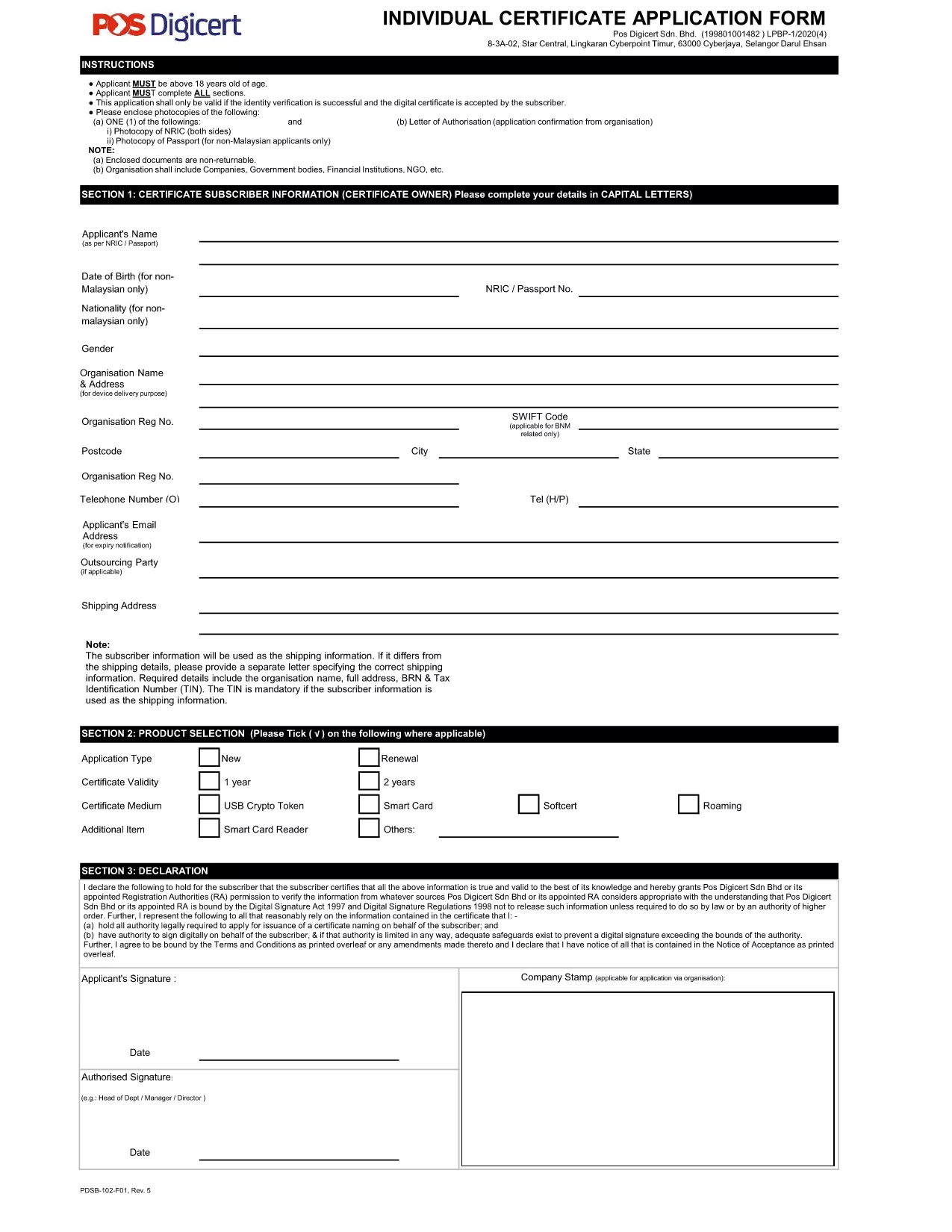
The Individual Application Form is the official document required to request a digital certificate. It is available as a fillable PDF, allowing you to complete the form directly in your browser without downloading any extra software.
This page provides a step‑by‑step guide, tips for accurate completion, and a direct link to the PDF so you can start the process instantly.
What Is the Individual Application Form?
The form collects personal details, identification numbers, and consent statements needed by the certification authority. It is commonly used by professionals, businesses, and individuals who need a secure digital certificate for email signing, document encryption, or online authentication.
How to Fill the Form Online with Formize
Instead of opening the PDF in a desktop editor, simply click the "Fill out this form" button below. The Formize PDF Filler app will load in seconds, letting you type, select dates, and upload supporting documents directly on the page.
Common Mistakes to Avoid
- Leaving mandatory fields blank – the filler will highlight missing information.
- Using an outdated version of the form – always use the latest PDF linked on this page.
- Submitting unreadable signatures – upload a clear scanned signature image if required.
Where to Submit the Completed Form
After you finish, click the "Submit" button in the Formize interface. Your completed PDF will be securely transmitted to the certification authority’s portal. You will receive a confirmation email with next‑step instructions.
Need a printable copy? The original PDF is available for download at any time via the link below.