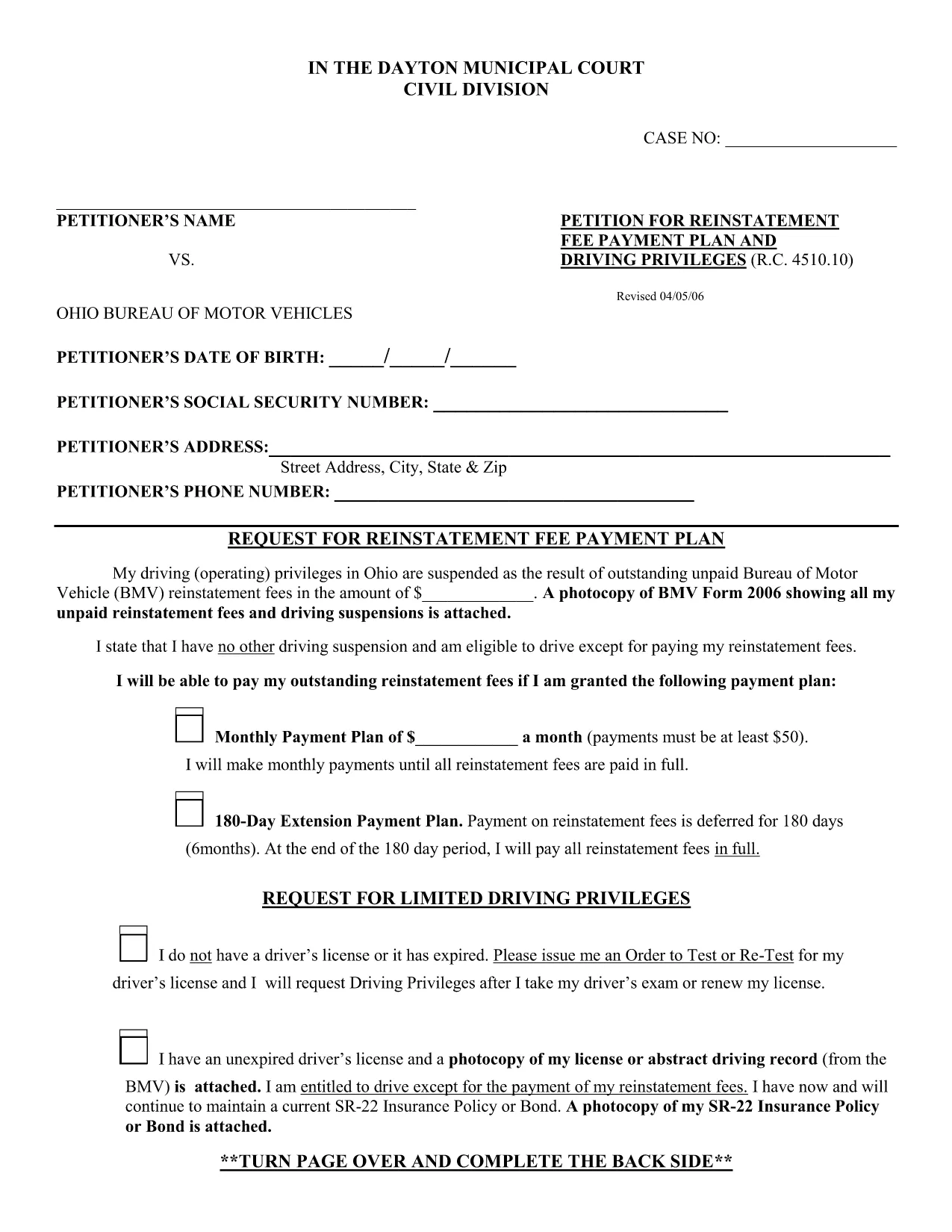
The BMV Form 2326 is the official Ohio Bureau of Motor Vehicles (BMV) reinstatement request used when a driver’s privileges have been suspended due to unpaid fees or other violations. Traditionally, you would have to print, fill out by hand, and mail the form. With Formize, the same PDF is available as a fully fillable document you can complete directly in your browser.
Our online PDF filler loads the original form instantly, preserves the exact layout required by the Ohio BMV, and lets you save a digital copy for your records. No software download, no printing required—just click, fill, and submit.
Below you’ll find a quick overview of the form sections, step‑by‑step instructions for using the Formize PDF filler, and tips to avoid common errors that can delay reinstatement.
What is BMV Form 2326?
Form 2326 is used to request reinstatement of driving privileges after a suspension. It asks for personal details, the reason for suspension, a breakdown of unpaid fees, and a signature authorizing the BMV to process the reinstatement.
How to Complete the Form Using Formize
Follow the simple How‑to guide below. The process takes less than five minutes and works on any device.
Common Mistakes to Avoid
- Leaving required fields blank – the BMV will reject the form.
- Using a handwritten signature image that is too small or blurry.
- Entering the wrong fee totals – double‑check your payment receipts.
- Submitting the form without attaching supporting documents (e.g., proof of payment).
Where to Submit the Completed Form
After you’ve saved the completed PDF, you can either:
- Upload it through the Ohio BMV online portal, or
- Mail a printed copy to your local BMV office (address listed on the form).
Keeping a digital copy ensures you have proof of submission in case of follow‑up questions.