
Επιλέξτε γλώσσα

PSPE Scholarship Application Form (Fillable PDF)

  1. Χώρα ΗΠΑ
  2. Γλώσσα Αγγλικά
  3. Δραστηριότητα Scholarships
  4. Τμήμα Education
PSPE Scholarship Application Form (Fillable PDF)

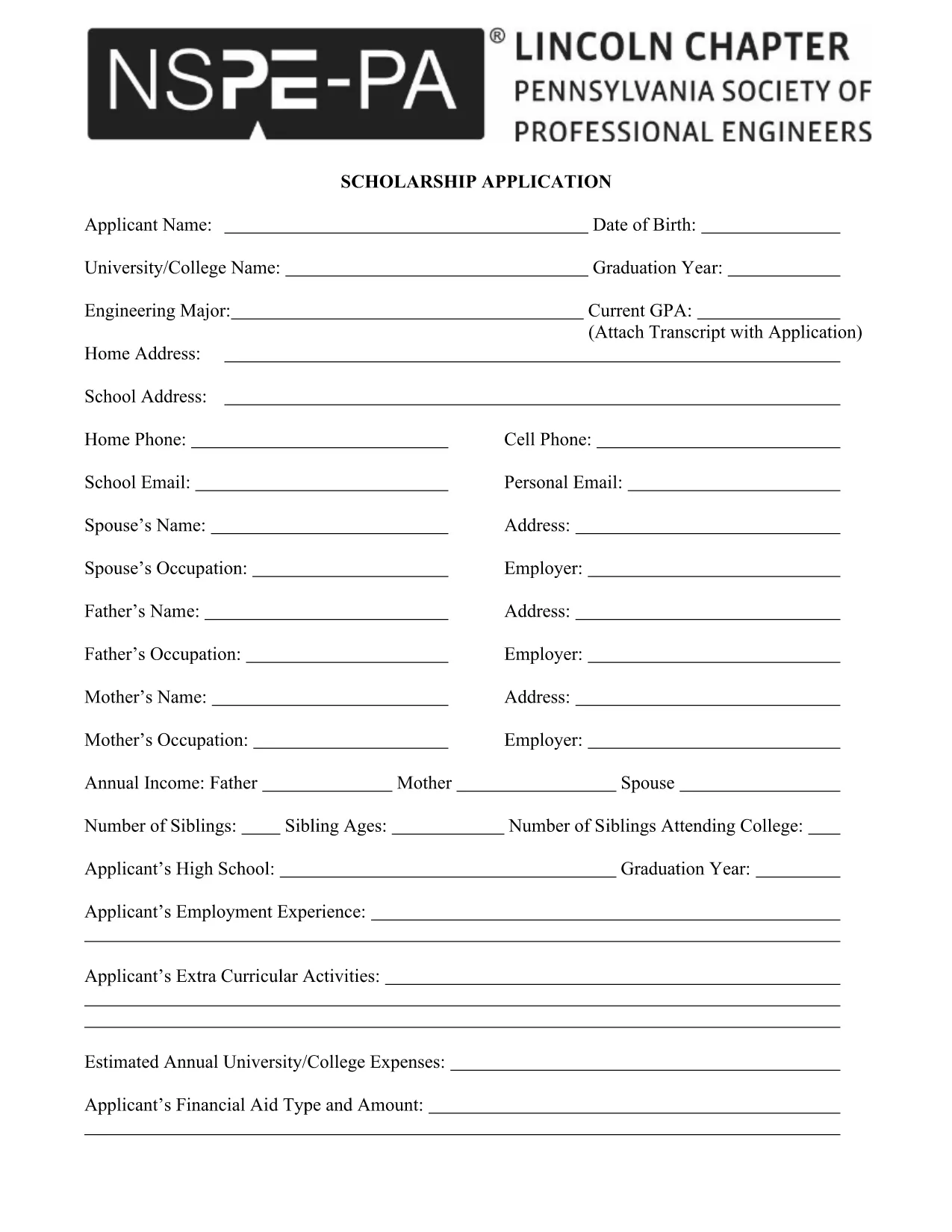
The PSPE scholarship application is a fillable PDF that lets students apply for financial aid with ease. Instead of printing, printing, and scanning, you can complete the entire form directly in your browser using the Formize PDF Filler.

Why Choose the PSPE Scholarship?

PSPE (Professional Society for Engineers) offers scholarships to high‑school seniors and college students pursuing engineering degrees. The award helps cover tuition, books, and project costs, giving you a head start in your engineering career.

How to Fill the PSPE Application Online

Follow these simple steps to complete the form without leaving the page:

  1. Click the "Fill out this form" button below.
  2. Wait a few seconds while the Formize PDF Filler app loads.
  3. Enter your personal information, academic history, and essay responses directly into the fillable fields.
  4. Use the "Save" button to store a copy on your device or cloud storage.
  5. When you’re satisfied, click "Submit" to download the completed PDF for email or upload.

Common Mistakes to Avoid

  • Leaving required fields blank: The filler highlights empty required sections in red.
  • Exceeding word limits: Keep essays within the specified word count (usually 200‑words).
  • Using the wrong file format: This form is a PDF; do not convert it to Word or Excel before filling.
  • Not saving a backup: Always click "Save" before closing the browser.

Submit Your Completed Form Securely

After you finish, download the filled PDF and attach it to the official PSPE submission email or upload portal. The PDF retains all your entries, signatures, and timestamps, ensuring a professional presentation.

Ready to start? Click the button below and let Formize do the heavy lifting for you.

FAQ
  • Do I need Adobe Acrobat to fill the PSPE form?

    No. The Formize PDF Filler works directly in your browser, so no extra software is required.

  • Can I save my progress and finish later?

    Yes. Use the "Save" button to download a partially completed PDF, then reopen it in Formize to continue.

  • What file format should I submit?

    Submit the final document as a PDF. The fillable PDF retains all entered data and signatures.

  • Is there a word limit for the essay section?

    The PSPE guidelines require a minimum of 200 words. The filler shows a live word count to help you stay within limits.

  • Can I print a hard copy after filling the form?

    Absolutely. After saving, open the PDF in any viewer and print it like any other document.

  • What if I make a mistake after saving?

    Re‑open the saved PDF in Formize, correct the error, and save again. The form is fully editable.

  • Is my personal information secure?

    Formize processes the PDF locally in your browser; no data is stored on external servers unless you choose to upload it.

  • When is the deadline for the PSPE scholarship?

    Check the official PSPE website for the current application deadline; it is typically posted on the scholarship announcement page.

ΠΩΣ ΝΑ

Πώς να συμπληρώσετε το PSPE scholarship application δωρεάν, στο διαδίκτυο με 4 εύκολα βήματα:

  1. 1
    Click the Fill Button
    Press the "Fill out this form" button on the page to launch the Formize PDF Filler.
  2. 2
    Wait for the Filler to Load
    A short loading screen appears; the fillable PDF will open automatically.
  3. 3
    Complete Each Section
    Enter your information, answer essay prompts, and double‑check required fields highlighted in red.
  4. 4
    Save and Submit
    Click "Save" to download the completed PDF, then email or upload it according to PSPE's submission guidelines.
Διαμορφώστε την εφαρμογή Filler PDF
ΣΧΕΤΙΚΆ ΜΕ

πρότυπο PSPE scholarship application

Με το παραδοσιακό σύνολο λειτουργιών για την προβολή και τη συμπλήρωση ενός εγγράφου PDF, σε συνδυασμό με τα πλεονεκτήματα μιας εφαρμογής ιστού και την αποκριτική διάταξη, μπορείτε να ολοκληρώσετε το PSPE scholarship application μέσα σε λίγα λεπτά.

ΧΑΡΑΚΤΗΡΙΣΤΙΚΆ

Πλήρωση PDF

Ο ευκολότερος τρόπος για να συμπληρώσετε το PSPE scholarship application στο διαδίκτυο

  • Συμπληρώστε γρήγορα PSPE scholarship application
    Αναζητάτε έναν τρόπο να γεμίσετε γρήγορα το PSPE scholarship application στο διαδίκτυο; Με το ηλεκτρονικό μας δωρεάν συμπλήρωμα φόρμας PDF, θα ξέρετε πώς να επεξεργαστείτε και να συμπληρώσετε αυτό το έγγραφο pdf σε λιγότερο από ένα λεπτό.
  • Εύκολο στη χρήση διαδικτυακό πρόγραμμα επεξεργασίας PDF
    Βαρεθήκατε να εκτυπώνετε αρχεία PDF ώστε να μπορείτε να τα επεξεργαστείτε, πριν τα σαρώσετε ξανά και τα στείλετε πίσω; Επεξεργαστείτε έγγραφα PDF δωρεάν online. Χρησιμοποιήστε το ηλεκτρονικό μας πρόγραμμα επεξεργασίας pdf για να εξοικονομήσετε χρόνο και χαρτί.
  • Υπέροχα εργαλεία, όλες οι πλατφόρμες
    Αναρωτιέστε πώς να συμπληρώσετε το PSPE scholarship application σε Mac ή μήπως πώς να χρησιμοποιήσετε ένα πρόγραμμα πλήρωσης PDF δωρεάν; Τα διαδικτυακά μας εργαλεία PDF λειτουργούν σε όλες τις πλατφόρμες.
  • Ασφαλής αποθήκευση αρχείων
    Τα ολοκληρωμένα αρχεία "PSPE scholarship application" αποθηκεύονται σε μια ασφαλή βάση δεδομένων που διαχειρίζεται η φιλοξενία Amazon Cloud. Μπορείτε να διαγράψετε τα αρχεία σας από το σύστημά μας ανά πάσα στιγμή. Σε κάθε περίπτωση, αυτά τα αρχεία διαγράφονται αυτόματα μετά από 24 ώρες.
  • Συζήτηση με PSPE scholarship application
    Συνομιλήστε με το "PSPE scholarship application" στο Chatize που είναι ένας δωρεάν βοηθός ανάγνωσης PDF. Κάντε ερωτήσεις και λάβετε απαντήσεις από το "PSPE scholarship application". Απλώς κάντε κλικ στο κουμπί Συζήτηση με έγγραφο παραπάνω.

Διαγραφή συνεδρίας συμπλήρωσης

Διαγραφή της επιλεγμένης περιόδου συμπλήρωσης; Σε αυτήν την περίπτωση, η πρόοδός σας στη συμπλήρωση της φόρμας θα χαθεί.

Διαγραφή συνεδρίας επεξεργασίας

Διαγραφή της επιλεγμένης συνεδρίας επεξεργασίας; Σε αυτήν την περίπτωση, η πρόοδός σας στη δημιουργία και την επεξεργασία της φόρμας θα χαθεί.