
Επιλέξτε γλώσσα

I-765 Fillable PDF – Apply for Employment Authorization

  1. Γλώσσα Αγγλικά
  2. Χώρα ΗΠΑ
  3. Δραστηριότητα Μετανάστευση
  4. Τμήμα USCIS
I-765 Fillable PDF – Apply for Employment Authorization

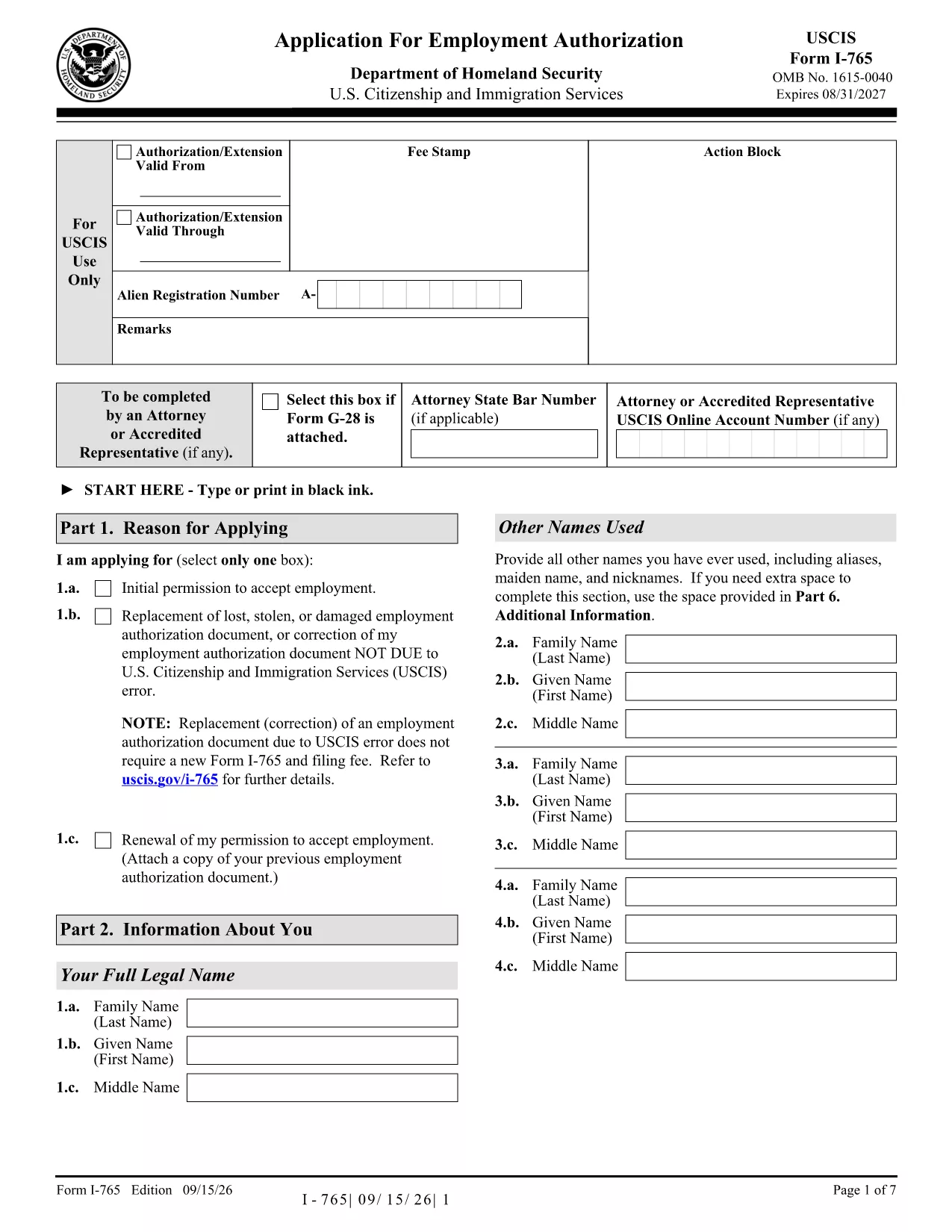
The Form I-765 (Application for Employment Authorization) is the official United States Citizenship and Immigration Services (USCIS) form used by non‑citizens to request an Employment Authorization Document (EAD). With Formize, you can download the official fillable PDF, fill it out directly in your browser, and save a clean, printable version ready for submission.

What is Form I-765?

I-765 is required for a variety of immigration categories, including asylum seekers, DACA recipients, adjustment of status applicants, and many others. The form collects personal information, immigration status, and the reason you are requesting work authorization.

Benefits of Using a Fillable PDF

  • Speed: No printing or scanning needed – fill, sign, and download in minutes.
  • Accuracy: Built‑in validation helps prevent missing fields or formatting errors.
  • Security: Your data stays in the browser; Formize never stores personal information.
  • Compliance: The PDF matches the exact USCIS layout, ensuring your submission is accepted.

How to Complete the I-765 on Formize

Follow the simple steps below to finish your application online.

Common Mistakes to Avoid

  • Leaving any required field blank – USCIS will reject the form.
  • Using a photo that is edited or mounted – submit a plain, unretouched photo.
  • Signing the PDF with a typed name only – use the digital signature tool provided.
  • Submitting an outdated edition of the form – always use the latest PDF (linked above).

Where to Submit Your Completed I-765

After saving the completed PDF, mail it to the USCIS filing address that corresponds to your eligibility category. Check the USCIS I-765 page for the most current address information.

FAQ
  • Is the Formize version of I-765 the official USCIS form?

    Yes. The PDF we provide is the exact USCIS edition (9/15/26) and is fully fillable while preserving the original layout.

  • Do I need a PDF editor to use this form?

    No. Formize’s online filler works in any modern browser—no additional software or plugins are required.

  • Can I save my progress and finish later?

    Yes. Use the **Save Draft** button to download a partially completed PDF. Reload it later to continue editing.

  • Will USCIS accept a digitally signed I-765?

    USCIS requires a handwritten signature on the printed form. After filling out the PDF online, print the document and sign the signature line manually before mailing.

  • What if I make a mistake after downloading?

    Print a fresh copy of the fillable PDF, correct the error, and re‑download. The online validator helps you catch most errors before printing.

  • Is there a fee to use Formize’s filler?

    Formize’s basic fillable PDF functionality is free. No hidden charges are applied for downloading or completing the form.

  • How do I know which filing address to use?

    The filing address depends on your eligibility category. Refer to the USCIS I‑765 webpage or the instructions PDF linked on that page for the correct address.

  • Can I submit the I-765 electronically?

    Currently, USCIS only accepts paper submissions for I‑765. Complete the fillable PDF, print, sign, and mail it as instructed.

ΠΩΣ ΝΑ

Πώς να συμπληρώσετε το i-765 fillable pdf δωρεάν, στο διαδίκτυο με 5 εύκολα βήματα:

  1. 1
    Open the Fillable Form
    Click the **Fill out this form** button on the page. The Formize PDF Filler app loads instantly in your browser.
  2. 2
    Enter Your Information
    Type directly into each field. Use the navigation pane on the left to jump between sections quickly.
  3. 3
    Add Your Digital Signature
    Select the signature field, draw or type your signature, and confirm. The signature is embedded securely in the PDF.
  4. 4
    Review and Validate
    Click **Validate** to let Formize check for missing or incorrectly formatted fields. Correct any alerts shown.
  5. 5
    Download the Completed PDF
    When all fields are complete, hit **Download**. Save the file to your computer and print or attach it to your USCIS filing package.
Διαμορφώστε την εφαρμογή Filler PDF
ΣΧΕΤΙΚΆ ΜΕ

πρότυπο i-765 fillable pdf

Με το παραδοσιακό σύνολο λειτουργιών για την προβολή και τη συμπλήρωση ενός εγγράφου PDF, σε συνδυασμό με τα πλεονεκτήματα μιας εφαρμογής ιστού και την αποκριτική διάταξη, μπορείτε να ολοκληρώσετε το i-765 fillable pdf μέσα σε λίγα λεπτά.

ΧΑΡΑΚΤΗΡΙΣΤΙΚΆ

Πλήρωση PDF

Ο ευκολότερος τρόπος για να συμπληρώσετε το i-765 fillable pdf στο διαδίκτυο

  • Συμπληρώστε γρήγορα i-765 fillable pdf
    Αναζητάτε έναν τρόπο να γεμίσετε γρήγορα το i-765 fillable pdf στο διαδίκτυο; Με το ηλεκτρονικό μας δωρεάν συμπλήρωμα φόρμας PDF, θα ξέρετε πώς να επεξεργαστείτε και να συμπληρώσετε αυτό το έγγραφο pdf σε λιγότερο από ένα λεπτό.
  • Εύκολο στη χρήση διαδικτυακό πρόγραμμα επεξεργασίας PDF
    Βαρεθήκατε να εκτυπώνετε αρχεία PDF ώστε να μπορείτε να τα επεξεργαστείτε, πριν τα σαρώσετε ξανά και τα στείλετε πίσω; Επεξεργαστείτε έγγραφα PDF δωρεάν online. Χρησιμοποιήστε το ηλεκτρονικό μας πρόγραμμα επεξεργασίας pdf για να εξοικονομήσετε χρόνο και χαρτί.
  • Υπέροχα εργαλεία, όλες οι πλατφόρμες
    Αναρωτιέστε πώς να συμπληρώσετε το i-765 fillable pdf σε Mac ή μήπως πώς να χρησιμοποιήσετε ένα πρόγραμμα πλήρωσης PDF δωρεάν; Τα διαδικτυακά μας εργαλεία PDF λειτουργούν σε όλες τις πλατφόρμες.
  • Ασφαλής αποθήκευση αρχείων
    Τα ολοκληρωμένα αρχεία "i-765 fillable pdf" αποθηκεύονται σε μια ασφαλή βάση δεδομένων που διαχειρίζεται η φιλοξενία Amazon Cloud. Μπορείτε να διαγράψετε τα αρχεία σας από το σύστημά μας ανά πάσα στιγμή. Σε κάθε περίπτωση, αυτά τα αρχεία διαγράφονται αυτόματα μετά από 24 ώρες.
  • Συζήτηση με i-765 fillable pdf
    Συνομιλήστε με το "i-765 fillable pdf" στο Chatize που είναι ένας δωρεάν βοηθός ανάγνωσης PDF. Κάντε ερωτήσεις και λάβετε απαντήσεις από το "i-765 fillable pdf". Απλώς κάντε κλικ στο κουμπί Συζήτηση με έγγραφο παραπάνω.

Διαγραφή συνεδρίας συμπλήρωσης

Διαγραφή της επιλεγμένης περιόδου συμπλήρωσης; Σε αυτήν την περίπτωση, η πρόοδός σας στη συμπλήρωση της φόρμας θα χαθεί.

Διαγραφή συνεδρίας επεξεργασίας

Διαγραφή της επιλεγμένης συνεδρίας επεξεργασίας; Σε αυτήν την περίπτωση, η πρόοδός σας στη δημιουργία και την επεξεργασία της φόρμας θα χαθεί.