
Seleccione el idioma

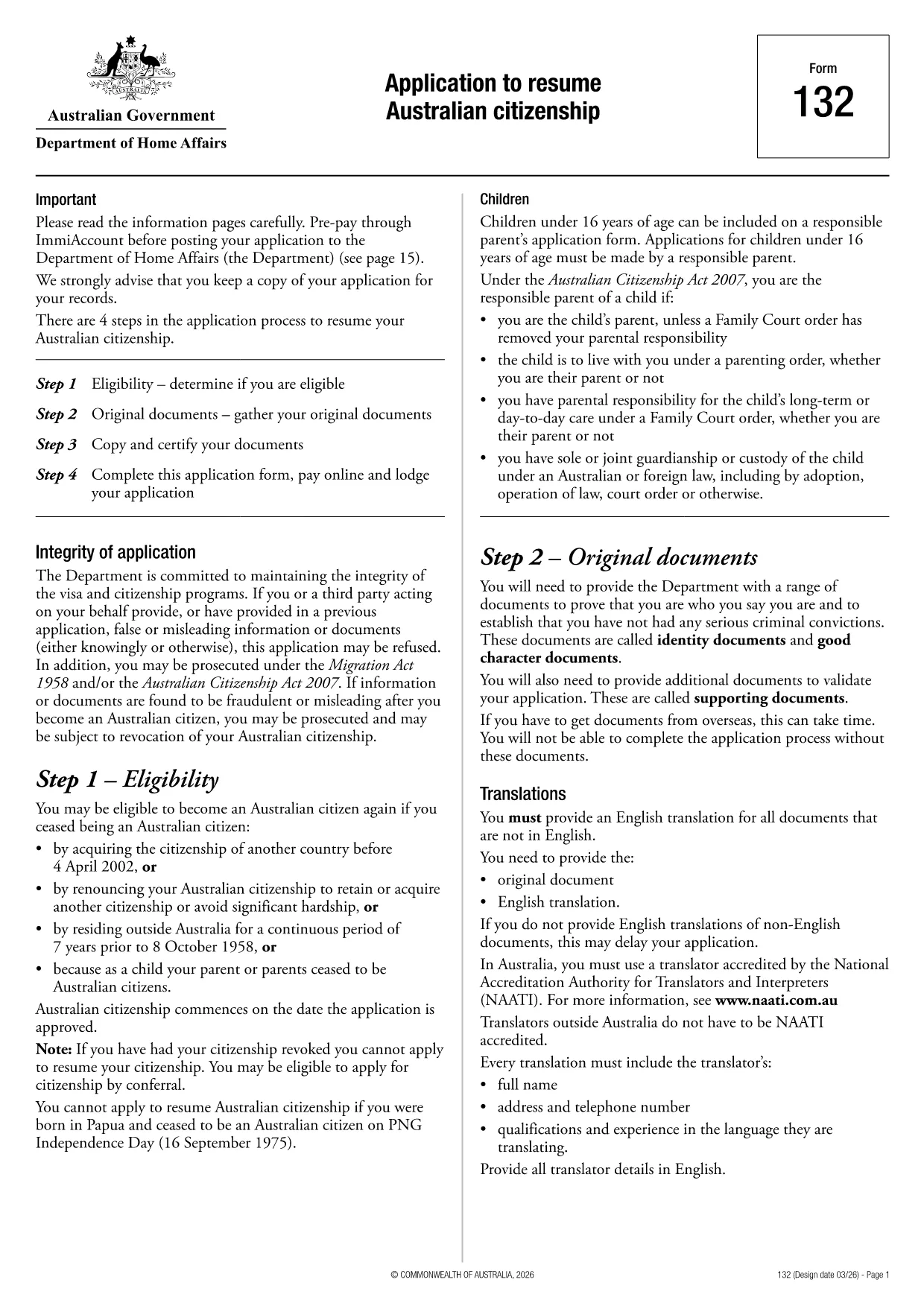
Application to Resume Australian Citizenship (Form 132) – Fill Online

  1. Idioma Inglés
  2. País Australia
  3. Actividad Ciudadanía
  4. Departamento Home Affairs
Application to Resume Australian Citizenship (Form 132) – Fill Online

If you need to resume your Australian citizenship, you’ll use Form 132 – Application to Resume Australian Citizenship. This official PDF can now be completed entirely online with the Formize PDF Filler, so you never have to print, scan, or manually edit the document.

Why Use the Online Formize PDF Filler?

The Formize filler loads the exact PDF you need, preserving the government‑approved layout while letting you type directly into each field. Benefits include:

  • Instant validation of required fields
  • Automatic saving – you can pause and return later
  • Secure, browser‑based processing – no software install
  • One‑click download of the completed PDF for submission

Step‑by‑Step Guide to Completing Form 132

Follow these simple steps to fill out the application correctly:

  1. Click the “Fill out this form” button below.
  2. Wait for the Formize PDF Filler app to load the PDF.
  3. Enter your personal details, citizenship history, and reasons for resumption.
  4. Attach any required supporting documents (e.g., passport copy, proof of residence).
  5. Review the completed form for accuracy.
  6. Download the finished PDF and submit it to the Department of Home Affairs.

Common Mistakes to Avoid

Even with an easy online tool, mistakes happen. Avoid these pitfalls:

  • Leaving mandatory fields blank – the filler will highlight them.
  • Uploading files in the wrong format (use PDF, JPG, or PNG only).
  • Using an outdated version of the form – the link below always points to the latest Form 132.

Eligibility & Supporting Documents

Before you start, make sure you meet the eligibility criteria:

  • You previously held Australian citizenship.
  • You have been outside Australia for a period that requires resumption.
  • You can provide proof of identity and residency.

Typical supporting documents include a current passport, a statutory declaration, and any relevant court orders.

Where to Submit Your Application

After downloading the completed PDF, submit it through the Department of Home Affairs portal or mail it to the address listed on the form. Keep a copy for your records.

Ready to get started? Click the button below and let Formize handle the rest.

PREGUNTAS MÁS FRECUENTES
  • Do I need to download any software to fill Form 132?

    No. Formize’s PDF filler works entirely in your web browser, so there’s nothing to install.

  • Can I save my progress and return later?

    Yes. The filler automatically saves your entries locally, allowing you to close the browser and continue later.

  • What file formats are accepted for supporting documents?

    PDF, JPG, and PNG are accepted. Make sure each file is under 5 MB for smooth uploading.

  • Is the online filler secure?

    All data is processed locally in your browser and never stored on our servers. Your information remains private.

  • Can I print the completed form directly from the filler?

    After you finish, click the “Download” button to save the completed PDF, then print it using any PDF viewer.

  • What if I make a mistake after downloading?

    You can reopen the downloaded PDF in Formize’s filler, correct the error, and download a new version.

  • Where do I send the finished Form 132?

    Submit the PDF through the Department of Home Affairs online portal or mail it to the address listed on the form.

CÓMO

Cómo completar Australian citizenship resume form gratis, en línea en 4 sencillos pasos:

  1. 1
    Open the Form
    Click the “Fill out this form” button on this page. The Formize PDF Filler will launch in your browser.
  2. 2
    Enter Your Details
    Type directly into each highlighted field – the filler automatically saves your progress.
  3. 3
    Upload Supporting Documents
    Use the “Attach File” option to add passport scans, statutory declarations, or other required PDFs.
  4. 4
    Review and Submit
    Check every section for completeness, then download the finished PDF and send it to the Department of Home Affairs.
Aplicación Formize PDF Filler
SOBRE

Formularios de ciudadanía

Australian citizenship resume form es uno de los formularios de ciudadanía que son documentos que se utilizan para solicitar la ciudadanía en un país. Los formularios y requisitos exactos para la ciudadanía varían según el país, pero en general, el proceso implica proporcionar información personal y evidencia de elegibilidad para la ciudadanía.

En los Estados Unidos, el formulario de ciudadanía más común es la Solicitud de Naturalización N-400. Este formulario lo utilizan los residentes permanentes legales (titulares de la tarjeta verde) para solicitar la ciudadanía estadounidense. El formulario solicita información personal como nombre, fecha de nacimiento e información de contacto, así como información sobre el estado migratorio del solicitante, antecedentes penales y otros requisitos de elegibilidad.

Otros países pueden tener diferentes formularios y requisitos para la ciudadanía, pero el proceso básico generalmente implica proporcionar información sobre los antecedentes del solicitante y cumplir con ciertos criterios de elegibilidad. Esto puede incluir aprobar un examen de ciudadanía, demostrar conocimiento de la historia y el gobierno del país y demostrar competencia en el idioma del país.

Es importante tener en cuenta que el proceso de obtención de la ciudadanía puede ser complejo y llevar mucho tiempo. Se recomienda que las personas que buscan la ciudadanía consulten con un abogado de inmigración u otro profesional calificado para ayudarlos a navegar el proceso y asegurarse de que se cumplan todos los formularios y requisitos necesarios.

CARACTERÍSTICAS

Relleno de PDF

La forma más fácil de llenar formularios PDF en línea

  • Rellene rápidamente Australian citizenship resume form
    ¿Está buscando una manera de llenar rápidamente Australian citizenship resume form en línea? Con nuestro rellenador de formularios PDF gratuito en línea, sabrá cómo editar y rellenar este documento PDF en menos de un minuto.
  • Editor de PDF en línea fácil de usar
    ¿Cansado de imprimir archivos PDF para poder editarlos antes de volver a escanearlos y enviarlos de vuelta? Edite documentos PDF gratis en línea. Utilice nuestro editor de pdf en línea para ahorrar tiempo y papel.
  • Excelentes herramientas, todas las plataformas.
    ¿Se pregunta cómo completar Australian citizenship resume form en una Mac, o tal vez cómo usar un relleno de PDF gratis? Nuestras herramientas de PDF en línea funcionan en todas las plataformas.
  • Almacenamiento seguro de archivos
    Los archivos "Australian citizenship resume form" completados se almacenan en una base de datos segura administrada por Amazon Cloud hosting. Puede eliminar sus archivos de nuestro sistema en cualquier momento. En cualquier caso, estos archivos se eliminan automáticamente después de 24 horas.
  • Chatea con {palabra clave}
    Chatea con "Australian citizenship resume form" en Chatize, que es un asistente de lectura de PDF gratuito. Haga preguntas y obtenga respuestas de "Australian citizenship resume form". Simplemente haga clic en el botón Chatear con documento de arriba.

Eliminar sesión de llenado

¿Eliminar la sesión de llenado seleccionada? En este caso, se perderá su progreso al completar el formulario.

Eliminar sesión de edición

¿Eliminar la sesión de edición seleccionada? En este caso, se perderá su progreso en la creación y edición del formulario.