
Seleccione el idioma

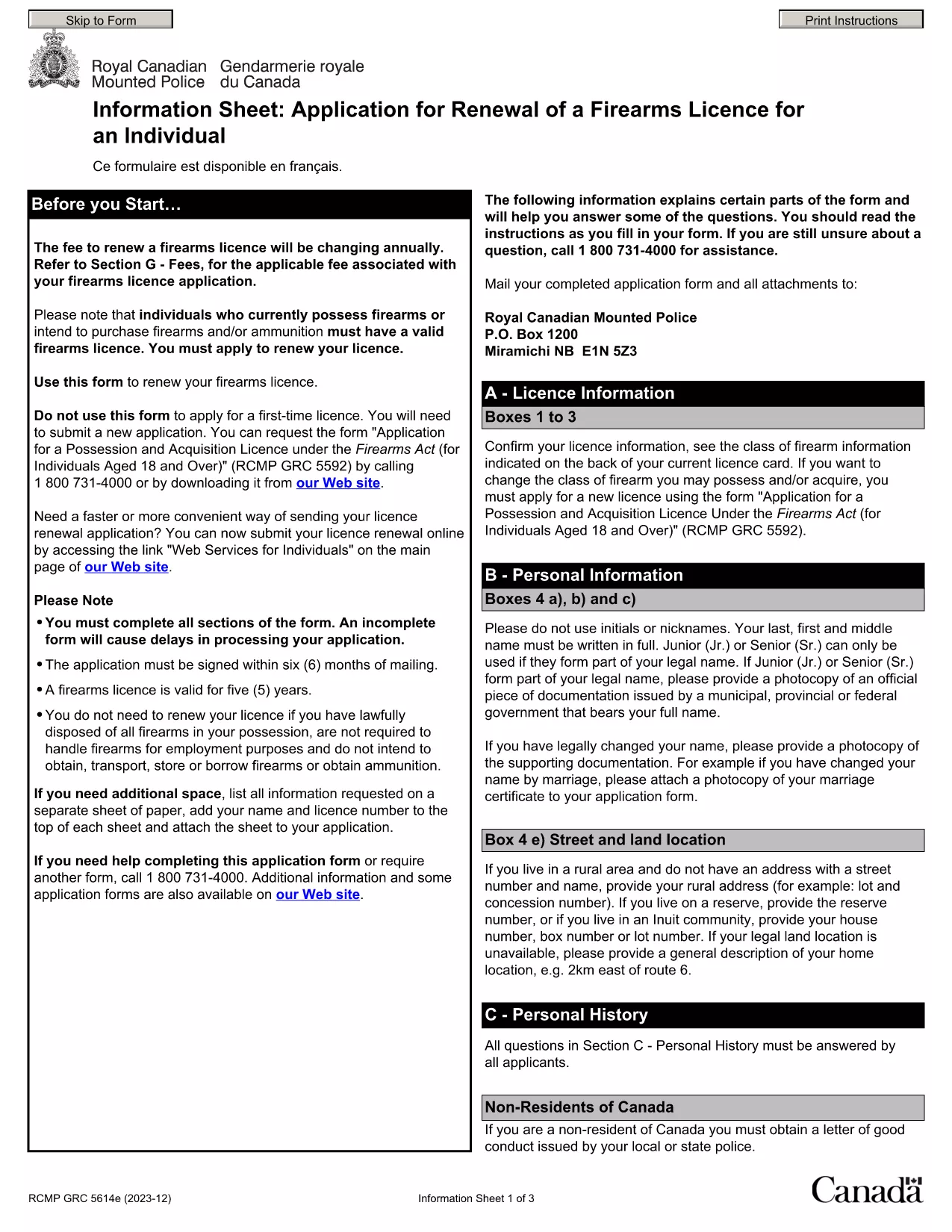
Punjab Renewal of Arms License Form for Individuals (Fillable PDF)

  1. Idioma Inglés hindi
  2. País India
  3. Expresar Punjab
  4. Departamento Departamento del Interior y Justicia
Punjab Renewal of Arms License Form for Individuals (Fillable PDF)

Renewing your personal arms license in Punjab has never been easier. Our dedicated page provides the official Punjab renewal of arms license form for individuals as a fully fillable PDF that you can complete directly in your browser.

By using Formize’s PDF Filler, you avoid printing, scanning, and the risk of missing handwritten information. The form is powered by the same structure as the RCMP PAL Renewal Form, which meets international standards for firearm licensing documentation.

Why Use a Fillable PDF for Your Punjab Arms License Renewal

A fillable PDF ensures:

  • Accuracy – fields are validated in real time.
  • Speed – submit within minutes, not days.
  • Security – your data stays encrypted while you work.

Step‑by‑Step Guide to Completing the Form Online

Follow the simple steps below to finish your renewal without leaving the page.

Common Mistakes to Avoid When Renewing Your Arms License

Skipping a required field or uploading an unsupported file format can delay processing. Our guide highlights the most frequent errors and how to prevent them.

Where to Submit Your Completed Form

After you finish, download the completed PDF and submit it to the Punjab Police Arms Licensing Office either in person or via their official online portal.

Ready to start? Click the button below, let Formize load the PDF filler, and complete the form in a few easy steps.

PREGUNTAS MÁS FRECUENTES
  • Is the Punjab arms license renewal form available for free?

    Yes. The fillable PDF is provided at no cost. You only need an internet connection to complete it online.

  • Can I edit the form after I download it?

    Once you download the completed PDF, you can open it in any standard PDF viewer, but the official submission should be the version you saved from Formize.

  • What documents do I need to attach with the renewal?

    Typically you must attach a recent passport‑size photograph, a copy of your current license, and any supporting certificates. Check the form’s attachment section for exact requirements.

  • How long does the renewal process take after submission?

    Processing times vary by district, but most renewals are completed within 7‑10 business days once the correct form and documents are received.

  • What if I make a mistake while filling the form?

    The fillable PDF highlights incomplete or incorrectly formatted fields. Correct the information before saving, or you can start over by clicking the reset button.

  • Do I need to print the form to submit it?

    No. The Punjab Police accepts a digitally signed PDF via their online portal or by email. Printing is optional.

  • Is my personal data safe while using Formize?

    Formize uses SSL encryption, and the PDF is processed locally in your browser, ensuring your data never leaves your computer unless you choose to upload it.

  • Can I use this form on a mobile device?

    Yes. The fillable PDF works on most modern smartphones and tablets with a compatible browser.

CÓMO

Cómo completar Punjab arms license renewal gratis, en línea en 5 sencillos pasos:

  1. 1
    Click the Fill Out This Form button
    Press the highlighted button on the page to open the Formize PDF Filler app.
  2. 2
    Wait for the filler to load
    The fillable PDF loads automatically; this usually takes a few seconds.
  3. 3
    Enter your information
    Complete each field – the form validates entries in real time to prevent errors.
  4. 4
    Review and sign
    Double‑check all details, add your digital signature if required, and save the document.
  5. 5
    Download or submit
    Download the finished PDF for your records and submit it to the Punjab Police Arms Licensing Office.
Aplicación Formize PDF Filler
SOBRE

Formularios de solicitud del Ministerio de Asuntos Exteriores

Punjab arms license renewal es uno de los formularios de solicitud del Ministerio de Asuntos Exteriores. El Ministerio de Asuntos Exteriores de la India ofrece varios formularios de solicitud para diferentes servicios relacionados con asuntos exteriores y relaciones internacionales. Algunos formularios de solicitud comunes incluyen:

Solicitud de pasaporte: este formulario se utiliza para solicitar un pasaporte indio. Recopila datos personales como nombre, dirección, fecha de nacimiento y nacionalidad.

Solicitud de ciudadanía de la India en el extranjero (OCI):: este formulario se utiliza para solicitar el estatus de OCI, que permite a las personas de origen indio vivir y trabajar en la India indefinidamente. Recopila datos personales, incluida prueba de origen indio.

Solicitud de Visa: Este formulario se utiliza para solicitar una visa para viajar a un país extranjero. Recopila datos personales, información de viaje y el propósito del viaje.

Solicitud de autorización de emigración: este formulario lo utilizan personas que buscan autorización de emigración para trabajar en determinados países. Recopila información personal y detalles laborales.

Solicitud de atestación: este formulario se utiliza para solicitar la atestación de diversos documentos, como certificados educativos, certificados de matrimonio y documentos comerciales. Recopila detalles del documento que se va a certificar y el propósito de la certificación.

Solicitud de servicios consulares: este formulario se utiliza para diversos servicios consulares, incluida la emisión de certificados de emergencia, asistencia a ciudadanos indios en el extranjero y registro de ciudadanos indios. Los detalles específicos requeridos dependen de la naturaleza del servicio solicitado.

CARACTERÍSTICAS

Relleno de PDF

La forma más fácil de llenar formularios PDF en línea

  • Rellene rápidamente Punjab arms license renewal
    ¿Está buscando una manera de llenar rápidamente Punjab arms license renewal en línea? Con nuestro rellenador de formularios PDF gratuito en línea, sabrá cómo editar y rellenar este documento PDF en menos de un minuto.
  • Editor de PDF en línea fácil de usar
    ¿Cansado de imprimir archivos PDF para poder editarlos antes de volver a escanearlos y enviarlos de vuelta? Edite documentos PDF gratis en línea. Utilice nuestro editor de pdf en línea para ahorrar tiempo y papel.
  • Excelentes herramientas, todas las plataformas.
    ¿Se pregunta cómo completar Punjab arms license renewal en una Mac, o tal vez cómo usar un relleno de PDF gratis? Nuestras herramientas de PDF en línea funcionan en todas las plataformas.
  • Almacenamiento seguro de archivos
    Los archivos "Punjab arms license renewal" completados se almacenan en una base de datos segura administrada por Amazon Cloud hosting. Puede eliminar sus archivos de nuestro sistema en cualquier momento. En cualquier caso, estos archivos se eliminan automáticamente después de 24 horas.
  • Chatea con {palabra clave}
    Chatea con "Punjab arms license renewal" en Chatize, que es un asistente de lectura de PDF gratuito. Haga preguntas y obtenga respuestas de "Punjab arms license renewal". Simplemente haga clic en el botón Chatear con documento de arriba.

Eliminar sesión de llenado

¿Eliminar la sesión de llenado seleccionada? En este caso, se perderá su progreso al completar el formulario.

Eliminar sesión de edición

¿Eliminar la sesión de edición seleccionada? En este caso, se perderá su progreso en la creación y edición del formulario.