


Formularios del Servicio de Impuestos Internos (IRS)
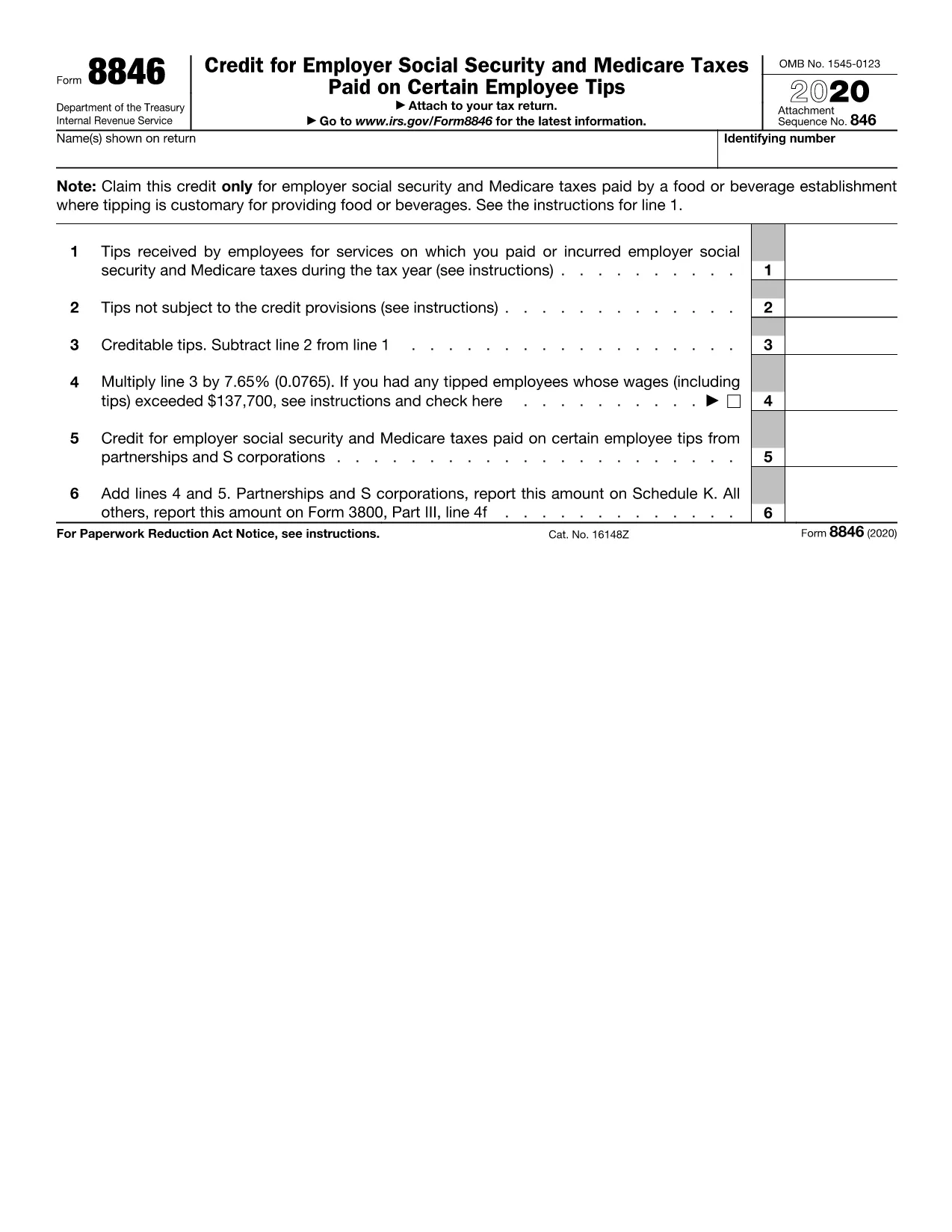
Form 8846 es uno de los formularios de impuestos oficiales utilizados en los Estados Unidos para declarar ingresos, reclamar deducciones y créditos, calcular la obligación tributaria y cumplir con otras obligaciones relacionadas con los impuestos. El IRS es la agencia federal responsable de administrar y hacer cumplir las leyes de ingresos internos en los Estados Unidos.
A continuación se muestran algunos ejemplos de formularios del Servicio de Impuestos Internos:
Formulario 1040: este es el principal formulario de declaración de impuestos sobre la renta individual utilizado por la mayoría de los contribuyentes. Se utiliza para declarar varios tipos de ingresos, reclamar deducciones y créditos, calcular la obligación tributaria y determinar si un contribuyente debe impuestos adicionales o tiene derecho a un reembolso.
Formulario 1099: existen diferentes variaciones del Formulario 1099, como 1099-MISC, 1099-INT, 1099-DIV, etc. Estos formularios se utilizan para informar los ingresos recibidos por personas o empresas de diversas fuentes además del empleo, como el trabajo por cuenta propia. ingresos, ingresos por intereses, ingresos por dividendos e ingresos por alquileres.
Formulario W-2: los empleadores utilizan este formulario para informar los salarios pagados a los empleados y los impuestos. retenidos de su salario. Los empleados utilizan la información del Formulario W-2 para completar sus declaraciones de impuestos individuales.
Formulario 941: los empleadores utilizan este formulario para declarar los impuestos sobre la nómina, incluido el impuesto federal sobre la renta retenido, el impuesto del Seguro Social y el impuesto al Medicare, para sus empleados.
Formulario 1065: las sociedades utilizan este formulario para informar sus ingresos, deducciones y obligaciones tributarias. Las sociedades en sí mismas no pagan impuesto sobre la renta; en cambio, los socios declaran su parte de los ingresos de la sociedad en sus declaraciones de impuestos individuales.
Formulario 1120: este es el formulario de declaración del impuesto sobre la renta corporativo utilizado por las corporaciones C para declarar sus ingresos. deducciones y obligaciones tributarias.
Formulario 990: este formulario lo utilizan organizaciones exentas de impuestos, como organizaciones sin fines de lucro y organizaciones benéficas, para reportar su información financiera, actividades y cumplimiento de las leyes tributarias.
Formulario 8862: este formulario lo utilizan los contribuyentes que anteriormente reclamaron el Crédito Tributario por Ingreso del Trabajo (EITC). pero lo rechazaron y ahora quiero reclamarlo nuevamente.
Estos son sólo algunos ejemplos de los numerosos formularios del IRS que existen para cumplir diversas obligaciones relacionadas con los impuestos. Los formularios específicos requeridos para un individuo o empresa dependen de sus circunstancias únicas, fuentes de ingresos y deducciones. Es recomendable consultar el sitio web oficial del Servicio de Impuestos Internos (www.irs.gov) o buscar asesoramiento fiscal profesional para obtener información precisa y actualizada sobre el IRS específico. formularios relevantes a su situación fiscal.