

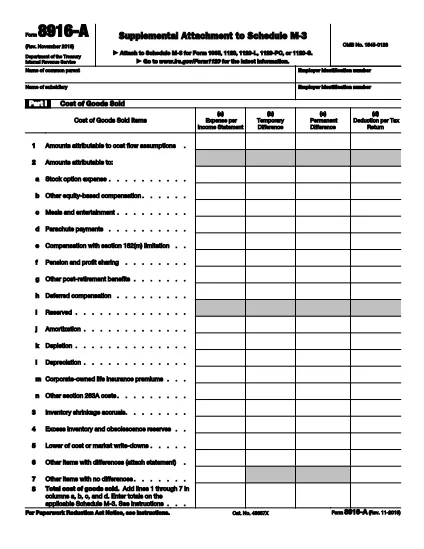

Formularios de impuesto
Form 8916-A es uno de los formularios de impuestos que son documentos que se utilizan para informar información sobre los ingresos, las deducciones y la obligación tributaria de una persona o empresa a la autoridad tributaria correspondiente. Estos formularios son necesarios para cumplir con las leyes tributarias y cumplir con las obligaciones tributarias. Los formularios de impuestos varían según el país y los requisitos fiscales específicos vigentes. A continuación se muestran algunos tipos comunes de formularios de impuestos:
Formularios de impuestos individuales: estos formularios son utilizados por los contribuyentes individuales para declarar sus ingresos personales y reclamar deducciones, créditos y exenciones. Los ejemplos incluyen el formulario 1040 en los Estados Unidos o el formulario de declaración de impuestos de autoevaluación en el Reino Unido.
Formularios de impuestos comerciales: los formularios de impuestos comerciales son utilizados por empresas, asociaciones o personas que trabajan por cuenta propia para declarar los ingresos, gastos y otra información relacionada con los impuestos de su negocio. Los ejemplos incluyen el formulario Anexo C (Ganancias o pérdidas de negocios) en los Estados Unidos o el formulario CT600 (Declaración de impuestos de la empresa) en el Reino Unido.
Formularios de impuestos sobre la nómina: estos formularios los utilizan los empleadores para informar los sueldos, salarios e impuestos retenidos de los cheques de pago de sus empleados. Los ejemplos incluyen el formulario W-2 en los Estados Unidos o el formulario P60 en el Reino Unido.
Formularios de impuestos sobre las ventas: las empresas utilizan los formularios de impuestos sobre las ventas para declarar y remitir los impuestos sobre las ventas recaudados sobre bienes o servicios sujetos a impuestos. Los formularios de impuestos sobre las ventas específicos varían según la jurisdicción.
Formularios del impuesto al valor agregado (IVA):: los formularios de IVA se utilizan en países que imponen un impuesto al valor agregado para declarar y remitir el IVA recaudado sobre las ventas y reclamar créditos de IVA para las compras. Los ejemplos incluyen los formularios de declaración del IVA utilizados en muchos países.
Formularios de impuestos estimados: los formularios de impuestos estimados se utilizan para declarar y pagar impuestos estimados sobre los ingresos que no están sujetos a retención, como los ingresos del trabajo por cuenta propia o los ingresos de inversiones.
Estos son sólo algunos ejemplos de los numerosos formularios de impuestos que pueden existir. Los formularios específicos requeridos dependen de las leyes y regulaciones fiscales de su país o jurisdicción. Es importante consultar las directrices de la autoridad fiscal o buscar asesoramiento profesional para determinar qué formularios son aplicables a su situación.