Seleccione el idioma

FAA Form 8610-2 – Fillable PDF for Airman Certificate & Rating Application

  1. Idioma Inglés
  2. País EE.UU
  3. Actividad Aviation Certification
  4. Departamento Federal Aviation Administration
FAA Form 8610-2 – Fillable PDF for Airman Certificate & Rating Application

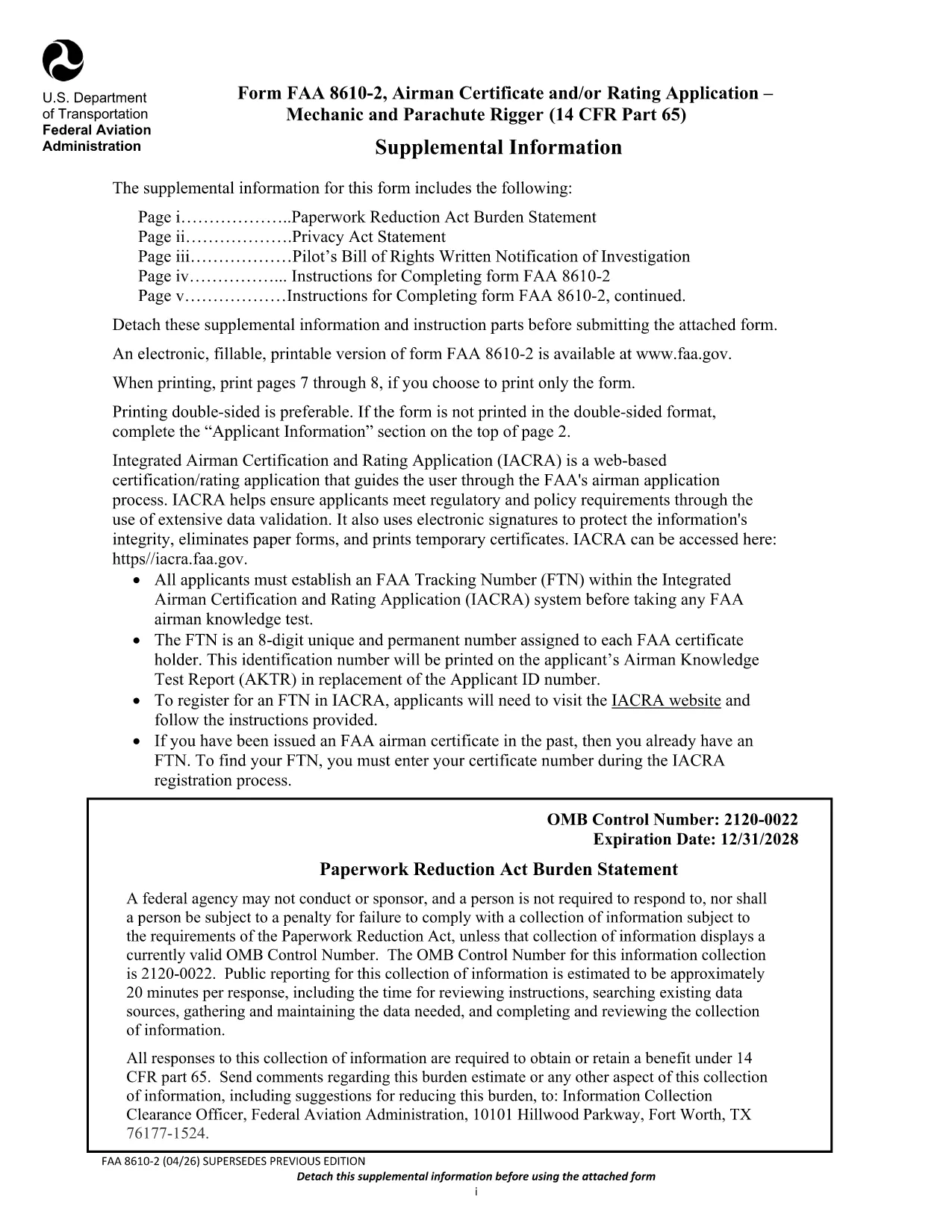
The FAA Form 8610-2 is the official Airman Certificate and/or Rating Application for mechanic and parachute rigger certifications (14 CFR Part 65). Whether you’re applying for an A&P, mechanic, or rigger rating, this form is required before you can schedule your oral and practical exams.

What Is FAA Form 8610-2?

Form 8610-2 collects personal information, employment history, and the specific ratings you are requesting. It is used by Flight Standards District Offices (FSDOs) and International Flight Standards Offices (IFOs) to verify eligibility and issue a tracking number (FTN) through the IACRA system.

How to Fill Out Form 8610-2 Online with Formize

Instead of downloading, printing, and scanning, simply click the “Fill out this form” button on this page. The Formize PDF Filler loads in your browser, letting you type, select check‑boxes, and save your progress instantly.

  • Step 1: Click the button and wait for the Formize app to load.
  • Step 2: Complete each field – the filler highlights required sections.
  • Step 3: Review, then click “Save & Download” to get a completed PDF copy.
  • Step 4: Print or email the file to your local FSDO for signature.

Common Mistakes to Avoid When Completing the Form

Even a small error can delay your certification. Avoid these pitfalls:

  • Leaving the top‑left “Mechanic”, “Airframe”, or “Powerplant” boxes checked – the FAA inspector fills them.
  • Providing incomplete experience worksheets (Tables I‑III). Use the exact language from 14 CFR §65.77.
  • Submitting an outdated FTN. Create a new IACRA account if you haven’t already.
  • Forgetting to attach a Real‑ID or passport copy when applying for a rating change.

Where to Submit Your Completed Form

After you’ve saved the filled PDF, bring the original and copies to your nearest Flight Standards District Office (FSDO) or International Flight Standards Office (IFO). The inspector will review, sign, and forward the application to the FAA certification database.

Download the Official Fillable PDF

Need the original PDF for offline use or reference? You can download the latest FAA‑issued form below.

Download FAA Form 8610-2 (PDF)

PREGUNTAS MÁS FRECUENTES
  • Do I need a PDF editor to fill Form 8610-2?

    No. With Formize you can fill the form directly in your browser—no extra software required.

  • Can I submit the form electronically?

    The FAA still requires a hard copy signature at the FSDO, but you can email the completed PDF ahead of your appointment.

  • What is an FTN and why do I need it?

    An FTN (FAA Tracking Number) is generated in IACRA and links your written and practical exam results to your certification record.

  • How long is the FAA Form 8610-2 valid?

    The form is active until the expiration date shown on the PDF (currently 12/31/2028). Use the latest version for any new application.

  • What documents should I bring to the FSDO?

    Bring a government‑issued ID (Real‑ID, passport, or birth certificate), your FTN, experience worksheets (Tables I‑III), and any supporting letters of recommendation.

  • Can I apply for both airframe and powerplant ratings on the same form?

    Yes. Select the appropriate boxes on the form and provide experience for each rating in the corresponding tables.

  • Is there a fee to submit Form 8610-2?

    The form itself is free, but you will pay testing fees when you schedule your oral and practical exams.

CÓMO

Cómo completar FAA Form 8610-2 gratis, en línea en 4 sencillos pasos:

  1. 1
    Open the Formize Filler
    Click the “Fill out this form” button on the page. The Formize PDF Filler will open in a new browser tab.
  2. 2
    Enter Your Information
    Type directly into each field. Required sections are highlighted in red. Use dropdowns for rating selections.
  3. 3
    Save and Download
    When you’ve completed all sections, click “Save & Download”. A filled‑out PDF will be saved to your device.
  4. 4
    Print or Email to Your FSDO
    Print the saved PDF (or email it) and bring it to your local Flight Standards District Office for the final signature.
Aplicación Formize PDF Filler
SOBRE

FAA Form 8610-2 plantilla

Con el conjunto tradicional de funciones para ver y completar un documento PDF, combinado con los beneficios de una aplicación web y un diseño receptivo, puede completar FAA Form 8610-2 en minutos.

CARACTERÍSTICAS

Relleno de PDF

La forma más fácil de llenar formularios PDF en línea

  • Rellene rápidamente FAA Form 8610-2
    ¿Está buscando una manera de llenar rápidamente FAA Form 8610-2 en línea? Con nuestro rellenador de formularios PDF gratuito en línea, sabrá cómo editar y rellenar este documento PDF en menos de un minuto.
  • Editor de PDF en línea fácil de usar
    ¿Cansado de imprimir archivos PDF para poder editarlos antes de volver a escanearlos y enviarlos de vuelta? Edite documentos PDF gratis en línea. Utilice nuestro editor de pdf en línea para ahorrar tiempo y papel.
  • Excelentes herramientas, todas las plataformas.
    ¿Se pregunta cómo completar FAA Form 8610-2 en una Mac, o tal vez cómo usar un relleno de PDF gratis? Nuestras herramientas de PDF en línea funcionan en todas las plataformas.
  • Almacenamiento seguro de archivos
    Los archivos "FAA Form 8610-2" completados se almacenan en una base de datos segura administrada por Amazon Cloud hosting. Puede eliminar sus archivos de nuestro sistema en cualquier momento. En cualquier caso, estos archivos se eliminan automáticamente después de 24 horas.
  • Chatea con {palabra clave}
    Chatea con "FAA Form 8610-2" en Chatize, que es un asistente de lectura de PDF gratuito. Haga preguntas y obtenga respuestas de "FAA Form 8610-2". Simplemente haga clic en el botón Chatear con documento de arriba.

Eliminar sesión de llenado

¿Eliminar la sesión de llenado seleccionada? En este caso, se perderá su progreso al completar el formulario.

Eliminar sesión de edición

¿Eliminar la sesión de edición seleccionada? En este caso, se perderá su progreso en la creación y edición del formulario.