
Seleccione el idioma

Secondary Employment Declaration – Resident Fillable PDF

  1. Idioma Inglés
  2. País EE.UU
  3. Actividad Employment Compliance
  4. Departamento Human Resources
Secondary Employment Declaration – Resident Fillable PDF

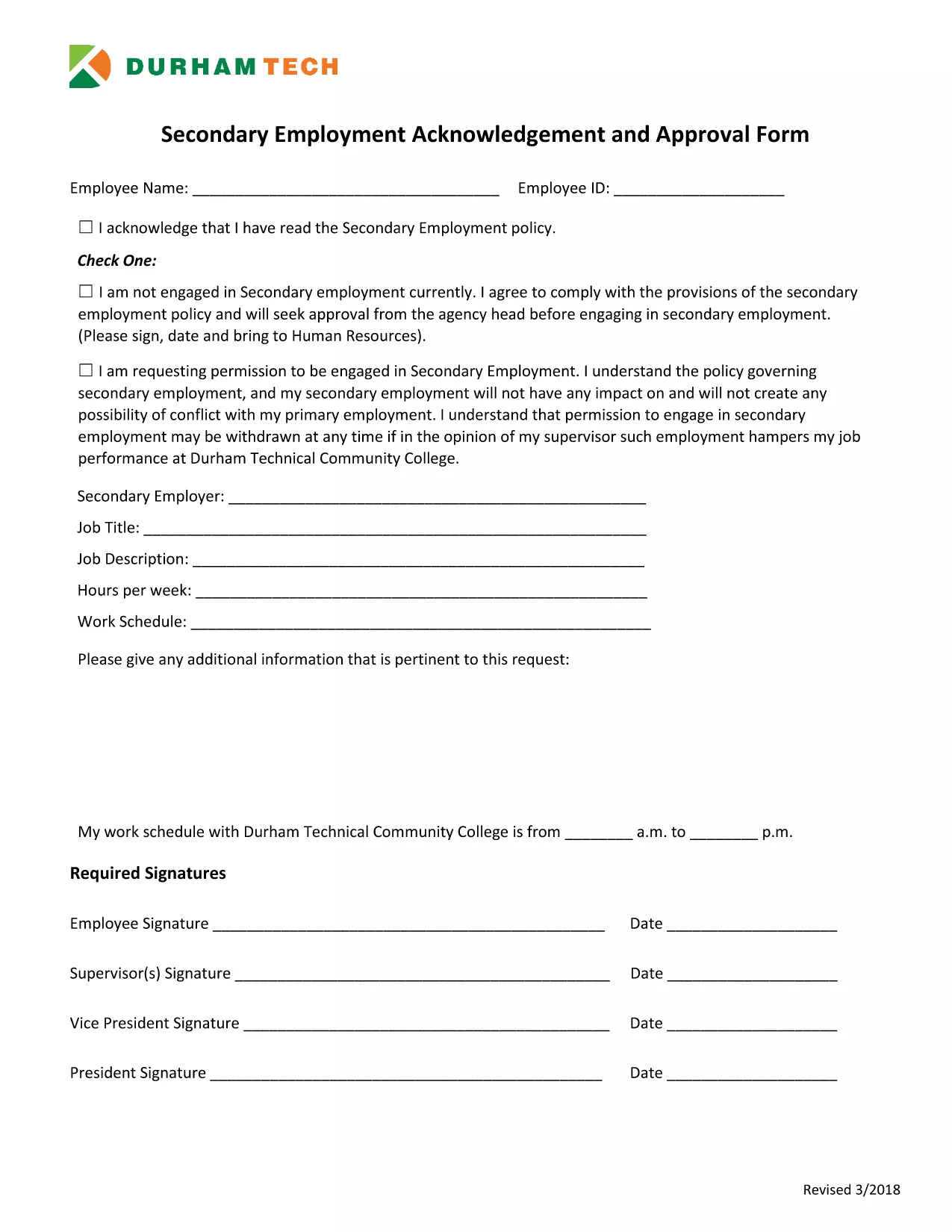
Employers often require a Secondary Employment Declaration to ensure that any outside work does not create a conflict of interest or violate company policy. This fillable PDF is designed for residents who hold a primary position and want to disclose any additional employment.

Why You Need a Secondary Employment Declaration

  • Maintains transparency with your employer.
  • Protects you from potential policy violations.
  • Helps HR track outside income for tax and compliance purposes.

How to Complete the Form Online

Using Formize’s built‑in PDF filler, you can complete the declaration without downloading a separate editor. Just click the button below, fill each field, and save.

Common Mistakes to Avoid

  • Leaving required fields blank – the form will not submit.
  • Providing vague job descriptions – be specific about duties and hours.
  • Submitting an outdated version – always use the latest PDF (linked below).

Submission Guidelines & What Happens Next

After saving the completed PDF, email it to your HR department or upload it through your internal portal. Keep a copy for your records. HR will review the declaration and confirm whether the secondary job is permissible.

Download the Secondary Employment Request Form (PDF)

PREGUNTAS MÁS FRECUENTES
  • Do I need to sign the secondary employment declaration electronically?

    Yes. The Formize filler includes a digital signature field. Just type your name in the signature box and it will be accepted as an electronic signature.

  • Can I edit the form after I download it?

    You can reopen the saved PDF in the Formize filler to make changes, but it’s best to complete all fields before the first download.

  • What if my secondary job changes after I submit the form?

    Submit an updated declaration using the same fillable PDF. Notify HR as soon as any details (hours, compensation, duties) change.

  • Is the secondary employment declaration required for part‑time work?

    Yes. Any paid activity outside your primary employment, including part‑time or freelance work, must be disclosed.

  • Will my personal information be shared with anyone outside my company?

    No. The form is stored securely on Formize’s encrypted servers and only shared with your HR department when you submit it.

  • What happens if I don’t submit the declaration?

    Failure to disclose secondary employment can result in disciplinary action, including possible termination, because it may violate company policy.

CÓMO

Cómo completar secondary employment declaration gratis, en línea en 5 sencillos pasos:

  1. 1
    Open the Fillable Form
    Click the "Fill out this form" button on the page. The Formize PDF Filler app will load instantly in your browser.
  2. 2
    Review Each Section
    Read the instructions at the top of each page and make sure you understand what information is required.
  3. 3
    Enter Your Information
    Type directly into the PDF fields – name, employee ID, details of the secondary job, hours, and compensation.
  4. 4
    Save and Download
    When all fields are completed, click "Save". The filled PDF will be downloaded to your computer.
  5. 5
    Submit to HR
    Email the saved PDF to your HR contact or upload it to the company portal as instructed.
Aplicación Formize PDF Filler
SOBRE

secondary employment declaration plantilla

Con el conjunto tradicional de funciones para ver y completar un documento PDF, combinado con los beneficios de una aplicación web y un diseño receptivo, puede completar secondary employment declaration en minutos.

CARACTERÍSTICAS

Relleno de PDF

La forma más fácil de llenar formularios PDF en línea

  • Rellene rápidamente secondary employment declaration
    ¿Está buscando una manera de llenar rápidamente secondary employment declaration en línea? Con nuestro rellenador de formularios PDF gratuito en línea, sabrá cómo editar y rellenar este documento PDF en menos de un minuto.
  • Editor de PDF en línea fácil de usar
    ¿Cansado de imprimir archivos PDF para poder editarlos antes de volver a escanearlos y enviarlos de vuelta? Edite documentos PDF gratis en línea. Utilice nuestro editor de pdf en línea para ahorrar tiempo y papel.
  • Excelentes herramientas, todas las plataformas.
    ¿Se pregunta cómo completar secondary employment declaration en una Mac, o tal vez cómo usar un relleno de PDF gratis? Nuestras herramientas de PDF en línea funcionan en todas las plataformas.
  • Almacenamiento seguro de archivos
    Los archivos "secondary employment declaration" completados se almacenan en una base de datos segura administrada por Amazon Cloud hosting. Puede eliminar sus archivos de nuestro sistema en cualquier momento. En cualquier caso, estos archivos se eliminan automáticamente después de 24 horas.
  • Chatea con {palabra clave}
    Chatea con "secondary employment declaration" en Chatize, que es un asistente de lectura de PDF gratuito. Haga preguntas y obtenga respuestas de "secondary employment declaration". Simplemente haga clic en el botón Chatear con documento de arriba.

Eliminar sesión de llenado

¿Eliminar la sesión de llenado seleccionada? En este caso, se perderá su progreso al completar el formulario.

Eliminar sesión de edición

¿Eliminar la sesión de edición seleccionada? En este caso, se perderá su progreso en la creación y edición del formulario.