
Seleccione el idioma

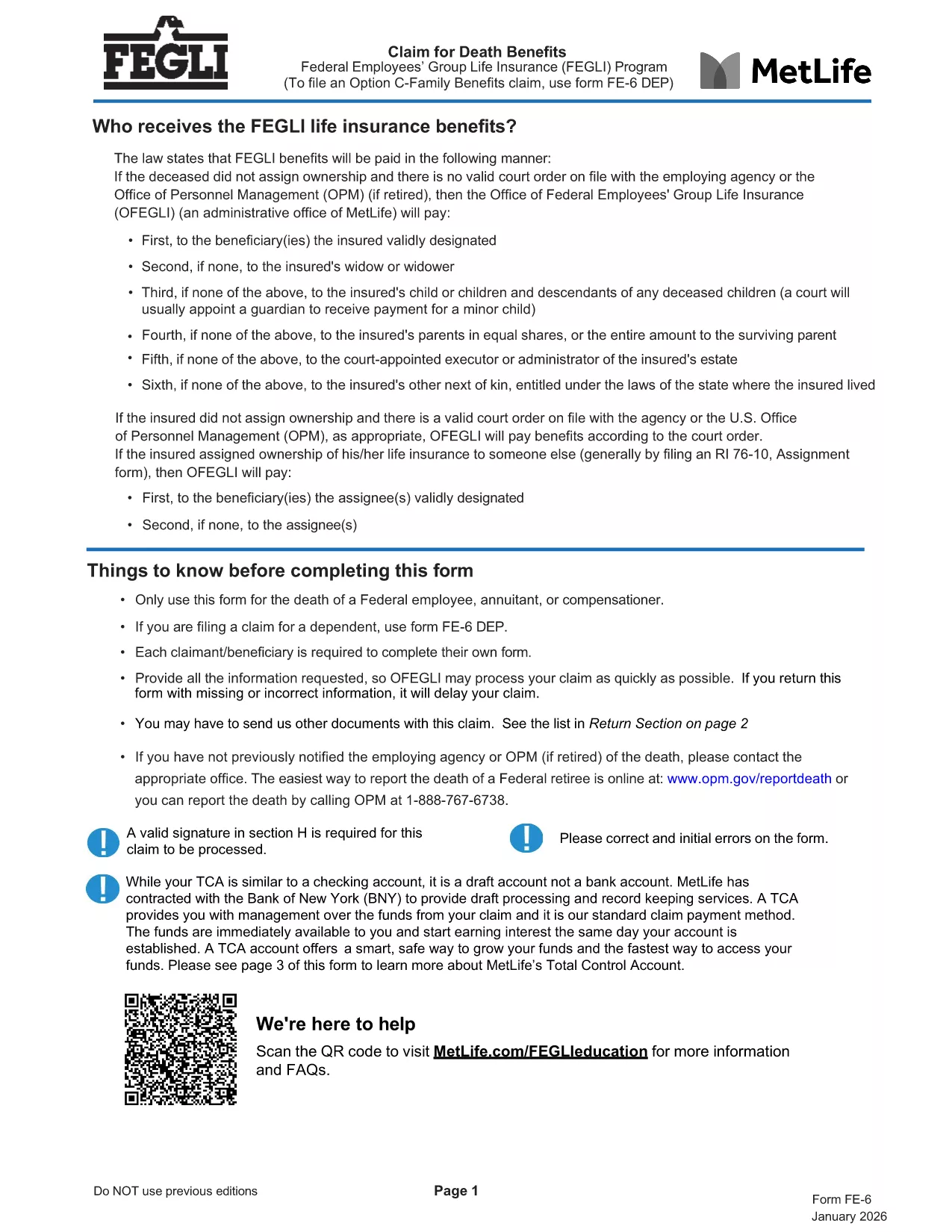
FE-6 Claim for Death Benefits – Fillable PDF Form

  1. Idioma Inglés
  2. País EE.UU
  3. Departamento Oficina de Gestión de Personal
  4. Sector Formularios de seguro de línea de grupo de empleados federales
FE-6 Claim for Death Benefits – Fillable PDF Form

The FE-6 Claim for Death Benefits is the official form used by the Office of Personnel Management (OPM) to request Federal Employees Group Life Insurance (FEGLI) benefits after the death of a federal employee, annuitant, or compensation recipient. With Formize you can open the fillable PDF directly in your browser, fill it out, and save a completed copy without installing any software.

What Is the FE-6 Form?

The FE-6 collects essential information about the deceased, the claimant, and the type of benefit being requested. It is required for:

  • Life‑insurance death benefits for a federal employee or annuitant.
  • Beneficiary designations and payment options (e.g., Total Control Account).
  • Claims for eligible dependents (use FE‑6 DEP for dependents).

How to Complete the FE-6 Online with Formize

Instead of downloading the PDF and opening a separate editor, simply click the **"Fill out this form"** button below. The Formize PDF Filler app loads the fillable document in seconds, letting you type directly into each field.

  1. Click the button – the form opens in a secure, browser‑based editor.
  2. Enter the required data – follow the on‑screen prompts for each section (deceased information, claimant details, beneficiary choices, etc.).
  3. Attach supporting documents – upload a certified copy of the death certificate and any other required paperwork.
  4. Save and download the completed PDF to your computer.
  5. Print or email the file to the address listed in the final section of the form.

Common Mistakes to Avoid

  • Leaving any required field blank – OPM will reject incomplete claims.
  • Using an uncertified death certificate – the document must bear an official stamp or signature.
  • Submitting the wrong version – ensure you are using the current FE-6 (2026 revision).
  • Not signing the form – a handwritten or electronic signature is mandatory.

Where to Send Your Completed Claim

After you have saved the filled PDF, mail it with the certified death certificate to:

Office of Federal Employees Group Life Insurance
P.O. Box 6080
Scranton, PA 18505‑6080
(For overnight delivery: OFEGLI 10 Ed Preate Drive, Moosic, PA 18507)

If you are a federal employee filing on behalf of a dependent, send the completed FE‑6 DEP to the same address or to your employing agency.

PREGUNTAS MÁS FRECUENTES
  • Who can use the FE-6 form?

    The FE-6 is for the estate of a deceased federal employee, annuitant, or compensation recipient. Dependents use the separate FE‑6 DEP form.

  • Do I need a certified death certificate?

    Yes. OPM requires a certified copy with an official stamp or signature. Uncertified copies will cause a delay or rejection.

  • Can I fill out the FE-6 on a mobile device?

    The Formize PDF Filler works on most modern smartphones and tablets. For best results, use a larger screen or a desktop browser.

  • How long does OPM take to process the claim?

    Processing typically takes 30‑45 days after receipt of a complete, signed claim and certified death certificate.

  • What if I make a mistake after submitting?

    Contact the Office of Federal Employees Group Life Insurance at 1‑800‑633‑4542. They can advise whether a corrected form must be resubmitted.

  • Is there a filing fee for the FE-6?

    No. Filing the FE-6 claim is free of charge.

  • Can I submit the claim electronically?

    OPM currently requires a mailed hard copy with the certified death certificate. The PDF can be filled electronically, but the final submission is by mail.

CÓMO

Cómo completar FE-6 form gratis, en línea en 5 sencillos pasos:

  1. 1
    Open the FE-6 Form
    Click the "Fill out this form" button on the page. The Formize PDF Filler loads the official FE-6 PDF directly in your browser.
  2. 2
    Enter Required Information
    Complete each section—deceased’s details, claimant information, and beneficiary selections—exactly as instructed.
  3. 3
    Upload Supporting Documents
    Add a certified copy of the death certificate and any other required files using the upload field.
  4. 4
    Save and Download
    When all fields are filled, click "Save" to download the completed PDF to your device.
  5. 5
    Submit the Claim
    Print (or email) the saved form and mail it with the death certificate to the OPM address shown in the form.
Aplicación Formize PDF Filler
SOBRE

Formularios de la Oficina de Gestión de Personal (OPM)

FE-6 form es uno de los formularios oficiales que utiliza la Oficina de Gestión de Personal de los Estados Unidos, que es una agencia independiente del gobierno federal responsable de gestionar la fuerza laboral de la administración pública y los beneficios de los empleados federales. La OPM establece políticas y regulaciones relacionadas con el empleo federal, administra varios programas de personal y brinda servicios a empleados federales, jubilados y solicitantes de empleo.

A continuación se muestran algunos ejemplos de formularios de la Oficina de Gestión de Personal:

Formulario estándar 86 (SF-86) : Este formulario se utiliza para el proceso de investigación de antecedentes de personas que solicitan una autorización de seguridad. Recopila información personal, laboral, educativa y financiera completa, así como detalles sobre contactos y actividades en el extranjero.

Formulario estándar 2809 (SF-2809) : Este formulario se utiliza para inscribirse en el Programa de Beneficios de Salud para Empleados Federales (FEHB), que brinda cobertura de seguro médico a empleados federales, jubilados y sus familiares elegibles.

Formulario estándar 2817 (SF-2817): este formulario se utiliza para solicitar la continuación de la cobertura bajo el Programa de seguro dental y de visión para empleados federales (FEDVIP) después de la jubilación o separación del servicio federal.

Formulario estándar 3107 (SF-3107) : Este formulario se utiliza para solicitar beneficios de jubilación bajo el Sistema de Retiro del Servicio Civil (CSRS).

Formulario estándar 2801 (SF-2801) : Este formulario se utiliza para solicitar beneficios de jubilación bajo el Sistema de Jubilación de Empleados Federales (FERS).

Formulario estándar 15 (SF-15) : Este formulario se utiliza para solicitar la preferencia de veterano en el empleo federal. Lo presentan veteranos o sus familiares elegibles que buscan oportunidades de empleo en el gobierno federal.

Estos ejemplos representan algunos formularios OPM comunes utilizados en el contexto del empleo federal y los beneficios para empleados. Sin embargo, la OPM tiene una variedad de otras formas relacionadas con diversos programas de personal, jubilación, seguros y otros aspectos del empleo federal. Los formularios específicos requeridos pueden variar según la naturaleza de la transacción, programa o beneficio que se busca. Es recomendable consultar el sitio web oficial de la Oficina de Gestión de Personal de EE. UU. (www.opm.gov) o buscar orientación de la OPM o del personal de recursos humanos relevante para obtener información precisa y actualizada. información actualizada sobre los formularios OPM específicos relevantes para su empleo federal o necesidades relacionadas con beneficios.

CARACTERÍSTICAS

Relleno de PDF

La forma más fácil de llenar formularios PDF en línea

  • Rellene rápidamente FE-6 form
    ¿Está buscando una manera de llenar rápidamente FE-6 form en línea? Con nuestro rellenador de formularios PDF gratuito en línea, sabrá cómo editar y rellenar este documento PDF en menos de un minuto.
  • Editor de PDF en línea fácil de usar
    ¿Cansado de imprimir archivos PDF para poder editarlos antes de volver a escanearlos y enviarlos de vuelta? Edite documentos PDF gratis en línea. Utilice nuestro editor de pdf en línea para ahorrar tiempo y papel.
  • Excelentes herramientas, todas las plataformas.
    ¿Se pregunta cómo completar FE-6 form en una Mac, o tal vez cómo usar un relleno de PDF gratis? Nuestras herramientas de PDF en línea funcionan en todas las plataformas.
  • Almacenamiento seguro de archivos
    Los archivos "FE-6 form" completados se almacenan en una base de datos segura administrada por Amazon Cloud hosting. Puede eliminar sus archivos de nuestro sistema en cualquier momento. En cualquier caso, estos archivos se eliminan automáticamente después de 24 horas.
  • Chatea con {palabra clave}
    Chatea con "FE-6 form" en Chatize, que es un asistente de lectura de PDF gratuito. Haga preguntas y obtenga respuestas de "FE-6 form". Simplemente haga clic en el botón Chatear con documento de arriba.

Eliminar sesión de llenado

¿Eliminar la sesión de llenado seleccionada? En este caso, se perderá su progreso al completar el formulario.

Eliminar sesión de edición

¿Eliminar la sesión de edición seleccionada? En este caso, se perderá su progreso en la creación y edición del formulario.