
Seleccione el idioma

DS-11 U.S. Passport Application – Fillable PDF

  1. Idioma Inglés
  2. País EE.UU
  3. Actividad Pasaporte
DS-11 U.S. Passport Application – Fillable PDF

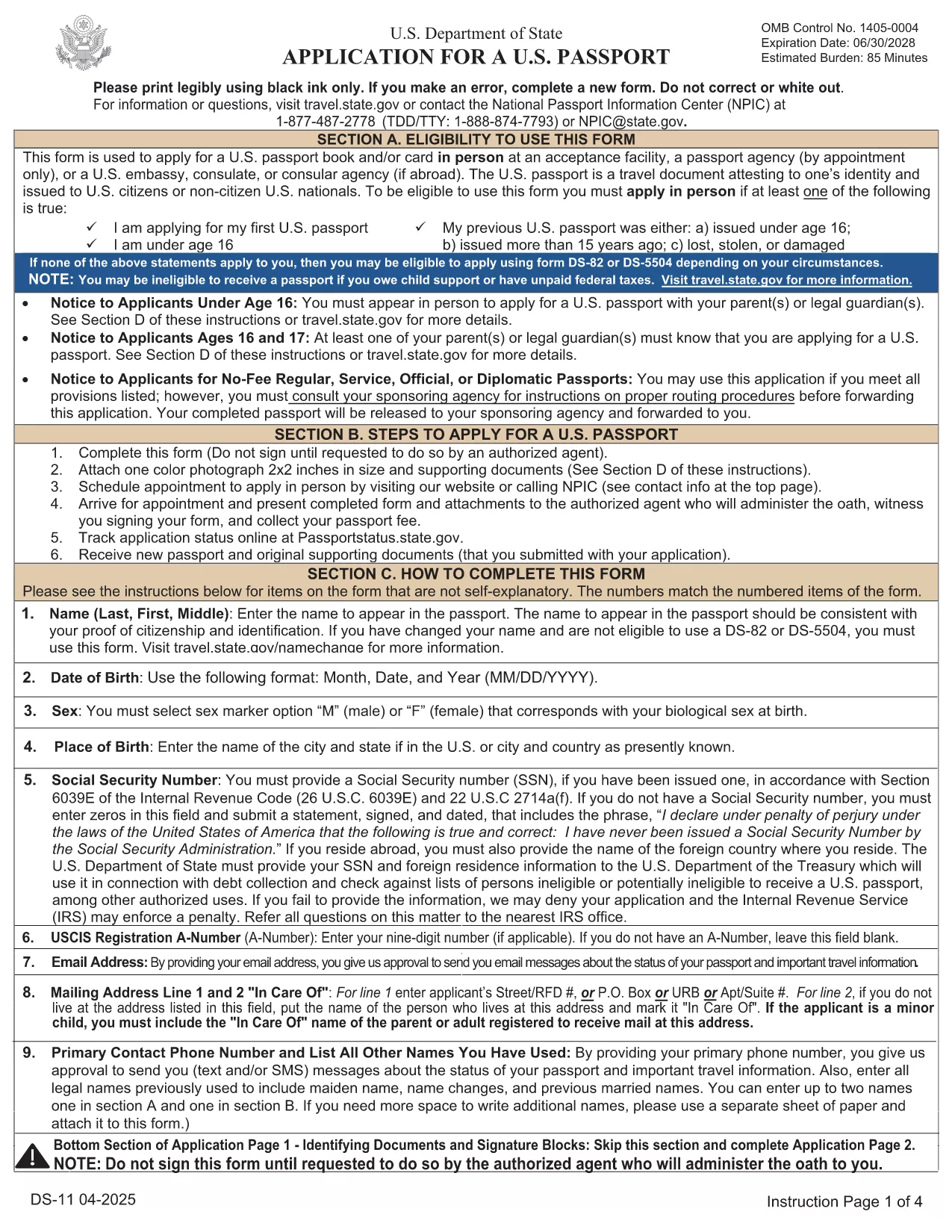
The DS-11 is the official application for first‑time U.S. passports, passports for minors, and replacement of lost or damaged passports. Using Formize’s built‑in PDF filler, you can complete the form online, avoid manual errors, and print a clean, one‑sided copy ready for submission.

What Is the DS-11 Form?

DS-11 is issued by the U.S. Department of State. It collects personal information, citizenship proof, and travel details. You must present the unsigned, completed form at a passport acceptance facility along with supporting documents.

How to Complete the DS-11 with Formize

Follow these simple steps to fill the form directly in your browser—no PDF editor required.

  • Click “Fill out this form” on the page.
  • Wait a few seconds while the Formize PDF Filler loads the official DS-11.
  • Enter your information in each field using the on‑screen keyboard.
  • Use the navigation arrows to move between pages.
  • When finished, click Print to produce a one‑sided copy.

Common Mistakes to Avoid

  • Using colored ink – print in black ink only.
  • Leaving any required box empty – the filler will highlight missing fields.
  • Signing the form before you reach the acceptance facility – sign only on the printed copy.
  • Altering a printed form by hand – any corrections require a new form.

Where to Submit Your Completed Form

Take the printed, unsigned DS-11, your proof of citizenship, a government‑issued photo ID, and a passport‑size photo to any passport acceptance facility (post offices, libraries, or designated clerks). If you need expedited service, schedule an appointment at a regional passport agency.

Download the Official Fillable PDF

For offline use, you can download the original PDF from the U.S. Department of State. The online filler provides the same official form, but the download link is included for reference.

Download DS-11 PDF (official)

PREGUNTAS MÁS FRECUENTES
  • Who must use the DS-11 form?

    First‑time applicants, minors under 16, and anyone replacing a lost, stolen, or damaged passport that is more than 5 years old must use DS‑11.

  • Can I submit a signed DS-11 online?

    No. The DS‑11 must be presented unsigned to a passport acceptance agent, who will witness your signature.

  • Do I need a passport photo?

    Yes. Provide one recent, 2×2 inch color photo that meets State Department requirements.

  • How long does processing take?

    Standard processing is 4‑6 weeks after the acceptance facility receives your application. Expedited service reduces this to 2‑3 weeks.

  • Is the Formize filler free?

    Formize offers a free online filler for the DS‑11. No download or software installation is required.

  • What documents accompany the DS‑11?

    You need proof of U.S. citizenship (birth certificate or naturalization certificate), a government‑issued photo ID, a passport‑size photo, and the applicable fee.

  • Can I correct errors after printing?

    If you discover an error, you must fill out a new DS‑11. Hand‑written corrections are not accepted.

CÓMO

Cómo completar DS-11 gratis, en línea en 5 sencillos pasos:

  1. 1
    Open the Formizer Fillable DS-11
    Click the “Fill out this form” button on the page. The Formize PDF Filler will load the official DS-11 automatically.
  2. 2
    Enter Your Information
    Use the on‑screen fields to type your name, date of birth, address, and other required details. The filler validates each entry.
  3. 3
    Review and Print
    After completing all pages, click the Print button. Print a single‑sided copy on white paper using black ink.
  4. 4
    Sign at the Acceptance Facility
    Do NOT sign the printed form until you are in front of a passport acceptance agent.
  5. 5
    Submit Your Package
    Take the printed DS-11, your supporting documents, and payment to the nearest passport acceptance facility.
Aplicación Formize PDF Filler
SOBRE

Formularios de pasaporte

DS-11 es uno de los formularios de pasaporte que son documentos utilizados para solicitar un pasaporte, que es un documento de viaje que certifica la identidad y nacionalidad del titular y le permite viajar internacionalmente. Los formularios de pasaporte pueden variar según el país que emite el pasaporte, pero generalmente contienen información personal sobre el solicitante, como el nombre, la fecha y el lugar de nacimiento, así como información sobre los padres del solicitante y cualquier pasaporte o documento de viaje anterior. .

En los Estados Unidos, los dos formularios de pasaporte más comunes son el DS-11 y el DS-82. El formulario DS-11 se usa para solicitantes por primera vez, menores de edad o personas que no son elegibles para usar el formulario DS-82. El formulario DS-82 se usa para renovaciones de pasaportes por correo para solicitantes elegibles. Ambos formularios requieren que el solicitante proporcione información personal y documentación de respaldo, como una foto de pasaporte y prueba de ciudadanía.

Otros países pueden tener diferentes formularios y requisitos de pasaporte, pero el proceso básico generalmente implica completar una solicitud de pasaporte, proporcionar documentación de respaldo y asistir a una entrevista con un funcionario de pasaportes en una instalación gubernamental o embajada. Es importante tener en cuenta que el proceso de solicitud de pasaporte puede demorar varias semanas o incluso meses, por lo que se recomienda presentar la solicitud con bastante anticipación a cualquier viaje planificado.

CARACTERÍSTICAS

Relleno de PDF

La forma más fácil de llenar formularios PDF en línea

  • Rellene rápidamente DS-11
    ¿Está buscando una manera de llenar rápidamente DS-11 en línea? Con nuestro rellenador de formularios PDF gratuito en línea, sabrá cómo editar y rellenar este documento PDF en menos de un minuto.
  • Editor de PDF en línea fácil de usar
    ¿Cansado de imprimir archivos PDF para poder editarlos antes de volver a escanearlos y enviarlos de vuelta? Edite documentos PDF gratis en línea. Utilice nuestro editor de pdf en línea para ahorrar tiempo y papel.
  • Excelentes herramientas, todas las plataformas.
    ¿Se pregunta cómo completar DS-11 en una Mac, o tal vez cómo usar un relleno de PDF gratis? Nuestras herramientas de PDF en línea funcionan en todas las plataformas.
  • Almacenamiento seguro de archivos
    Los archivos "DS-11" completados se almacenan en una base de datos segura administrada por Amazon Cloud hosting. Puede eliminar sus archivos de nuestro sistema en cualquier momento. En cualquier caso, estos archivos se eliminan automáticamente después de 24 horas.
  • Chatea con {palabra clave}
    Chatea con "DS-11" en Chatize, que es un asistente de lectura de PDF gratuito. Haga preguntas y obtenga respuestas de "DS-11". Simplemente haga clic en el botón Chatear con documento de arriba.

Eliminar sesión de llenado

¿Eliminar la sesión de llenado seleccionada? En este caso, se perderá su progreso al completar el formulario.

Eliminar sesión de edición

¿Eliminar la sesión de edición seleccionada? En este caso, se perderá su progreso en la creación y edición del formulario.