Seleccione el idioma

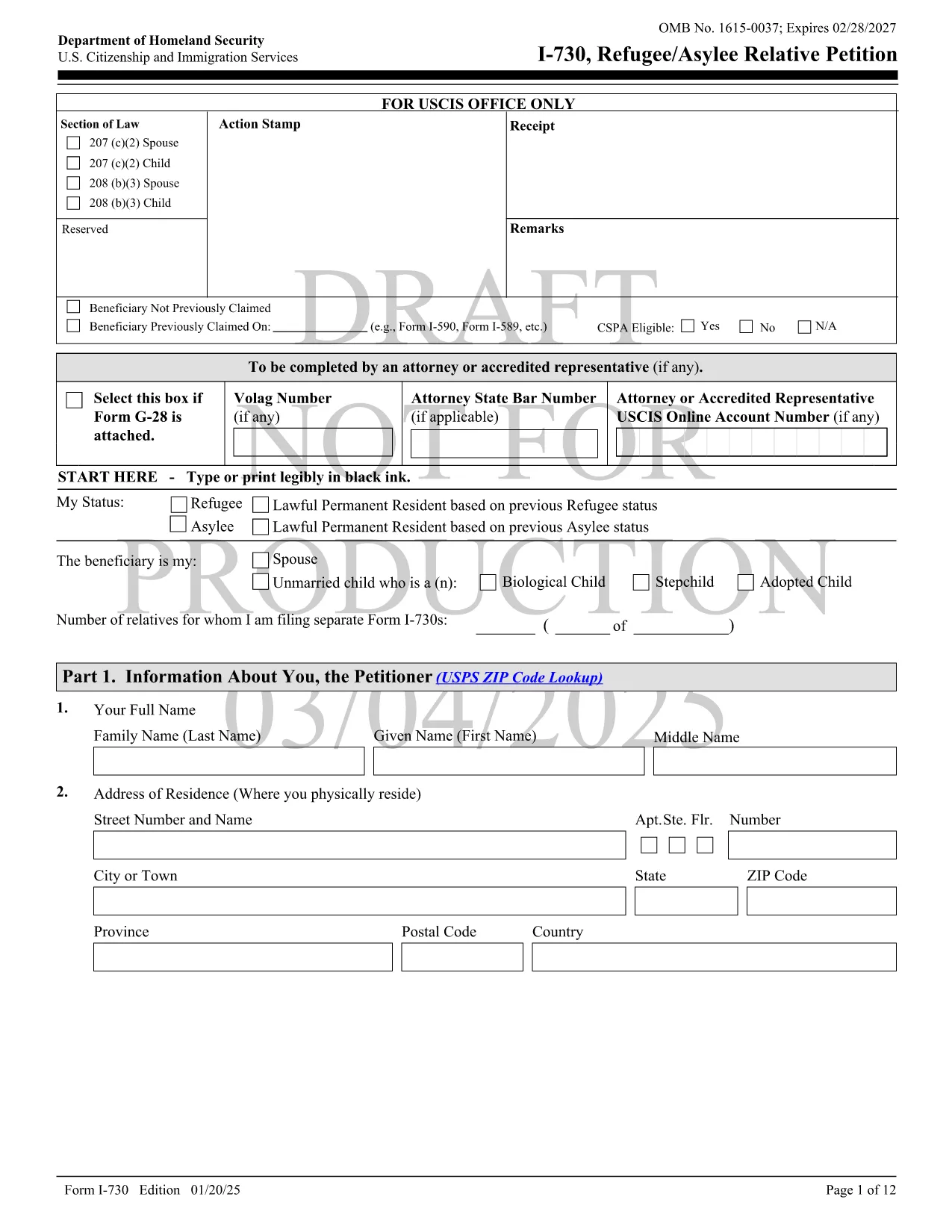
Download and Fill Form I‑730 – Refugee/Asylee Relative Petition

  1. País EE.UU
  2. Idioma Inglés
  3. Departamento Servicios de Inmigración y Ciudadanía de los Estados Unidos
Download and Fill Form I‑730 – Refugee/Asylee Relative Petition

The USCIS Form I‑730 is the official Refugee/Asylee Relative Petition that allows a principal refugee or asylee to request that their spouse and unmarried children under 21 join them in the United States. Our fillable PDF version lets you complete the form quickly, accurately, and securely—all within your browser.

What Is Form I‑730?

Form I‑730 initiates the "follow‑to‑join" process. Once approved, eligible family members receive immigrant visas and can travel to the U.S. as derivatives of the principal refugee or asylee.

Eligibility Requirements

  • Principal refugee admitted within the past 2 years, or principal asylee granted asylum within the past 2 years.
  • Petition for spouse or unmarried children under 21 (certain cases allow children over 21).
  • Beneficiary must be outside the United States at the time of filing, unless filing for a domestic adjustment.

How to Complete the Fillable I‑730 Form

Our Formize PDF Filler loads the official form in a web‑based editor. You can type directly into each field, attach photos, and sign electronically—no extra software required.

Common Mistakes to Avoid

  • Skipping the required passport‑style photograph for each beneficiary.
  • Leaving any field blank (even “N/A” if not applicable).
  • Submitting an outdated version of the form—always use the latest PDF.
  • Missing the 2‑year filing deadline without a humanitarian waiver.

Where to Submit Your Petition

After completing the fillable PDF, download the final file and mail it to the USCIS address listed in the instructions, or submit it electronically if you have a USCIS online account that accepts PDF uploads.

Need help? Review the official USCIS instructions for detailed filing guidance.

PREGUNTAS MÁS FRECUENTES
  • What is the purpose of Form I‑730?

    Form I‑730 allows a principal refugee or asylee to petition for their spouse and unmarried children under 21 to join them in the United States.

  • Who can file Form I‑730?

    Only a principal refugee admitted within the past two years or a principal asylee granted asylum within the past two years may file the petition.

  • Can I file Form I‑730 online?

    USCIS does not yet accept a fully online submission, but you can complete the fillable PDF with Formize, then download and mail the signed form.

  • What supporting documents are required?

    You must include a passport‑style photo for each beneficiary, proof of your refugee or asylum status, marriage certificate (if filing for a spouse), and birth certificates for children.

  • What if I miss the two‑year filing deadline?

    A humanitarian waiver may be granted in extraordinary circumstances. Review the USCIS instructions and submit a request for a waiver with supporting evidence.

  • How long does processing take?

    Processing times vary by case type and location, but most I‑730 petitions are reviewed within 6‑12 months after receipt.

  • Can I correct errors after I submit the form?

    If USCIS issues a Request for Evidence (RFE) or Notice of Intent to Deny, you can submit corrected information. Otherwise, you must file a new petition.

CÓMO

Cómo completar Form I-730 gratis, en línea en 6 sencillos pasos:

  1. 1
    Click the Fillable Form Button
    On this page, click the "Fill out this form" button. The Formize PDF Filler app will open in a new tab.
  2. 2
    Wait for the Filler to Load
    The app loads the official I‑730 PDF. This may take a few seconds depending on your connection.
  3. 3
    Enter Your Information
    Type directly into each highlighted field. Use the tab key to move quickly between sections.
  4. 4
    Upload Required Photos
    Attach a passport‑style photo for every beneficiary using the "Upload" button next to the photo field.
  5. 5
    Review and Sign
    Check all entries for accuracy, then use the electronic signature field to sign the petition.
  6. 6
    Download or Submit
    When you’re done, click "Download Completed PDF" to save a copy, or follow USCIS instructions to mail the form.
Aplicación Formize PDF Filler
SOBRE

Form I-730 plantilla

Con el conjunto tradicional de funciones para ver y completar un documento PDF, combinado con los beneficios de una aplicación web y un diseño receptivo, puede completar Form I-730 en minutos.

CARACTERÍSTICAS

Relleno de PDF

La forma más fácil de llenar formularios PDF en línea

  • Rellene rápidamente Form I-730
    ¿Está buscando una manera de llenar rápidamente Form I-730 en línea? Con nuestro rellenador de formularios PDF gratuito en línea, sabrá cómo editar y rellenar este documento PDF en menos de un minuto.
  • Editor de PDF en línea fácil de usar
    ¿Cansado de imprimir archivos PDF para poder editarlos antes de volver a escanearlos y enviarlos de vuelta? Edite documentos PDF gratis en línea. Utilice nuestro editor de pdf en línea para ahorrar tiempo y papel.
  • Excelentes herramientas, todas las plataformas.
    ¿Se pregunta cómo completar Form I-730 en una Mac, o tal vez cómo usar un relleno de PDF gratis? Nuestras herramientas de PDF en línea funcionan en todas las plataformas.
  • Almacenamiento seguro de archivos
    Los archivos "Form I-730" completados se almacenan en una base de datos segura administrada por Amazon Cloud hosting. Puede eliminar sus archivos de nuestro sistema en cualquier momento. En cualquier caso, estos archivos se eliminan automáticamente después de 24 horas.
  • Chatea con {palabra clave}
    Chatea con "Form I-730" en Chatize, que es un asistente de lectura de PDF gratuito. Haga preguntas y obtenga respuestas de "Form I-730". Simplemente haga clic en el botón Chatear con documento de arriba.

Eliminar sesión de llenado

¿Eliminar la sesión de llenado seleccionada? En este caso, se perderá su progreso al completar el formulario.

Eliminar sesión de edición

¿Eliminar la sesión de edición seleccionada? En este caso, se perderá su progreso en la creación y edición del formulario.