Seleccione el idioma

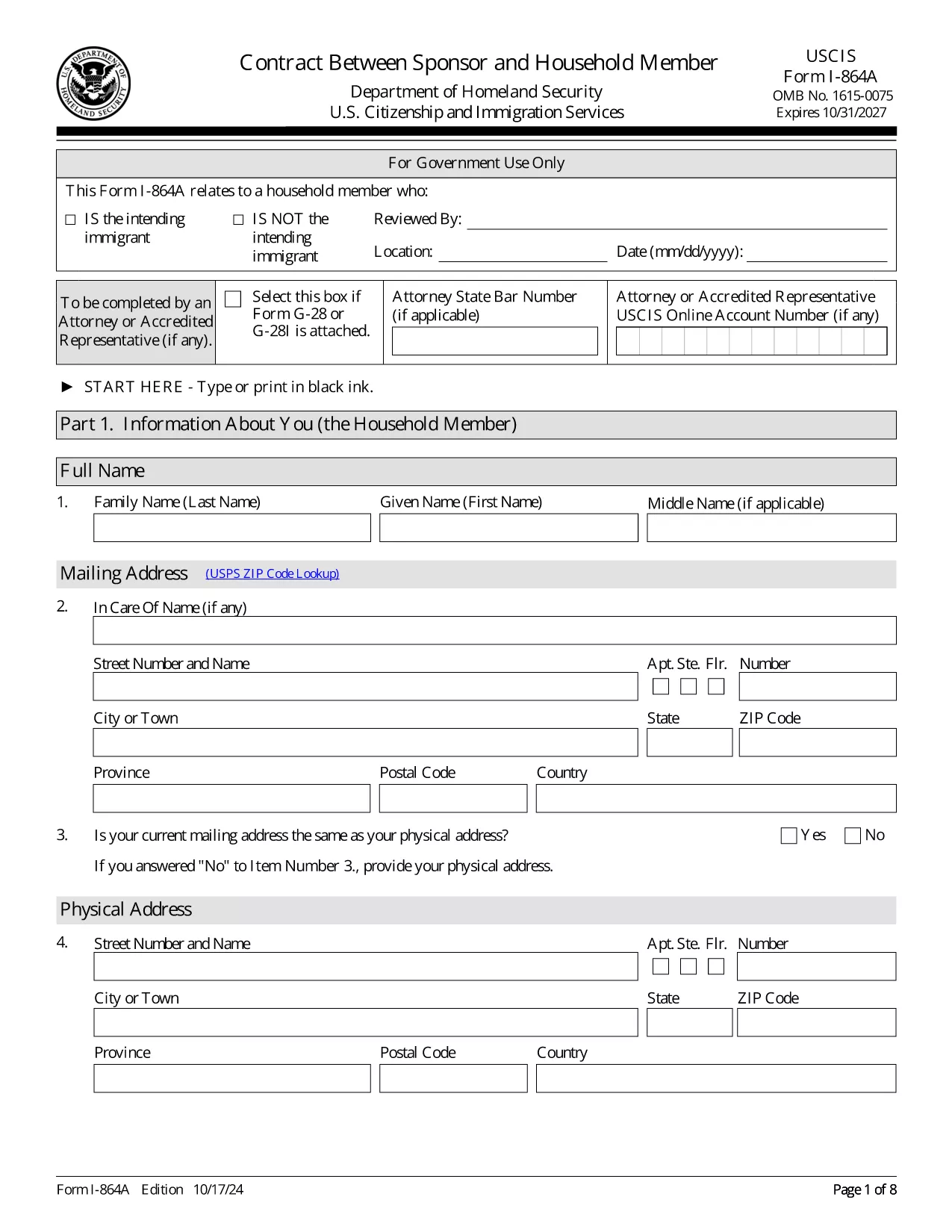
Fillable Form I-864A – Contract Between Sponsor and Household Member

  1. País EE.UU
  2. Idioma Inglés
  3. Departamento Servicios de Inmigración y Ciudadanía de los Estados Unidos
Fillable Form I-864A – Contract Between Sponsor and Household Member

The Form I-864A (Contract Between Sponsor and Household Member) is a legally binding agreement required when a sponsor’s household member helps meet the income requirement for an immigrant’s Affidavit of Support (Form I-864). This fillable PDF lets you complete the form quickly, securely, and without printing.

What Is Form I-864A?

Form I-864A is used by a household member who is not the intending immigrant but who agrees to make their income and/or assets available to support the sponsored alien. The form captures personal information, income details, and signatures from both the sponsor and the household member.

How to Complete the Fillable I-864A Online

With Formize’s PDF Filler, you can fill out the form directly in your browser. No extra software is needed.

  • Click the "Fill out this form" button below.
  • Wait for the Formize PDF Filler app to load.
  • Enter the requested information in each field. The filler automatically saves your progress.
  • When all sections are complete, add electronic signatures for the sponsor and household member.
  • Download the finished PDF or print it for mailing.

Common Mistakes to Avoid

  • Leaving fields blank: Every required field must be completed; otherwise USCIS will reject the form.
  • Mismatched edition dates: Ensure the PDF you are using matches the current edition (10/17/24).
  • Incorrect income calculations: Use the most recent tax year’s IRS transcript or tax return.
  • Missing signatures: Both the sponsor and the household member must sign; unsigned forms are rejected.

Where to Submit the Completed Form

Form I-864A is filed together with Form I-864 (Affidavit of Support). Include the original signed PDF with the rest of the sponsor’s supporting documents and mail them to the USCIS address indicated in the filing instructions.

Ready to start? Click the button below to open the fillable version.

PREGUNTAS MÁS FRECUENTES
  • Do I need a PDF editor to fill out Form I-864A?

    No. The Formize PDF Filler works in any modern browser, so you can complete the form without installing additional software.

  • Can a household member who lives abroad sign Form I-864A?

    Yes, as long as the household member provides a valid U.S. address for correspondence and signs electronically or on a printed copy.

  • What income documents must I attach?

    Attach the most recent IRS tax transcript or a copy of the federal tax return, including all W‑2s and 1099s for the last three years if you want to strengthen the case.

  • Will USCIS accept a digitally signed I-864A?

    USCIS accepts electronic signatures on fillable PDFs as long as the signature field is properly completed and the PDF is printed with the signature visible.

  • What happens if the sponsored immigrant receives public benefits?

    Both the sponsor and the household member are financially liable for any means‑tested public benefits the immigrant receives, and the agency may seek repayment.

  • Is there a filing fee for Form I-864A?

    Form I-864A itself has no separate fee, but it is filed together with Form I-864, which may have a filing fee based on the USCIS fee schedule.

  • Can I edit the form after I’ve downloaded it?

    Yes, you can reopen the saved PDF in Formize’s filler to make corrections before the final submission.

CÓMO

Cómo completar I-864A gratis, en línea en 5 sencillos pasos:

  1. 1
    Open the Fillable Form
    Click the "Fill out this form" button on the page. The Formize PDF Filler will open in a new tab.
  2. 2
    Enter Sponsor Information
    Fill in the sponsor’s name, address, and citizenship details in the highlighted fields.
  3. 3
    Add Household Member Income
    Provide the household member’s income, assets, and tax return information exactly as shown on their latest IRS transcript.
  4. 4
    Sign Electronically
    Both the sponsor and the household member use the built‑in e‑signature tool to sign the form.
  5. 5
    Download or Print
    After reviewing for errors, click "Download" to save the completed PDF or "Print" to mail a hard copy to USCIS.
Aplicación Formize PDF Filler
SOBRE

I-864A plantilla

Con el conjunto tradicional de funciones para ver y completar un documento PDF, combinado con los beneficios de una aplicación web y un diseño receptivo, puede completar I-864A en minutos.

CARACTERÍSTICAS

Relleno de PDF

La forma más fácil de llenar formularios PDF en línea

  • Rellene rápidamente I-864A
    ¿Está buscando una manera de llenar rápidamente I-864A en línea? Con nuestro rellenador de formularios PDF gratuito en línea, sabrá cómo editar y rellenar este documento PDF en menos de un minuto.
  • Editor de PDF en línea fácil de usar
    ¿Cansado de imprimir archivos PDF para poder editarlos antes de volver a escanearlos y enviarlos de vuelta? Edite documentos PDF gratis en línea. Utilice nuestro editor de pdf en línea para ahorrar tiempo y papel.
  • Excelentes herramientas, todas las plataformas.
    ¿Se pregunta cómo completar I-864A en una Mac, o tal vez cómo usar un relleno de PDF gratis? Nuestras herramientas de PDF en línea funcionan en todas las plataformas.
  • Almacenamiento seguro de archivos
    Los archivos "I-864A" completados se almacenan en una base de datos segura administrada por Amazon Cloud hosting. Puede eliminar sus archivos de nuestro sistema en cualquier momento. En cualquier caso, estos archivos se eliminan automáticamente después de 24 horas.
  • Chatea con {palabra clave}
    Chatea con "I-864A" en Chatize, que es un asistente de lectura de PDF gratuito. Haga preguntas y obtenga respuestas de "I-864A". Simplemente haga clic en el botón Chatear con documento de arriba.

Eliminar sesión de llenado

¿Eliminar la sesión de llenado seleccionada? En este caso, se perderá su progreso al completar el formulario.

Eliminar sesión de edición

¿Eliminar la sesión de edición seleccionada? En este caso, se perderá su progreso en la creación y edición del formulario.