
Seleccione el idioma

GU-41A Road Crossing Permit – Fillable PDF Download

  1. Idioma Inglés
  2. País EE.UU
  3. Actividad Registro de Vehículo
  4. Expresar New Jersey
GU-41A Road Crossing Permit – Fillable PDF Download

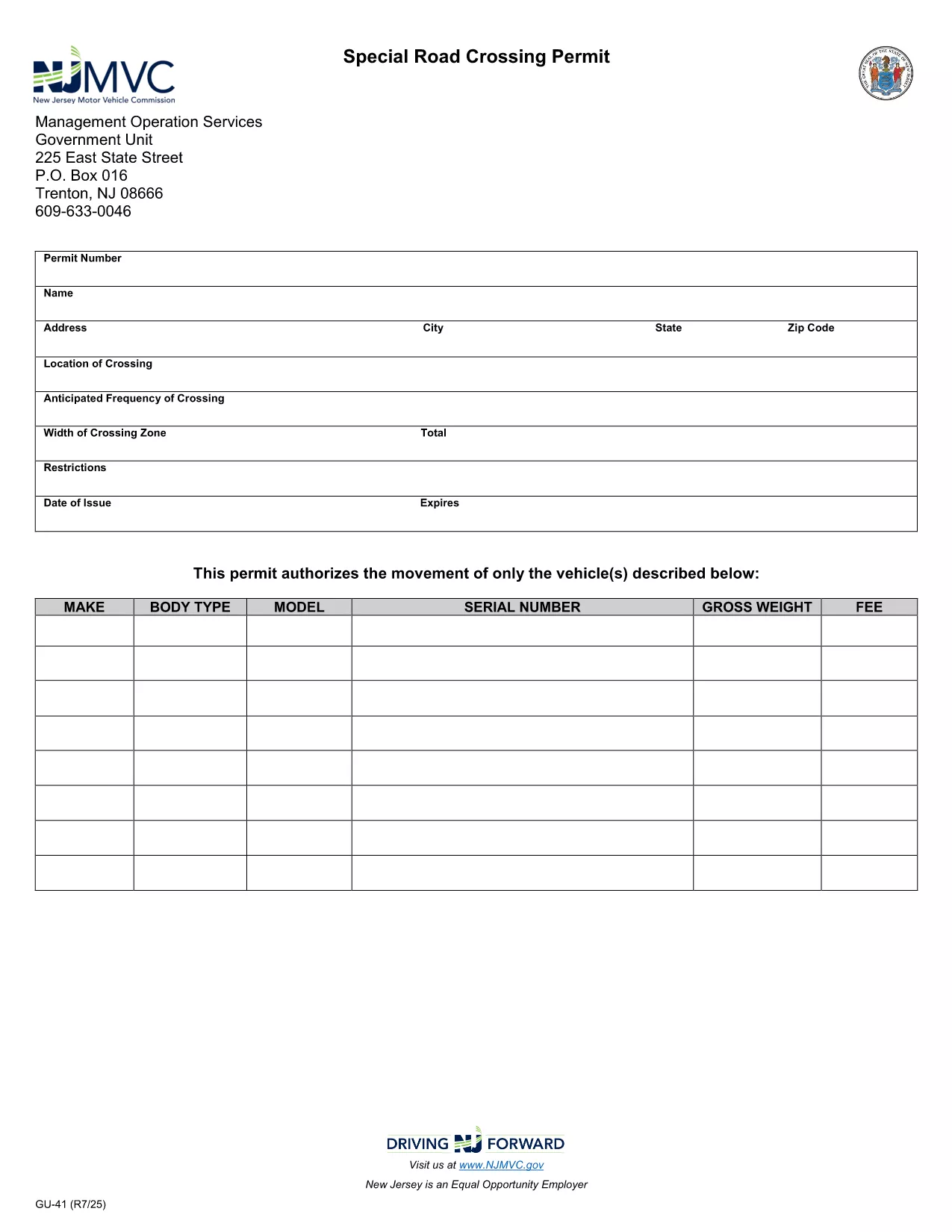
The GU-41A is New Jersey’s official Road Crossing Permit used for temporary vehicle crossings on state highways. Whether you’re transporting oversized equipment, conducting road work, or need a special crossing for a public event, this form authorizes daylight‑only crossings (or night crossings with proper lighting).

What Is the GU-41A Form?

The GU-41A application collects details about the vehicle(s), driver, crossing location, date, and required safety measures. It is issued by the New Jersey Motor Vehicle Commission (NJ MVC) and must be displayed on the vehicle during the crossing.

How to Complete the GU-41A Online

With Formize’s fillable PDF technology you don’t need any extra software. Follow these simple steps:

  1. Click the "Fill out this form" button on this page.
  2. Wait for the Formize PDF Filler app to load in your browser.
  3. Enter all required information – vehicle details, driver license, crossing dates, and lighting requirements.
  4. Review the data for accuracy and click Submit to generate a completed PDF.
  5. Print the form, sign it where indicated, and attach it to your vehicle as instructed.

Common Mistakes to Avoid

  • Leaving the "Vehicle Height" or "Weight" fields blank.
  • Forgetting to specify if the crossing will occur after dark; night crossings require additional lighting.
  • Submitting the form without a valid driver’s license number.
  • Not printing the signed copy – an electronic version alone is not accepted by NJ MVC.

Where to Submit the Completed Form

After printing and signing, deliver the GU-41A to the nearest NJ MVC office or mail it to:

Motor Vehicle Commission
124 Halsey Street, Trenton, NJ 08625
Phone: (609) 292‑6500

Processing typically takes 3‑5 business days. Keep a copy for your records.

Download the Fillable PDF Now

Ready to start? Click the button below to open the fillable GU-41A PDF directly in your browser via Formize.

PREGUNTAS MÁS FRECUENTES
  • What is the purpose of the GU-41A form?

    The GU-41A authorizes temporary vehicle crossings on New Jersey state highways, ensuring safety and compliance with lighting requirements.

  • Who needs to fill out a GU-41A?

    Any individual or company transporting oversized or special‑purpose vehicles that require a temporary crossing on a state road must complete the GU-41A.

  • Can I submit the GU-41A electronically?

    No. The NJ MVC requires a printed, signed copy of the completed form to be submitted in person or by mail.

  • Is there a fee for the GU-41A permit?

    Yes, a processing fee is assessed by the MVC. The exact amount varies; check the latest fee schedule on the NJ MVC website.

  • How long is the permit valid?

    The permit is valid for the specific dates and times listed on the application, typically up to 30 days for a single crossing.

  • What lighting is required for night crossings?

    Vehicles must have at least two white front lights capable of illuminating objects at 500 feet and two Class‑A amber reflectors on each side.

  • Can I use the same GU-41A for multiple crossings?

    Each crossing requires its own GU-41A application with the specific dates, locations, and vehicle details for that event.

  • How long does it take to process the GU-41A?

    Processing usually takes 3‑5 business days after the signed form is received by the MVC.

  • What should I do if I make a mistake on the form?

    Correct any errors before signing. If you discover a mistake after signing, contact the MVC to obtain a new form.

  • Where can I find the fillable GU-41A PDF?

    Click the "Download the Fillable PDF Now" button on this page to open the official GU-41A PDF hosted by the NJ MVC.

CÓMO

Cómo completar GU-41A gratis, en línea en 5 sencillos pasos:

  1. 1
    Open the Fillable Form
    Click the "Fill out this form" button on the page. The Formize PDF Filler will open directly in your browser.
  2. 2
    Enter Required Information
    Complete all fields such as vehicle details, driver license, crossing dates, and lighting requirements.
  3. 3
    Review and Submit
    Double‑check the entered data, then click Submit to generate a completed PDF.
  4. 4
    Print, Sign, and Attach
    Print the filled‑out form, sign where indicated, and attach it to the vehicle as required by NJ MVC.
  5. 5
    Submit to NJ MVC
    Deliver the signed form to your local MVC office or mail it to the address provided on the form.
Aplicación Formize PDF Filler
SOBRE

Formularios de registro de vehículos

Si posee o alquila un vehículo de motor, remolque o bote, debe cumplir con ciertas obligaciones para mantener su vehículo legalmente registrado y seguro.

GU-41A es uno de los formularios de registro de vehículos que son documentos que se utilizan para registrar un vehículo de motor con la autoridad estatal o provincial correspondiente. Estos formularios generalmente se requieren cuando una persona compra un vehículo nuevo o usado o cuando se muda a un nuevo estado o provincia con un vehículo.

Los requisitos y formularios exactos necesarios para el registro del vehículo pueden variar según la ubicación, pero, en general, el proceso implica proporcionar información sobre el vehículo, el propietario y cualquier gravamen sobre el vehículo.

Una vez presentados los formularios de registro y las tarifas, la autoridad estatal o provincial emitirá un certificado de registro o placa al propietario del vehículo. Este registro permite que el vehículo sea operado legalmente en vías y carreteras públicas.

CARACTERÍSTICAS

Relleno de PDF

La forma más fácil de llenar formularios PDF en línea

  • Rellene rápidamente GU-41A
    ¿Está buscando una manera de llenar rápidamente GU-41A en línea? Con nuestro rellenador de formularios PDF gratuito en línea, sabrá cómo editar y rellenar este documento PDF en menos de un minuto.
  • Editor de PDF en línea fácil de usar
    ¿Cansado de imprimir archivos PDF para poder editarlos antes de volver a escanearlos y enviarlos de vuelta? Edite documentos PDF gratis en línea. Utilice nuestro editor de pdf en línea para ahorrar tiempo y papel.
  • Excelentes herramientas, todas las plataformas.
    ¿Se pregunta cómo completar GU-41A en una Mac, o tal vez cómo usar un relleno de PDF gratis? Nuestras herramientas de PDF en línea funcionan en todas las plataformas.
  • Almacenamiento seguro de archivos
    Los archivos "GU-41A" completados se almacenan en una base de datos segura administrada por Amazon Cloud hosting. Puede eliminar sus archivos de nuestro sistema en cualquier momento. En cualquier caso, estos archivos se eliminan automáticamente después de 24 horas.
  • Chatea con {palabra clave}
    Chatea con "GU-41A" en Chatize, que es un asistente de lectura de PDF gratuito. Haga preguntas y obtenga respuestas de "GU-41A". Simplemente haga clic en el botón Chatear con documento de arriba.

Eliminar sesión de llenado

¿Eliminar la sesión de llenado seleccionada? En este caso, se perderá su progreso al completar el formulario.

Eliminar sesión de edición

¿Eliminar la sesión de edición seleccionada? En este caso, se perderá su progreso en la creación y edición del formulario.