
Vali keel

Australian Citizenship Application Form 1300t – Download & Fill Online

  1. Keel Inglise
  2. Riik Austraalia
  3. Tegevus Kodakondsus
  4. osakond Home Affairs
Täitke see vorm
Australian Citizenship Application Form 1300t – Download & Fill Online

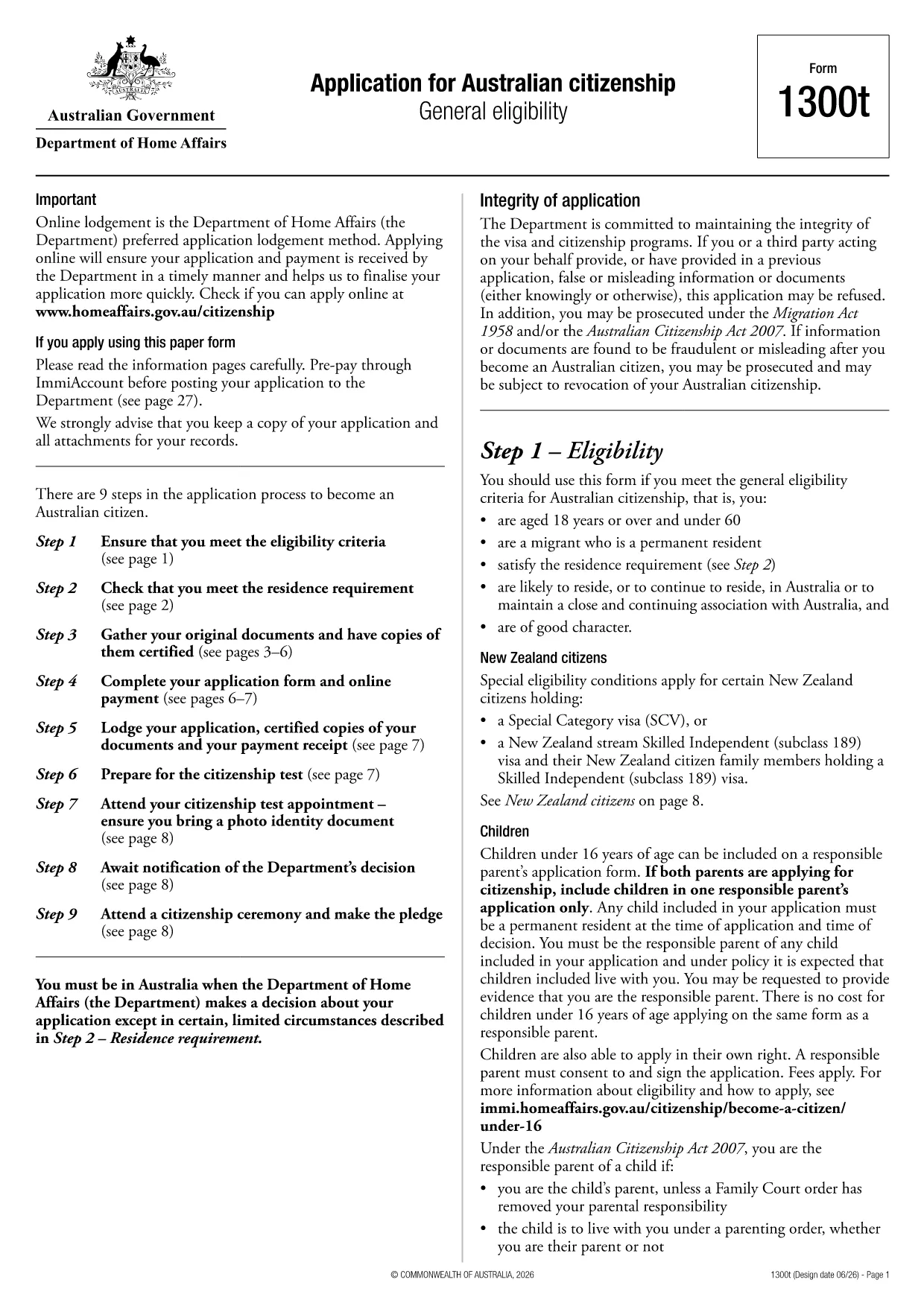
Looking for a quick and secure way to download the Australian citizenship application form? You’ve come to the right place. Formize.com hosts the official Form 1300t as a fully fillable PDF that you can complete directly in your browser—no extra software required.

Eligibility Overview

Before you start, make sure you meet the general eligibility criteria for Australian citizenship:

  • You are a permanent resident of Australia.
  • You have lived in Australia for at least four years, including the last 12 months continuously.
  • You are of good character and meet the residency requirements.

If you satisfy these conditions, you are ready to fill out Form 1300t.

How to Complete the Form Online

Follow these simple steps to finish your application without downloading any software:

  1. Click the "Fill out this form" button on this page.
  2. Wait a few seconds while the Formize PDF Filler app loads.
  3. Enter your details into each fillable field, save your progress, and submit directly from the browser.

The online filler automatically validates dates, passport numbers, and required signatures, reducing errors and speeding up processing.

Common Mistakes to Avoid

  • Leaving mandatory fields blank – the filler will highlight missing information before you can submit.
  • Using an outdated version – always use the PDF provided here to ensure compliance with the latest immigration rules.
  • Incorrect name spelling – copy your name exactly as it appears on your passport or birth certificate.

Where to Submit Your Application

After completing the form, you can either:

  • Download the completed PDF, print it, and mail it to the Department of Home Affairs.
  • Upload the signed PDF through the ImmiAccount portal for faster processing.

Keep a copy of the submitted form for your records.

KKK
  • Do I need Adobe Acrobat to fill Form 1300t?

    No. The Formize PDF Filler works in any modern browser, so you can complete the form without installing any software.

  • Can I save my progress and return later?

    Yes. The online filler automatically saves your entries. You can download a draft copy to continue later.

  • Is the PDF version on Formize up‑to‑date?

    We host the latest version released by the Department of Home Affairs. The link points to the official source.

  • What if I make a mistake after submitting?

    Contact the Department of Home Affairs as soon as possible. You may need to submit a corrected form or provide a written amendment.

  • Is there a fee to download or fill the form?

    Downloading and filling the PDF is free. Any government processing fees are paid directly to the Department when you lodge the application.

  • Can I submit the form electronically?

    Yes. After completing the form, you can upload the signed PDF through ImmiAccount for faster processing.

  • What documents do I need to attach?

    You will need proof of identity, residency evidence, and any supporting documents listed in the form instructions. Scan them as PDFs before attaching.

KUIDAS

3 lihtsa sammuga veebis tasuta application form download täitmine:

  1. 1
    Open the Fillable Form
    Click the "Fill out this form" button on the page. The Formize PDF Filler will open in a new tab.
  2. 2
    Enter Your Information
    Type your details into each highlighted field. The filler auto‑saves as you go.
  3. 3
    Submit or Download
    When finished, either submit directly through the portal or download the completed PDF to print and mail.
PDF-täiterakenduse vormindamine
UMBES

Kodakondsuse vormid

application form download on üks kodakondsuse vormidest, mis on dokumendid, mida kasutatakse riigi kodakondsuse taotlemiseks. Kodakondsuse täpsed vormid ja nõuded on riigiti erinevad, kuid üldiselt hõlmab protsess isikuandmete ja kodakondsuse saamise tõendite esitamist.

Ameerika Ühendriikides on kõige levinum kodakondsuse vorm N-400 naturalisatsioonitaotlus. Seda vormi kasutavad seaduslikud alalised elanikud (rohelise kaardi omanikud) USA kodakondsuse taotlemiseks. Vorm küsib isikuandmeid, nagu nimi, sünniaeg ja kontaktandmed, samuti teavet taotleja immigratsioonistaatuse, kriminaalse ajaloo ja muude abikõlblikkuse nõuete kohta.

Teistes riikides võivad kodakondsuse vormid ja nõuded olla erinevad, kuid põhiprotsess hõlmab tavaliselt teabe esitamist taotleja tausta ja teatud kõlblikkuskriteeriumide täitmise kohta. See võib hõlmata kodakondsuse testi sooritamist, riigi ajaloo ja valitsuse tundmise ning riigi keeleoskuse näitamist.

Oluline on märkida, et kodakondsuse saamise protsess võib olla keeruline ja aeganõudev. Kodakondsust taotlevatel isikutel on soovitatav konsulteerida immigratsiooniadvokaadi või muu kvalifitseeritud spetsialistiga, et aidata protsessis navigeerida ja tagada kõigi vajalike vormide ja nõuete täitmine.

FUNKTSIOONID

PDF täiteaine

Lihtsaim viis märksõna application form download veebis täitmiseks

  • Täitke kiiresti application form download
    Kas otsite viisi application form download kiireks veebis täitmiseks? Meie veebipõhise tasuta PDF-vormi täitja abil saate teada, kuidas seda PDF-dokumenti vähem kui minutiga redigeerida ja täita.
  • Lihtne kasutada veebipõhist PDF-redaktorit
    Kas olete tüdinenud PDF-failide printimisest, et saaksite neid enne uuesti skannimist ja tagasisaatmist redigeerida? Redigeerige PDF-dokumente võrgus tasuta. Kasutage meie veebipõhist PDF-redaktorit, et säästa aega ja paberit.
  • Suurepärased tööriistad, kõik platvormid
    Kas soovite teada, kuidas Macis täita application form download või kuidas kasutada tasuta PDF-täitjat? Meie veebipõhised PDF-tööriistad töötavad kõigil platvormidel.
  • Turvaline failide salvestusruum
    Lõpetatud failid „application form download” salvestatakse turvatud andmebaasi, mida haldab Amazon Cloudi hostimine. Saate oma failid meie süsteemist igal ajal kustutada. Igal juhul kustutatakse need failid 24 tunni pärast automaatselt.
  • Vestelge kasutajaga application form download
    Vestelge kasutajaga „application form download” saidil Chatize, mis on tasuta PDF-i lugeja abiline. Esitage küsimusi ja saage vastused märksõnalt „application form download”. Klõpsake ülaloleval nupul Vestle dokumendiga.

Kustuta täitmise seanss

Kas kustutada valitud täitmisseanss? Sellisel juhul läheb teie edu vormi täitmisel kaotsi.

Kustuta redigeerimisseanss

Kas kustutada valitud redigeerimisseanss? Sel juhul lähevad teie edu vormi loomisel ja redigeerimisel kaotsi.