
Vali keel

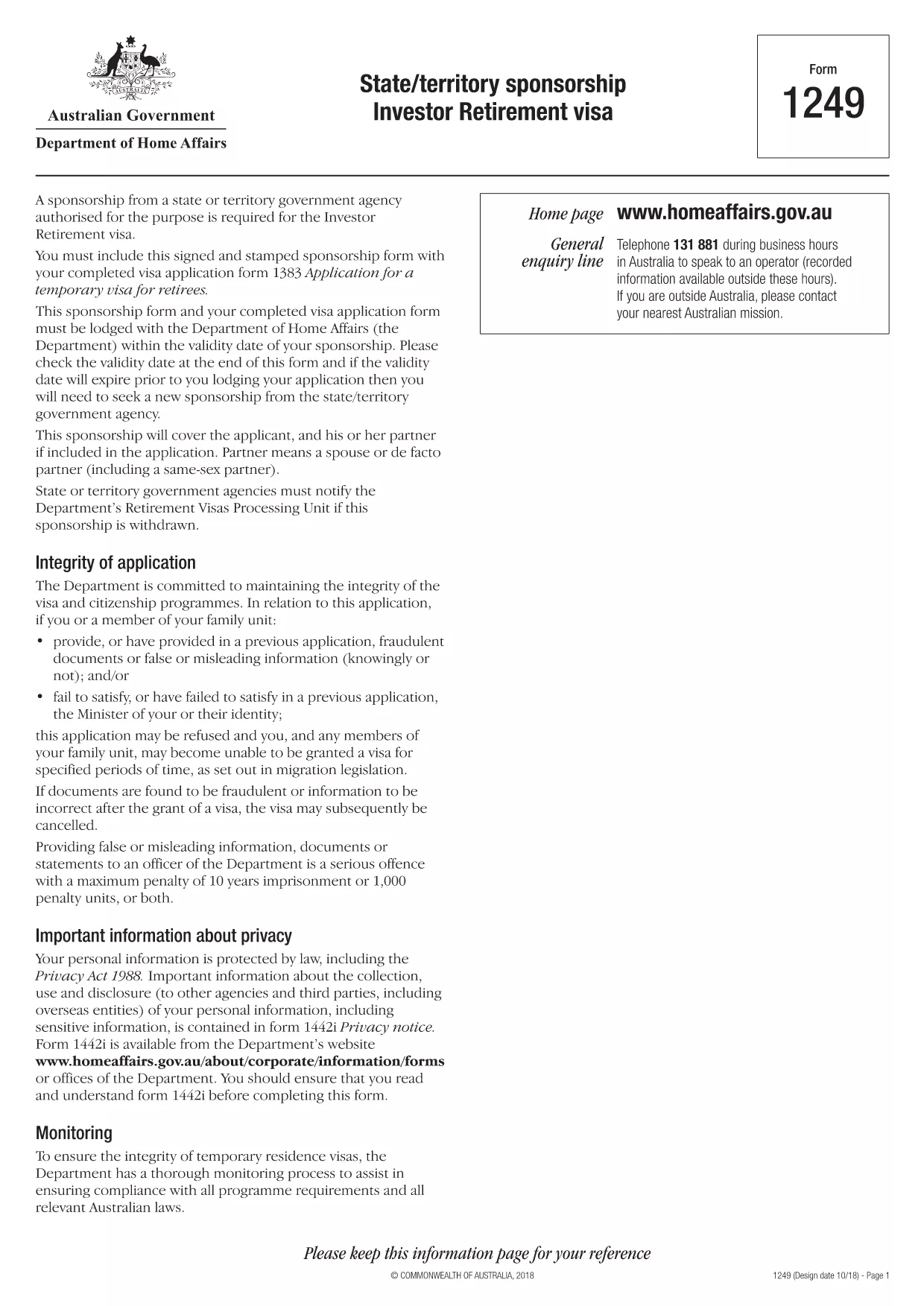
Form 1249 – State/Territory Sponsorship for the Investor Retirement Visa

  1. Keel Inglise
  2. Riik Austraalia
  3. Tegevus Viisad
Täitke see vorm
Form 1249 – State/Territory Sponsorship for the Investor Retirement Visa

Form 1249 is the official State/Territory Sponsorship document required for the Australian Investor Retirement Visa (subclass 188‑IR). The sponsoring state or territory government must approve the applicant’s investment plan before the Department of Home Affairs processes the visa.

This landing page lets you view, fill, and download the fillable PDF directly in your browser – no extra software needed. Just click the “Fill out this form” button and the Formize PDF Filler will load the form for you.

What Is Form 1249 and Who Needs It?

The form captures details about the applicant’s proposed investment, the sponsoring government’s commitment, and the validity period of the sponsorship. It is required for:

  • Applicants of the Investor Retirement visa (subclass 188‑IR)
  • State or territory agencies that are sponsoring the applicant
  • Legal representatives preparing a visa package

How to Complete Form 1249 Online with Formize

Follow these simple steps to fill the form without downloading any software:

  1. Click the “Fill out this form” button on this page.
  2. Wait a few seconds while the Formize PDF Filler loads the fillable PDF.
  3. Enter all required information in the highlighted fields. The filler validates dates and numeric entries automatically.
  4. When you finish, click **Save & Download** to get a completed PDF ready for submission.

Common Mistakes & Tips for a Successful Submission

  • Validity date – Double‑check the sponsorship validity at the bottom of the form. If it expires before you lodge your visa, you’ll need a new sponsorship.
  • Signature fields – Use the built‑in signature tool in Formize or print, sign, and scan the final PDF.
  • Investment details – Provide exact figures and currency; rounding errors cause delays.
  • Supporting documents – Attach the required business plan, proof of funds, and any state‑specific endorsement letters.

Where to Submit the Completed Sponsorship Form

After saving the filled PDF, include it with your visa application package and lodge it through the Department of Home Affairs portal. The sponsoring state/territory must also retain a copy for their records.

Need a printable version? Use the direct download link below.

KKK
  • What is the purpose of Form 1249?

    Form 1249 records the sponsorship commitment from an Australian state or territory for an Investor Retirement visa applicant.

  • Can I fill Form 1249 on a mobile device?

    Yes. The Formize PDF Filler works on modern smartphones and tablets as long as the browser supports PDF rendering.

  • Do I need to print the form to sign it?

    You can sign electronically using the Formize signature tool, or print, sign, and scan the final PDF before submission.

  • How long is the sponsorship validity?

    The validity period is printed on the last page of the form. It must remain active until the visa is granted; otherwise a new sponsorship is required.

  • What happens if I make a mistake after downloading?

    Open the saved PDF again with Formize, edit the incorrect fields, and re‑download the corrected version.

  • Is there a fee to use Formize’s filler?

    No, the Formize PDF Filler is free for all users on this page.

  • Where do I send the completed Form 1249?

    Include the completed form with your visa application package and lodge it through the Department of Home Affairs online portal.

  • Do I need a separate form for each state or territory?

    Form 1249 is the same nationwide, but the sponsoring agency (state or territory) must complete the sponsorship section.

KUIDAS

4 lihtsa sammuga veebis tasuta Form 1249 täitmine:

  1. 1
    Open the Fillable Form
    Click the “Fill out this form” button on the page. The Formize PDF Filler will open the fillable Form 1249 in your browser.
  2. 2
    Enter Your Information
    Complete each highlighted field. The filler checks dates, numbers and required formats automatically.
  3. 3
    Save and Download
    When all sections are filled, press “Save & Download” to get a completed PDF ready for submission to the Department of Home Affairs.
  4. 4
    Submit with Your Visa Application
    Attach the saved PDF to your Investor Retirement visa (subclass 188‑IR) application through the Home Affairs online portal.
PDF-täiterakenduse vormindamine
UMBES

Viisa vormid

Form 1249 on üks viisavormidest, mis on dokumendid, mida kasutatakse välisriiki sisenemiseks viisa taotlemiseks. Viisa on dokument, mis võimaldab välisriigi kodanikul teatud aja jooksul välisriiki siseneda, seal viibida ja mõnikord ka seal töötada. Viisa saamise täpsed vormid ja nõuded on riigiti ja viisatüübiti erinevad.

Viisavormid nõuavad tavaliselt isikuandmeid, nagu nimi, sünniaeg ja passiandmed, samuti teavet reisi eesmärgi ja pikkuse, kavandatava sihtkoha ja selle kohta, kas taotlejale on varem viisa andmisest keeldutud või ta on riigist välja saadetud. Vormid võivad nõuda ka tõendavaid dokumente, nagu pass, fotod ja rahalise toetuse tõend.

Ameerika Ühendriikides on kõige levinumad viisavormid DS-160 ja DS-260. Vormi DS-160 kasutatakse mitteimmigrandi viisa taotlemiseks, vormi DS-260 aga immigrandi viisa taotlemiseks. Need vormid nõuavad üksikasjalikku teavet taotleja isikliku ja reisiajaloo kohta, samuti tõendavaid dokumente, nagu pass, reisi marsruut ja finantsdokumendid.

Teistes riikides võivad kehtida erinevad viisavormid ja nõuded, kuid põhiprotsess hõlmab tavaliselt viisataotluse täitmist, tõendavate dokumentide esitamist ja USA saatkonnas või konsulaadis konsulaarametnikuga vestlusel osalemist. Oluline on märkida, et viisa taotlemise protsess võib olla keeruline ja aeganõudev ning viisat taotlevatel isikutel on soovitatav konsulteerida immigratsiooniadvokaadi või muu kvalifitseeritud spetsialistiga, et tagada kõigi vajalike vormide ja nõuete täitmine.

FUNKTSIOONID

PDF täiteaine

Lihtsaim viis märksõna Form 1249 veebis täitmiseks

  • Täitke kiiresti Form 1249
    Kas otsite viisi Form 1249 kiireks veebis täitmiseks? Meie veebipõhise tasuta PDF-vormi täitja abil saate teada, kuidas seda PDF-dokumenti vähem kui minutiga redigeerida ja täita.
  • Lihtne kasutada veebipõhist PDF-redaktorit
    Kas olete tüdinenud PDF-failide printimisest, et saaksite neid enne uuesti skannimist ja tagasisaatmist redigeerida? Redigeerige PDF-dokumente võrgus tasuta. Kasutage meie veebipõhist PDF-redaktorit, et säästa aega ja paberit.
  • Suurepärased tööriistad, kõik platvormid
    Kas soovite teada, kuidas Macis täita Form 1249 või kuidas kasutada tasuta PDF-täitjat? Meie veebipõhised PDF-tööriistad töötavad kõigil platvormidel.
  • Turvaline failide salvestusruum
    Lõpetatud failid „Form 1249” salvestatakse turvatud andmebaasi, mida haldab Amazon Cloudi hostimine. Saate oma failid meie süsteemist igal ajal kustutada. Igal juhul kustutatakse need failid 24 tunni pärast automaatselt.
  • Vestelge kasutajaga Form 1249
    Vestelge kasutajaga „Form 1249” saidil Chatize, mis on tasuta PDF-i lugeja abiline. Esitage küsimusi ja saage vastused märksõnalt „Form 1249”. Klõpsake ülaloleval nupul Vestle dokumendiga.

Kustuta täitmise seanss

Kas kustutada valitud täitmisseanss? Sellisel juhul läheb teie edu vormi täitmisel kaotsi.

Kustuta redigeerimisseanss

Kas kustutada valitud redigeerimisseanss? Sel juhul lähevad teie edu vormi loomisel ja redigeerimisel kaotsi.