

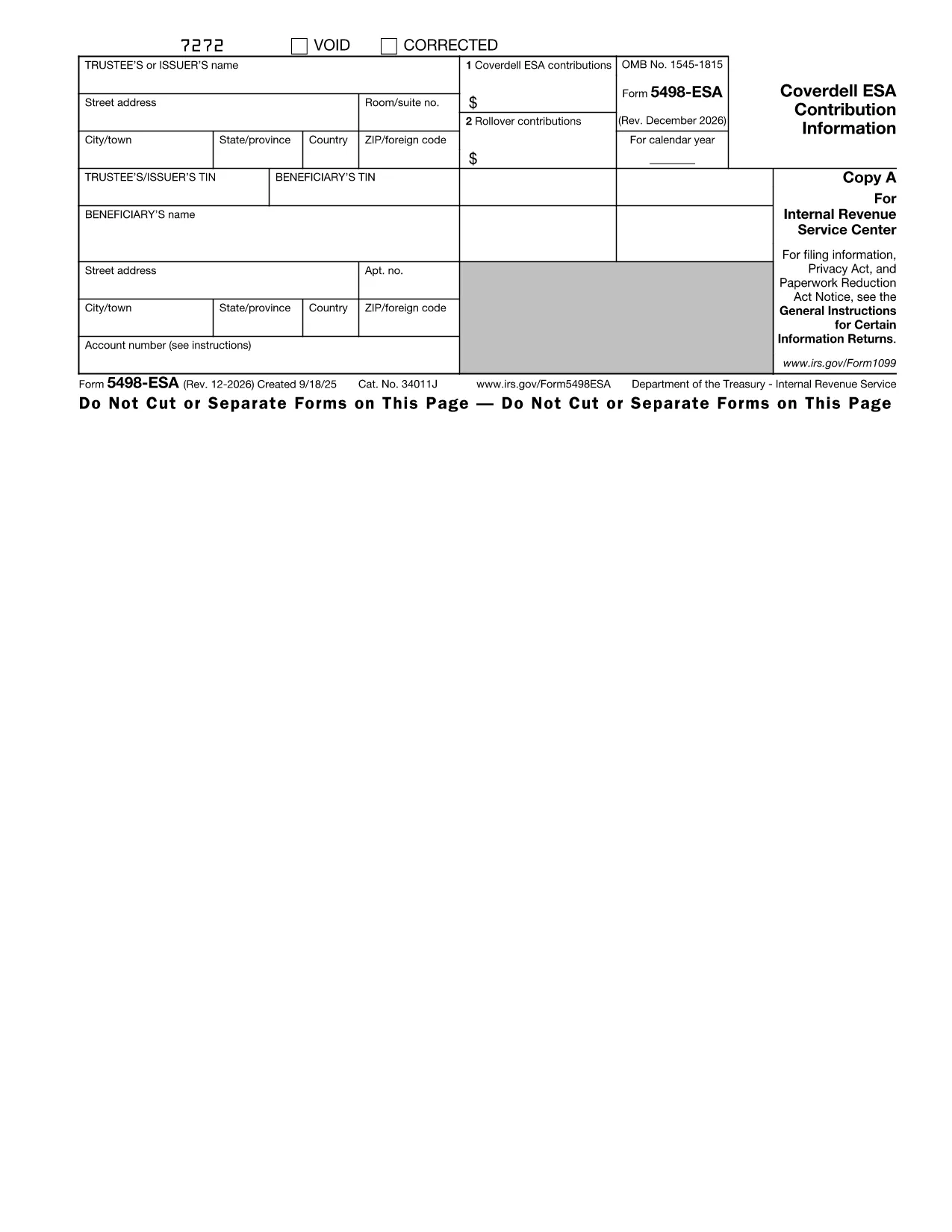

Internal Revenue Service (IRS) vormid
Form 5498-ESA on üks ametlikest maksuvormidest, mida Ameerika Ühendriikides kasutatakse tulude teatamiseks, mahaarvamiste ja krediitide taotlemiseks, maksukohustuse arvutamiseks ja muude maksudega seotud kohustuste täitmiseks. IRS on föderaalne agentuur, mis vastutab Ameerika Ühendriikide sisemiste tulude seaduste haldamise ja jõustamise eest.
Siin on mõned näited Internal Revenue Service'i vormidest:
Vorm 1040: see on peamine üksikisiku tuludeklaratsiooni vorm, mida enamik maksumaksjaid kasutab. Seda kasutatakse erinevate tululiikide kajastamiseks, mahaarvamiste ja krediitide taotlemiseks, maksukohustuse arvutamiseks ja selle kindlakstegemiseks, kas maksumaksjal on lisamakse võlg või õigus saada tagasi.
Vorm 1099: vormil 1099 on erinevaid variatsioone, näiteks 1099-MISC, 1099-INT, 1099-DIV jne. Neid vorme kasutatakse üksikisikute või ettevõtete tulude kajastamiseks, mis on saadud erinevatest allikatest peale tööhõive, näiteks füüsilisest isikust ettevõtjana. tulu, intressitulu, dividenditulu ja üüritulu.
Vorm W-2: seda vormi kasutavad tööandjad töötajatele makstud palkade ja maksude teatamiseks palgast kinni peetud. Töötajad kasutavad oma individuaalse maksudeklaratsiooni täitmiseks vormi W-2 teavet.
Vorm 941: tööandjad kasutavad seda vormi oma töötajate tööjõumaksude, sealhulgas kinnipeetud föderaalse tulumaksu, sotsiaalkindlustusmaksu ja ravimaksu teatamiseks.
Vorm 1065: seda vormi kasutavad seltsingud oma tulude, mahaarvamiste ja maksukohustuste teatamiseks. Seltsingud ise tulumaksu ei maksa; selle asemel esitavad partnerid oma osa seltsingu tulust oma individuaalsetes maksudeklaratsioonides.
Vorm 1120: see on ettevõtte tulumaksu deklaratsiooni vorm, mida ettevõtted C kasutavad oma tulude teatamiseks, mahaarvamised ja maksukohustus.
Vorm 990: seda vormi kasutavad maksuvabad organisatsioonid, näiteks mittetulundusühingud ja heategevusorganisatsioonid teavitama oma finantsteavet, tegevust ja maksuseaduste järgimist.
Vorm 8862: seda vormi kasutavad maksumaksjad, kes varem taotlesid teenitud tulumaksukrediiti (EITC) kuid see keelati ja nüüd tahan seda uuesti nõuda.
Need on vaid mõned näited arvukatest IRS-i vormidest, mis on olemas erinevate maksudega seotud kohustuste täitmiseks. Üksikisiku või ettevõtte jaoks vajalikud konkreetsed vormid sõltuvad nende ainulaadsetest asjaoludest, sissetulekuallikatest ja mahaarvamistest. Täpse ja ajakohase teabe saamiseks konkreetse IRS-i kohta on soovitatav tutvuda maksuameti ametliku veebisaidiga (www.irs.gov) või küsida professionaalset maksunõustamist. teie maksuolukorraga seotud vormid.