
mall provisional acceptance form
Traditsioonilise PDF-dokumendi vaatamise ja täitmise funktsioonide komplektiga koos veebirakenduse ja tundliku paigutuse eelistega saate märksõna provisional acceptance form lõpule viia minutitega.


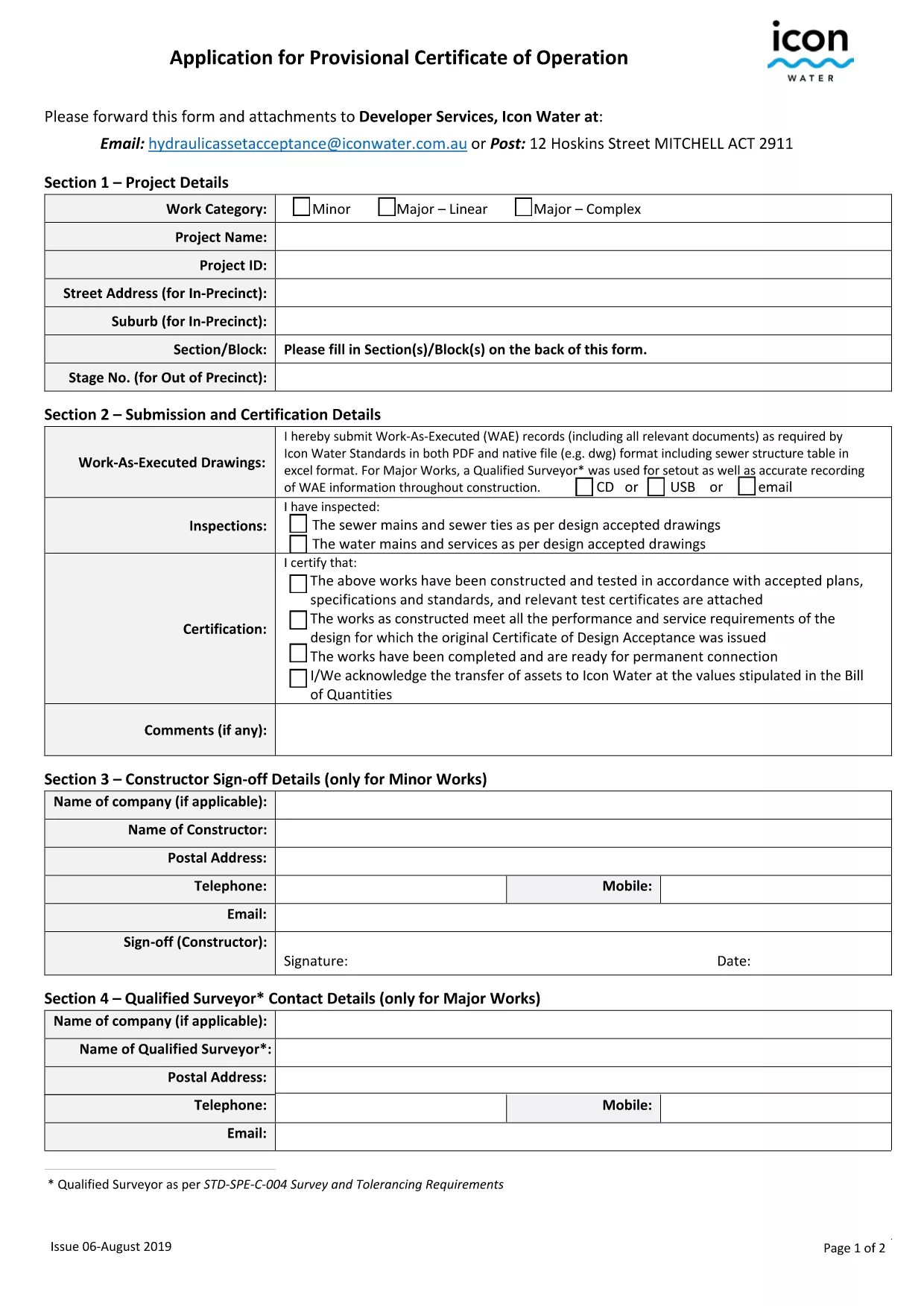
The Provisional Acceptance Form (also known as the Application for Provisional Certificate of Operation) is required by water authorities to confirm that a new development or hydraulic work meets all regulatory standards before it can be operated.
This fillable PDF lets you provide essential project details, landowner information, and compliance statements in a single, searchable document. By using Formize’s integrated PDF Filler, you avoid printing, scanning, or faxing—simply fill, sign, and download the completed form.
Our step‑by‑step guide below shows you how to complete the form quickly, avoid common errors, and ensure a smooth submission to Icon Water or the relevant water department.
It confirms that a new water‑related project meets all regulatory requirements before the operator can begin service. The form is part of the asset creation and acceptance process.
No. The Formize PDF Filler works in any modern browser, so you can fill, sign, and download the form without installing additional software.
Yes. Use the **Save Draft** button in the filler to download a partially completed PDF, then reopen it later with Formize to continue.
Missing fields, illegible handwriting (if you print), and forgetting to sign the declaration section are the most frequent errors. Use the built‑in validation tool to catch these before submitting.
After downloading, email the PDF to the address specified in the form instructions (typically Developer Services, Icon Water) or use the online submission portal if provided.
Formize uses SSL encryption for all data transmission, ensuring that your personal and project details are protected while the form is being filled.
No. The electronic signature feature complies with Australian e‑signature legislation and is accepted by Icon Water for provisional certificates.
Traditsioonilise PDF-dokumendi vaatamise ja täitmise funktsioonide komplektiga koos veebirakenduse ja tundliku paigutuse eelistega saate märksõna provisional acceptance form lõpule viia minutitega.
Lihtsaim viis märksõna provisional acceptance form veebis täitmiseks
Kustuta täitmise seanss
Kustuta redigeerimisseanss