زبان را انتخاب کنید

Australian Citizenship Application Form – Fillable PDF Online

  1. کشور استرالیا
  2. زبان انگلیسی
  3. فعالیت مهاجرت
  4. بخش وزارت امور داخله و دادگستری
این فرم را پر کنید
Australian Citizenship Application Form – Fillable PDF Online

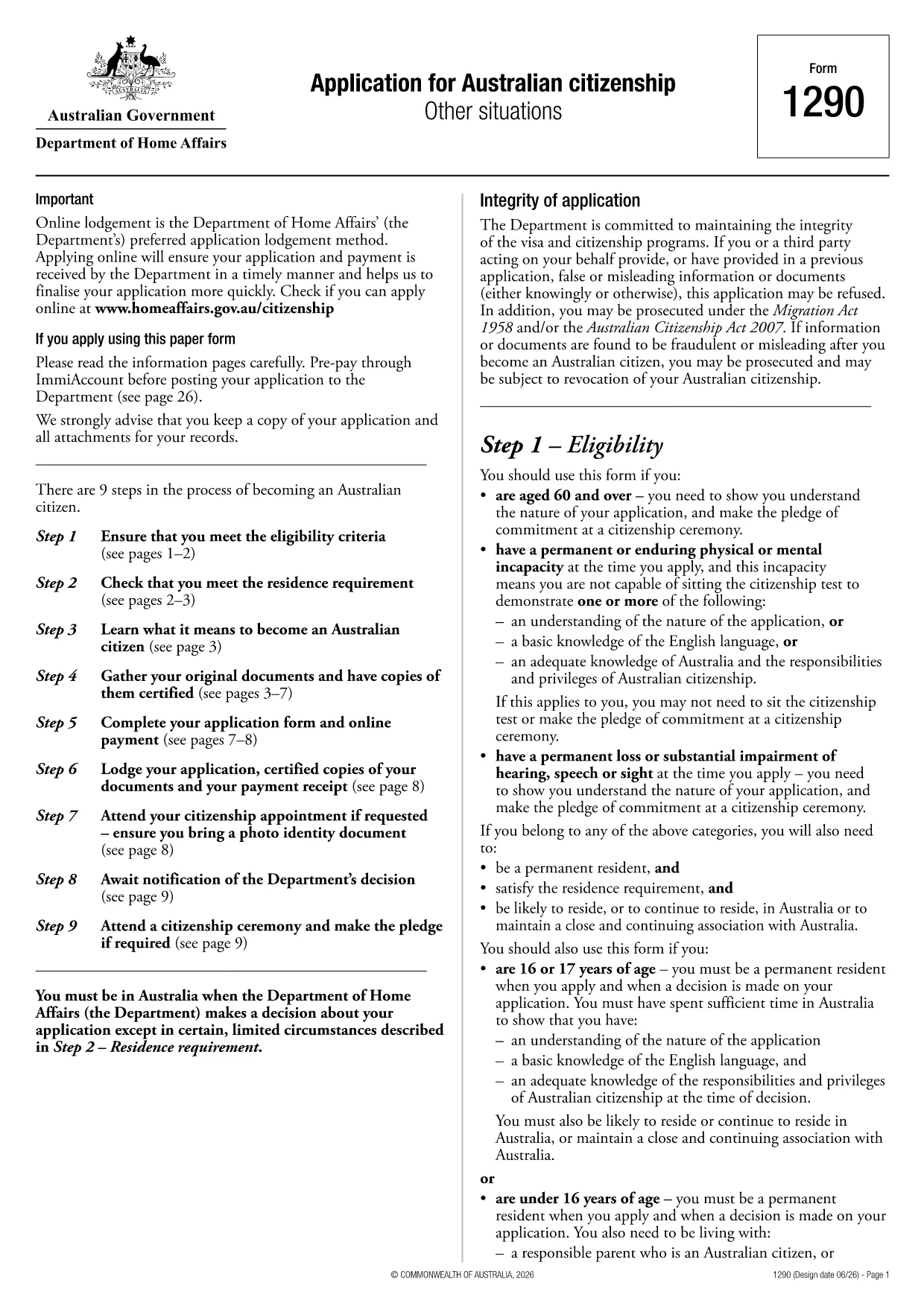
Applying for Australian citizenship is a major step, and the first requirement is submitting the correct application form. The Application for Australian citizenship – Other situations (Form 1290) is the official PDF provided by the Department of Home Affairs. With Formize you can open the PDF directly in your browser, fill every field, and save a completed copy without printing.

What is the Australian Citizenship Application Form?

Form 1290 is used when you apply under special circumstances such as:

  • Applying after a previous citizenship application was refused
  • Applying for a child born overseas to Australian parents
  • Other exceptional cases defined by the Department of Home Affairs

The form is a fillable PDF, meaning each field can be typed into, checked, or selected directly on the screen.

How to Fill the Form Using Formize

Instead of downloading the PDF and opening a separate editor, simply click the "Fill out this form" button on this page. The Formize PDF Filler will load in seconds, letting you complete the application online.

Key Sections & Required Information

Make sure you have the following documents handy before you start:

  • Proof of identity (passport, birth certificate)
  • Evidence of residency in Australia
  • Previous citizenship or visa details
  • Supporting documents for the specific "other situation" you are applying under

Each section of the form is clearly labelled. Fill in personal details, residency history, and the reason for your special application. Use block letters as required.

Common Mistakes & Tips for a Successful Submission

  • Do not leave any mandatory field blank. The PDF will highlight missing information when you try to save.
  • Use black or blue ink equivalents when printing. If you later need a hard copy, the digital entry will translate cleanly.
  • Double‑check dates and passport numbers. A typo can delay processing.
  • Save a copy for your records. After completing the form, download the filled PDF and store it securely.

Once you have completed the form, you can either download it for printing and mailing to the Department of Home Affairs or submit it electronically if the department accepts digital submissions.

سوالات متداول
  • Do I need to print the form after filling it online?

    If the Department of Home Affairs requires a paper copy, print the completed PDF using black or blue ink. Otherwise, you can submit the digital file directly if electronic submission is accepted.

  • Can I save my progress and return later?

    Yes. The Formize PDF Filler lets you save the partially completed form to your device or cloud storage, then reopen it later to finish.

  • What documents should I have ready before starting?

    You’ll need proof of identity, residence history, any previous citizenship or visa details, and supporting evidence for the special situation you’re applying under.

  • Is there a fee for using Formize to fill the form?

    Formize’s basic PDF filling feature is free. Any government filing fees are paid directly to the Department of Home Affairs, not through Formize.

  • How do I know if my application was received?

    After mailing the printed form, you’ll receive a receipt from the Department. If you submit electronically, you’ll get a confirmation email with a reference number.

  • Can I edit the form after I’ve downloaded it?

    Yes, as long as the PDF is not locked. Open the downloaded file again in Formize to make any needed changes before final submission.

چگونه

نحوه پر کردن Australian citizenship application form به صورت رایگان و آنلاین در 5 با مراحل آسان:

  1. 1
    Open the Fillable Form
    Click the "Fill out this form" button on the page. The Formize PDF Filler app will load instantly in your browser.
  2. 2
    Enter Your Information
    Type directly into each field, select dates from the calendar picker, and upload any required supporting documents.
  3. 3
    Review & Validate
    Use the built‑in validation to ensure no required fields are missing. Correct any highlighted errors.
  4. 4
    Save or Download
    When completed, click "Save" to store the filled PDF in your cloud storage or download it to your device for printing.
  5. 5
    Submit to the Department
    Print and mail the form with supporting documents, or follow any electronic submission instructions provided by the Department of Home Affairs.
برنامه PDF Filler را فرم‌بندی کنید
در باره

قالب Australian citizenship application form

با مجموعه‌ای از ویژگی‌های سنتی برای مشاهده و پر کردن یک سند PDF، همراه با مزایای یک برنامه وب و طرح‌بندی واکنش‌گرا، می‌توانید Australian citizenship application form را در چند دقیقه تکمیل کنید.

امکانات

پرکننده PDF

ساده ترین راه برای پر کردن فرم های PDF به صورت آنلاین

  • به سرعت Australian citizenship application form را پر کنید
    به دنبال راهی برای پر کردن سریع Australian citizenship application form آنلاین هستید؟ با پرکننده فرم PDF رایگان آنلاین ما، می‌دانید چگونه این سند pdf را در کمتر از یک دقیقه ویرایش و پر کنید.
  • آسان برای استفاده از ویرایشگر PDF آنلاین
    آیا از چاپ فایل‌های پی‌دی‌اف خسته شده‌اید تا بتوانید آن‌ها را قبل از اسکن مجدد و ارسال مجدد، ویرایش کنید؟ اسناد PDF را به صورت آنلاین به صورت رایگان ویرایش کنید. از ویرایشگر pdf آنلاین ما برای صرفه جویی در زمان و کاغذ استفاده کنید.
  • ابزارهای عالی، همه پلتفرم ها
    آیا نمی دانید که چگونه Australian citizenship application form را در مک پر کنید، یا شاید چگونه از پرکننده PDF به صورت رایگان استفاده کنید؟ ابزارهای PDF آنلاین ما روی همه پلتفرم ها کار می کنند.
  • ذخیره سازی امن فایل
    فایل‌های تکمیل‌شده «Australian citizenship application form» در یک پایگاه داده ایمن که توسط میزبانی ابری آمازون مدیریت می‌شود، ذخیره می‌شوند. شما می توانید فایل های خود را در هر زمان از سیستم ما حذف کنید. در هر صورت این فایل ها پس از 24 ساعت به صورت خودکار پاک می شوند.
  • چت با Australian citizenship application form
    با «Australian citizenship application form» در Chatize که یک دستیار PDF خوان رایگان است، گپ بزنید. سوال بپرسید و از "Australian citizenship application form" پاسخ بگیرید. فقط روی دکمه Chat With Document در بالا کلیک کنید.

حذف جلسه پر کردن

جلسه پر کردن انتخاب شده را حذف کنید؟ در این صورت پیشرفت شما در تکمیل فرم از بین خواهد رفت.

حذف جلسه ویرایش

جلسه ویرایش انتخابی حذف شود؟ در این صورت پیشرفت شما در ایجاد و ویرایش فرم از بین خواهد رفت.