زبان را انتخاب کنید

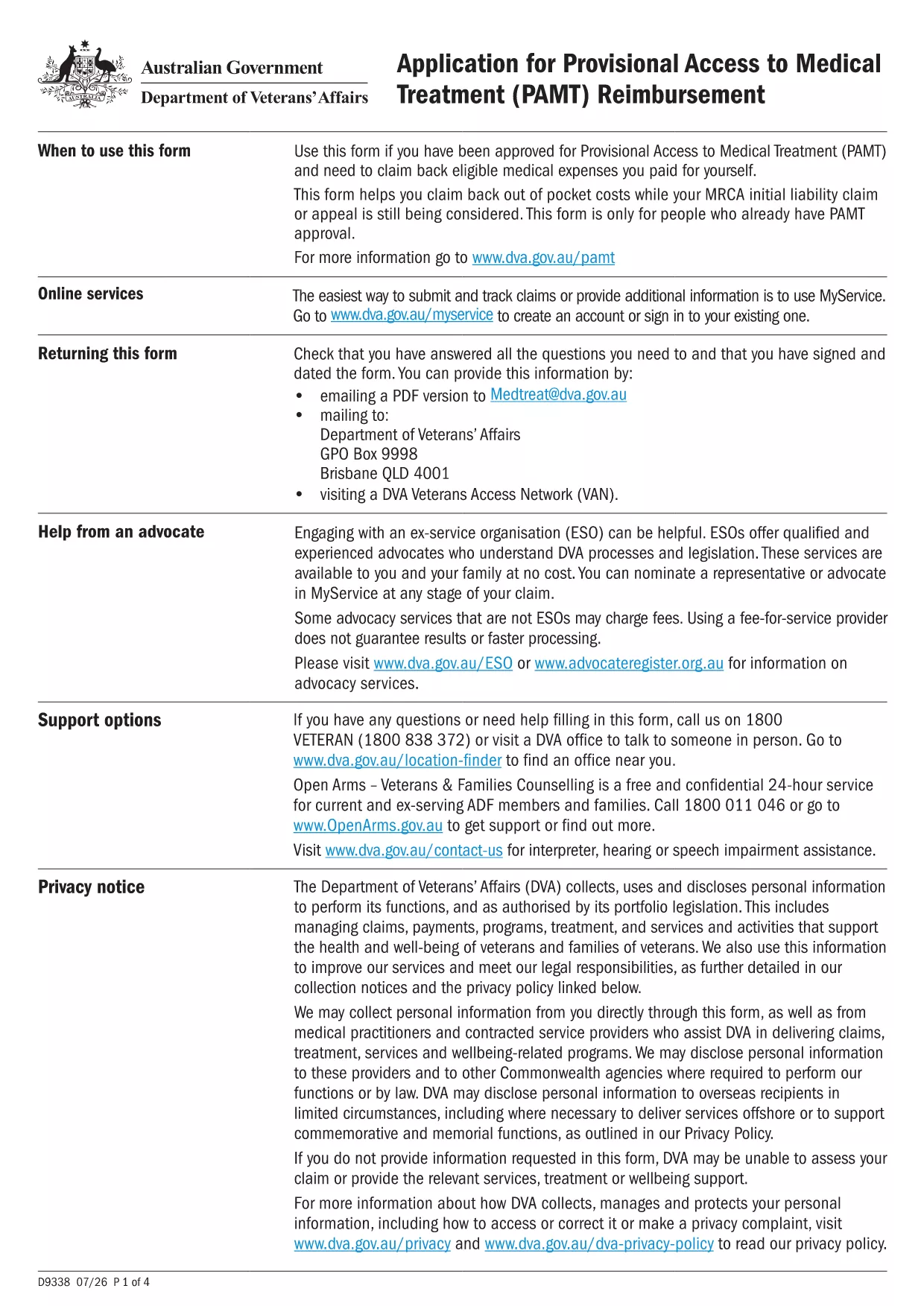
Provisional Access to Medical Treatment (PAMT) Application Form

  1. زبان انگلیسی
  2. کشور استرالیا
  3. بخش Department of Veterans' Affairs
  4. فعالیت Health Benefits
این فرم را پر کنید
Provisional Access to Medical Treatment (PAMT) Application Form

If your application has been provisionally accepted, you’ll need to submit the Provisional Access to Medical Treatment (PAMT) form to claim eligible medical expenses. This page lets you download the official fillable PDF and complete it instantly with Formize’s online PDF Filler.

What Is the PAMT Form?

The PAMT form is issued by the Australian Department of Veterans' Affairs (DVA). It is used by veterans and eligible dependents who have received provisional approval to receive medical treatment funded by the government. The form captures personal details, treatment information, and supporting documentation.

Why Use a Fillable PDF with Formize?

  • Instant loading: No need to download, install, or purchase a PDF editor.
  • Auto‑save: Your entries are saved in the browser, preventing data loss.
  • Guided fields: Tooltips and validation help you avoid errors.
  • Secure submission: Export a completed PDF ready for upload to DVA.

Step‑by‑Step Guide to Complete the Form

Follow the simple steps below to fill out the PAMT form online.

Common Mistakes to Avoid

  • Leaving required fields blank – the Formize filler highlights missing information.
  • Uploading an outdated version of the PDF – always use the latest version linked on this page.
  • Entering incorrect dates – double‑check the treatment period before submitting.

Where to Find Help

For questions about eligibility or required supporting documents, contact the DVA Help Centre at 1800 600 645. The Formize platform also includes a built‑in help overlay that explains each field.

سوالات متداول
  • Is the PAMT form free to download?

    Yes. The official PDF is provided by the Department of Veterans' Affairs at no cost, and Formize’s online filler is also free.

  • Can I edit the form on a mobile device?

    The Formize PDF Filler works on most modern smartphones and tablets. For the best experience, use a tablet or desktop browser.

  • What if I make a mistake after downloading the completed PDF?

    Open the saved PDF in any PDF editor, or simply return to the Formize filler, make the correction, and download a new version.

  • Do I need to print the form before submitting?

    No. DVA accepts electronic PDFs uploaded through their online portal. Printing is only required if you prefer a hard‑copy record.

  • How long is the provisional acceptance valid?

    Provisional acceptance is typically valid for 12 months from the date of issue. Check the approval letter for the exact expiry date.

  • What supporting documents should I attach?

    Attach receipts, medical reports, and any DVA correspondence that confirms your provisional approval.

  • Is my data safe when using Formize?

    Formize processes the PDF locally in your browser; no data is stored on external servers, ensuring full privacy.

چگونه

نحوه پر کردن provisional application form به صورت رایگان و آنلاین در 5 با مراحل آسان:

  1. 1
    Click the ‘Fill out this form’ button
    On the page, press the large blue button that says “Fill out this form”. This launches the Formize PDF Filler in a new tab.
  2. 2
    Wait for the Formize PDF Filler to load
    The filler loads the PAMT PDF automatically. You’ll see a progress bar; once complete, the form fields become editable.
  3. 3
    Enter your information
    Complete each highlighted field. Tooltips appear when you hover over a question mark icon, providing guidance on required data.
  4. 4
    Review and validate
    Click the “Validate” button at the bottom. The filler will flag any missing or incorrectly formatted entries.
  5. 5
    Save and download
    When everything is correct, press “Download Completed PDF”. Save the file to your computer and upload it to the DVA portal or attach it to your email.
برنامه PDF Filler را فرم‌بندی کنید
در باره

قالب provisional application form

با مجموعه‌ای از ویژگی‌های سنتی برای مشاهده و پر کردن یک سند PDF، همراه با مزایای یک برنامه وب و طرح‌بندی واکنش‌گرا، می‌توانید provisional application form را در چند دقیقه تکمیل کنید.

امکانات

پرکننده PDF

ساده ترین راه برای پر کردن فرم های PDF به صورت آنلاین

  • به سرعت provisional application form را پر کنید
    به دنبال راهی برای پر کردن سریع provisional application form آنلاین هستید؟ با پرکننده فرم PDF رایگان آنلاین ما، می‌دانید چگونه این سند pdf را در کمتر از یک دقیقه ویرایش و پر کنید.
  • آسان برای استفاده از ویرایشگر PDF آنلاین
    آیا از چاپ فایل‌های پی‌دی‌اف خسته شده‌اید تا بتوانید آن‌ها را قبل از اسکن مجدد و ارسال مجدد، ویرایش کنید؟ اسناد PDF را به صورت آنلاین به صورت رایگان ویرایش کنید. از ویرایشگر pdf آنلاین ما برای صرفه جویی در زمان و کاغذ استفاده کنید.
  • ابزارهای عالی، همه پلتفرم ها
    آیا نمی دانید که چگونه provisional application form را در مک پر کنید، یا شاید چگونه از پرکننده PDF به صورت رایگان استفاده کنید؟ ابزارهای PDF آنلاین ما روی همه پلتفرم ها کار می کنند.
  • ذخیره سازی امن فایل
    فایل‌های تکمیل‌شده «provisional application form» در یک پایگاه داده ایمن که توسط میزبانی ابری آمازون مدیریت می‌شود، ذخیره می‌شوند. شما می توانید فایل های خود را در هر زمان از سیستم ما حذف کنید. در هر صورت این فایل ها پس از 24 ساعت به صورت خودکار پاک می شوند.
  • چت با provisional application form
    با «provisional application form» در Chatize که یک دستیار PDF خوان رایگان است، گپ بزنید. سوال بپرسید و از "provisional application form" پاسخ بگیرید. فقط روی دکمه Chat With Document در بالا کلیک کنید.

حذف جلسه پر کردن

جلسه پر کردن انتخاب شده را حذف کنید؟ در این صورت پیشرفت شما در تکمیل فرم از بین خواهد رفت.

حذف جلسه ویرایش

جلسه ویرایش انتخابی حذف شود؟ در این صورت پیشرفت شما در ایجاد و ویرایش فرم از بین خواهد رفت.