
زبان را انتخاب کنید

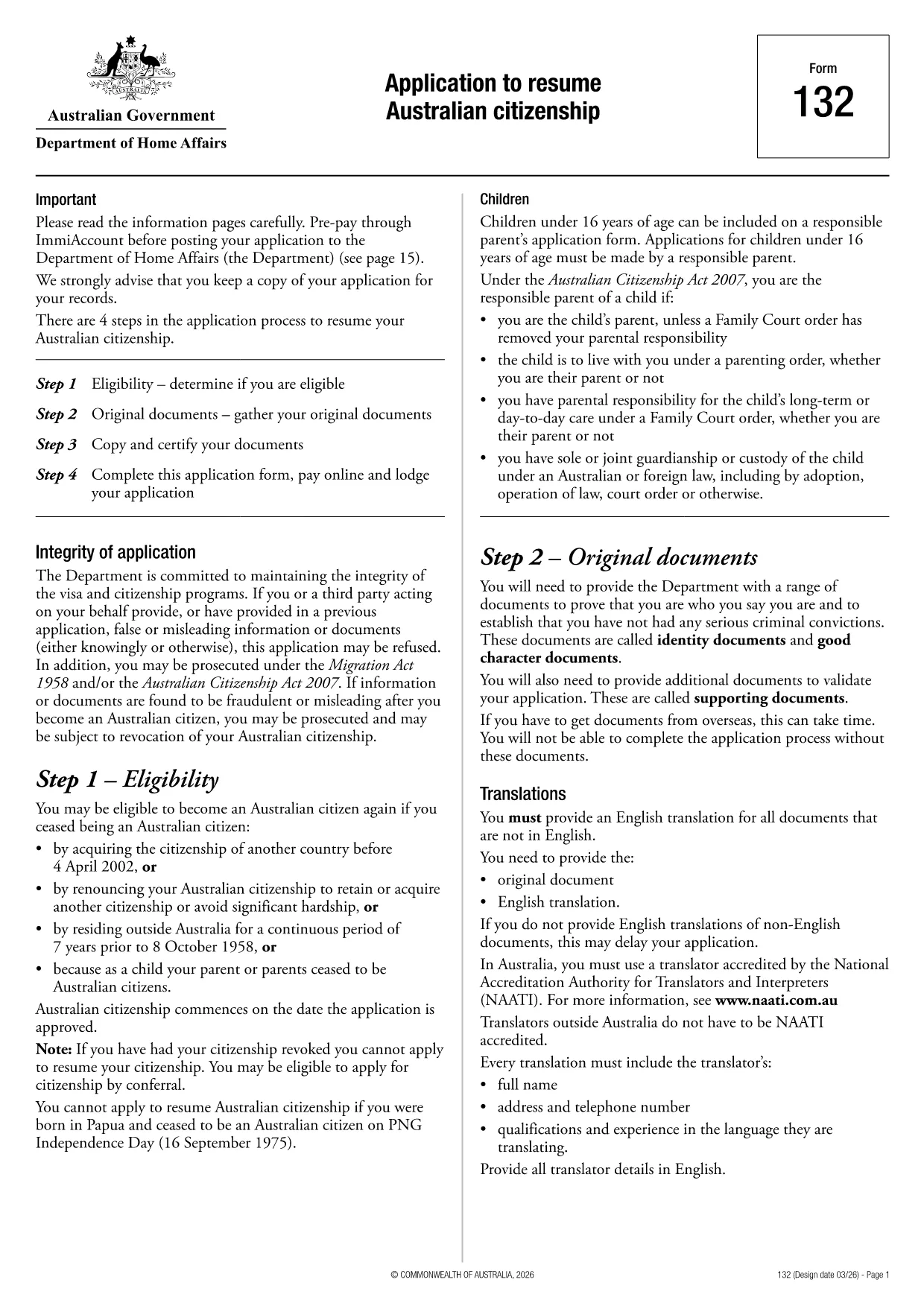
Application to Resume Australian Citizenship (Form 132) – Fill Online

  1. زبان انگلیسی
  2. کشور استرالیا
  3. فعالیت تابعیت
  4. بخش Home Affairs
این فرم را پر کنید
Application to Resume Australian Citizenship (Form 132) – Fill Online

If you need to resume your Australian citizenship, you’ll use Form 132 – Application to Resume Australian Citizenship. This official PDF can now be completed entirely online with the Formize PDF Filler, so you never have to print, scan, or manually edit the document.

Why Use the Online Formize PDF Filler?

The Formize filler loads the exact PDF you need, preserving the government‑approved layout while letting you type directly into each field. Benefits include:

  • Instant validation of required fields
  • Automatic saving – you can pause and return later
  • Secure, browser‑based processing – no software install
  • One‑click download of the completed PDF for submission

Step‑by‑Step Guide to Completing Form 132

Follow these simple steps to fill out the application correctly:

  1. Click the “Fill out this form” button below.
  2. Wait for the Formize PDF Filler app to load the PDF.
  3. Enter your personal details, citizenship history, and reasons for resumption.
  4. Attach any required supporting documents (e.g., passport copy, proof of residence).
  5. Review the completed form for accuracy.
  6. Download the finished PDF and submit it to the Department of Home Affairs.

Common Mistakes to Avoid

Even with an easy online tool, mistakes happen. Avoid these pitfalls:

  • Leaving mandatory fields blank – the filler will highlight them.
  • Uploading files in the wrong format (use PDF, JPG, or PNG only).
  • Using an outdated version of the form – the link below always points to the latest Form 132.

Eligibility & Supporting Documents

Before you start, make sure you meet the eligibility criteria:

  • You previously held Australian citizenship.
  • You have been outside Australia for a period that requires resumption.
  • You can provide proof of identity and residency.

Typical supporting documents include a current passport, a statutory declaration, and any relevant court orders.

Where to Submit Your Application

After downloading the completed PDF, submit it through the Department of Home Affairs portal or mail it to the address listed on the form. Keep a copy for your records.

Ready to get started? Click the button below and let Formize handle the rest.

سوالات متداول
  • Do I need to download any software to fill Form 132?

    No. Formize’s PDF filler works entirely in your web browser, so there’s nothing to install.

  • Can I save my progress and return later?

    Yes. The filler automatically saves your entries locally, allowing you to close the browser and continue later.

  • What file formats are accepted for supporting documents?

    PDF, JPG, and PNG are accepted. Make sure each file is under 5 MB for smooth uploading.

  • Is the online filler secure?

    All data is processed locally in your browser and never stored on our servers. Your information remains private.

  • Can I print the completed form directly from the filler?

    After you finish, click the “Download” button to save the completed PDF, then print it using any PDF viewer.

  • What if I make a mistake after downloading?

    You can reopen the downloaded PDF in Formize’s filler, correct the error, and download a new version.

  • Where do I send the finished Form 132?

    Submit the PDF through the Department of Home Affairs online portal or mail it to the address listed on the form.

چگونه

نحوه پر کردن Australian citizenship resume form به صورت رایگان و آنلاین در 4 با مراحل آسان:

  1. 1
    Open the Form
    Click the “Fill out this form” button on this page. The Formize PDF Filler will launch in your browser.
  2. 2
    Enter Your Details
    Type directly into each highlighted field – the filler automatically saves your progress.
  3. 3
    Upload Supporting Documents
    Use the “Attach File” option to add passport scans, statutory declarations, or other required PDFs.
  4. 4
    Review and Submit
    Check every section for completeness, then download the finished PDF and send it to the Department of Home Affairs.
برنامه PDF Filler را فرم‌بندی کنید
در باره

فرم های شهروندی

Australian citizenship resume form یکی از فرم های شهروندی است که اسنادی است که برای درخواست شهروندی در یک کشور استفاده می شود. فرم ها و الزامات دقیق برای شهروندی در کشور متفاوت است، اما به طور کلی، این فرآیند شامل ارائه اطلاعات شخصی و شواهد واجد شرایط بودن برای شهروندی است.

در ایالات متحده، رایج ترین فرم شهروندی N-400 Application for Naturalization است. این فرم توسط ساکنان دائمی قانونی (دارندگان گرین کارت) برای درخواست شهروندی ایالات متحده استفاده می شود. این فرم اطلاعات شخصی مانند نام، تاریخ تولد و اطلاعات تماس و همچنین اطلاعاتی در مورد وضعیت مهاجرت متقاضی، سابقه جنایی و سایر شرایط واجد شرایط بودن درخواست می کند.

کشورهای دیگر ممکن است اشکال و شرایط متفاوتی برای شهروندی داشته باشند، اما فرآیند اصلی معمولاً شامل ارائه اطلاعات در مورد سوابق متقاضی و رعایت معیارهای واجد شرایط بودن خاص است. این ممکن است شامل قبولی در آزمون شهروندی، نشان دادن دانش تاریخ و حکومت کشور و نشان دادن مهارت در زبان کشور باشد.

توجه به این نکته ضروری است که فرآیند اخذ شهروندی می تواند پیچیده و زمان بر باشد. توصیه می شود که افرادی که به دنبال شهروندی هستند با یک وکیل مهاجرت یا سایر متخصصان واجد شرایط مشورت کنند تا به هدایت فرآیند کمک کنند و اطمینان حاصل کنند که تمام اشکال و الزامات لازم برآورده شده است.

امکانات

پرکننده PDF

ساده ترین راه برای پر کردن فرم های PDF به صورت آنلاین

  • به سرعت Australian citizenship resume form را پر کنید
    به دنبال راهی برای پر کردن سریع Australian citizenship resume form آنلاین هستید؟ با پرکننده فرم PDF رایگان آنلاین ما، می‌دانید چگونه این سند pdf را در کمتر از یک دقیقه ویرایش و پر کنید.
  • آسان برای استفاده از ویرایشگر PDF آنلاین
    آیا از چاپ فایل‌های پی‌دی‌اف خسته شده‌اید تا بتوانید آن‌ها را قبل از اسکن مجدد و ارسال مجدد، ویرایش کنید؟ اسناد PDF را به صورت آنلاین به صورت رایگان ویرایش کنید. از ویرایشگر pdf آنلاین ما برای صرفه جویی در زمان و کاغذ استفاده کنید.
  • ابزارهای عالی، همه پلتفرم ها
    آیا نمی دانید که چگونه Australian citizenship resume form را در مک پر کنید، یا شاید چگونه از پرکننده PDF به صورت رایگان استفاده کنید؟ ابزارهای PDF آنلاین ما روی همه پلتفرم ها کار می کنند.
  • ذخیره سازی امن فایل
    فایل‌های تکمیل‌شده «Australian citizenship resume form» در یک پایگاه داده ایمن که توسط میزبانی ابری آمازون مدیریت می‌شود، ذخیره می‌شوند. شما می توانید فایل های خود را در هر زمان از سیستم ما حذف کنید. در هر صورت این فایل ها پس از 24 ساعت به صورت خودکار پاک می شوند.
  • چت با Australian citizenship resume form
    با «Australian citizenship resume form» در Chatize که یک دستیار PDF خوان رایگان است، گپ بزنید. سوال بپرسید و از "Australian citizenship resume form" پاسخ بگیرید. فقط روی دکمه Chat With Document در بالا کلیک کنید.

حذف جلسه پر کردن

جلسه پر کردن انتخاب شده را حذف کنید؟ در این صورت پیشرفت شما در تکمیل فرم از بین خواهد رفت.

حذف جلسه ویرایش

جلسه ویرایش انتخابی حذف شود؟ در این صورت پیشرفت شما در ایجاد و ویرایش فرم از بین خواهد رفت.