زبان را انتخاب کنید

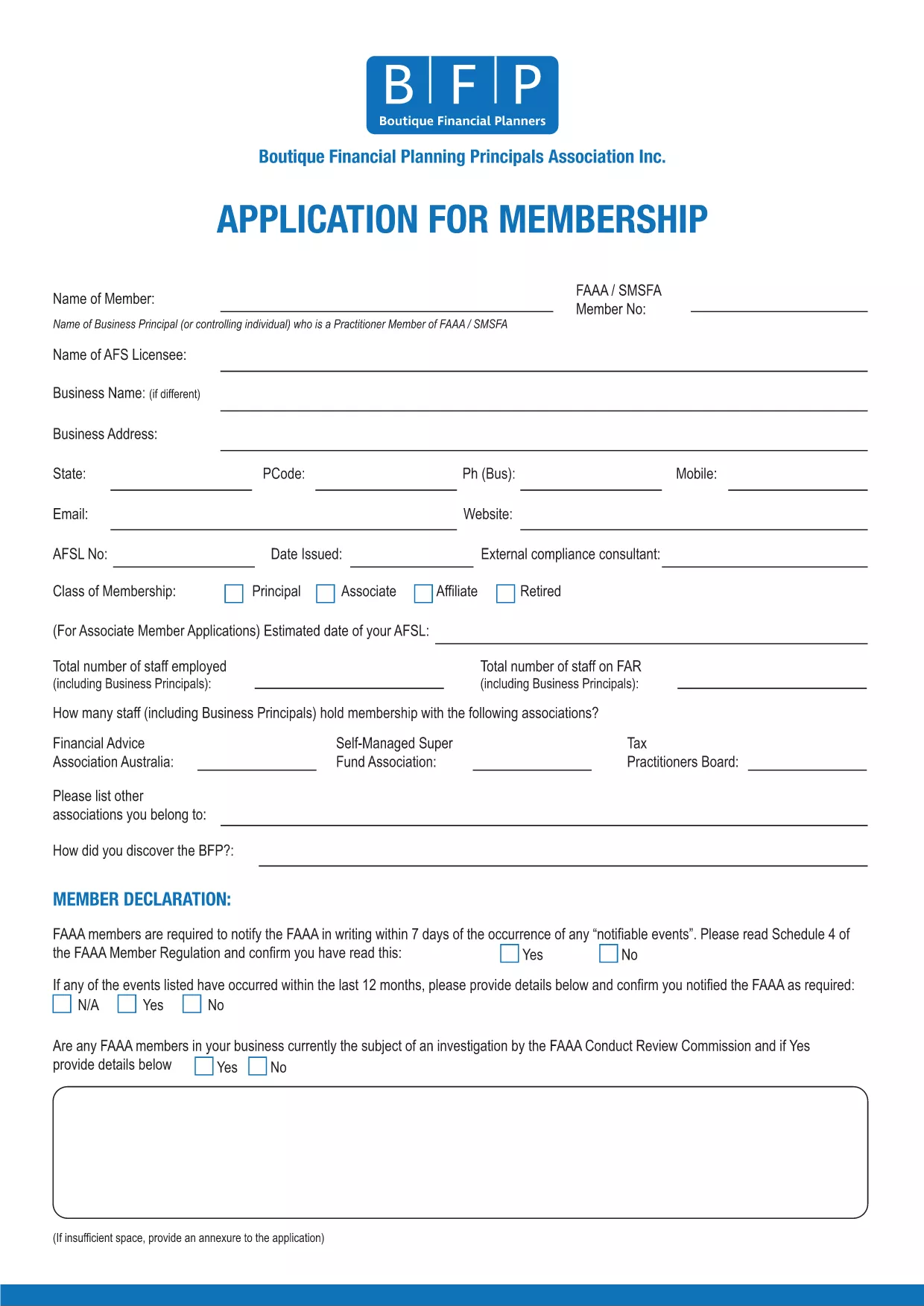
BFP Membership Application Form (Fillable PDF)

  1. زبان انگلیسی
  2. کشور استرالیا
  3. فعالیت Membership Forms
این فرم را پر کنید
BFP Membership Application Form (Fillable PDF)

The BFP Membership Application Form is required for anyone who wants to join the British Federation of Philately (BFP). Instead of printing, printing‑and‑scanning, you can now fill the form directly in your browser using our secure Formize PDF Filler. This fillable PDF saves time, reduces errors, and keeps your data safe.

Our online filler works on all devices – desktop, tablet, or mobile. All fields are searchable, required sections are highlighted, and you can save a draft before final submission.

Why Use the Fillable BFP Application Form?

  • Instant validation – the form checks for missing or incorrectly formatted data.
  • No printing or scanning – complete everything online.
  • Secure storage – your information is encrypted during the session.
  • Automatic PDF generation – receive a downloadable copy for your records.

How to Complete the BFP Membership Application Online

Follow the simple steps below; you’ll be guided through each section of the application.

Common Mistakes to Avoid

  • Leaving required fields blank – the filler will highlight them in red.
  • Entering an outdated address – double‑check your contact details.
  • \n
  • Using special characters in the “Name” field – stick to letters, hyphens, and apostrophes.

Download the PDF or Fill Directly

If you prefer to work offline, you can still download the original PDF. However, the fastest way is to click the “Fill out this form” button and let Formize do the heavy lifting.

Ready to start? Click the button below, wait a moment for the Formize PDF Filler to load, and you’ll see the full BFP Membership Application ready for you to complete.

سوالات متداول
  • Do I need Adobe Acrobat to fill this form?

    No. The Formize PDF Filler works in any modern browser, so you don’t need Acrobat or any extra software.

  • Can I save my progress and finish later?

    Yes. The filler lets you save a draft locally and reload it later using the same browser.

  • Is my personal information secure?

    All data is encrypted during the session and never stored on our servers after you submit or download the completed PDF.

  • What if I make a mistake after submitting?

    Contact BFP directly with your application reference number. They can guide you on how to amend the submitted form.

  • Can I print a hard‑copy after filling the form?

    Absolutely. Once you’ve completed the form, click “Download” and print the saved PDF using any printer.

  • Is there a fee to use the Formize filler?

    No. The filler is free for all BFP applicants.

چگونه

نحوه پر کردن BFP application form به صورت رایگان و آنلاین در 5 با مراحل آسان:

  1. 1
    Click the Fill‑out Button
    Press the “Fill out this form” button on the page. The Formize PDF Filler will open in a new window.
  2. 2
    Wait for the Filler to Load
    A few seconds may pass while the fillable PDF loads. All fields become interactive automatically.
  3. 3
    Enter Your Information
    Complete each section – personal details, address, membership type, and any supporting notes. Required fields are marked with an asterisk.
  4. 4
    Review and Validate
    Click the “Validate” button. The filler will highlight any missing or incorrectly formatted entries.
  5. 5
    Submit or Download
    When everything looks correct, press “Submit” to send the application directly to BFP, or choose “Download” to save a copy for your records.
برنامه PDF Filler را فرم‌بندی کنید
در باره

قالب BFP application form

با مجموعه‌ای از ویژگی‌های سنتی برای مشاهده و پر کردن یک سند PDF، همراه با مزایای یک برنامه وب و طرح‌بندی واکنش‌گرا، می‌توانید BFP application form را در چند دقیقه تکمیل کنید.

امکانات

پرکننده PDF

ساده ترین راه برای پر کردن فرم های PDF به صورت آنلاین

  • به سرعت BFP application form را پر کنید
    به دنبال راهی برای پر کردن سریع BFP application form آنلاین هستید؟ با پرکننده فرم PDF رایگان آنلاین ما، می‌دانید چگونه این سند pdf را در کمتر از یک دقیقه ویرایش و پر کنید.
  • آسان برای استفاده از ویرایشگر PDF آنلاین
    آیا از چاپ فایل‌های پی‌دی‌اف خسته شده‌اید تا بتوانید آن‌ها را قبل از اسکن مجدد و ارسال مجدد، ویرایش کنید؟ اسناد PDF را به صورت آنلاین به صورت رایگان ویرایش کنید. از ویرایشگر pdf آنلاین ما برای صرفه جویی در زمان و کاغذ استفاده کنید.
  • ابزارهای عالی، همه پلتفرم ها
    آیا نمی دانید که چگونه BFP application form را در مک پر کنید، یا شاید چگونه از پرکننده PDF به صورت رایگان استفاده کنید؟ ابزارهای PDF آنلاین ما روی همه پلتفرم ها کار می کنند.
  • ذخیره سازی امن فایل
    فایل‌های تکمیل‌شده «BFP application form» در یک پایگاه داده ایمن که توسط میزبانی ابری آمازون مدیریت می‌شود، ذخیره می‌شوند. شما می توانید فایل های خود را در هر زمان از سیستم ما حذف کنید. در هر صورت این فایل ها پس از 24 ساعت به صورت خودکار پاک می شوند.
  • چت با BFP application form
    با «BFP application form» در Chatize که یک دستیار PDF خوان رایگان است، گپ بزنید. سوال بپرسید و از "BFP application form" پاسخ بگیرید. فقط روی دکمه Chat With Document در بالا کلیک کنید.

حذف جلسه پر کردن

جلسه پر کردن انتخاب شده را حذف کنید؟ در این صورت پیشرفت شما در تکمیل فرم از بین خواهد رفت.

حذف جلسه ویرایش

جلسه ویرایش انتخابی حذف شود؟ در این صورت پیشرفت شما در ایجاد و ویرایش فرم از بین خواهد رفت.