زبان را انتخاب کنید

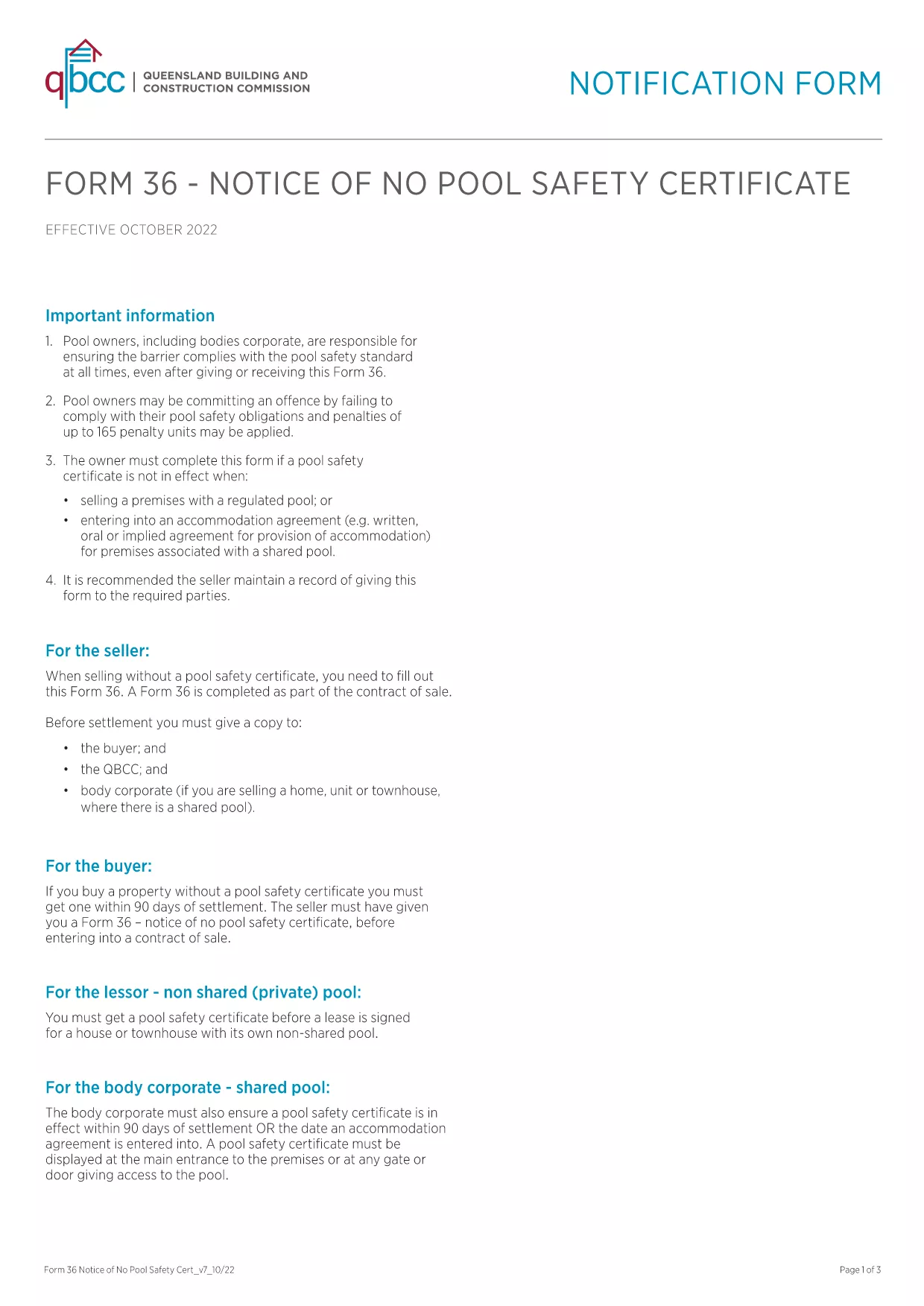
Form 36-0102 – Fillable PDF Download

  1. زبان انگلیسی
  2. کشور استرالیا
  3. بخش Queensland Building and Construction Commission
  4. فعالیت Construction Regulations
این فرم را پر کنید
Form 36-0102 – Fillable PDF Download

Form 36‑0102 is a standard notice used by the Queensland Building and Construction Commission (QBCC) when a property does not require a pool safety certificate. Whether you are a homeowner, builder, or a QBCC‑registered contractor, you’ll need this form to confirm the absence of a pool safety requirement.

What is Form 36-0102?

The form is a simple, one‑page declaration that states no pool safety certificate is needed for a particular building project. It must be signed by the responsible party and kept on file for future inspections.

How to Fill Form 36-0102 Online

Instead of downloading, printing, and scanning, you can complete the form directly in your browser using the Formize PDF Filler. The process is fast, secure, and fully compliant with QBCC guidelines.

Common Mistakes to Avoid

  • Leaving any required field blank – every box is mandatory.
  • Using an outdated version of the PDF – always start with the latest file linked below.
  • Signing with a non‑legible handwritten signature – use the digital signature tool in Formize.

Where to Submit the Completed Form

Once you have filled and saved the form, you can either:

  • Upload it through the QBCC online portal.
  • Email it to the project’s supervising building certifier.
  • Keep a digital copy for your records and present it on‑site if requested.

FAQ About Form 36-0102

Below are the most common questions users have about this form.

سوالات متداول
  • Is Form 36‑0102 required for every new building project?

    Only if the project does not include a swimming pool. If a pool is present, a separate pool safety certificate is required.

  • Can I use an older version of the form?

    No. Always use the latest version provided by QBCC to ensure compliance with current regulations.

  • Do I need a digital signature?

    A digital signature is accepted and preferred for online submissions. You can also print, sign, and scan if required.

  • How long should I keep the completed form?

    Retain the form for at least five years, or as long as the building project remains active, in case of an audit.

  • What if I make a mistake after submitting?

    Contact the QBCC immediately. You may need to submit an amended Form 36‑0102 with a clear note of the correction.

  • Is there a fee to download or submit Form 36‑0102?

    Downloading the PDF is free. Submission fees may apply if you file through the QBCC online portal—check their fee schedule.

  • Can I fill the form on a mobile device?

    Yes. The Formize PDF Filler works on smartphones and tablets, allowing you to complete the form anywhere.

چگونه

نحوه پر کردن Form 36-0102 به صورت رایگان و آنلاین در 5 با مراحل آسان:

  1. 1
    Click the Fill‑out Button
    Press the “Fill out this form” button on the page to launch the Formize PDF Filler.
  2. 2
    Wait for the Filler to Load
    The app loads in seconds; a loading bar will appear. No download or installation is required.
  3. 3
    Complete All Fields
    Enter the required information, select dates from the calendar picker, and use the digital signature tool.
  4. 4
    Review and Save
    Check the completed form for errors, then click “Save” to download a copy or “Submit” to send it directly to QBCC.
  5. 5
    Keep a Record
    Store the saved PDF in your project folder or upload it to the QBCC portal for future reference.
برنامه PDF Filler را فرم‌بندی کنید
در باره

قالب Form 36-0102

با مجموعه‌ای از ویژگی‌های سنتی برای مشاهده و پر کردن یک سند PDF، همراه با مزایای یک برنامه وب و طرح‌بندی واکنش‌گرا، می‌توانید Form 36-0102 را در چند دقیقه تکمیل کنید.

امکانات

پرکننده PDF

ساده ترین راه برای پر کردن فرم های PDF به صورت آنلاین

  • به سرعت Form 36-0102 را پر کنید
    به دنبال راهی برای پر کردن سریع Form 36-0102 آنلاین هستید؟ با پرکننده فرم PDF رایگان آنلاین ما، می‌دانید چگونه این سند pdf را در کمتر از یک دقیقه ویرایش و پر کنید.
  • آسان برای استفاده از ویرایشگر PDF آنلاین
    آیا از چاپ فایل‌های پی‌دی‌اف خسته شده‌اید تا بتوانید آن‌ها را قبل از اسکن مجدد و ارسال مجدد، ویرایش کنید؟ اسناد PDF را به صورت آنلاین به صورت رایگان ویرایش کنید. از ویرایشگر pdf آنلاین ما برای صرفه جویی در زمان و کاغذ استفاده کنید.
  • ابزارهای عالی، همه پلتفرم ها
    آیا نمی دانید که چگونه Form 36-0102 را در مک پر کنید، یا شاید چگونه از پرکننده PDF به صورت رایگان استفاده کنید؟ ابزارهای PDF آنلاین ما روی همه پلتفرم ها کار می کنند.
  • ذخیره سازی امن فایل
    فایل‌های تکمیل‌شده «Form 36-0102» در یک پایگاه داده ایمن که توسط میزبانی ابری آمازون مدیریت می‌شود، ذخیره می‌شوند. شما می توانید فایل های خود را در هر زمان از سیستم ما حذف کنید. در هر صورت این فایل ها پس از 24 ساعت به صورت خودکار پاک می شوند.
  • چت با Form 36-0102
    با «Form 36-0102» در Chatize که یک دستیار PDF خوان رایگان است، گپ بزنید. سوال بپرسید و از "Form 36-0102" پاسخ بگیرید. فقط روی دکمه Chat With Document در بالا کلیک کنید.

حذف جلسه پر کردن

جلسه پر کردن انتخاب شده را حذف کنید؟ در این صورت پیشرفت شما در تکمیل فرم از بین خواهد رفت.

حذف جلسه ویرایش

جلسه ویرایش انتخابی حذف شود؟ در این صورت پیشرفت شما در ایجاد و ویرایش فرم از بین خواهد رفت.