زبان را انتخاب کنید

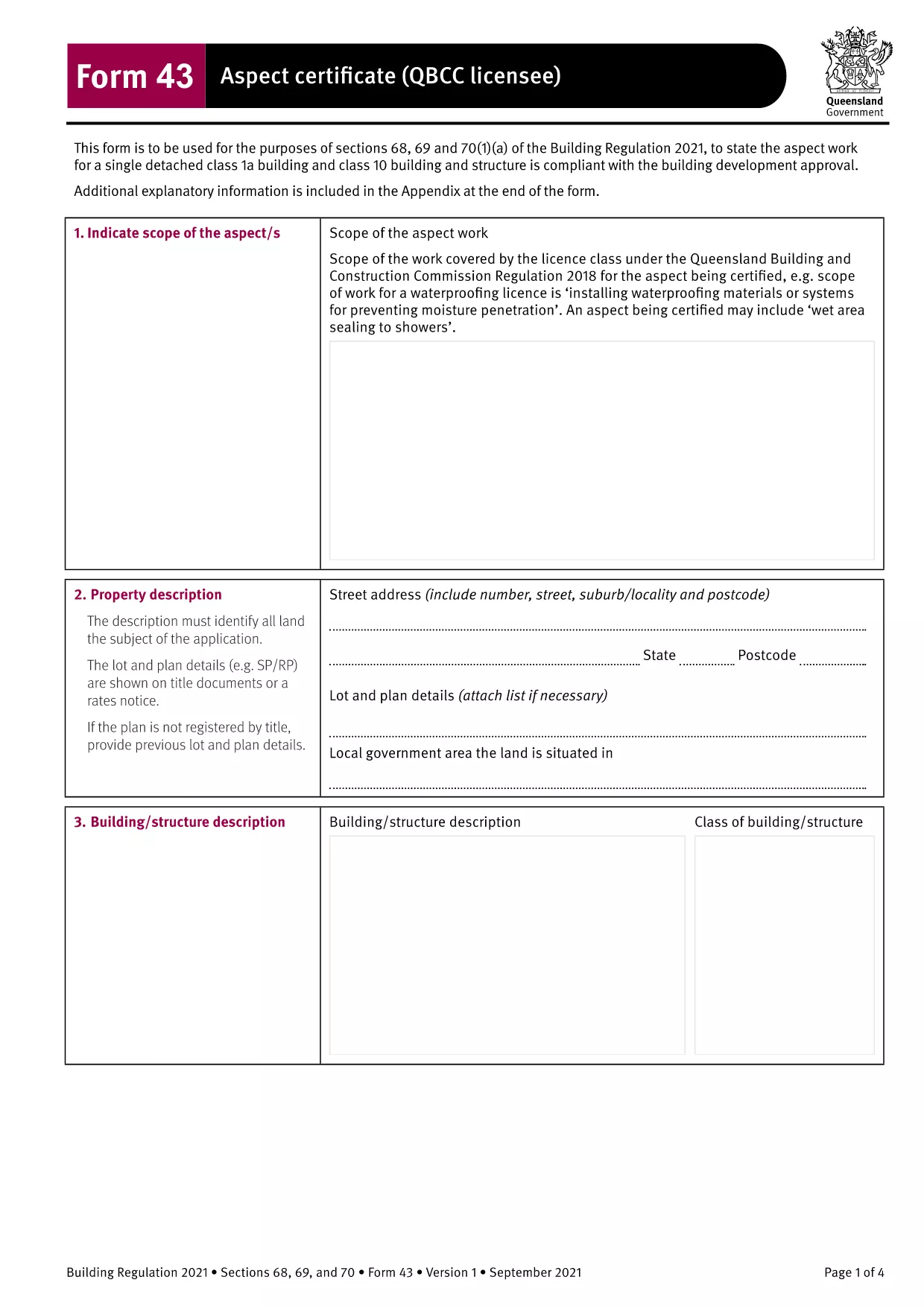
Form 43 Aspect Certificate (QBCC) – Fillable PDF

  1. زبان انگلیسی
  2. کشور استرالیا
  3. بخش Queensland Building and Construction Commission
  4. فعالیت Building Certification
این فرم را پر کنید
Form 43 Aspect Certificate (QBCC) – Fillable PDF

The Form 43 Aspect Certificate is the official Queensland Building and Construction Commission (QBCC) document used by licensed contractors to certify that a specific aspect of construction work complies with the Building Regulation 2021. This fillable PDF version lets you complete the certificate directly in your browser, eliminating the need for paper copies or third‑party editing software.

What is Form 43 Aspect Certificate?

Form 43 records the inspection and approval of an individual aspect of a building project – such as roofing, waterproofing, or fire safety systems. It replaces the older Form 16 for aspect‑specific certification and is required for all QBCC‑licensed contractors and corporations.

When and Who Must Use Form 43

The form is mandatory when:

  • The work falls under a single detached Class 1a or Class 10 building, or any other classification where a QBCC licencee is responsible for the aspect.
  • The aspect is part of a Building Development Approval (BDA) that requires separate certification.
  • A QBCC licencee or corporation completes the work and needs to provide documented proof of compliance.

How to Fill Out Form 43 Online

Instead of downloading and opening the PDF in a separate editor, simply click the "Fill out this form" button on this page. The Formize PDF Filler app will load the document in a secure, browser‑based editor where you can:

  • Enter text directly into each field.
  • Save your progress at any time.
  • Download a completed, signed PDF for your records.

Common Mistakes to Avoid

  • Leaving mandatory fields blank – every field marked with an asterisk (*) must be completed before submission.
  • Using the wrong form version – ensure you are using the 2021‑onward Form 43, not an outdated Form 16.
  • Incorrect licence details – double‑check your QBCC licence number and expiry date.
  • Missing signatures – both the contractor and the certifying person must sign the form.

Download and Save Your Completed Form

After you finish, click Download PDF to save a copy on your device. Keep the file with your project documentation and provide it to the building certifier when requested.

Need another version? Use the same process for other Form 43 templates such as electrical, glazing, or roofing certificates – all available through Formize.

سوالات متداول
  • What is the difference between Form 43 and Form 12?

    Form 43 is completed by QBCC licencees for aspects of work they perform, while Form 12 is completed by appointed competent persons or building certifiers. Both certify compliance, but the responsible party differs.

  • Can I use Form 43 for residential and commercial projects?

    Yes. Form 43 applies to all building classifications, including residential, commercial, and industrial projects, as long as the work falls under a QBCC‑licensed aspect.

  • Do I need a digital signature to submit the form?

    A handwritten signature is still required on the printed copy. The online fillable version allows you to type your name, but you must sign the hard copy before final submission.

  • Is the fillable PDF compatible with mobile devices?

    The Formize PDF Filler works on most modern browsers, including mobile Chrome and Safari. For best experience, use a tablet or desktop with a full‑size screen.

  • What should I do if I make a mistake after downloading?

    Open the saved PDF again with Formize, correct the error, and re‑download the updated version. Keep the original file for reference until the corrected form is approved.

  • Is there a fee to download or use the Form 43 fillable PDF?

    No. The download and online filling of Form 43 via Formize are completely free.

چگونه

نحوه پر کردن Form 43 به صورت رایگان و آنلاین در 4 با مراحل آسان:

  1. 1
    Open the Fillable Form
    Click the "Fill out this form" button on the page. The Formize PDF Filler will open the Form 43 document directly in your browser.
  2. 2
    Enter Required Information
    Complete each highlighted field – licence number, project details, aspect description, and inspection results. All mandatory fields are marked with an asterisk.
  3. 3
    Save and Review
    Use the "Save" button to store your progress. Review the form for any missing signatures or incorrect data before finalizing.
  4. 4
    Download the Completed PDF
    When every field is filled, click "Download PDF" to save the signed Form 43 to your computer. Keep a copy for your records and submit it to the building certifier as required.
برنامه PDF Filler را فرم‌بندی کنید
در باره

قالب Form 43

با مجموعه‌ای از ویژگی‌های سنتی برای مشاهده و پر کردن یک سند PDF، همراه با مزایای یک برنامه وب و طرح‌بندی واکنش‌گرا، می‌توانید Form 43 را در چند دقیقه تکمیل کنید.

امکانات

پرکننده PDF

ساده ترین راه برای پر کردن فرم های PDF به صورت آنلاین

  • به سرعت Form 43 را پر کنید
    به دنبال راهی برای پر کردن سریع Form 43 آنلاین هستید؟ با پرکننده فرم PDF رایگان آنلاین ما، می‌دانید چگونه این سند pdf را در کمتر از یک دقیقه ویرایش و پر کنید.
  • آسان برای استفاده از ویرایشگر PDF آنلاین
    آیا از چاپ فایل‌های پی‌دی‌اف خسته شده‌اید تا بتوانید آن‌ها را قبل از اسکن مجدد و ارسال مجدد، ویرایش کنید؟ اسناد PDF را به صورت آنلاین به صورت رایگان ویرایش کنید. از ویرایشگر pdf آنلاین ما برای صرفه جویی در زمان و کاغذ استفاده کنید.
  • ابزارهای عالی، همه پلتفرم ها
    آیا نمی دانید که چگونه Form 43 را در مک پر کنید، یا شاید چگونه از پرکننده PDF به صورت رایگان استفاده کنید؟ ابزارهای PDF آنلاین ما روی همه پلتفرم ها کار می کنند.
  • ذخیره سازی امن فایل
    فایل‌های تکمیل‌شده «Form 43» در یک پایگاه داده ایمن که توسط میزبانی ابری آمازون مدیریت می‌شود، ذخیره می‌شوند. شما می توانید فایل های خود را در هر زمان از سیستم ما حذف کنید. در هر صورت این فایل ها پس از 24 ساعت به صورت خودکار پاک می شوند.
  • چت با Form 43
    با «Form 43» در Chatize که یک دستیار PDF خوان رایگان است، گپ بزنید. سوال بپرسید و از "Form 43" پاسخ بگیرید. فقط روی دکمه Chat With Document در بالا کلیک کنید.

حذف جلسه پر کردن

جلسه پر کردن انتخاب شده را حذف کنید؟ در این صورت پیشرفت شما در تکمیل فرم از بین خواهد رفت.

حذف جلسه ویرایش

جلسه ویرایش انتخابی حذف شود؟ در این صورت پیشرفت شما در ایجاد و ویرایش فرم از بین خواهد رفت.