
زبان را انتخاب کنید

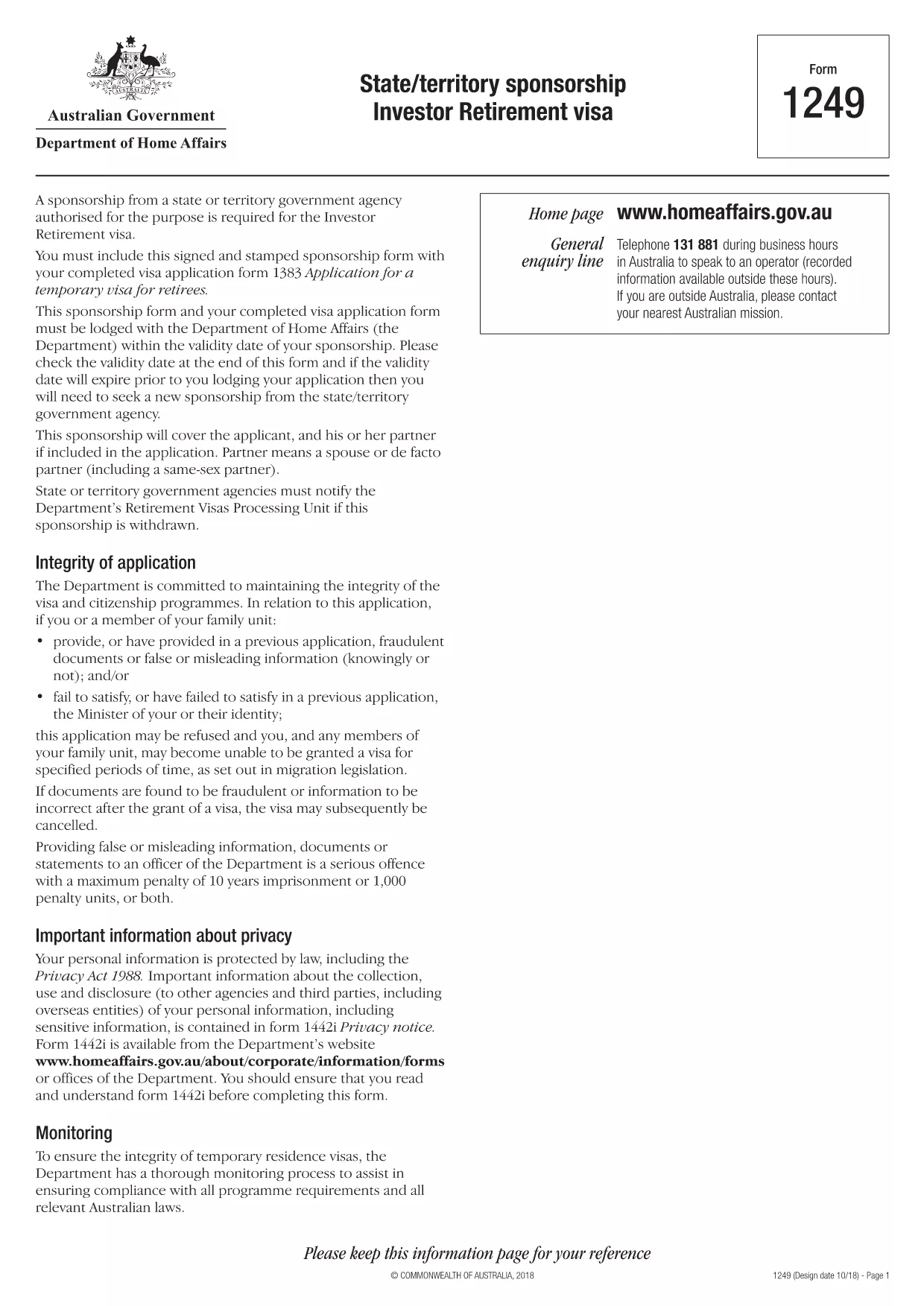
Form 1249 – State/Territory Sponsorship for the Investor Retirement Visa

  1. زبان انگلیسی
  2. کشور استرالیا
  3. فعالیت ویزا
این فرم را پر کنید
Form 1249 – State/Territory Sponsorship for the Investor Retirement Visa

Form 1249 is the official State/Territory Sponsorship document required for the Australian Investor Retirement Visa (subclass 188‑IR). The sponsoring state or territory government must approve the applicant’s investment plan before the Department of Home Affairs processes the visa.

This landing page lets you view, fill, and download the fillable PDF directly in your browser – no extra software needed. Just click the “Fill out this form” button and the Formize PDF Filler will load the form for you.

What Is Form 1249 and Who Needs It?

The form captures details about the applicant’s proposed investment, the sponsoring government’s commitment, and the validity period of the sponsorship. It is required for:

  • Applicants of the Investor Retirement visa (subclass 188‑IR)
  • State or territory agencies that are sponsoring the applicant
  • Legal representatives preparing a visa package

How to Complete Form 1249 Online with Formize

Follow these simple steps to fill the form without downloading any software:

  1. Click the “Fill out this form” button on this page.
  2. Wait a few seconds while the Formize PDF Filler loads the fillable PDF.
  3. Enter all required information in the highlighted fields. The filler validates dates and numeric entries automatically.
  4. When you finish, click **Save & Download** to get a completed PDF ready for submission.

Common Mistakes & Tips for a Successful Submission

  • Validity date – Double‑check the sponsorship validity at the bottom of the form. If it expires before you lodge your visa, you’ll need a new sponsorship.
  • Signature fields – Use the built‑in signature tool in Formize or print, sign, and scan the final PDF.
  • Investment details – Provide exact figures and currency; rounding errors cause delays.
  • Supporting documents – Attach the required business plan, proof of funds, and any state‑specific endorsement letters.

Where to Submit the Completed Sponsorship Form

After saving the filled PDF, include it with your visa application package and lodge it through the Department of Home Affairs portal. The sponsoring state/territory must also retain a copy for their records.

Need a printable version? Use the direct download link below.

سوالات متداول
  • What is the purpose of Form 1249?

    Form 1249 records the sponsorship commitment from an Australian state or territory for an Investor Retirement visa applicant.

  • Can I fill Form 1249 on a mobile device?

    Yes. The Formize PDF Filler works on modern smartphones and tablets as long as the browser supports PDF rendering.

  • Do I need to print the form to sign it?

    You can sign electronically using the Formize signature tool, or print, sign, and scan the final PDF before submission.

  • How long is the sponsorship validity?

    The validity period is printed on the last page of the form. It must remain active until the visa is granted; otherwise a new sponsorship is required.

  • What happens if I make a mistake after downloading?

    Open the saved PDF again with Formize, edit the incorrect fields, and re‑download the corrected version.

  • Is there a fee to use Formize’s filler?

    No, the Formize PDF Filler is free for all users on this page.

  • Where do I send the completed Form 1249?

    Include the completed form with your visa application package and lodge it through the Department of Home Affairs online portal.

  • Do I need a separate form for each state or territory?

    Form 1249 is the same nationwide, but the sponsoring agency (state or territory) must complete the sponsorship section.

چگونه

نحوه پر کردن Form 1249 به صورت رایگان و آنلاین در 4 با مراحل آسان:

  1. 1
    Open the Fillable Form
    Click the “Fill out this form” button on the page. The Formize PDF Filler will open the fillable Form 1249 in your browser.
  2. 2
    Enter Your Information
    Complete each highlighted field. The filler checks dates, numbers and required formats automatically.
  3. 3
    Save and Download
    When all sections are filled, press “Save & Download” to get a completed PDF ready for submission to the Department of Home Affairs.
  4. 4
    Submit with Your Visa Application
    Attach the saved PDF to your Investor Retirement visa (subclass 188‑IR) application through the Home Affairs online portal.
برنامه PDF Filler را فرم‌بندی کنید
در باره

فرم های ویزا

Form 1249 یکی از فرم‌های ویزا است که برای درخواست ویزا برای ورود به یک کشور خارجی استفاده می‌شود. ویزا مدرکی است که به یک تبعه خارجی اجازه می دهد برای مدت زمان مشخصی وارد یک کشور خارجی، اقامت و گاهی اوقات کار کند. فرم ها و شرایط دقیق برای دریافت ویزا بسته به کشور و نوع ویزا متفاوت است.

فرم های ویزا معمولاً به اطلاعات شخصی مانند نام، تاریخ تولد و اطلاعات پاسپورت و همچنین اطلاعاتی درباره هدف و طول سفر، مقصد مورد نظر و اینکه آیا متقاضی قبلاً از دریافت ویزا رد شده یا از کشوری اخراج شده است، نیاز دارد. این فرم ها همچنین ممکن است به مدارک پشتیبان مانند گذرنامه، عکس و مدرک حمایت مالی نیاز داشته باشند.

در ایالات متحده، رایج ترین فرم های ویزا فرم های DS-160 و DS-260 هستند. فرم DS-160 برای درخواست ویزای غیر مهاجرتی استفاده می شود، در حالی که فرم DS-260 برای درخواست ویزای مهاجرتی استفاده می شود. این فرم ها به اطلاعات دقیق در مورد تاریخچه شخصی و سفر متقاضی و همچنین مدارک پشتیبانی مانند گذرنامه، برنامه سفر و سوابق مالی نیاز دارند.

سایر کشورها ممکن است فرم‌ها و شرایط ویزا متفاوتی داشته باشند، اما فرآیند اصلی معمولاً شامل تکمیل درخواست ویزا، ارائه مدارک پشتیبانی و شرکت در مصاحبه با یک افسر کنسولی در سفارت یا کنسولگری ایالات متحده است. توجه به این نکته ضروری است که فرآیند درخواست ویزا می تواند پیچیده و زمان بر باشد و توصیه می شود افرادی که به دنبال ویزا هستند با یک وکیل مهاجرت یا سایر متخصصان واجد شرایط مشورت کنند تا اطمینان حاصل شود که تمام فرم ها و الزامات لازم برآورده شده است.

امکانات

پرکننده PDF

ساده ترین راه برای پر کردن فرم های PDF به صورت آنلاین

  • به سرعت Form 1249 را پر کنید
    به دنبال راهی برای پر کردن سریع Form 1249 آنلاین هستید؟ با پرکننده فرم PDF رایگان آنلاین ما، می‌دانید چگونه این سند pdf را در کمتر از یک دقیقه ویرایش و پر کنید.
  • آسان برای استفاده از ویرایشگر PDF آنلاین
    آیا از چاپ فایل‌های پی‌دی‌اف خسته شده‌اید تا بتوانید آن‌ها را قبل از اسکن مجدد و ارسال مجدد، ویرایش کنید؟ اسناد PDF را به صورت آنلاین به صورت رایگان ویرایش کنید. از ویرایشگر pdf آنلاین ما برای صرفه جویی در زمان و کاغذ استفاده کنید.
  • ابزارهای عالی، همه پلتفرم ها
    آیا نمی دانید که چگونه Form 1249 را در مک پر کنید، یا شاید چگونه از پرکننده PDF به صورت رایگان استفاده کنید؟ ابزارهای PDF آنلاین ما روی همه پلتفرم ها کار می کنند.
  • ذخیره سازی امن فایل
    فایل‌های تکمیل‌شده «Form 1249» در یک پایگاه داده ایمن که توسط میزبانی ابری آمازون مدیریت می‌شود، ذخیره می‌شوند. شما می توانید فایل های خود را در هر زمان از سیستم ما حذف کنید. در هر صورت این فایل ها پس از 24 ساعت به صورت خودکار پاک می شوند.
  • چت با Form 1249
    با «Form 1249» در Chatize که یک دستیار PDF خوان رایگان است، گپ بزنید. سوال بپرسید و از "Form 1249" پاسخ بگیرید. فقط روی دکمه Chat With Document در بالا کلیک کنید.

حذف جلسه پر کردن

جلسه پر کردن انتخاب شده را حذف کنید؟ در این صورت پیشرفت شما در تکمیل فرم از بین خواهد رفت.

حذف جلسه ویرایش

جلسه ویرایش انتخابی حذف شود؟ در این صورت پیشرفت شما در ایجاد و ویرایش فرم از بین خواهد رفت.