
زبان را انتخاب کنید

Form 1120‑S Schedule K‑3 Fillable PDF

  1. کشور ایالات متحده آمریکا
  2. زبان انگلیسی
  3. فعالیت مالیات
  4. بخش خدمات درآمد داخلی
این فرم را پر کنید
Form 1120‑S Schedule K‑3 Fillable PDF

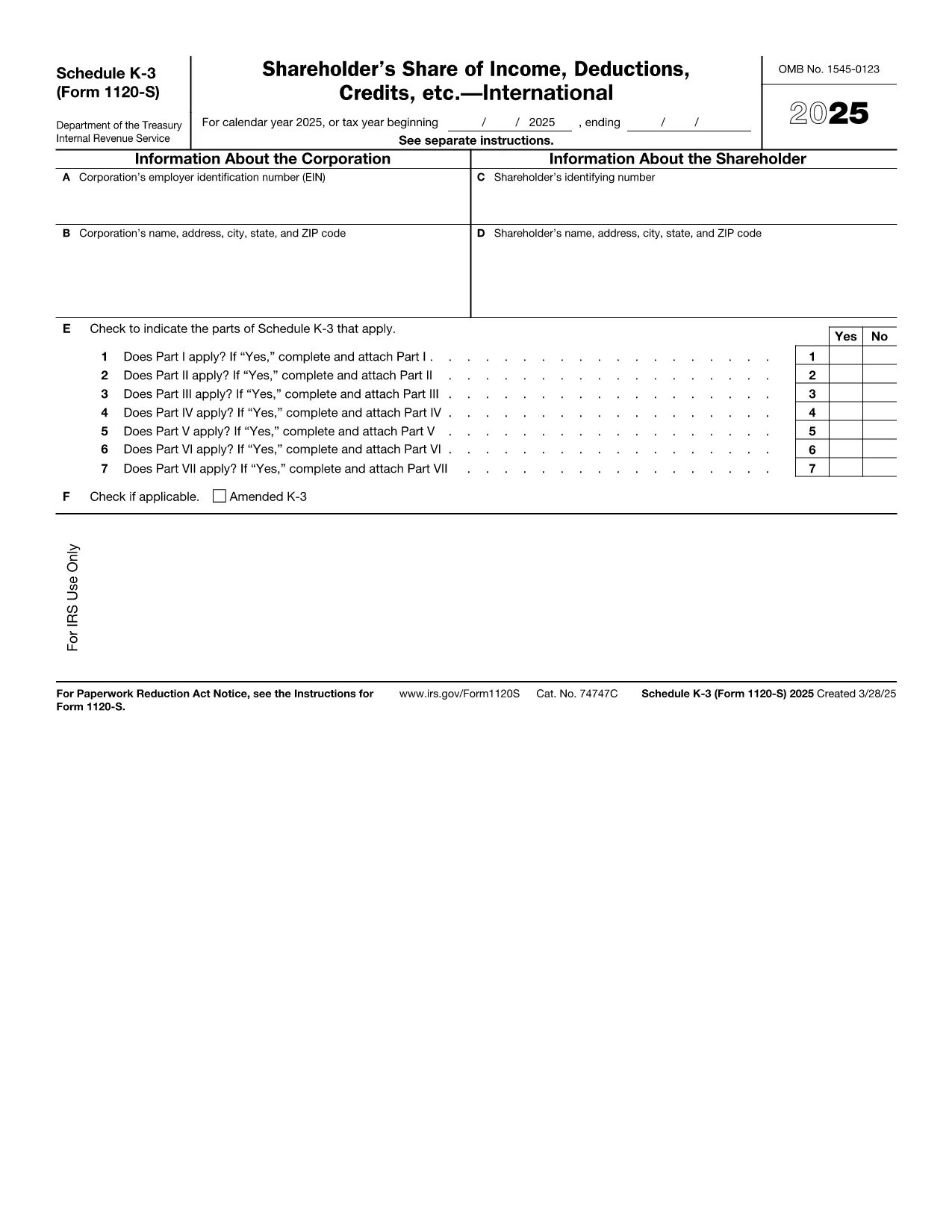
Schedule K‑3 (Form 1120‑S) is the IRS’s dedicated worksheet for reporting a corporation’s international tax items that flow through to each shareholder’s Schedule K‑1. If your S corporation has foreign income, taxes paid, or other cross‑border activities, you must complete this form.

What Is Schedule K‑3 and Who Needs It?

Schedule K‑3 expands on Schedule K‑2 to capture detailed foreign tax credit limitations, foreign source income, and other international items. All S corporations that report foreign activities on their Form 1120‑S must file Schedule K‑3, and shareholders use the information to claim foreign tax credits on their personal returns.

How to Complete Schedule K‑3 Online

Instead of printing, editing, and rescanning, you can fill the official IRS PDF directly in your browser with Formize’s PDF Filler. The process is simple:

  1. Click the "Fill out this form" button on this page.
  2. Wait a few seconds while the Formize PDF Filler app loads the fillable version of Schedule K‑3.
  3. Enter the required numbers in each field – the form automatically validates dates and numeric formats.
  4. Review every line for accuracy; the filler highlights missing or inconsistent entries.
  5. When you’re satisfied, click Save to download a completed PDF or Export to Cloud for secure storage.

Common Mistakes to Avoid on Schedule K‑3

  • Leaving foreign tax credit limitation fields blank – the IRS treats blanks as zero, which can under‑report credits.
  • Mismatching the currency conversion rate – use the rate applicable to the tax year, not a rounded estimate.
  • Omitting Schedule K‑2 reference numbers – Schedule K‑3 must reference the corresponding Schedule K‑2 lines.
  • Incorrect shareholder identification – ensure the name and SSN/EIN match the Schedule K‑1.

Download the Official IRS Fillable PDF

The PDF linked below is the exact version published by the Internal Revenue Service. It is fully fillable and compatible with Formize’s online editor.

Download Schedule K‑3 (Form 1120‑S) – IRS PDF

FAQs About Form 1120‑S Schedule K‑3

Below are the most common questions taxpayers ask about this schedule. Click each question to view the answer.

دستورالعمل ها

  • دستورالعمل های 1120-S برای برنامه های K-2 و K-3 - دستورالعمل های شرکت S برای برنامه های K-2 و K-3 (شکل 1120-S)، Pro Rata سهامداران اقلام به اشتراک گذاری سهام بین المللی و سهامدار درآمد، کاهش، اعتبار، و غیره. بین المللی بین المللی
  • دستورالعمل های 1120-S برای برنامه K-3 - دستورالعمل های سهامدار برای برنامه K-3 (شکل 1120-S)، سهم سهامدار از درآمد، تخفیف، اعتباری، و غیره. بین المللی (فقط برای استفاده سهامدار)
سوالات متداول
  • Do I need Schedule K‑3 if my S corporation has no foreign activity?

    No. Schedule K‑3 is required only when the corporation reports foreign income, taxes, or other international items on Schedule K‑2.

  • Can I use the same PDF for multiple tax years?

    Each tax year has its own version of Schedule K‑3. Use the PDF that matches the year you are filing (e.g., 2025 version for 2025 returns).

  • Is the Formize PDF Filler free to use?

    Yes, filling out the Schedule K‑3 online with Formize’s basic filler is free. Advanced features such as cloud storage may require a paid plan.

  • How do I report foreign tax credits on my personal return?

    The amounts from Schedule K‑3 flow to the shareholder’s Schedule K‑1. Use those figures on Form 1116 (or the appropriate line on Form 1040) to claim the credit.

  • What if I make a mistake after saving the PDF?

    Open the saved PDF again in Formize’s filler, correct the fields, and re‑save. The fillable PDF preserves all form fields for easy editing.

  • Where can I get help if I’m unsure about any line?

    The IRS instructions for Form 1120‑S and Schedule K‑3 provide detailed guidance. You can also consult a tax professional familiar with international S‑corp reporting.

چگونه

نحوه پر کردن Form 1120-S Schedule K-3 به صورت رایگان و آنلاین در 5 با مراحل آسان:

  1. 1
    Click the Fill Out Button
    Press the "Fill out this form" button on the page to launch the Formize PDF Filler.
  2. 2
    Wait for the Filler to Load
    A few seconds later the fillable Schedule K‑3 PDF appears in your browser.
  3. 3
    Enter Required Information
    Type the numbers and text into each highlighted field. The filler checks formats automatically.
  4. 4
    Review for Accuracy
    Use the built‑in validation to spot any missing or inconsistent entries before finalizing.
  5. 5
    Save or Export the Completed Form
    Click "Save" to download the finished PDF or choose "Export to Cloud" for secure storage.
برنامه PDF Filler را فرم‌بندی کنید
در باره

فرم های مالیاتی

Form 1120-S Schedule K-3 یکی از فرم‌های مالیاتی است که برای گزارش اطلاعات مربوط به مالیات به سازمان مالیاتی مربوطه استفاده می‌شود. انواع مختلفی از فرم های مالیاتی از جمله فرم های مالیات فدرال، ایالتی و محلی وجود دارد که بسته به شرایط و موقعیت مالیات دهندگان می تواند متفاوت باشد.

امکانات

پرکننده PDF

ساده ترین راه برای پر کردن فرم های PDF به صورت آنلاین

  • به سرعت Form 1120-S Schedule K-3 را پر کنید
    به دنبال راهی برای پر کردن سریع Form 1120-S Schedule K-3 آنلاین هستید؟ با پرکننده فرم PDF رایگان آنلاین ما، می‌دانید چگونه این سند pdf را در کمتر از یک دقیقه ویرایش و پر کنید.
  • آسان برای استفاده از ویرایشگر PDF آنلاین
    آیا از چاپ فایل‌های پی‌دی‌اف خسته شده‌اید تا بتوانید آن‌ها را قبل از اسکن مجدد و ارسال مجدد، ویرایش کنید؟ اسناد PDF را به صورت آنلاین به صورت رایگان ویرایش کنید. از ویرایشگر pdf آنلاین ما برای صرفه جویی در زمان و کاغذ استفاده کنید.
  • ابزارهای عالی، همه پلتفرم ها
    آیا نمی دانید که چگونه Form 1120-S Schedule K-3 را در مک پر کنید، یا شاید چگونه از پرکننده PDF به صورت رایگان استفاده کنید؟ ابزارهای PDF آنلاین ما روی همه پلتفرم ها کار می کنند.
  • ذخیره سازی امن فایل
    فایل‌های تکمیل‌شده «Form 1120-S Schedule K-3» در یک پایگاه داده ایمن که توسط میزبانی ابری آمازون مدیریت می‌شود، ذخیره می‌شوند. شما می توانید فایل های خود را در هر زمان از سیستم ما حذف کنید. در هر صورت این فایل ها پس از 24 ساعت به صورت خودکار پاک می شوند.
  • چت با Form 1120-S Schedule K-3
    با «Form 1120-S Schedule K-3» در Chatize که یک دستیار PDF خوان رایگان است، گپ بزنید. سوال بپرسید و از "Form 1120-S Schedule K-3" پاسخ بگیرید. فقط روی دکمه Chat With Document در بالا کلیک کنید.

حذف جلسه پر کردن

جلسه پر کردن انتخاب شده را حذف کنید؟ در این صورت پیشرفت شما در تکمیل فرم از بین خواهد رفت.

حذف جلسه ویرایش

جلسه ویرایش انتخابی حذف شود؟ در این صورت پیشرفت شما در ایجاد و ویرایش فرم از بین خواهد رفت.