
زبان را انتخاب کنید

INZ 1012 Student Visa Application – Fillable PDF

  1. زبان انگلیسی
  2. کشور نیوزلند
  3. بخش Immigration New Zealand
  4. فعالیت ویزا
این فرم را پر کنید
INZ 1012 Student Visa Application – Fillable PDF

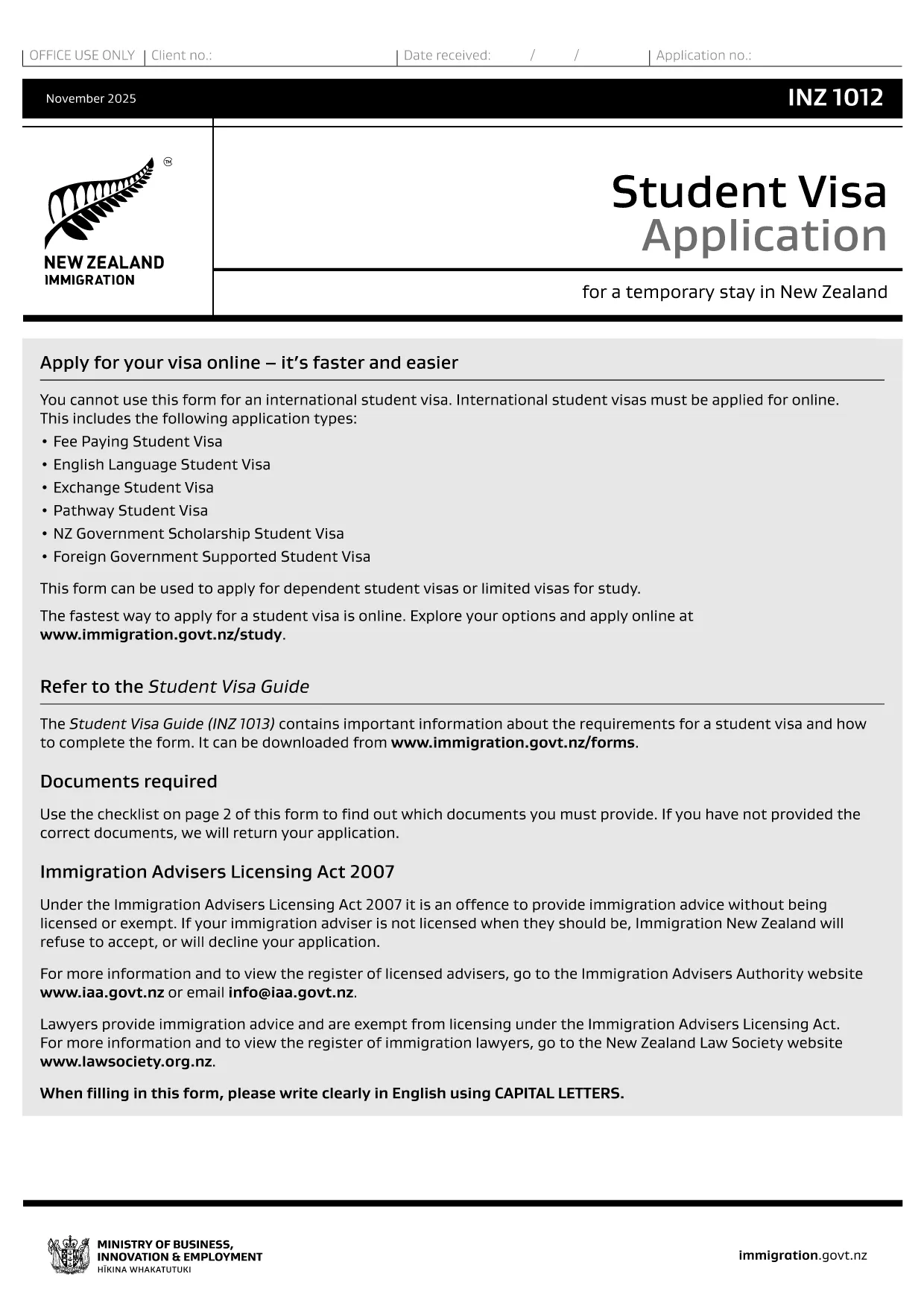
The INZ 1012 is the official New Zealand Student Visa application form used by Immigration New Zealand. Whether you’re studying a short‑term course or a full degree, this form collects the essential personal, academic, and financial information required to assess your eligibility.

What Is the INZ 1012 Form?

INZ 1012 is a government‑issued PDF that can be filled out by hand or electronically. It asks for details such as:

  • Personal identification and passport data
  • Course information and institution details
  • Proof of funds and health insurance
  • Intended stay dates and travel plans

How to Complete the INZ 1012 Online

Instead of printing, printing, and scanning, use Formize’s built‑in Fillable PDF tool. Follow these simple steps:

  1. Click the "Fill out this form" button on this page.
  2. Wait a few seconds while the Formize PDF Filler app loads.
  3. Navigate each section, enter your information, and use the auto‑save feature.
  4. When you finish, download the completed PDF or submit it directly to Immigration New Zealand if you have an online portal.

Common Mistakes to Avoid

  • Leaving fields blank: Every required field must be completed; otherwise the application is rejected.
  • Mismatched passport numbers: Ensure the number matches exactly as shown on your passport.
  • Incorrect financial figures: Provide proof of at least NZD 15,000 per year (or the amount specified for your course).
  • Out‑of‑date course details: Verify that the course start date and institution name are current.

Download & Save the PDF

If you prefer a hard copy, you can still download the original PDF from Immigration New Zealand using the link below. Keep a saved copy for your records and for any future visa renewals.

Download INZ 1012 PDF (official)

Using Formize’s fillable version saves you time, reduces errors, and lets you edit the form until you’re completely satisfied.

سوالات متداول
  • Can I submit the INZ 1012 form online?

    Yes. After filling it out with Formize, you can download the completed PDF and upload it through Immigration New Zealand’s online application system.

  • Do I need to print the form after filling it online?

    Printing is optional. A digitally signed PDF is accepted, but keep a printed copy for your records if you prefer.

  • How long does it take to complete the form?

    Most applicants finish in 15‑30 minutes if all required documents are ready.

  • What supporting documents are required?

    A valid passport, offer of place from a New Zealand education provider, proof of funds, health insurance, and any required English‑language evidence.

  • Is there a fee to use Formize’s PDF filler?

    Formize offers a free basic filler for the INZ 1012 form; premium features are optional.

  • Can I edit the form after I download it?

    Yes. The fillable PDF remains editable with any standard PDF editor, but it’s easier to make changes directly in Formize before downloading.

  • What should I do if I make a mistake?

    Return to the affected field in Formize, correct the entry, and re‑download the PDF. Do not try to hand‑write over a printed form.

  • Where do I send the completed form?

    Submit the PDF through the Immigration New Zealand online portal or mail it to the address listed in the form instructions.

چگونه

نحوه پر کردن INZ 1012 به صورت رایگان و آنلاین در 4 با مراحل آسان:

  1. 1
    Click the Fill‑out Button
    Press the "Fill out this form" button on the page to launch the Formize PDF Filler.
  2. 2
    Wait for the Filler to Load
    The app loads in a few seconds; you’ll see an interactive version of the INZ 1012 form.
  3. 3
    Enter Your Information
    Complete each section, using the auto‑save feature. Attach supporting documents where required.
  4. 4
    Save or Submit
    When finished, download the completed PDF or forward it to Immigration New Zealand via their online portal.
برنامه PDF Filler را فرم‌بندی کنید
در باره

فرم های ویزا

INZ 1012 یکی از فرم‌های ویزا است که برای درخواست ویزا برای ورود به یک کشور خارجی استفاده می‌شود. ویزا مدرکی است که به یک تبعه خارجی اجازه می دهد برای مدت زمان مشخصی وارد یک کشور خارجی، اقامت و گاهی اوقات کار کند. فرم ها و شرایط دقیق برای دریافت ویزا بسته به کشور و نوع ویزا متفاوت است.

فرم های ویزا معمولاً به اطلاعات شخصی مانند نام، تاریخ تولد و اطلاعات پاسپورت و همچنین اطلاعاتی درباره هدف و طول سفر، مقصد مورد نظر و اینکه آیا متقاضی قبلاً از دریافت ویزا رد شده یا از کشوری اخراج شده است، نیاز دارد. این فرم ها همچنین ممکن است به مدارک پشتیبان مانند گذرنامه، عکس و مدرک حمایت مالی نیاز داشته باشند.

در ایالات متحده، رایج ترین فرم های ویزا فرم های DS-160 و DS-260 هستند. فرم DS-160 برای درخواست ویزای غیر مهاجرتی استفاده می شود، در حالی که فرم DS-260 برای درخواست ویزای مهاجرتی استفاده می شود. این فرم ها به اطلاعات دقیق در مورد تاریخچه شخصی و سفر متقاضی و همچنین مدارک پشتیبانی مانند گذرنامه، برنامه سفر و سوابق مالی نیاز دارند.

سایر کشورها ممکن است فرم‌ها و شرایط ویزا متفاوتی داشته باشند، اما فرآیند اصلی معمولاً شامل تکمیل درخواست ویزا، ارائه مدارک پشتیبانی و شرکت در مصاحبه با یک افسر کنسولی در سفارت یا کنسولگری ایالات متحده است. توجه به این نکته ضروری است که فرآیند درخواست ویزا می تواند پیچیده و زمان بر باشد و توصیه می شود افرادی که به دنبال ویزا هستند با یک وکیل مهاجرت یا سایر متخصصان واجد شرایط مشورت کنند تا اطمینان حاصل شود که تمام فرم ها و الزامات لازم برآورده شده است.

امکانات

پرکننده PDF

ساده ترین راه برای پر کردن فرم های PDF به صورت آنلاین

  • به سرعت INZ 1012 را پر کنید
    به دنبال راهی برای پر کردن سریع INZ 1012 آنلاین هستید؟ با پرکننده فرم PDF رایگان آنلاین ما، می‌دانید چگونه این سند pdf را در کمتر از یک دقیقه ویرایش و پر کنید.
  • آسان برای استفاده از ویرایشگر PDF آنلاین
    آیا از چاپ فایل‌های پی‌دی‌اف خسته شده‌اید تا بتوانید آن‌ها را قبل از اسکن مجدد و ارسال مجدد، ویرایش کنید؟ اسناد PDF را به صورت آنلاین به صورت رایگان ویرایش کنید. از ویرایشگر pdf آنلاین ما برای صرفه جویی در زمان و کاغذ استفاده کنید.
  • ابزارهای عالی، همه پلتفرم ها
    آیا نمی دانید که چگونه INZ 1012 را در مک پر کنید، یا شاید چگونه از پرکننده PDF به صورت رایگان استفاده کنید؟ ابزارهای PDF آنلاین ما روی همه پلتفرم ها کار می کنند.
  • ذخیره سازی امن فایل
    فایل‌های تکمیل‌شده «INZ 1012» در یک پایگاه داده ایمن که توسط میزبانی ابری آمازون مدیریت می‌شود، ذخیره می‌شوند. شما می توانید فایل های خود را در هر زمان از سیستم ما حذف کنید. در هر صورت این فایل ها پس از 24 ساعت به صورت خودکار پاک می شوند.
  • چت با INZ 1012
    با «INZ 1012» در Chatize که یک دستیار PDF خوان رایگان است، گپ بزنید. سوال بپرسید و از "INZ 1012" پاسخ بگیرید. فقط روی دکمه Chat With Document در بالا کلیک کنید.

حذف جلسه پر کردن

جلسه پر کردن انتخاب شده را حذف کنید؟ در این صورت پیشرفت شما در تکمیل فرم از بین خواهد رفت.

حذف جلسه ویرایش

جلسه ویرایش انتخابی حذف شود؟ در این صورت پیشرفت شما در ایجاد و ویرایش فرم از بین خواهد رفت.