
زبان را انتخاب کنید

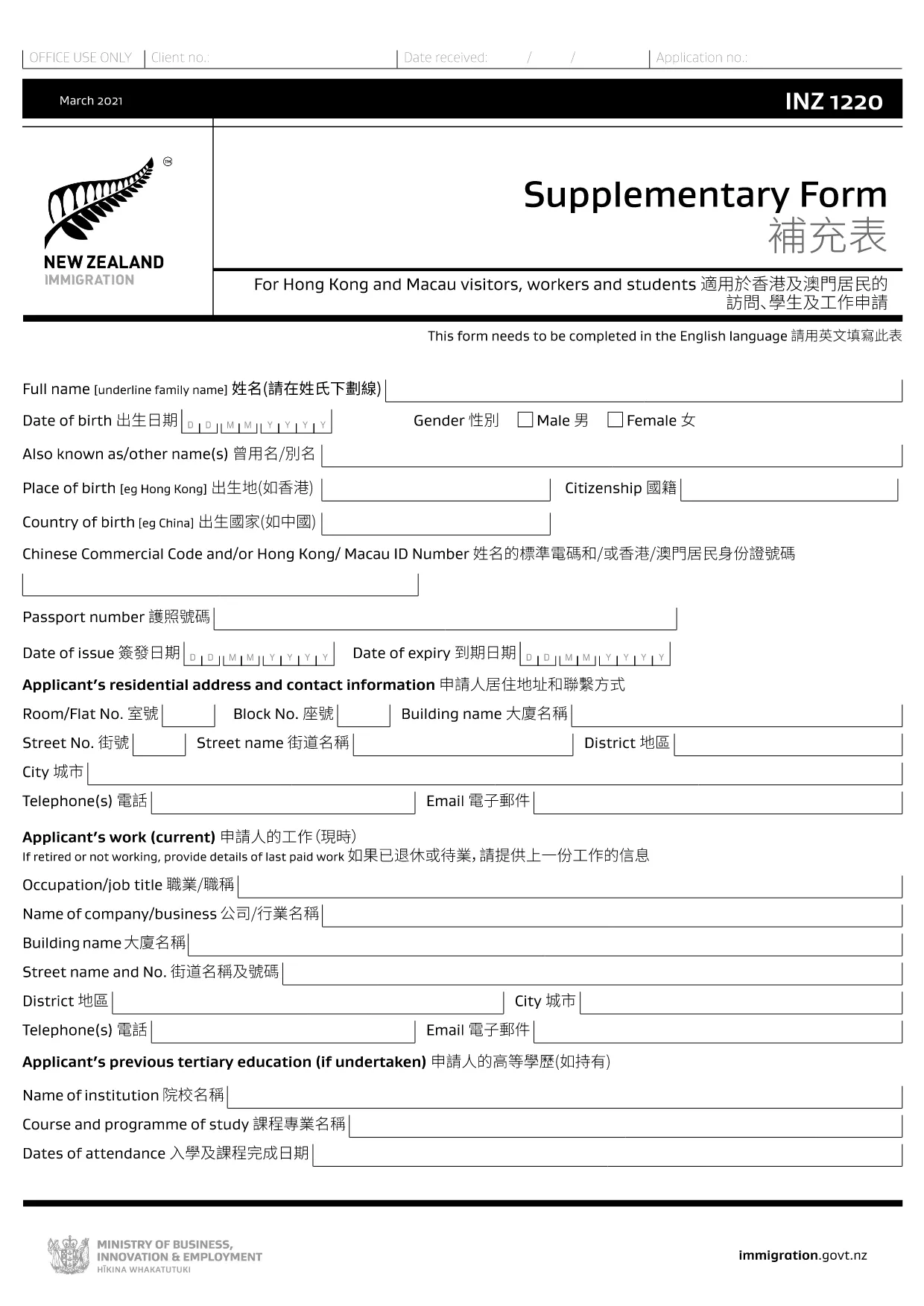
INZ 1220 Supplementary Form – Fillable PDF

  1. کشور نیوزلند
  2. زبان انگلیسی
  3. فعالیت بازدید و گردشگری کار کنید مهاجرت مطالعه
این فرم را پر کنید
INZ 1220 Supplementary Form – Fillable PDF

The INZ 1220 Supplementary Form is required by Immigration New Zealand for visitors, workers and students from Hong Kong and Macau who need to provide additional contact details. This fillable PDF lets you complete the form quickly, securely, and without printing.

Our page integrates the Formize PDF Filler app, so you can edit the document directly in your browser. No extra software, no downloads – just click, fill, and submit.

What Is the INZ 1220 Form?

INZ 1220 is a supplementary information sheet that collects the name, address, telephone, and email of a New Zealand contact (friend, family member, or sponsor). It is often requested alongside visa applications to verify local support.

How to Complete the INZ 1220 Online

Follow the simple steps below to fill out the form using Formize:

  • Click the **Fill out this form** button on this page.
  • Wait a few seconds while the Formize PDF Filler loads.
  • Enter the required details in each field – the interface highlights mandatory sections.
  • Review the information for accuracy.
  • Save the completed PDF to your device or download a copy for your records.

Common Mistakes to Avoid

  • Leaving the contact’s phone number incomplete – include country code.
  • Using an outdated email address – Immigration may send important updates.
  • Submitting the form with blank mandatory fields – the filler will flag these before you can save.

Where to Submit the Completed Form

After saving the PDF, attach it to your visa application through the Immigration New Zealand online portal, or email it to the address specified in your application instructions.

FAQs About INZ 1220

Find quick answers to the most common questions below (full FAQ list further down).

سوالات متداول
  • Do I need to print the INZ 1220 form?

    No. Using the Formize PDF Filler you can complete the form entirely online and download the finished PDF.

  • What language is the INZ 1220 form in?

    The official form is in English. If you need a translation, you must provide a certified translation alongside the original.

  • Can I save my progress and finish later?

    Yes. While the Formize app is open, you can click **Save** to download a partially‑filled PDF, then reload it later to continue.

  • Is the contact’s New Zealand address mandatory?

    Yes. Immigration requires a full local address (street, city, postal code) to verify your support network.

  • What if I make a mistake after saving?

    Simply reopen the saved PDF in the Formize filler, correct the error, and save a new version.

  • How many pages is the INZ 1220 form?

    The supplementary form is a single‑page PDF, making it quick to fill and attach.

  • Do I need a digital signature?

    A handwritten signature is required. Print the completed PDF, sign it, then scan or take a clear photo to upload.

  • Where can I find help if I’m stuck?

    The Formize filler includes tooltip help for each field. For further assistance, consult the Immigration New Zealand website.

چگونه

نحوه پر کردن INZ 1220 به صورت رایگان و آنلاین در 5 با مراحل آسان:

  1. 1
    Open the Fillable Form
    Click the **Fill out this form** button on the page. The Formize PDF Filler app will open in a new tab.
  2. 2
    Load the Form
    Wait a few seconds while the INZ 1220 PDF loads. All fields become editable directly in the browser.
  3. 3
    Enter Your Information
    Type the required details (contact name, address, phone, email). Required fields are marked with an asterisk.
  4. 4
    Review and Save
    Check the entered data for errors, then click **Save** to download the completed PDF to your device.
  5. 5
    Submit with Your Visa Application
    Attach the saved INZ 1220 PDF to your Immigration New Zealand online application or email it as instructed.
برنامه PDF Filler را فرم‌بندی کنید
در باره

فرم های گردشگری

INZ 1220 یکی از فرم‌های گردشگری است که توسط افراد یا گروه‌هایی که قصد سفر برای مقاصد گردشگری را دارند استفاده می‌شود. این فرم‌ها ممکن است بسته به کشور مقصد یا ارائه‌دهنده خدمات سفر متفاوت باشند، اما عموماً حاوی اطلاعاتی درباره مسافر، برنامه سفر و هر جزئیات مرتبط دیگری هستند.

برخی از اشکال رایج گردشگری عبارتند از:

برنامه سفر: این فرم فعالیت های برنامه ریزی شده مسافر را فهرست می کند، از جمله تاریخ، زمان، و مکان پروازها، اقامتگاه ها، تورها و سایر فعالیت ها.

برنامه ویزا: بسیاری از کشورها از گردشگران می خواهند قبل از ورود ویزا دریافت کنند. فرم درخواست ویزا معمولاً اطلاعات شخصی، جزئیات سفر و اسناد پشتیبانی مانند گذرنامه، عکس یا صورت‌های مالی را می‌خواهد.

فرم اعلامیه سلامت: این فرم برای اعلام هرگونه شرایط پزشکی یا قرار گرفتن در معرض احتمالی با بیماری‌های مسری، مانند COVID-19 استفاده می‌شود. برخی از کشورها مسافران را ملزم می کنند که قبل از ورود، آزمایش کووید-19 منفی ارائه کنند.

فرم بیمه مسافرتی: این فرم اطلاعاتی درباره پوشش بیمه مسافرتی مسافر، از جمله نوع بیمه نامه، محدودیت های پوشش و اطلاعات تماس اضطراری ارائه می دهد.

فرم اظهارنامه گمرکی: این فرم توسط برخی کشورها برای اعلام هرگونه اقلامی که وارد کشور می‌شود، مانند هدایا، سوغات یا لوازم الکترونیکی مورد نیاز است.

فرم رزرو اقامتگاه: این فرم اطلاعاتی در مورد محل اقامت مسافر، از جمله تاریخ اقامت، نوع اتاق و هرگونه درخواست ویژه ارائه می دهد.

فرم های گردشگری ممکن است توسط خطوط هوایی، آژانس های مسافرتی، هتل ها یا سایر ارائه دهندگان خدمات مسافرتی مورد نیاز باشد و ممکن است در قالب های الکترونیکی یا کاغذی موجود باشد. بررسی دقیق و تکمیل تمام فرم های لازم برای اطمینان از تجربه سفری روان و بدون دردسر بسیار مهم است.

امکانات

پرکننده PDF

ساده ترین راه برای پر کردن فرم های PDF به صورت آنلاین

  • به سرعت INZ 1220 را پر کنید
    به دنبال راهی برای پر کردن سریع INZ 1220 آنلاین هستید؟ با پرکننده فرم PDF رایگان آنلاین ما، می‌دانید چگونه این سند pdf را در کمتر از یک دقیقه ویرایش و پر کنید.
  • آسان برای استفاده از ویرایشگر PDF آنلاین
    آیا از چاپ فایل‌های پی‌دی‌اف خسته شده‌اید تا بتوانید آن‌ها را قبل از اسکن مجدد و ارسال مجدد، ویرایش کنید؟ اسناد PDF را به صورت آنلاین به صورت رایگان ویرایش کنید. از ویرایشگر pdf آنلاین ما برای صرفه جویی در زمان و کاغذ استفاده کنید.
  • ابزارهای عالی، همه پلتفرم ها
    آیا نمی دانید که چگونه INZ 1220 را در مک پر کنید، یا شاید چگونه از پرکننده PDF به صورت رایگان استفاده کنید؟ ابزارهای PDF آنلاین ما روی همه پلتفرم ها کار می کنند.
  • ذخیره سازی امن فایل
    فایل‌های تکمیل‌شده «INZ 1220» در یک پایگاه داده ایمن که توسط میزبانی ابری آمازون مدیریت می‌شود، ذخیره می‌شوند. شما می توانید فایل های خود را در هر زمان از سیستم ما حذف کنید. در هر صورت این فایل ها پس از 24 ساعت به صورت خودکار پاک می شوند.
  • چت با INZ 1220
    با «INZ 1220» در Chatize که یک دستیار PDF خوان رایگان است، گپ بزنید. سوال بپرسید و از "INZ 1220" پاسخ بگیرید. فقط روی دکمه Chat With Document در بالا کلیک کنید.

حذف جلسه پر کردن

جلسه پر کردن انتخاب شده را حذف کنید؟ در این صورت پیشرفت شما در تکمیل فرم از بین خواهد رفت.

حذف جلسه ویرایش

جلسه ویرایش انتخابی حذف شود؟ در این صورت پیشرفت شما در ایجاد و ویرایش فرم از بین خواهد رفت.