زبان را انتخاب کنید

Medicare Part A Application Form (CMS‑18F5) – Fillable PDF

  1. کشور ایالات متحده آمریکا
  2. زبان انگلیسی
  3. فعالیت Healthcare
  4. بخش CMS
این فرم را پر کنید
Medicare Part A Application Form (CMS‑18F5) – Fillable PDF

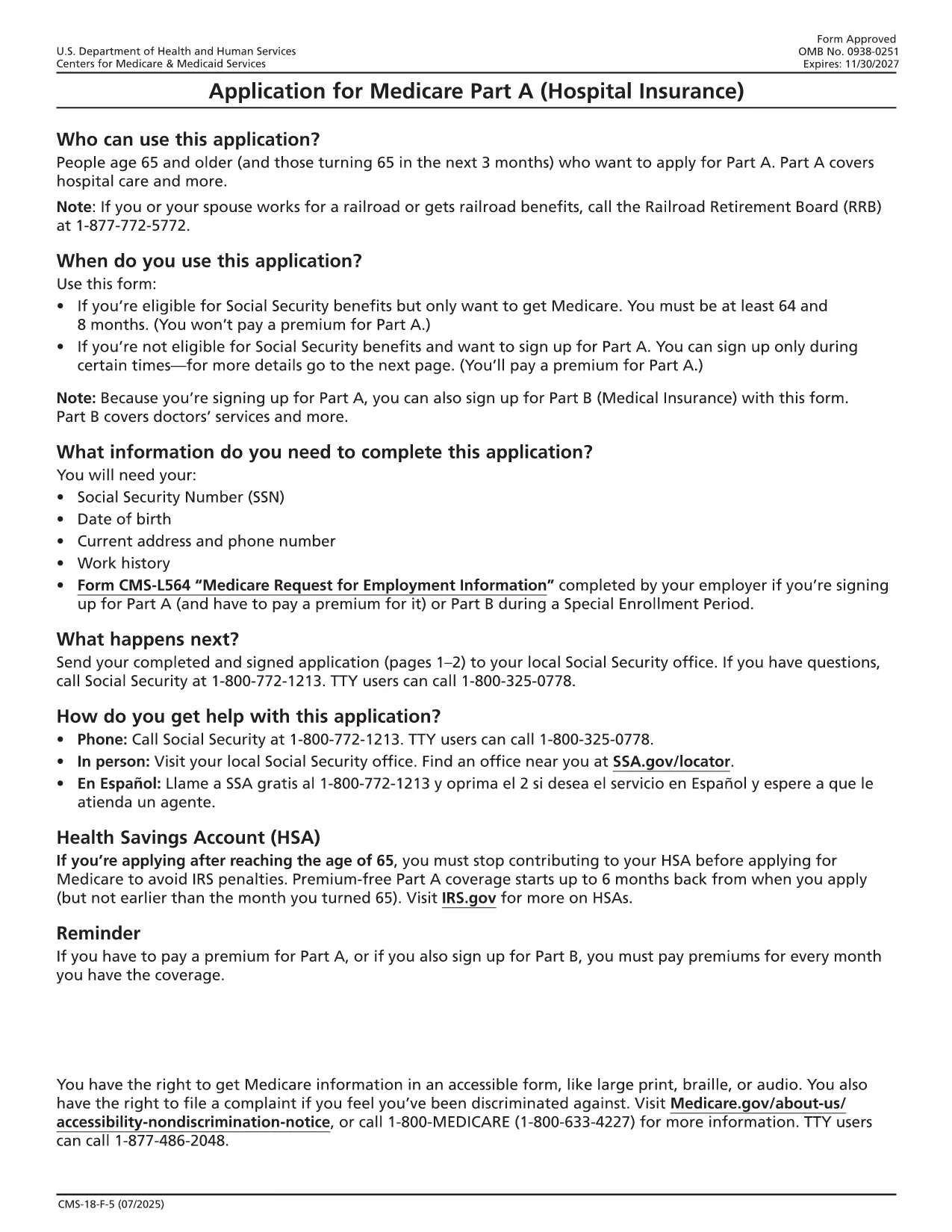
The CMS‑18F5 is the official application for Medicare Part A (Hospital Insurance). Whether you’re enrolling for the first time or updating your information, the fillable PDF on this page lets you complete the form quickly without printing or scanning.

Our integrated Fill out this form button launches the Formize PDF Filler app directly in your browser. All fields are interactive, and you can save your progress, add an electronic signature, and download the completed PDF in seconds.

What is the Medicare Part A Application?

Medicare Part A provides coverage for inpatient hospital stays, skilled nursing facility care, hospice, and some home health services. The CMS‑18F5 form collects personal details, citizenship status, employment history, and other information required by the Centers for Medicare & Medicaid Services (CMS) to determine eligibility.

How to Fill Out the CMS‑18F5 Form Online

  • Step 1: Click the “Fill out this form” button on this page.
  • Step 2: Wait for the Formize PDF Filler to load (usually a few seconds).
  • Step 3: Complete each field. The filler includes tool‑tips and automatic date formatting.
  • Step 4: Add your electronic signature in the designated box.
  • Step 5: Review the form, then click “Download Completed PDF” or “Print & Mail” according to your preference.

Common Mistakes to Avoid

Even a small error can delay processing. Keep these tips in mind:

  • Double‑check Social Security numbers and dates of birth.
  • Provide a current mailing address; PO boxes are not accepted for eligibility verification.
  • Ensure the signature matches the one on file with the Social Security Administration.
  • Do not leave any required fields blank; the filler will highlight missing information.

Eligibility Requirements

Generally, you qualify for Part A if you:

  • Are 65 years or older, or
  • Receive Social Security Disability Insurance (SSDI) for 24 months, or
  • Have End‑Stage Renal Disease (ESRD) or Amyotrophic Lateral Sclerosis (ALS).

Where to Submit Your Completed Form

After downloading the filled PDF, you can:

  • Mail it to your local Social Security Administration office.
  • Upload it securely through the SSA Medicare portal if you have an online account.
  • Bring a printed copy to your nearest SSA office for in‑person assistance.

Using Formize’s fillable PDF saves you time, reduces errors, and keeps your personal data protected.

سوالات متداول
  • Is the CMS‑18F5 form free to download?

    Yes, the fillable PDF is provided by the federal government at no cost. Formize only hosts the interactive version.

  • Can I submit the completed form electronically?

    You can upload the filled PDF through the Social Security Administration’s online portal if you have an account, or mail a printed copy.

  • What if I make a mistake after downloading?

    Simply reopen the saved PDF in Formize, edit the incorrect fields, and re‑download the corrected version.

  • Do I need a digital signature for Part A?

    An electronic signature is accepted as long as it matches the signature on file with the SSA.

  • How long does processing take after I submit?

    Processing typically takes 30‑45 days. You’ll receive a notice by mail confirming your enrollment status.

  • Is my personal information secure while using Formize?

    Formize uses SSL encryption and does not store any of your data on its servers after the session ends.

چگونه

نحوه پر کردن Medicare Part A application به صورت رایگان و آنلاین در 5 با مراحل آسان:

  1. 1
    Open the Fillable Form
    Click the “Fill out this form” button on the page. The Formize PDF Filler will open in a new tab.
  2. 2
    Load the Formizer App
    Wait a few seconds while the filler loads the CMS‑18F5 document.
  3. 3
    Complete All Required Fields
    Enter your personal information, citizenship details, and employment history. Tool‑tips appear for each field.
  4. 4
    Add Your Electronic Signature
    Use the signature field to draw or type your signature. This satisfies the legal signing requirement.
  5. 5
    Save or Submit
    Click “Download Completed PDF” to save a copy, or print and mail it to the SSA as instructed.
برنامه PDF Filler را فرم‌بندی کنید
در باره

قالب Medicare Part A application

با مجموعه‌ای از ویژگی‌های سنتی برای مشاهده و پر کردن یک سند PDF، همراه با مزایای یک برنامه وب و طرح‌بندی واکنش‌گرا، می‌توانید Medicare Part A application را در چند دقیقه تکمیل کنید.

امکانات

پرکننده PDF

ساده ترین راه برای پر کردن فرم های PDF به صورت آنلاین

  • به سرعت Medicare Part A application را پر کنید
    به دنبال راهی برای پر کردن سریع Medicare Part A application آنلاین هستید؟ با پرکننده فرم PDF رایگان آنلاین ما، می‌دانید چگونه این سند pdf را در کمتر از یک دقیقه ویرایش و پر کنید.
  • آسان برای استفاده از ویرایشگر PDF آنلاین
    آیا از چاپ فایل‌های پی‌دی‌اف خسته شده‌اید تا بتوانید آن‌ها را قبل از اسکن مجدد و ارسال مجدد، ویرایش کنید؟ اسناد PDF را به صورت آنلاین به صورت رایگان ویرایش کنید. از ویرایشگر pdf آنلاین ما برای صرفه جویی در زمان و کاغذ استفاده کنید.
  • ابزارهای عالی، همه پلتفرم ها
    آیا نمی دانید که چگونه Medicare Part A application را در مک پر کنید، یا شاید چگونه از پرکننده PDF به صورت رایگان استفاده کنید؟ ابزارهای PDF آنلاین ما روی همه پلتفرم ها کار می کنند.
  • ذخیره سازی امن فایل
    فایل‌های تکمیل‌شده «Medicare Part A application» در یک پایگاه داده ایمن که توسط میزبانی ابری آمازون مدیریت می‌شود، ذخیره می‌شوند. شما می توانید فایل های خود را در هر زمان از سیستم ما حذف کنید. در هر صورت این فایل ها پس از 24 ساعت به صورت خودکار پاک می شوند.
  • چت با Medicare Part A application
    با «Medicare Part A application» در Chatize که یک دستیار PDF خوان رایگان است، گپ بزنید. سوال بپرسید و از "Medicare Part A application" پاسخ بگیرید. فقط روی دکمه Chat With Document در بالا کلیک کنید.

حذف جلسه پر کردن

جلسه پر کردن انتخاب شده را حذف کنید؟ در این صورت پیشرفت شما در تکمیل فرم از بین خواهد رفت.

حذف جلسه ویرایش

جلسه ویرایش انتخابی حذف شود؟ در این صورت پیشرفت شما در ایجاد و ویرایش فرم از بین خواهد رفت.