زبان را انتخاب کنید

BMV Form 2326 – Fillable PDF Online

  1. کشور ایالات متحده آمریکا
  2. زبان انگلیسی
  3. فعالیت Vehicle Licensing
  4. بخش Department of Motor Vehicles
این فرم را پر کنید
BMV Form 2326 – Fillable PDF Online

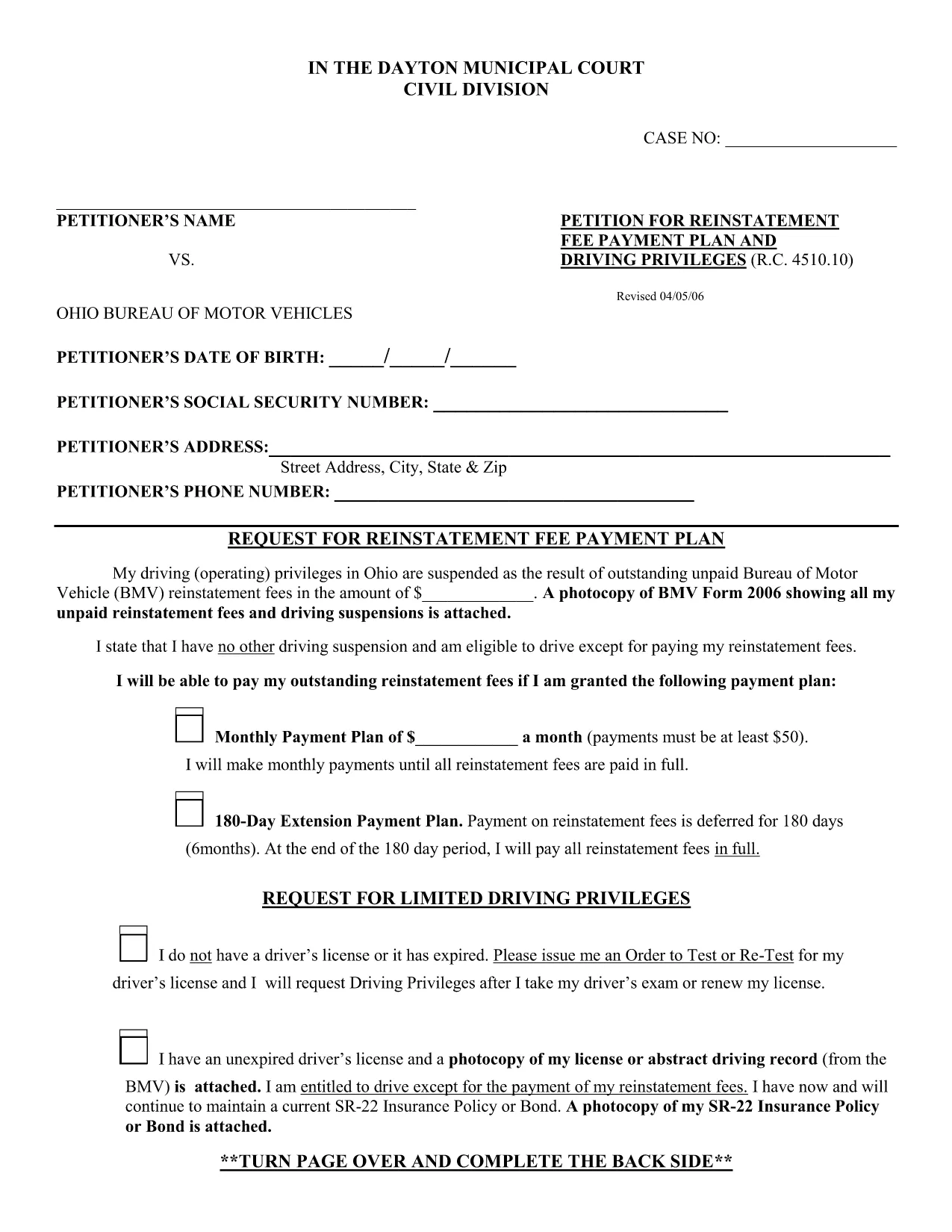
The BMV Form 2326 is the official Ohio Bureau of Motor Vehicles (BMV) reinstatement request used when a driver’s privileges have been suspended due to unpaid fees or other violations. Traditionally, you would have to print, fill out by hand, and mail the form. With Formize, the same PDF is available as a fully fillable document you can complete directly in your browser.

Our online PDF filler loads the original form instantly, preserves the exact layout required by the Ohio BMV, and lets you save a digital copy for your records. No software download, no printing required—just click, fill, and submit.

Below you’ll find a quick overview of the form sections, step‑by‑step instructions for using the Formize PDF filler, and tips to avoid common errors that can delay reinstatement.

What is BMV Form 2326?

Form 2326 is used to request reinstatement of driving privileges after a suspension. It asks for personal details, the reason for suspension, a breakdown of unpaid fees, and a signature authorizing the BMV to process the reinstatement.

How to Complete the Form Using Formize

Follow the simple How‑to guide below. The process takes less than five minutes and works on any device.

Common Mistakes to Avoid

  • Leaving required fields blank – the BMV will reject the form.
  • Using a handwritten signature image that is too small or blurry.
  • Entering the wrong fee totals – double‑check your payment receipts.
  • Submitting the form without attaching supporting documents (e.g., proof of payment).

Where to Submit the Completed Form

After you’ve saved the completed PDF, you can either:

  • Upload it through the Ohio BMV online portal, or
  • Mail a printed copy to your local BMV office (address listed on the form).

Keeping a digital copy ensures you have proof of submission in case of follow‑up questions.

سوالات متداول
  • What is the purpose of BMV Form 2326?

    Form 2326 is the official request to reinstate a driver’s license after a suspension caused by unpaid fees, court fines, or other violations.

  • Do I need to print the form after filling it online?

    No. The Formize filler creates a fully completed PDF that you can submit electronically or download and print if the BMV requires a hard copy.

  • Can I use Formize on a mobile device?

    Yes. The PDF filler works on smartphones, tablets, and desktop browsers without any additional software.

  • Is my personal data safe when I use Formize?

    All data is processed locally in your browser. Formize does not store or share your information unless you choose to download or email the file.

  • What should I do if I make a mistake after saving the PDF?

    Open the saved PDF again with the Formize filler, edit the incorrect fields, and re‑save. The original layout remains unchanged.

  • How long does it take for the Ohio BMV to process the form?

    Processing time varies, but most reinstatement requests are reviewed within 7‑10 business days after the BMV receives a complete form and payment.

  • Do I need to attach proof of payment with the form?

    Yes. Include receipts or bank statements showing payment of any outstanding fees. You can attach them as separate PDFs when you upload the form online.

چگونه

نحوه پر کردن BMV Form 2326 به صورت رایگان و آنلاین در 5 با مراحل آسان:

  1. 1
    Open the Fillable Form
    Click the "Fill out this form" button on the page. The Formize PDF Filler app will load the BMV Form 2326 directly in your browser.
  2. 2
    Enter Your Information
    Type your personal details, suspension reason, and fee amounts into the highlighted fields. All fields are auto‑saved as you type.
  3. 3
    Add Your Signature
    Use the built‑in signature tool to draw or type your signature. Adjust the size so it fits within the signature box.
  4. 4
    Review and Validate
    Click the "Validate" button to let Formize check for missing required fields or formatting errors.
  5. 5
    Save or Submit
    When everything looks correct, click "Download Completed PDF" to save a copy, or use the "Share" option to email the file directly to the Ohio BMV.
برنامه PDF Filler را فرم‌بندی کنید
در باره

قالب BMV Form 2326

با مجموعه‌ای از ویژگی‌های سنتی برای مشاهده و پر کردن یک سند PDF، همراه با مزایای یک برنامه وب و طرح‌بندی واکنش‌گرا، می‌توانید BMV Form 2326 را در چند دقیقه تکمیل کنید.

امکانات

پرکننده PDF

ساده ترین راه برای پر کردن فرم های PDF به صورت آنلاین

  • به سرعت BMV Form 2326 را پر کنید
    به دنبال راهی برای پر کردن سریع BMV Form 2326 آنلاین هستید؟ با پرکننده فرم PDF رایگان آنلاین ما، می‌دانید چگونه این سند pdf را در کمتر از یک دقیقه ویرایش و پر کنید.
  • آسان برای استفاده از ویرایشگر PDF آنلاین
    آیا از چاپ فایل‌های پی‌دی‌اف خسته شده‌اید تا بتوانید آن‌ها را قبل از اسکن مجدد و ارسال مجدد، ویرایش کنید؟ اسناد PDF را به صورت آنلاین به صورت رایگان ویرایش کنید. از ویرایشگر pdf آنلاین ما برای صرفه جویی در زمان و کاغذ استفاده کنید.
  • ابزارهای عالی، همه پلتفرم ها
    آیا نمی دانید که چگونه BMV Form 2326 را در مک پر کنید، یا شاید چگونه از پرکننده PDF به صورت رایگان استفاده کنید؟ ابزارهای PDF آنلاین ما روی همه پلتفرم ها کار می کنند.
  • ذخیره سازی امن فایل
    فایل‌های تکمیل‌شده «BMV Form 2326» در یک پایگاه داده ایمن که توسط میزبانی ابری آمازون مدیریت می‌شود، ذخیره می‌شوند. شما می توانید فایل های خود را در هر زمان از سیستم ما حذف کنید. در هر صورت این فایل ها پس از 24 ساعت به صورت خودکار پاک می شوند.
  • چت با BMV Form 2326
    با «BMV Form 2326» در Chatize که یک دستیار PDF خوان رایگان است، گپ بزنید. سوال بپرسید و از "BMV Form 2326" پاسخ بگیرید. فقط روی دکمه Chat With Document در بالا کلیک کنید.

حذف جلسه پر کردن

جلسه پر کردن انتخاب شده را حذف کنید؟ در این صورت پیشرفت شما در تکمیل فرم از بین خواهد رفت.

حذف جلسه ویرایش

جلسه ویرایش انتخابی حذف شود؟ در این صورت پیشرفت شما در ایجاد و ویرایش فرم از بین خواهد رفت.