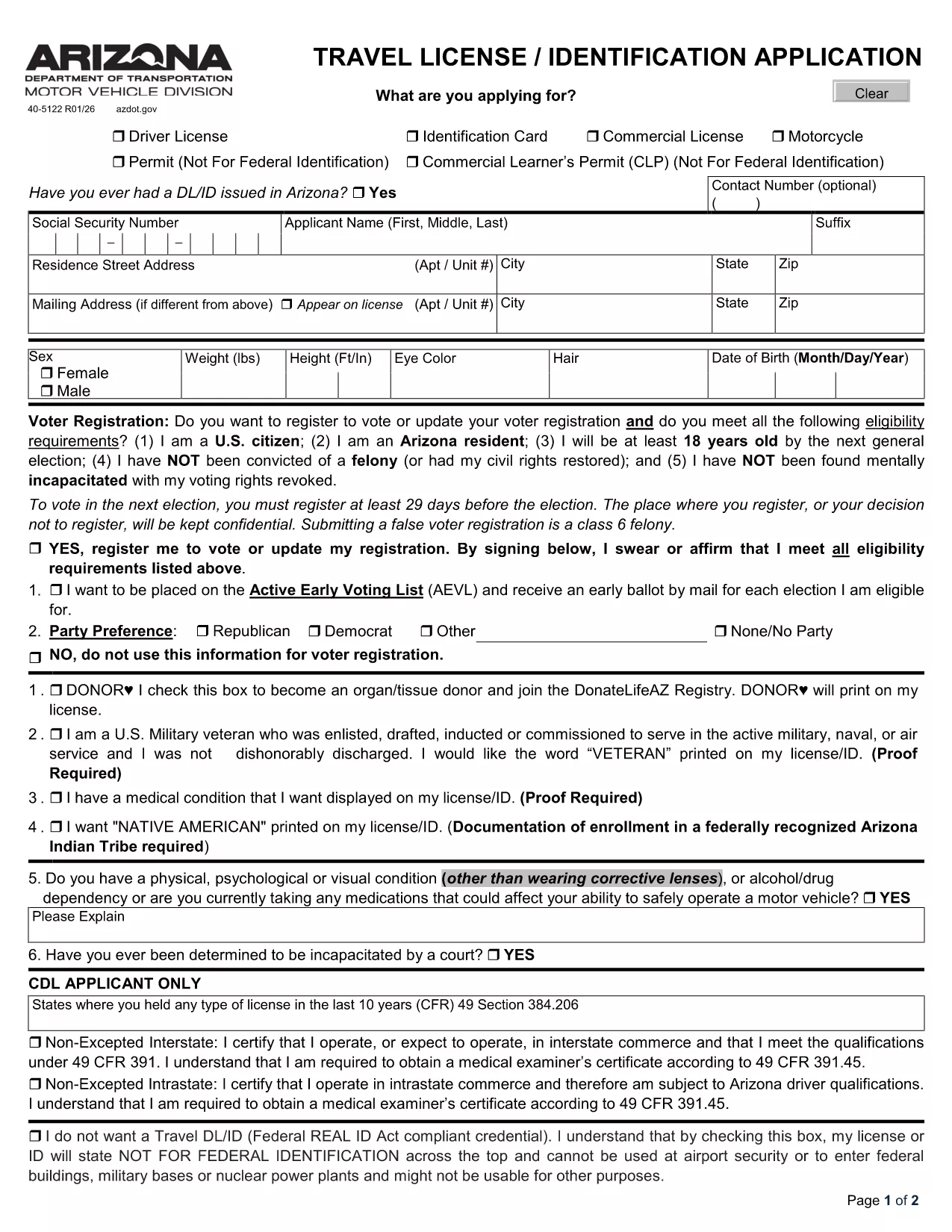
Need a state‑issued travel license or identification card? Our online page gives you instant access to the official Travel License/Identification Application in a fully fillable PDF format. No extra software, no printing hassles – simply click, fill, and submit.
Why Use Our Fillable Travel License Form
• Official source – the PDF is the exact form used by the Arizona Department of Transportation.
• Fillable online – the Formize PDF Filler loads the document directly in your browser.
• Secure & free – your data never leaves your device unless you choose to submit it.
How to Complete the Travel License/Identification Application
Follow the step‑by‑step guide below. The process takes less than five minutes.
- Click the Fill out this form button on this page.
- Wait for the Formize PDF Filler app to load the PDF.
- Enter your personal details, address, and travel‑related information in the highlighted fields.
- Review the data, sign electronically, and click Save & Download.
- Print the completed form (if required) and submit it to your local DMV office.
Common Mistakes to Avoid
1. Leaving required fields blank – the form will not validate.
2. Using an expired photo – upload a current, passport‑style picture.
3. Mismatching names – ensure the name matches your legal documents.
Where to Submit Your Application
After filling out the PDF, you can:
- Mail the printed form to your nearest Arizona MVD office.
- Hand‑deliver it to a local Department of Transportation service center.
- Check if your county offers an online upload portal (some counties accept the digital PDF).
Download the Official PDF Instantly
Click the button below to open the fillable PDF in the Formize PDF Filler. No additional downloads are required.