
زبان را انتخاب کنید

Fillable New Employee Tax Form PDF – Quick & Easy Online

  1. کشور ایالات متحده آمریکا
  2. زبان انگلیسی
  3. فعالیت مالیات
  4. بخش IRS
این فرم را پر کنید
Fillable New Employee Tax Form PDF – Quick & Easy Online

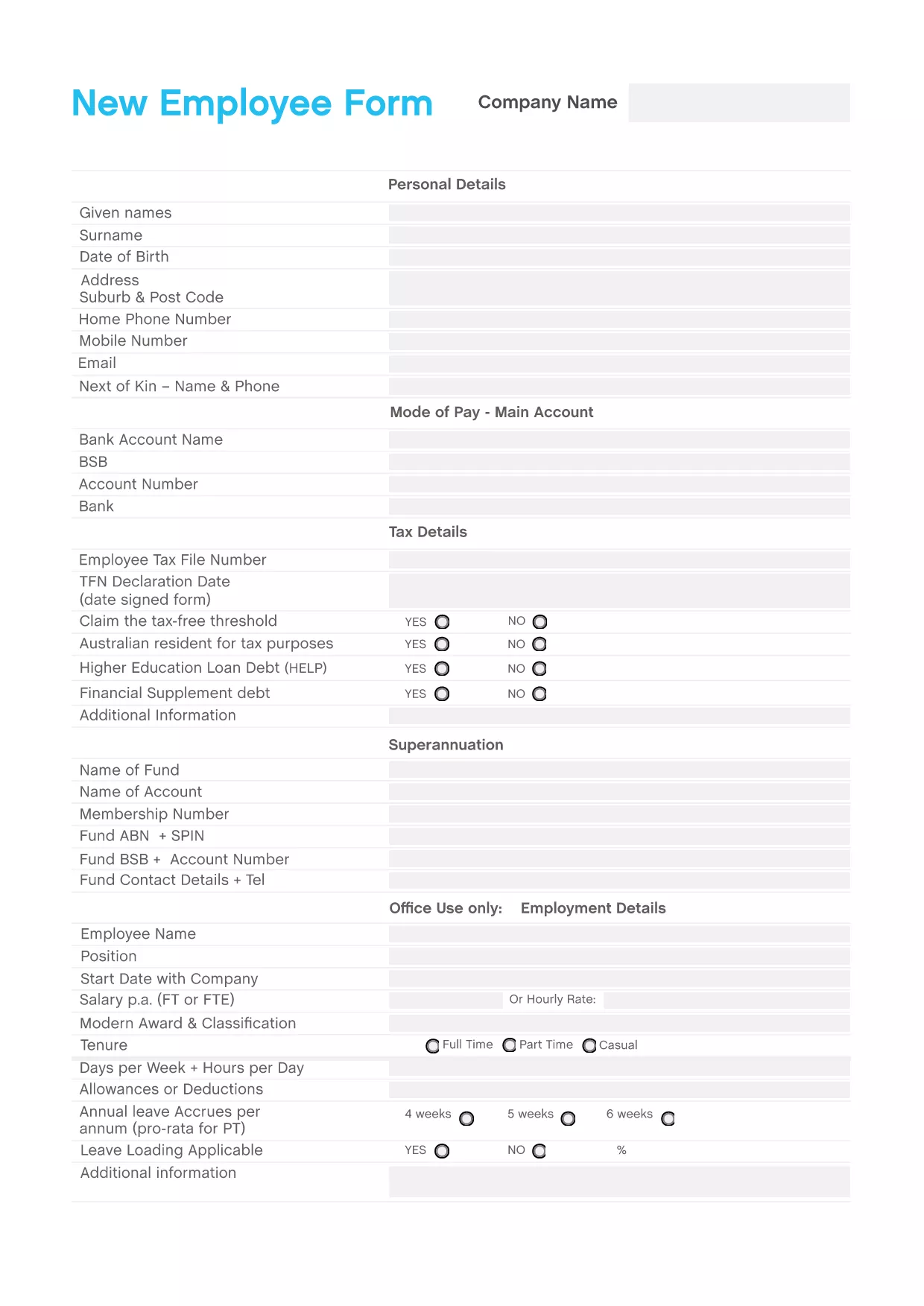
Starting a new job means handling paperwork quickly and accurately. The New Employee Tax Form PDF is the essential document for reporting tax information, salary details, and personal data to your employer and the IRS.

Our fillable version lets you complete every field directly in your browser—no Adobe Acrobat required. Simply click Fill out this form on the page, and the Formize PDF Filler app will load, guiding you through each section.

Why You Need a New Employee Tax Form

The form captures critical information such as your Social Security Number, filing status, and withholding allowances. Employers use it to calculate the correct federal and state tax withholdings, ensuring you’re paid accurately from day one.

How to Fill Out the Form Online with Formize

Our step‑by‑step guide (see the How‑To section below) walks you through the online process, from opening the form to saving a copy for your records.

Common Mistakes to Avoid

  • Leaving the Social Security Number field blank or entering it incorrectly.
  • Selecting the wrong filing status (e.g., "Married" instead of "Single").
  • Forgetting to sign and date the form before submission.
  • Using an outdated PDF version that isn’t fillable.

Download & Save Your Completed Form

After you finish, the Formize app lets you download a completed PDF or store it securely in the cloud. Keep a copy for your personal records and provide the employer‑requested version.

Ready to get started? Click the button below and let Formize handle the rest.

سوالات متداول
  • Do I need Adobe Acrobat to fill this form?

    No. The Formize PDF Filler works entirely in your web browser—no additional software is required.

  • Can I edit the form after I’ve submitted it to my employer?

    Yes. Save a copy before sending, then reopen it in Formize to make any needed changes.

  • Is the information I enter secure?

    Formize uses SSL encryption, and your data is stored only for the duration of the session unless you choose to save it.

  • What if I make a mistake while filling out the form?

    You can clear individual fields or reset the entire form using the toolbar at the top of the Formize interface.

  • Do I need a separate state tax form?

    Many employers combine federal and state information on one form, but check with your HR department for any additional state-specific forms.

  • How long does it take to complete the form?

    Most users finish in 5–10 minutes once they have their personal details handy.

  • Can I print the completed form?

    Absolutely. After saving, click "Print" in the Formize app or download the PDF and print it locally.

چگونه

نحوه پر کردن new employee tax form pdf به صورت رایگان و آنلاین در 4 با مراحل آسان:

  1. 1
    Open the Fillable Form
    Click the "Fill out this form" button on the page. The Formize PDF Filler app will load directly in your browser.
  2. 2
    Enter Your Information
    Complete each field—personal details, Social Security Number, filing status, and withholding allowances. The app highlights required fields.
  3. 3
    Review and Sign
    Double‑check all entries for accuracy, then use the digital signature tool to sign and date the form.
  4. 4
    Save or Download
    When finished, click "Save" to store the PDF in the cloud or "Download" to keep a copy on your device.
برنامه PDF Filler را فرم‌بندی کنید
در باره

فرم های مالیات فدرال

new employee tax form pdf یکی از فرم‌های مالیات فدرال است که اسنادی است که برای گزارش و ثبت مالیات بر درآمد فدرال در سرویس درآمد داخلی (IRS) در ایالات متحده استفاده می‌شود. این فرم‌ها توسط افراد، مشاغل و سازمان‌ها برای گزارش درآمد، کسورات و سایر اطلاعات مرتبط لازم برای محاسبه بدهی مالیاتی فدرال خود استفاده می‌شود.

رایج ترین فرم مالیات فدرال فرم 1040 است که توسط مالیات دهندگان فردی برای گزارش مالیات بر درآمد شخصی خود استفاده می شود. سایر فرم‌های پرکاربرد عبارتند از فرم 1065 برای مشارکت، فرم 1120 برای شرکت‌ها و فرم 990 برای سازمان‌های معاف از مالیات.

فرم‌های مالیاتی فدرال معمولاً مالیات دهندگان را ملزم می‌کند که منابع درآمدی مختلفی مانند دستمزد، حقوق، و انعام و همچنین درآمد حاصل از سرمایه‌گذاری، املاک اجاره‌ای و سایر منابع را گزارش کنند. این فرم ها همچنین به مالیات دهندگان این امکان را می دهد که برای هزینه های مختلف، مانند کمک های خیریه، بهره وام مسکن و هزینه های مراقبت های بهداشتی، کسر و اعتبار درخواست کنند.

مهم است که فرم های مالیات فدرال را به طور دقیق و به موقع ارسال کنید، زیرا عدم انجام این کار می تواند منجر به جریمه ها و هزینه های بهره از IRS شود.

امکانات

پرکننده PDF

ساده ترین راه برای پر کردن فرم های PDF به صورت آنلاین

  • به سرعت new employee tax form pdf را پر کنید
    به دنبال راهی برای پر کردن سریع new employee tax form pdf آنلاین هستید؟ با پرکننده فرم PDF رایگان آنلاین ما، می‌دانید چگونه این سند pdf را در کمتر از یک دقیقه ویرایش و پر کنید.
  • آسان برای استفاده از ویرایشگر PDF آنلاین
    آیا از چاپ فایل‌های پی‌دی‌اف خسته شده‌اید تا بتوانید آن‌ها را قبل از اسکن مجدد و ارسال مجدد، ویرایش کنید؟ اسناد PDF را به صورت آنلاین به صورت رایگان ویرایش کنید. از ویرایشگر pdf آنلاین ما برای صرفه جویی در زمان و کاغذ استفاده کنید.
  • ابزارهای عالی، همه پلتفرم ها
    آیا نمی دانید که چگونه new employee tax form pdf را در مک پر کنید، یا شاید چگونه از پرکننده PDF به صورت رایگان استفاده کنید؟ ابزارهای PDF آنلاین ما روی همه پلتفرم ها کار می کنند.
  • ذخیره سازی امن فایل
    فایل‌های تکمیل‌شده «new employee tax form pdf» در یک پایگاه داده ایمن که توسط میزبانی ابری آمازون مدیریت می‌شود، ذخیره می‌شوند. شما می توانید فایل های خود را در هر زمان از سیستم ما حذف کنید. در هر صورت این فایل ها پس از 24 ساعت به صورت خودکار پاک می شوند.
  • چت با new employee tax form pdf
    با «new employee tax form pdf» در Chatize که یک دستیار PDF خوان رایگان است، گپ بزنید. سوال بپرسید و از "new employee tax form pdf" پاسخ بگیرید. فقط روی دکمه Chat With Document در بالا کلیک کنید.

حذف جلسه پر کردن

جلسه پر کردن انتخاب شده را حذف کنید؟ در این صورت پیشرفت شما در تکمیل فرم از بین خواهد رفت.

حذف جلسه ویرایش

جلسه ویرایش انتخابی حذف شود؟ در این صورت پیشرفت شما در ایجاد و ویرایش فرم از بین خواهد رفت.