Valitse kieli

Form B301 – Consent to Obtain Personal Information (Fillable PDF)

  1. Kieli Englanti
  2. Maa Australia
  3. Toiminta Background Checks
  4. osasto Australian Border Force
Form B301 – Consent to Obtain Personal Information (Fillable PDF)

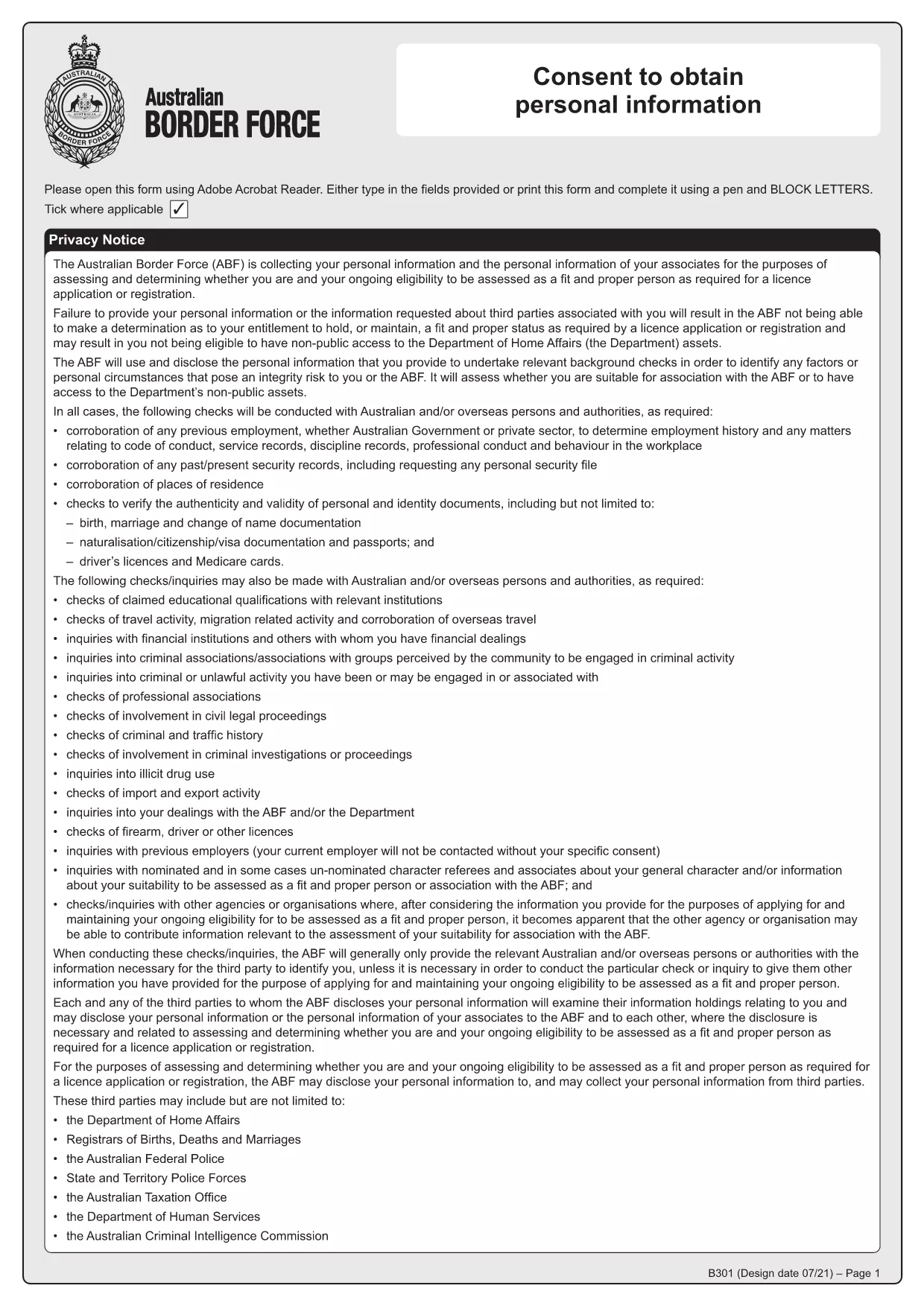
Form B301 is the official consent document used by Australian law‑enforcement agencies, such as the Australian Criminal Intelligence Commission (ACIC) and the Australian Border Force (ABF), to request access to an individual’s police history and other personal records. Whether you are applying for a visa, a security clearance, or a background check, you will likely be asked to sign this consent.

What is Form B301 and when is it required?

The B301 form gives authorised agencies legal permission to obtain, use, and disclose your personal information for the purpose of a criminal history check. It is commonly required for:

  • Visa and immigration applications
  • Employment in sensitive government or defence roles
  • Licensing for firearms, security work, or certain commercial activities
  • Any situation where a “Fit and Proper” assessment is performed

Key sections of the B301 consent form

The form is divided into clear parts:

  • Personal details – name, date of birth, passport number, etc.
  • Purpose of the check – why the agency needs your records.
  • Consent statement – your signature authorises the request.
  • Witness/authoriser – optional, for certain applications.

How to complete Form B301 online with Formize

Instead of downloading the PDF, printing it, and scanning it back, you can fill it out directly in your browser using Formize’s free PDF Filler app:

  1. Click “Fill out this form” on this page. The Formize PDF Filler will load instantly.
  2. Enter your information in each highlighted field. The interface validates dates and numbers, reducing errors.
  3. Review the consent wording and tick the agreement box.
  4. Sign electronically using your mouse, touch screen, or by typing your name.
  5. Save or download the completed PDF, then attach it to your application or email it to the requesting agency.

Common mistakes to avoid

  • Leaving any required field blank – the filler will highlight missing data.
  • Using an outdated passport number – double‑check the latest details.
  • Forgetting to sign the consent box – without a signature the form is invalid.
  • Submitting a low‑resolution scanned copy – the online filler produces a high‑quality PDF.

Where to submit the completed form

Once you have saved the filled‑out B301, follow the instructions on the specific application you are completing. Typically you will upload the PDF to the agency’s online portal or email it to the address provided in the application guide.

Need the original PDF for reference? Download Form B301 (PDF) directly.

FAQ
  • Do I need to print Form B301 to sign it?

    No. Formize’s online filler lets you add an electronic signature that is legally accepted for the B301 consent.

  • Is the information I enter into the filler secure?

    Yes. All data is processed locally in your browser and never stored on Formize’s servers.

  • Can I use the same B301 form for multiple applications?

    You can reuse the completed PDF, but make sure the personal details and purpose of the check match each new application.

  • What if I make a mistake after saving?

    Open the saved PDF again with the Formize filler, correct the error, and re‑save. No need for a new download.

  • Which agencies can access my information after I sign B301?

    The consent authorises the Australian Criminal Intelligence Commission, the Australian Border Force, and any other Australian police agencies specified in the application.

  • Is there a fee to use Formize’s PDF filler?

    No. The filler is completely free for all Form B301 users.

MITEN

Kuinka täyttää Form B301 ilmaiseksi verkossa 5 helpon vaiheen avulla:

  1. 1
    Open the Formize filler
    Click the “Fill out this form” button on the page. The Formize PDF Filler loads in a new window.
  2. 2
    Enter your details
    Type your personal information into each highlighted field. The tool checks format automatically.
  3. 3
    Provide consent
    Read the consent clause, then tick the agreement box and add your electronic signature.
  4. 4
    Save or download
    When all fields are complete, click “Save” to download the filled PDF to your device.
  5. 5
    Submit the form
    Attach the saved PDF to your visa, employment, or licensing application as instructed by the requesting agency.
Muotoile PDF Filler -sovellus
NOIN

Form B301 malli

Perinteisten PDF-dokumenttien katseluun ja täyttämiseen tarkoitettujen ominaisuuksien sekä verkkosovelluksen ja responsiivisen asettelun etujen avulla voit suorittaa Form B301 muutamassa minuutissa.

OMINAISUUDET

PDF-täyttö

Helpoin tapa täyttää Form B301 verkossa

  • Täytä nopeasti Form B301
    Etsitkö tapaa täyttää Form B301 nopeasti verkossa? Online-maksuttoman PDF-lomakkeen täyttösovelluksemme avulla tiedät kuinka muokata ja täyttää tämä pdf-dokumentti alle minuutissa.
  • Helppokäyttöinen PDF-editori verkossa
    Oletko kyllästynyt tulostamaan PDF-tiedostoja, jotta voit muokata niitä, ennen kuin skannaat uudelleen ja lähetät ne takaisin? Muokkaa PDF-dokumentteja ilmaiseksi verkossa. Käytä online-pdf-editoriamme säästääksesi aikaa ja paperia.
  • Upeita työkaluja, kaikki alustat
    Mietitkö, kuinka Form B301 täytetään Macilla tai kuinka käyttää PDF-täyttöä ilmaiseksi? Online PDF-työkalumme toimivat kaikilla alustoilla.
  • Suojattu tiedostojen tallennus
    Valmiit "Form B301"-tiedostot tallennetaan suojattuun tietokantaan, jota hallinnoi Amazon Cloud hosting. Voit poistaa tiedostosi järjestelmästämme milloin tahansa. Joka tapauksessa nämä tiedostot poistetaan automaattisesti 24 tunnin kuluttua.
  • Keskustele käyttäjän Form B301 kanssa
    Keskustele käyttäjän "Form B301" kanssa Chatizessa, joka on ilmainen PDF-lukija-apuohjelma. Esitä kysymyksiä ja hanki vastauksia käyttäjältä "Form B301". Napsauta yllä olevaa Chat With Document -painiketta.

Poista täyttöistunto

Poistetaanko valittu täyttöistunto? Tässä tapauksessa edistymisesi lomakkeen täyttämisessä menetetään.

Poista muokkausistunto

Poistetaanko valittu muokkausistunto? Tässä tapauksessa etenemisesi lomakkeen luomisessa ja muokkaamisessa menetetään.