
Valitse kieli

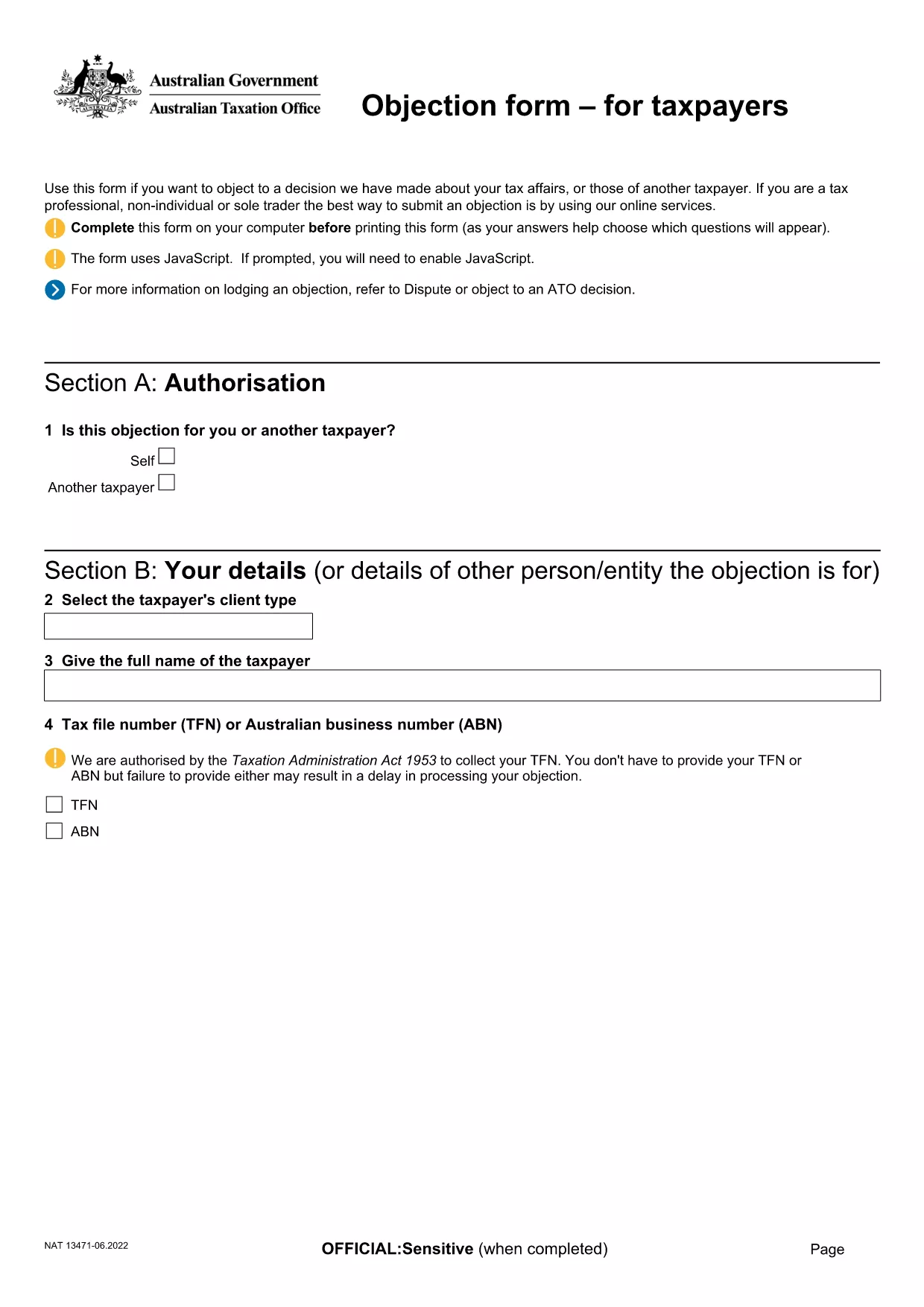
Objection to Determination of Motor Vehicle Tax (ATO Form)

  1. Kieli Englanti
  2. Maa Australia
  3. osasto Australian Taxation Office
  4. Toiminta Vehicle Tax
Objection to Determination of Motor Vehicle Tax (ATO Form)

If the Australian Taxation Office (ATO) has issued a determination on your motor vehicle tax and you believe it is incorrect, you can lodge an objection using the official ATO form. This fillable PDF lets you provide the necessary details, attach supporting documents, and submit your case quickly.

What Is This Objection Form Used For?

The form is the formal request to the ATO to review and amend a motor vehicle tax determination. Typical reasons for objection include:

  • Incorrect vehicle classification
  • Errors in taxable value calculation
  • Missing or inaccurate registration details

How to Complete the Form Online with Formize

Instead of downloading the PDF and opening a separate editor, simply click the "Fill out this form" button on this page. The Formize PDF Filler app will load in your browser, allowing you to:

  1. Enter all required information directly into the fields.
  2. Upload supporting documents (receipts, registration papers, etc.).
  3. Save a draft and return later if needed.
  4. Submit the completed form securely to the ATO.

Common Mistakes to Avoid When Filing an Objection

  • Leaving mandatory fields blank: The form will not submit if required sections are empty.
  • Providing outdated vehicle details: Ensure the registration number, make, and model match current records.
  • Skipping supporting evidence: Attach all relevant documents; missing evidence can delay the review.

Where to Submit Your Completed Form

Once you have filled out and saved the form, the Formize app will generate a secure PDF ready for upload. Follow the ATO's submission instructions on the ATO contact page or email the PDF to the address indicated in your determination notice.

Need more guidance? Review the official ATO instructions linked below or contact your tax adviser.

FAQ
  • Do I need to print the form before submitting?

    No. Using Formize you can complete, save, and submit the PDF entirely online.

  • What supporting documents should I include?

    Attach the vehicle registration certificate, purchase invoice, any previous tax assessments, and evidence of the correct taxable value.

  • Can I edit the form after I’ve submitted it?

    Once submitted to the ATO, the form cannot be edited. Make sure all information is correct before you click "Submit".

  • How long does the ATO take to review my objection?

    Typical review times are 28 days, but complex cases may take longer. The ATO will notify you of the outcome.

  • Is there a fee for lodging an objection?

    No. Filing an objection to a motor vehicle tax determination is free of charge.

  • What if I make a mistake on the form?

    If you notice an error before submitting, simply edit the field in the Formize app. After submission, you must lodge a new objection.

  • Can I save my progress and return later?

    Yes. The Formize PDF Filler lets you save a draft and continue later from any device.

MITEN

Kuinka täyttää motor vehicle tax objection ilmaiseksi verkossa 5 helpon vaiheen avulla:

  1. 1
    Open the Formizer PDF Filler
    Click the "Fill out this form" button on this page. The Formize PDF Filler app loads directly in your browser.
  2. 2
    Enter Your Details
    Complete each required field – taxpayer name, TFN, vehicle registration, and the reason for your objection.
  3. 3
    Attach Supporting Documents
    Use the attachment button to upload receipts, registration certificates, or any evidence that supports your case.
  4. 4
    Review and Save
    Check all information for accuracy, then click "Save" to create a draft or "Submit" to generate the final PDF.
  5. 5
    Submit to the ATO
    Follow the ATO’s submission instructions (online portal or email) and send the completed PDF.
Muotoile PDF Filler -sovellus
NOIN

motor vehicle tax objection malli

Perinteisten PDF-dokumenttien katseluun ja täyttämiseen tarkoitettujen ominaisuuksien sekä verkkosovelluksen ja responsiivisen asettelun etujen avulla voit suorittaa motor vehicle tax objection muutamassa minuutissa.

OMINAISUUDET

PDF-täyttö

Helpoin tapa täyttää motor vehicle tax objection verkossa

  • Täytä nopeasti motor vehicle tax objection
    Etsitkö tapaa täyttää motor vehicle tax objection nopeasti verkossa? Online-maksuttoman PDF-lomakkeen täyttösovelluksemme avulla tiedät kuinka muokata ja täyttää tämä pdf-dokumentti alle minuutissa.
  • Helppokäyttöinen PDF-editori verkossa
    Oletko kyllästynyt tulostamaan PDF-tiedostoja, jotta voit muokata niitä, ennen kuin skannaat uudelleen ja lähetät ne takaisin? Muokkaa PDF-dokumentteja ilmaiseksi verkossa. Käytä online-pdf-editoriamme säästääksesi aikaa ja paperia.
  • Upeita työkaluja, kaikki alustat
    Mietitkö, kuinka motor vehicle tax objection täytetään Macilla tai kuinka käyttää PDF-täyttöä ilmaiseksi? Online PDF-työkalumme toimivat kaikilla alustoilla.
  • Suojattu tiedostojen tallennus
    Valmiit "motor vehicle tax objection"-tiedostot tallennetaan suojattuun tietokantaan, jota hallinnoi Amazon Cloud hosting. Voit poistaa tiedostosi järjestelmästämme milloin tahansa. Joka tapauksessa nämä tiedostot poistetaan automaattisesti 24 tunnin kuluttua.
  • Keskustele käyttäjän motor vehicle tax objection kanssa
    Keskustele käyttäjän "motor vehicle tax objection" kanssa Chatizessa, joka on ilmainen PDF-lukija-apuohjelma. Esitä kysymyksiä ja hanki vastauksia käyttäjältä "motor vehicle tax objection". Napsauta yllä olevaa Chat With Document -painiketta.

Poista täyttöistunto

Poistetaanko valittu täyttöistunto? Tässä tapauksessa edistymisesi lomakkeen täyttämisessä menetetään.

Poista muokkausistunto

Poistetaanko valittu muokkausistunto? Tässä tapauksessa etenemisesi lomakkeen luomisessa ja muokkaamisessa menetetään.