
Valitse kieli

Australian Citizenship Application Form 1300t – Download & Fill Online

  1. Kieli Englanti
  2. Maa Australia
  3. Toiminta Kansalaisuus
  4. osasto Home Affairs
Australian Citizenship Application Form 1300t – Download & Fill Online

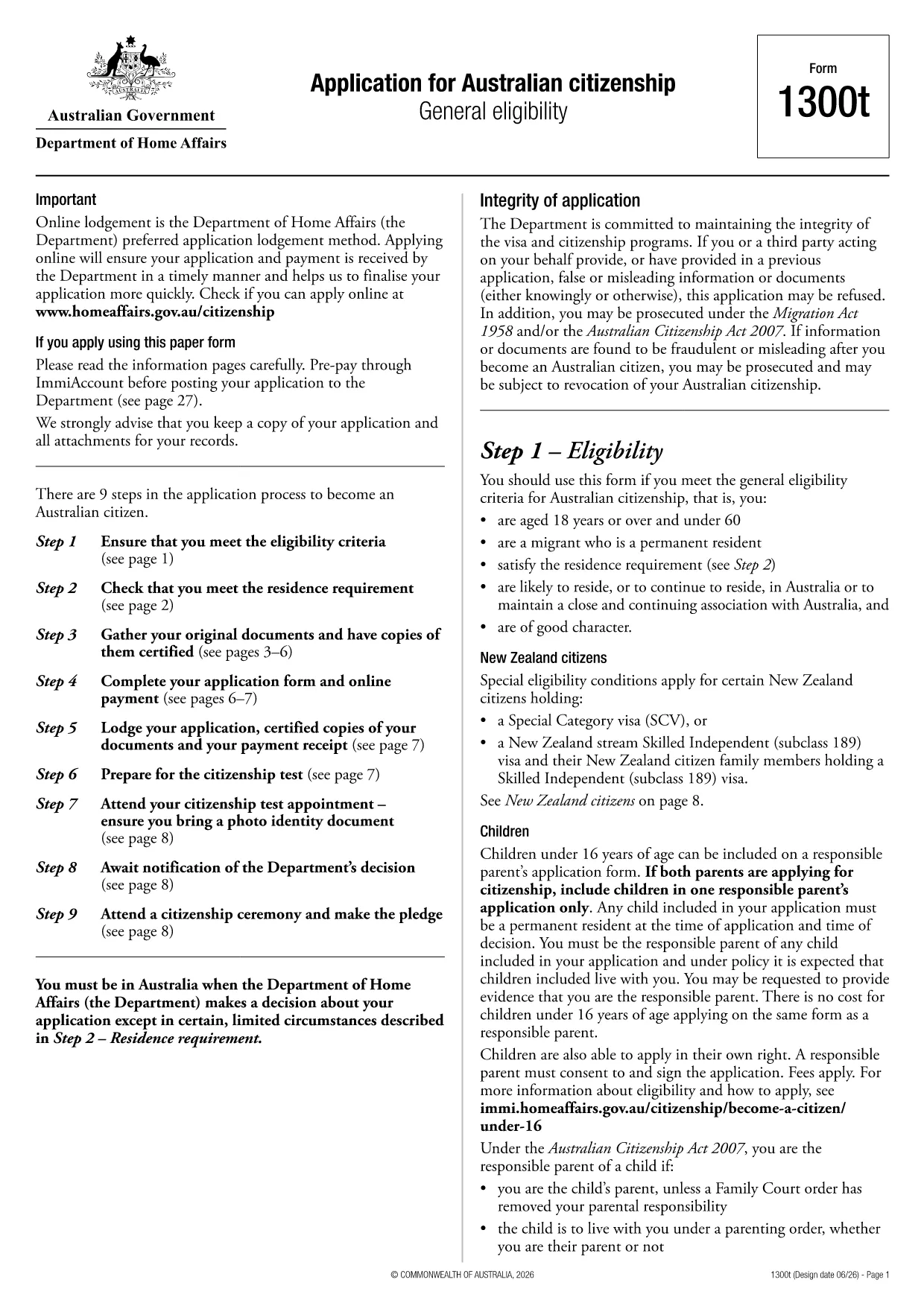
Looking for a quick and secure way to download the Australian citizenship application form? You’ve come to the right place. Formize.com hosts the official Form 1300t as a fully fillable PDF that you can complete directly in your browser—no extra software required.

Eligibility Overview

Before you start, make sure you meet the general eligibility criteria for Australian citizenship:

  • You are a permanent resident of Australia.
  • You have lived in Australia for at least four years, including the last 12 months continuously.
  • You are of good character and meet the residency requirements.

If you satisfy these conditions, you are ready to fill out Form 1300t.

How to Complete the Form Online

Follow these simple steps to finish your application without downloading any software:

  1. Click the "Fill out this form" button on this page.
  2. Wait a few seconds while the Formize PDF Filler app loads.
  3. Enter your details into each fillable field, save your progress, and submit directly from the browser.

The online filler automatically validates dates, passport numbers, and required signatures, reducing errors and speeding up processing.

Common Mistakes to Avoid

  • Leaving mandatory fields blank – the filler will highlight missing information before you can submit.
  • Using an outdated version – always use the PDF provided here to ensure compliance with the latest immigration rules.
  • Incorrect name spelling – copy your name exactly as it appears on your passport or birth certificate.

Where to Submit Your Application

After completing the form, you can either:

  • Download the completed PDF, print it, and mail it to the Department of Home Affairs.
  • Upload the signed PDF through the ImmiAccount portal for faster processing.

Keep a copy of the submitted form for your records.

FAQ
  • Do I need Adobe Acrobat to fill Form 1300t?

    No. The Formize PDF Filler works in any modern browser, so you can complete the form without installing any software.

  • Can I save my progress and return later?

    Yes. The online filler automatically saves your entries. You can download a draft copy to continue later.

  • Is the PDF version on Formize up‑to‑date?

    We host the latest version released by the Department of Home Affairs. The link points to the official source.

  • What if I make a mistake after submitting?

    Contact the Department of Home Affairs as soon as possible. You may need to submit a corrected form or provide a written amendment.

  • Is there a fee to download or fill the form?

    Downloading and filling the PDF is free. Any government processing fees are paid directly to the Department when you lodge the application.

  • Can I submit the form electronically?

    Yes. After completing the form, you can upload the signed PDF through ImmiAccount for faster processing.

  • What documents do I need to attach?

    You will need proof of identity, residency evidence, and any supporting documents listed in the form instructions. Scan them as PDFs before attaching.

MITEN

Kuinka täyttää application form download ilmaiseksi verkossa 3 helpon vaiheen avulla:

  1. 1
    Open the Fillable Form
    Click the "Fill out this form" button on the page. The Formize PDF Filler will open in a new tab.
  2. 2
    Enter Your Information
    Type your details into each highlighted field. The filler auto‑saves as you go.
  3. 3
    Submit or Download
    When finished, either submit directly through the portal or download the completed PDF to print and mail.
Muotoile PDF Filler -sovellus
NOIN

Kansalaisuuslomakkeet

application form download on yksi kansalaisuuslomakkeista, jotka ovat asiakirjoja, joita käytetään jonkin maan kansalaisuuden hakemiseen. Kansalaisuuden tarkat muodot ja vaatimukset vaihtelevat maittain, mutta yleensä prosessiin kuuluu henkilötietojen ja kansalaisuuden kelpoisuustodistusten toimittaminen.

Yhdysvalloissa yleisin kansalaisuuslomake on N-400 Naturalization -hakemus. Lailliset pysyvät asukkaat (vihreän kortin haltijat) käyttävät tätä lomaketta hakeessaan Yhdysvaltain kansalaisuutta. Lomakkeella pyydetään henkilötietoja, kuten nimi, syntymäaika ja yhteystiedot, sekä tietoja hakijan maahanmuuttajastatuksesta, rikoshistoriasta ja muista kelpoisuusvaatimuksista.

Muissa maissa voi olla erilaisia ​​kansalaisuuden muotoja ja vaatimuksia, mutta perusprosessiin kuuluu tyypillisesti tiedot hakijan taustasta ja tiettyjen kelpoisuusehtojen täyttämisestä. Tähän voi sisältyä kansalaisuuskokeen läpäiseminen, maan historian ja hallinnon tuntemuksen osoittaminen sekä maan kielen taidon osoittaminen.

On tärkeää huomata, että kansalaisuuden saaminen voi olla monimutkaista ja aikaa vievää. On suositeltavaa, että kansalaisuutta hakevat henkilöt neuvottelevat maahanmuuttoasianajajan tai muun pätevän ammattilaisen kanssa prosessin ohjaamiseksi ja varmistamaan, että kaikki tarvittavat lomakkeet ja vaatimukset täyttyvät.

OMINAISUUDET

PDF-täyttö

Helpoin tapa täyttää application form download verkossa

  • Täytä nopeasti application form download
    Etsitkö tapaa täyttää application form download nopeasti verkossa? Online-maksuttoman PDF-lomakkeen täyttösovelluksemme avulla tiedät kuinka muokata ja täyttää tämä pdf-dokumentti alle minuutissa.
  • Helppokäyttöinen PDF-editori verkossa
    Oletko kyllästynyt tulostamaan PDF-tiedostoja, jotta voit muokata niitä, ennen kuin skannaat uudelleen ja lähetät ne takaisin? Muokkaa PDF-dokumentteja ilmaiseksi verkossa. Käytä online-pdf-editoriamme säästääksesi aikaa ja paperia.
  • Upeita työkaluja, kaikki alustat
    Mietitkö, kuinka application form download täytetään Macilla tai kuinka käyttää PDF-täyttöä ilmaiseksi? Online PDF-työkalumme toimivat kaikilla alustoilla.
  • Suojattu tiedostojen tallennus
    Valmiit "application form download"-tiedostot tallennetaan suojattuun tietokantaan, jota hallinnoi Amazon Cloud hosting. Voit poistaa tiedostosi järjestelmästämme milloin tahansa. Joka tapauksessa nämä tiedostot poistetaan automaattisesti 24 tunnin kuluttua.
  • Keskustele käyttäjän application form download kanssa
    Keskustele käyttäjän "application form download" kanssa Chatizessa, joka on ilmainen PDF-lukija-apuohjelma. Esitä kysymyksiä ja hanki vastauksia käyttäjältä "application form download". Napsauta yllä olevaa Chat With Document -painiketta.

Poista täyttöistunto

Poistetaanko valittu täyttöistunto? Tässä tapauksessa edistymisesi lomakkeen täyttämisessä menetetään.

Poista muokkausistunto

Poistetaanko valittu muokkausistunto? Tässä tapauksessa etenemisesi lomakkeen luomisessa ja muokkaamisessa menetetään.