
Valitse kieli

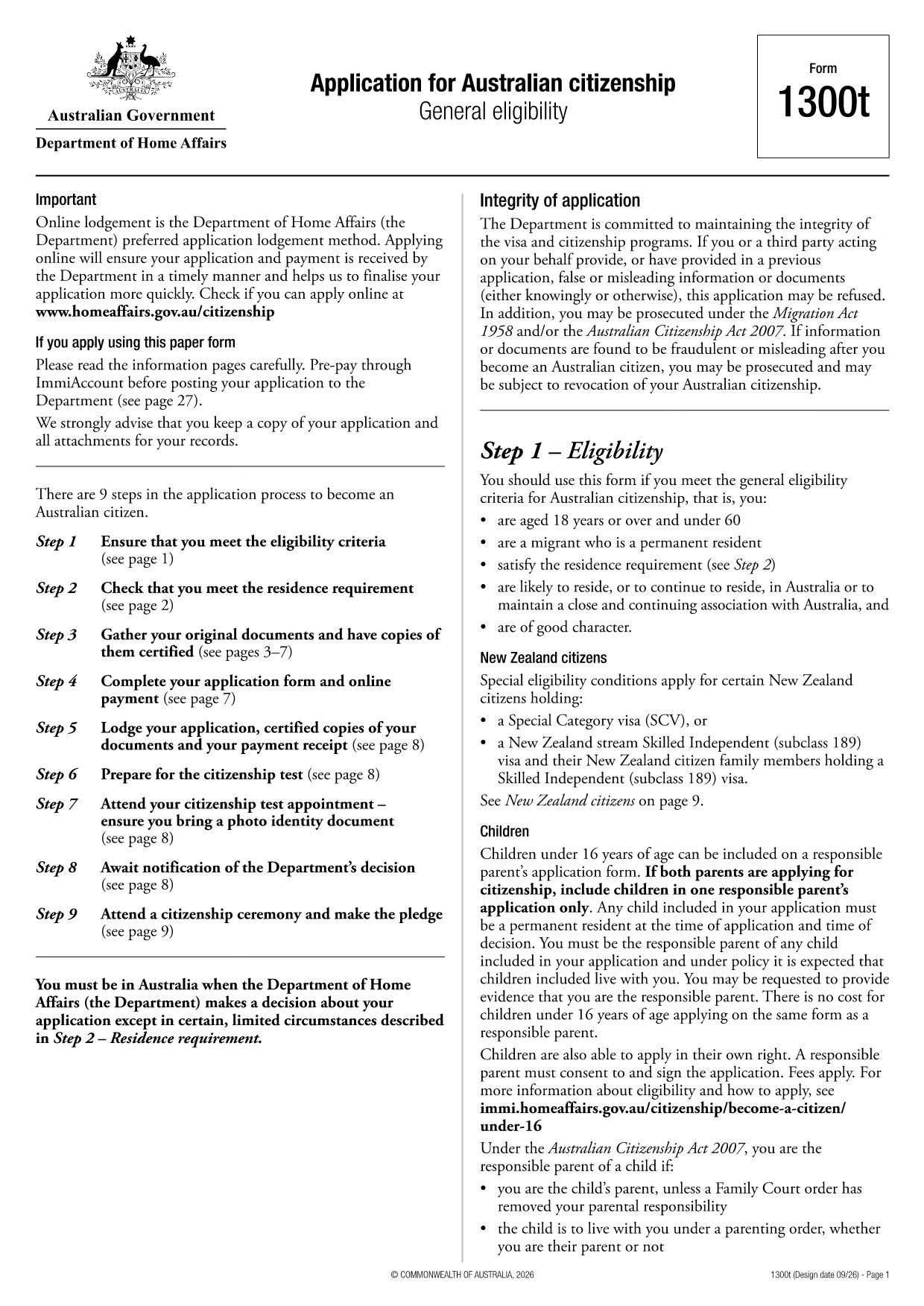
Australian Citizenship Application Form (Form 1300t) – Fillable PDF

  1. Kieli Englanti
  2. Maa Australia
  3. Toiminta Kansalaisuus
  4. osasto Home Affairs
Australian Citizenship Application Form (Form 1300t) – Fillable PDF

Form 1300t is the official Application for Australian citizenship used by permanent residents who meet the general eligibility requirements. The form is available as a fillable PDF, and with Formize you can complete it directly in your browser – no extra software needed.

What Is Form 1300t?

Form 1300t collects personal details, residency history, character information, and your intent to become an Australian citizen. It must be submitted with the required supporting documents and the citizenship application fee.

How to Complete the Form Online with Formize

Instead of downloading the PDF and opening a separate editor, simply click the "Fill out this form" button on this page. The Formize PDF Filler will load automatically, letting you type, check boxes, and sign the form in a few clicks.

Common Mistakes & Tips for a Successful Application

  • Do not leave any required field blank. If a question does not apply, write “N/A”.
  • Use the exact dates as they appear on your passport or travel records.
  • Double‑check the spelling of names and addresses. Inconsistent information can delay processing.
  • Attach all required documents before submitting. Missing paperwork is the top reason for refusals.

Required Supporting Documents

When you submit Form 1300t, include the following:

  • Certified copies of your passport and visa pages
  • Proof of residence (utility bills, rental agreements)
  • Police checks or character certificates if requested
  • Evidence of the citizenship application fee payment

Once you have filled the form, you can download the completed PDF, print it, and mail it to the Department of Home Affairs, or submit it electronically if you have an ImmiAccount.

FAQ
  • Do I need a PDF editor to fill Form 1300t?

    No. With Formize you can fill the form directly in your web browser – no extra software required.

  • Can I save my progress and finish later?

    Yes. The Formize filler allows you to save a draft on your device and reopen it later to continue editing.

  • What if I make a mistake after downloading?

    You can reopen the saved PDF in Formize, correct the error, and download a new version before submitting.

  • Is the online filler secure?

    Formize uses SSL encryption, and all data stays on your device; nothing is stored on external servers.

  • Do I still need to print the form after filling it online?

    The Department of Home Affairs currently requires a hard‑copy submission, so you must print the completed form and mail it with your documents.

  • How long does it take to process the citizenship application?

    Processing times vary, but most applications are decided within 12‑24 months after receipt of a complete form and supporting documents.

  • Can I submit Form 1300t electronically?

    If you have an ImmiAccount, you can upload the completed PDF through the online portal instead of mailing a paper copy.

  • What should I do if I’m unsure about a question?

    Refer to the information guide attached to the form or contact the Department of Home Affairs for clarification.

MITEN

Kuinka täyttää Australian citizenship application form ilmaiseksi verkossa 5 helpon vaiheen avulla:

  1. 1
    Open the Fillable Form
    Click the "Fill out this form" button on the page. The Formize PDF Filler loads in your browser.
  2. 2
    Enter Your Information
    Type directly into each field, select check‑boxes, and use the date picker for all date entries.
  3. 3
    Add Your Signature
    Use the signature tool to draw or upload your signature. The signature is saved securely in the PDF.
  4. 4
    Review & Download
    Check all entries for accuracy, then click "Download" to save the completed PDF to your device.
  5. 5
    Submit to Home Affairs
    Print the downloaded form, attach your supporting documents, and mail it to the Department of Home Affairs, or upload via ImmiAccount.
Muotoile PDF Filler -sovellus
NOIN

Kansalaisuuslomakkeet

Australian citizenship application form on yksi kansalaisuuslomakkeista, jotka ovat asiakirjoja, joita käytetään jonkin maan kansalaisuuden hakemiseen. Kansalaisuuden tarkat muodot ja vaatimukset vaihtelevat maittain, mutta yleensä prosessiin kuuluu henkilötietojen ja kansalaisuuden kelpoisuustodistusten toimittaminen.

Yhdysvalloissa yleisin kansalaisuuslomake on N-400 Naturalization -hakemus. Lailliset pysyvät asukkaat (vihreän kortin haltijat) käyttävät tätä lomaketta hakeessaan Yhdysvaltain kansalaisuutta. Lomakkeella pyydetään henkilötietoja, kuten nimi, syntymäaika ja yhteystiedot, sekä tietoja hakijan maahanmuuttajastatuksesta, rikoshistoriasta ja muista kelpoisuusvaatimuksista.

Muissa maissa voi olla erilaisia ​​kansalaisuuden muotoja ja vaatimuksia, mutta perusprosessiin kuuluu tyypillisesti tiedot hakijan taustasta ja tiettyjen kelpoisuusehtojen täyttämisestä. Tähän voi sisältyä kansalaisuuskokeen läpäiseminen, maan historian ja hallinnon tuntemuksen osoittaminen sekä maan kielen taidon osoittaminen.

On tärkeää huomata, että kansalaisuuden saaminen voi olla monimutkaista ja aikaa vievää. On suositeltavaa, että kansalaisuutta hakevat henkilöt neuvottelevat maahanmuuttoasianajajan tai muun pätevän ammattilaisen kanssa prosessin ohjaamiseksi ja varmistamaan, että kaikki tarvittavat lomakkeet ja vaatimukset täyttyvät.

OMINAISUUDET

PDF-täyttö

Helpoin tapa täyttää Australian citizenship application form verkossa

  • Täytä nopeasti Australian citizenship application form
    Etsitkö tapaa täyttää Australian citizenship application form nopeasti verkossa? Online-maksuttoman PDF-lomakkeen täyttösovelluksemme avulla tiedät kuinka muokata ja täyttää tämä pdf-dokumentti alle minuutissa.
  • Helppokäyttöinen PDF-editori verkossa
    Oletko kyllästynyt tulostamaan PDF-tiedostoja, jotta voit muokata niitä, ennen kuin skannaat uudelleen ja lähetät ne takaisin? Muokkaa PDF-dokumentteja ilmaiseksi verkossa. Käytä online-pdf-editoriamme säästääksesi aikaa ja paperia.
  • Upeita työkaluja, kaikki alustat
    Mietitkö, kuinka Australian citizenship application form täytetään Macilla tai kuinka käyttää PDF-täyttöä ilmaiseksi? Online PDF-työkalumme toimivat kaikilla alustoilla.
  • Suojattu tiedostojen tallennus
    Valmiit "Australian citizenship application form"-tiedostot tallennetaan suojattuun tietokantaan, jota hallinnoi Amazon Cloud hosting. Voit poistaa tiedostosi järjestelmästämme milloin tahansa. Joka tapauksessa nämä tiedostot poistetaan automaattisesti 24 tunnin kuluttua.
  • Keskustele käyttäjän Australian citizenship application form kanssa
    Keskustele käyttäjän "Australian citizenship application form" kanssa Chatizessa, joka on ilmainen PDF-lukija-apuohjelma. Esitä kysymyksiä ja hanki vastauksia käyttäjältä "Australian citizenship application form". Napsauta yllä olevaa Chat With Document -painiketta.

Poista täyttöistunto

Poistetaanko valittu täyttöistunto? Tässä tapauksessa edistymisesi lomakkeen täyttämisessä menetetään.

Poista muokkausistunto

Poistetaanko valittu muokkausistunto? Tässä tapauksessa etenemisesi lomakkeen luomisessa ja muokkaamisessa menetetään.