Valitse kieli

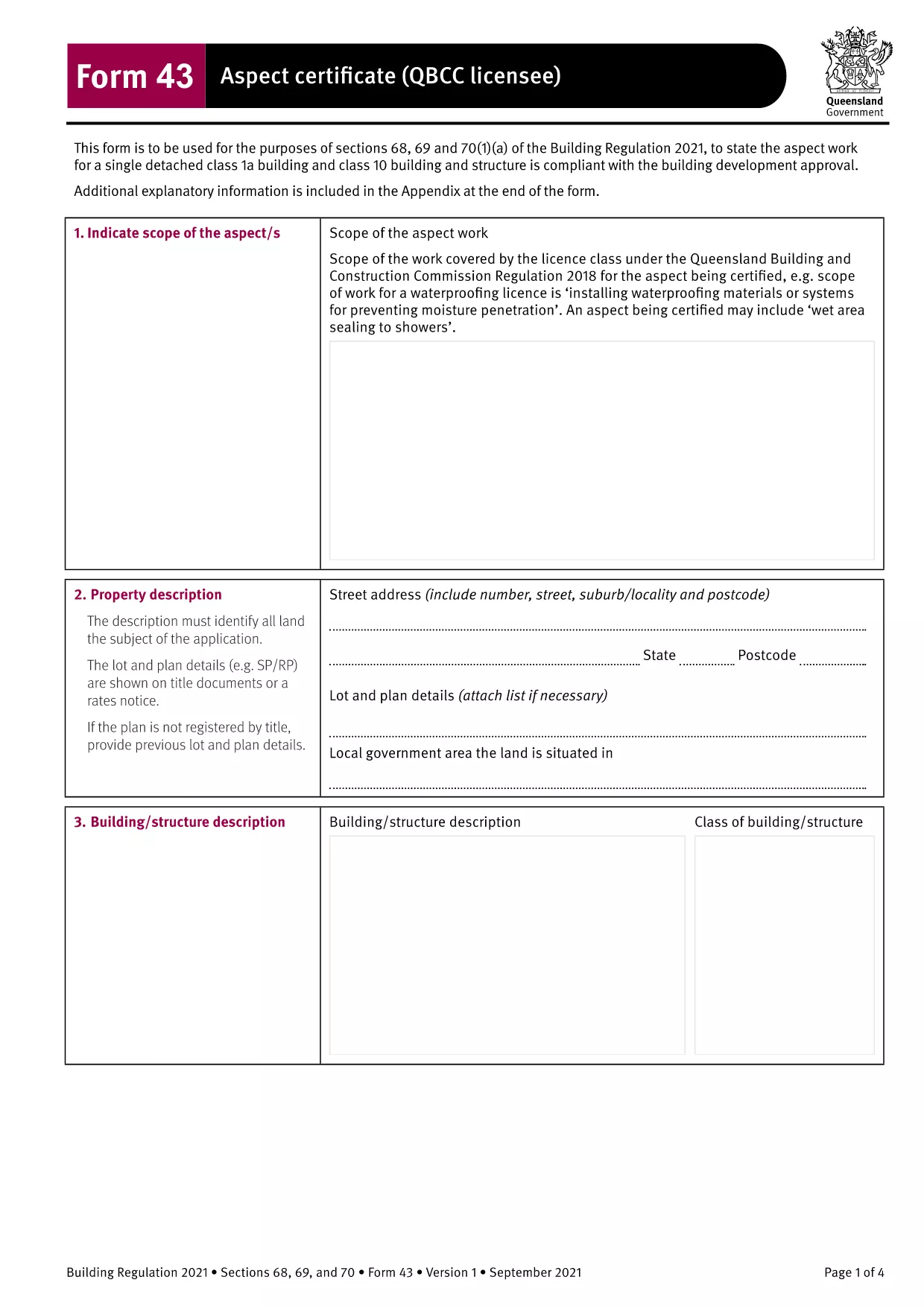
Form 43 Aspect Certificate (QBCC) – Fillable PDF

  1. Kieli Englanti
  2. Maa Australia
  3. osasto Queensland Building and Construction Commission
  4. Toiminta Building Certification
Form 43 Aspect Certificate (QBCC) – Fillable PDF

The Form 43 Aspect Certificate is the official Queensland Building and Construction Commission (QBCC) document used by licensed contractors to certify that a specific aspect of construction work complies with the Building Regulation 2021. This fillable PDF version lets you complete the certificate directly in your browser, eliminating the need for paper copies or third‑party editing software.

What is Form 43 Aspect Certificate?

Form 43 records the inspection and approval of an individual aspect of a building project – such as roofing, waterproofing, or fire safety systems. It replaces the older Form 16 for aspect‑specific certification and is required for all QBCC‑licensed contractors and corporations.

When and Who Must Use Form 43

The form is mandatory when:

  • The work falls under a single detached Class 1a or Class 10 building, or any other classification where a QBCC licencee is responsible for the aspect.
  • The aspect is part of a Building Development Approval (BDA) that requires separate certification.
  • A QBCC licencee or corporation completes the work and needs to provide documented proof of compliance.

How to Fill Out Form 43 Online

Instead of downloading and opening the PDF in a separate editor, simply click the "Fill out this form" button on this page. The Formize PDF Filler app will load the document in a secure, browser‑based editor where you can:

  • Enter text directly into each field.
  • Save your progress at any time.
  • Download a completed, signed PDF for your records.

Common Mistakes to Avoid

  • Leaving mandatory fields blank – every field marked with an asterisk (*) must be completed before submission.
  • Using the wrong form version – ensure you are using the 2021‑onward Form 43, not an outdated Form 16.
  • Incorrect licence details – double‑check your QBCC licence number and expiry date.
  • Missing signatures – both the contractor and the certifying person must sign the form.

Download and Save Your Completed Form

After you finish, click Download PDF to save a copy on your device. Keep the file with your project documentation and provide it to the building certifier when requested.

Need another version? Use the same process for other Form 43 templates such as electrical, glazing, or roofing certificates – all available through Formize.

FAQ
  • What is the difference between Form 43 and Form 12?

    Form 43 is completed by QBCC licencees for aspects of work they perform, while Form 12 is completed by appointed competent persons or building certifiers. Both certify compliance, but the responsible party differs.

  • Can I use Form 43 for residential and commercial projects?

    Yes. Form 43 applies to all building classifications, including residential, commercial, and industrial projects, as long as the work falls under a QBCC‑licensed aspect.

  • Do I need a digital signature to submit the form?

    A handwritten signature is still required on the printed copy. The online fillable version allows you to type your name, but you must sign the hard copy before final submission.

  • Is the fillable PDF compatible with mobile devices?

    The Formize PDF Filler works on most modern browsers, including mobile Chrome and Safari. For best experience, use a tablet or desktop with a full‑size screen.

  • What should I do if I make a mistake after downloading?

    Open the saved PDF again with Formize, correct the error, and re‑download the updated version. Keep the original file for reference until the corrected form is approved.

  • Is there a fee to download or use the Form 43 fillable PDF?

    No. The download and online filling of Form 43 via Formize are completely free.

MITEN

Kuinka täyttää Form 43 ilmaiseksi verkossa 4 helpon vaiheen avulla:

  1. 1
    Open the Fillable Form
    Click the "Fill out this form" button on the page. The Formize PDF Filler will open the Form 43 document directly in your browser.
  2. 2
    Enter Required Information
    Complete each highlighted field – licence number, project details, aspect description, and inspection results. All mandatory fields are marked with an asterisk.
  3. 3
    Save and Review
    Use the "Save" button to store your progress. Review the form for any missing signatures or incorrect data before finalizing.
  4. 4
    Download the Completed PDF
    When every field is filled, click "Download PDF" to save the signed Form 43 to your computer. Keep a copy for your records and submit it to the building certifier as required.
Muotoile PDF Filler -sovellus
NOIN

Form 43 malli

Perinteisten PDF-dokumenttien katseluun ja täyttämiseen tarkoitettujen ominaisuuksien sekä verkkosovelluksen ja responsiivisen asettelun etujen avulla voit suorittaa Form 43 muutamassa minuutissa.

OMINAISUUDET

PDF-täyttö

Helpoin tapa täyttää Form 43 verkossa

  • Täytä nopeasti Form 43
    Etsitkö tapaa täyttää Form 43 nopeasti verkossa? Online-maksuttoman PDF-lomakkeen täyttösovelluksemme avulla tiedät kuinka muokata ja täyttää tämä pdf-dokumentti alle minuutissa.
  • Helppokäyttöinen PDF-editori verkossa
    Oletko kyllästynyt tulostamaan PDF-tiedostoja, jotta voit muokata niitä, ennen kuin skannaat uudelleen ja lähetät ne takaisin? Muokkaa PDF-dokumentteja ilmaiseksi verkossa. Käytä online-pdf-editoriamme säästääksesi aikaa ja paperia.
  • Upeita työkaluja, kaikki alustat
    Mietitkö, kuinka Form 43 täytetään Macilla tai kuinka käyttää PDF-täyttöä ilmaiseksi? Online PDF-työkalumme toimivat kaikilla alustoilla.
  • Suojattu tiedostojen tallennus
    Valmiit "Form 43"-tiedostot tallennetaan suojattuun tietokantaan, jota hallinnoi Amazon Cloud hosting. Voit poistaa tiedostosi järjestelmästämme milloin tahansa. Joka tapauksessa nämä tiedostot poistetaan automaattisesti 24 tunnin kuluttua.
  • Keskustele käyttäjän Form 43 kanssa
    Keskustele käyttäjän "Form 43" kanssa Chatizessa, joka on ilmainen PDF-lukija-apuohjelma. Esitä kysymyksiä ja hanki vastauksia käyttäjältä "Form 43". Napsauta yllä olevaa Chat With Document -painiketta.

Poista täyttöistunto

Poistetaanko valittu täyttöistunto? Tässä tapauksessa edistymisesi lomakkeen täyttämisessä menetetään.

Poista muokkausistunto

Poistetaanko valittu muokkausistunto? Tässä tapauksessa etenemisesi lomakkeen luomisessa ja muokkaamisessa menetetään.