
Valitse kieli

Punjab Solemnization of Marriage Form (Fillable PDF)

  1. Kieli Englanti hindi
  2. Maa Intia
  3. Osavaltio Punjab
  4. osasto Sisä- ja oikeusministeriö
Täytä tämä lomake
Punjab Solemnization of Marriage Form (Fillable PDF)

Punjab Solemnization of Marriage Form (Fillable PDF)

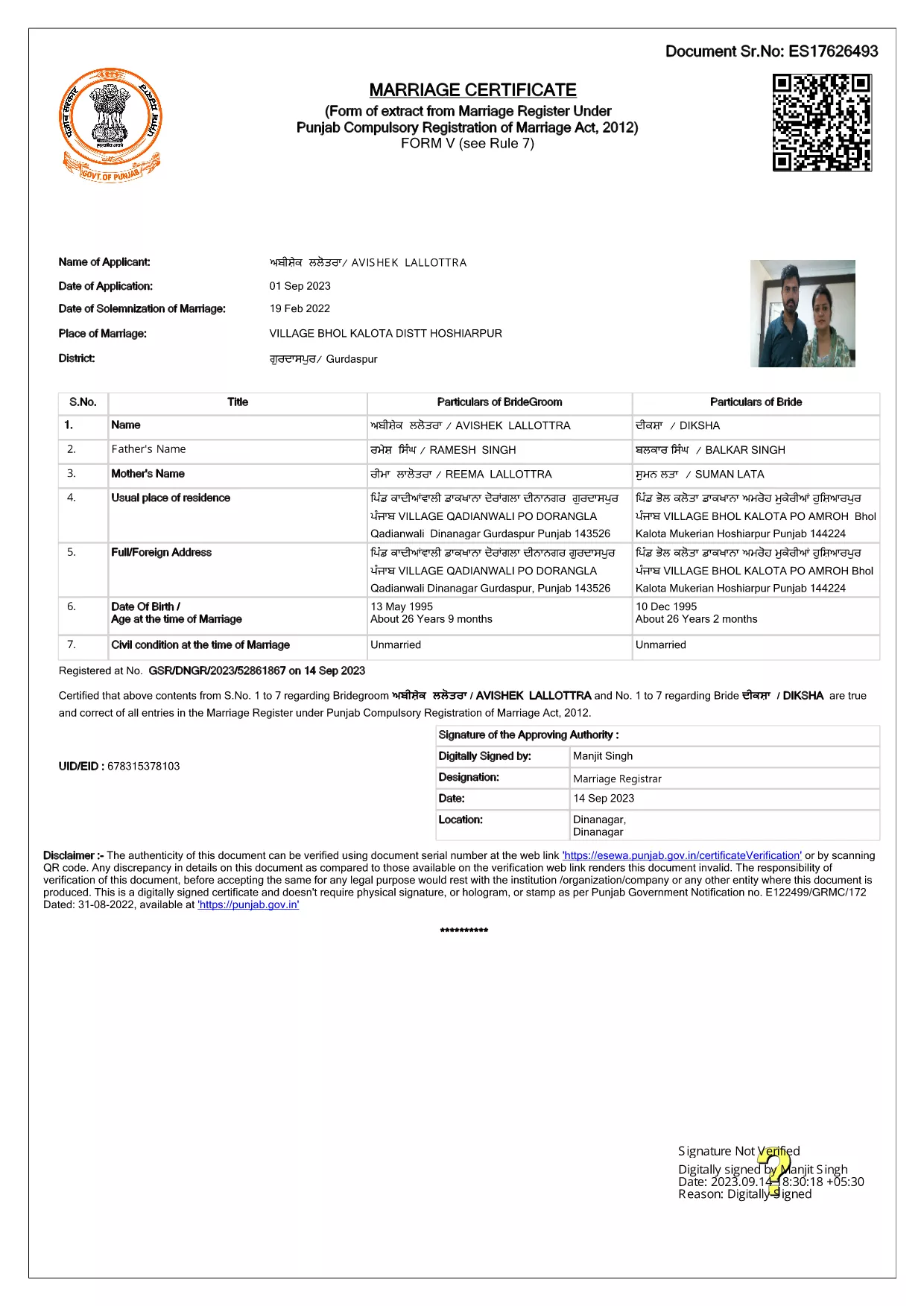
Getting married in Punjab requires you to submit the official Punjab Solemnization of Marriage form. This form records essential details of the bride, groom, and witnesses, and it is mandatory under the Punjab Compulsory Registration of Marriage Act, 2012.

What Is the Punjab Solemnization of Marriage Form?

The form is a government‑issued marriage certificate that captures personal information, parental details, and the date and place of the marriage ceremony. It is the legal proof needed for future documentation such as passport applications, property registration, and visa requests.

How to Fill Out the Form Online with Formize

Instead of printing, printing‑and‑scanning, or using a third‑party PDF editor, you can complete the form directly in your browser:

  1. Click the **"Fill out this form"** button on this page.
  2. Wait a few seconds while the Formize PDF Filler app loads.
  3. Enter the required information in each fillable field. The interface guides you through mandatory sections.
  4. Review your entries, then click **"Save & Download"** to get a completed PDF copy.

Common Mistakes to Avoid When Completing the Form

  • Incorrect spelling of names: Verify the spelling exactly as it appears on official ID documents.
  • Missing witness details: All three witnesses must be fully listed; incomplete entries will cause rejection.
  • Wrong date format: Use DD‑MM‑YYYY as required by the Punjab Registration Department.
  • Leaving optional fields blank: Even optional fields should be filled with "N/A" if not applicable.

Where to Submit the Completed Form

After you have saved the filled PDF, submit it to the nearest Punjab Registration Office or the designated online portal of the Punjab Registration Department. Bring original identity proofs for both parties and witnesses.

Download the Official PDF

Click the button below to download the original, government‑approved PDF. The file is hosted securely and matches the exact layout required by the registration authority.

FAQ
  • Is the Punjab marriage form available in Punjabi?

    The official PDF is printed in English, but you may fill it out in any language. For official submissions, the English version is accepted.

  • Do I need a digital signature?

    A digital signature is not required for the fillable PDF. You must sign the printed copy in the presence of a registrar.

  • Can I edit the form after I download it?

    Yes. The saved PDF remains fully editable with any standard PDF editor, but the Formize filler already lets you complete the form without extra software.

  • How many witnesses are required?

    Three adult witnesses are mandatory. Their full names, addresses, and signatures must be entered in the designated sections.

  • What documents do I need to submit with the form?

    Both parties must provide a valid ID (Aadhar, PAN, or passport), proof of residence, and the original signed marriage certificate.

  • Is there a fee for downloading the PDF?

    No. The PDF is provided free of charge. Any registration fees are paid directly to the Punjab Registration Office.

MITEN

Kuinka täyttää Punjab marriage form ilmaiseksi verkossa 4 helpon vaiheen avulla:

  1. 1
    Click the Fill‑Out Button
    Press the **"Fill out this form"** button on the page to launch the Formize PDF Filler.
  2. 2
    Wait for the Filler to Load
    The app loads in a few seconds; you’ll see a clean, searchable interface with all form fields highlighted.
  3. 3
    Enter Your Information
    Type the required details for the bride, groom, and witnesses. The filler validates dates and mandatory fields automatically.
  4. 4
    Save and Download
    After reviewing, click **"Save & Download"** to get a completed PDF you can print or submit electronically.
Muotoile PDF Filler -sovellus
NOIN

Ulkoministeriön hakulomakkeet

Punjab marriage form on yksi ulkoministeriön hakulomakkeista. Intian ulkoministeriö tarjoaa erilaisia ​​hakulomakkeita erilaisiin ulkoasioihin ja kansainvälisiin suhteisiin liittyviin palveluihin. Joitakin yleisiä hakulomakkeita ovat:

Passihakemus: Tätä lomaketta käytetään Intian passin hakemiseen. Se kerää henkilötietoja, kuten nimen, osoitteen, syntymäajan ja kansalaisuuden.

Overseas Citizenship of India (OCI) -hakemus: Tätä lomaketta käytetään OCI-statuksen hakemiseen, mikä antaa intialaista alkuperää oleville henkilöille mahdollisuuden asua ja työskennellä Intiassa määräämättömän ajan. Se kerää henkilötietoja, mukaan lukien todisteet Intian alkuperästä.

Viisumihakemus: Tätä lomaketta käytetään viisumin hakemiseen vieraaseen maahan matkustamiseen. Se kerää henkilötietoja, matkatietoja ja matkan tarkoitusta.

Maahanmuuttotodistushakemus: tätä lomaketta käyttävät henkilöt, jotka hakevat maastamuuttolupaa työllistyä tietyissä maissa. Se kerää henkilö- ja työtietoja.

Todistushakemus: Tätä lomaketta käytetään erilaisten asiakirjojen, kuten koulutustodistusten, vihkitodistusten ja kaupallisten asiakirjojen, todistuksen hakemiseen. Se kerää tiedot todistettavasta asiakirjasta ja todistuksen tarkoituksesta.

Konsulipalveluhakemus: tätä lomaketta käytetään erilaisiin konsulipalveluihin, mukaan lukien hätätodistusten myöntämiseen, Intian kansalaisten avustamiseen ulkomailla ja Intian kansalaisten rekisteröintiin. Tarvittavat erityistiedot riippuvat pyydetyn palvelun luonteesta.

OMINAISUUDET

PDF-täyttö

Helpoin tapa täyttää Punjab marriage form verkossa

  • Täytä nopeasti Punjab marriage form
    Etsitkö tapaa täyttää Punjab marriage form nopeasti verkossa? Online-maksuttoman PDF-lomakkeen täyttösovelluksemme avulla tiedät kuinka muokata ja täyttää tämä pdf-dokumentti alle minuutissa.
  • Helppokäyttöinen PDF-editori verkossa
    Oletko kyllästynyt tulostamaan PDF-tiedostoja, jotta voit muokata niitä, ennen kuin skannaat uudelleen ja lähetät ne takaisin? Muokkaa PDF-dokumentteja ilmaiseksi verkossa. Käytä online-pdf-editoriamme säästääksesi aikaa ja paperia.
  • Upeita työkaluja, kaikki alustat
    Mietitkö, kuinka Punjab marriage form täytetään Macilla tai kuinka käyttää PDF-täyttöä ilmaiseksi? Online PDF-työkalumme toimivat kaikilla alustoilla.
  • Suojattu tiedostojen tallennus
    Valmiit "Punjab marriage form"-tiedostot tallennetaan suojattuun tietokantaan, jota hallinnoi Amazon Cloud hosting. Voit poistaa tiedostosi järjestelmästämme milloin tahansa. Joka tapauksessa nämä tiedostot poistetaan automaattisesti 24 tunnin kuluttua.
  • Keskustele käyttäjän Punjab marriage form kanssa
    Keskustele käyttäjän "Punjab marriage form" kanssa Chatizessa, joka on ilmainen PDF-lukija-apuohjelma. Esitä kysymyksiä ja hanki vastauksia käyttäjältä "Punjab marriage form". Napsauta yllä olevaa Chat With Document -painiketta.

Poista täyttöistunto

Poistetaanko valittu täyttöistunto? Tässä tapauksessa edistymisesi lomakkeen täyttämisessä menetetään.

Poista muokkausistunto

Poistetaanko valittu muokkausistunto? Tässä tapauksessa etenemisesi lomakkeen luomisessa ja muokkaamisessa menetetään.