Valitse kieli

INZ1254 – Decline Consent in Absentia (Fillable PDF)

  1. Maa Uusi Seelanti
  2. Kieli Englanti
  3. Toiminta Visas and Immigration Forms
  4. osasto Immigration New Zealand
INZ1254 – Decline Consent in Absentia (Fillable PDF)

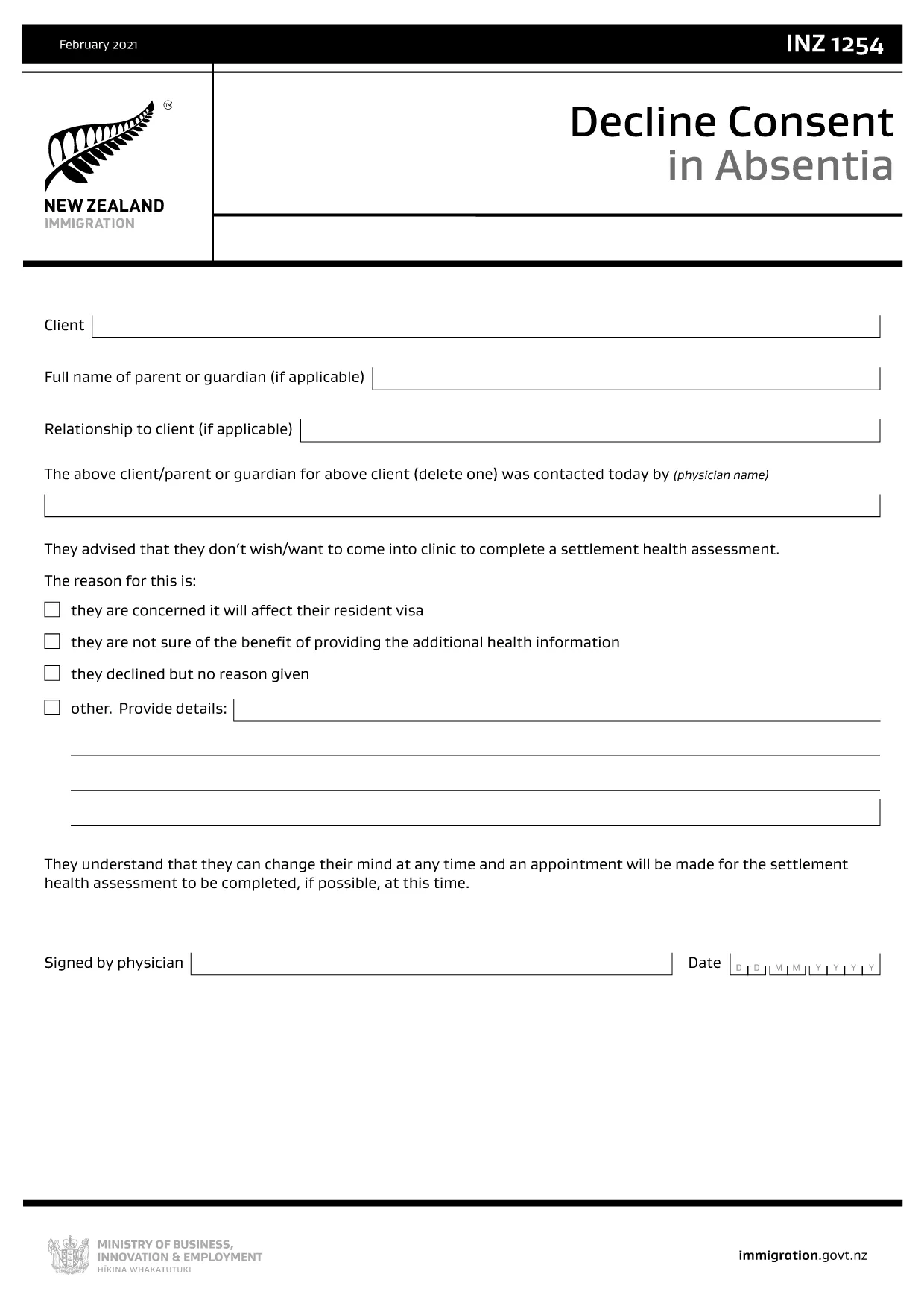
The INZ1254 – Decline Consent in Absentia is an Immigration New Zealand form used when a client, parent, or legal guardian cannot be present to give consent for a visa‑related decision. This fillable PDF lets you complete the form quickly, securely, and without the need for additional software.

What Is the INZ1254 Form?

INZ1254 records a written decline of consent on behalf of a person who is absent. It is typically required for:

  • Applicants who are minors and need a guardian’s consent.
  • Clients who are overseas or otherwise unable to sign in person.
  • Cases where a medical professional or authorised representative must confirm the decline.

When to Use the Decline Consent in Absentia Form

Use this form whenever Immigration New Zealand requests proof that an absent party has formally declined consent for a visa application, amendment, or appeal. Submitting the correct form helps avoid processing delays.

How to Complete the INZ1254 Online

Instead of downloading the PDF and opening a separate editor, simply click the "Fill out this form" button on this page. The Formize PDF Filler app will load in your browser, allowing you to:

  1. Enter all required details directly into the fillable fields.
  2. Save your progress at any time.
  3. Validate the information before submission.
  4. Download the completed PDF for upload to Immigration New Zealand’s portal.

Common Mistakes to Avoid

  • Leaving mandatory fields blank: The form will not validate if required sections are empty.
  • Incorrect date format: Use DD/MM/YYYY as shown in the example.
  • Illegible signatures: Use a clear electronic signature or print‑sign‑scan if required.
  • Submitting the wrong version: Always use the latest INZ1254 PDF provided by Immigration New Zealand.

Download the Official PDF

If you prefer to work offline, you can download the official form directly from Immigration New Zealand. The link below points to the most current version.

Download INZ1254 – Decline Consent in Absentia (PDF)

FAQ
  • Who needs to fill out INZ1254?

    The form is used when a client, parent, guardian, or authorised representative must formally decline consent while being absent from the immigration process.

  • Can I submit the form electronically?

    Yes. After completing the fillable PDF with Formize, you can upload the saved file directly to Immigration New Zealand’s online portal.

  • What information is required on INZ1254?

    You’ll need the applicant’s full name, passport details, reason for decline, the name and signature of the person giving consent, and the date of signing.

  • Is a handwritten signature mandatory?

    Immigration New Zealand accepts a clear electronic signature. If you prefer a handwritten signature, print the completed form, sign, and scan it back into PDF format.

  • What happens if I make a mistake on the form?

    Correct the error in the Formize filler before saving. If you’ve already downloaded a PDF with mistakes, you can re‑open it in Formize, edit, and re‑download.

  • How long is the INZ1254 valid?

    The form is valid for the specific visa application or decision it references. If circumstances change, a new form may be required.

  • Do I need to pay to use the Formize PDF Filler?

    No. Formize provides a free, browser‑based filler for this government form.

  • Where do I send the completed INZ1254?

    Upload the completed PDF to your Immigration New Zealand online application or attach it to any email request from the immigration officer.

MITEN

Kuinka täyttää INZ1254 ilmaiseksi verkossa 4 helpon vaiheen avulla:

  1. 1
    Open the Fillable Form
    Click the “Fill out this form” button on the page. The Formize PDF Filler app will launch directly in your browser.
  2. 2
    Enter Your Information
    Complete each fillable field. Required fields are marked with an asterisk. The app validates entries in real time.
  3. 3
    Review and Sign
    Use the built‑in signature tool to add an electronic signature, or print, sign, and scan if a handwritten signature is required.
  4. 4
    Save or Download
    When all data is correct, click “Save” to store a copy or “Download” to get the finished PDF ready for upload to Immigration New Zealand.
Muotoile PDF Filler -sovellus
NOIN

INZ1254 malli

Perinteisten PDF-dokumenttien katseluun ja täyttämiseen tarkoitettujen ominaisuuksien sekä verkkosovelluksen ja responsiivisen asettelun etujen avulla voit suorittaa INZ1254 muutamassa minuutissa.

OMINAISUUDET

PDF-täyttö

Helpoin tapa täyttää INZ1254 verkossa

  • Täytä nopeasti INZ1254
    Etsitkö tapaa täyttää INZ1254 nopeasti verkossa? Online-maksuttoman PDF-lomakkeen täyttösovelluksemme avulla tiedät kuinka muokata ja täyttää tämä pdf-dokumentti alle minuutissa.
  • Helppokäyttöinen PDF-editori verkossa
    Oletko kyllästynyt tulostamaan PDF-tiedostoja, jotta voit muokata niitä, ennen kuin skannaat uudelleen ja lähetät ne takaisin? Muokkaa PDF-dokumentteja ilmaiseksi verkossa. Käytä online-pdf-editoriamme säästääksesi aikaa ja paperia.
  • Upeita työkaluja, kaikki alustat
    Mietitkö, kuinka INZ1254 täytetään Macilla tai kuinka käyttää PDF-täyttöä ilmaiseksi? Online PDF-työkalumme toimivat kaikilla alustoilla.
  • Suojattu tiedostojen tallennus
    Valmiit "INZ1254"-tiedostot tallennetaan suojattuun tietokantaan, jota hallinnoi Amazon Cloud hosting. Voit poistaa tiedostosi järjestelmästämme milloin tahansa. Joka tapauksessa nämä tiedostot poistetaan automaattisesti 24 tunnin kuluttua.
  • Keskustele käyttäjän INZ1254 kanssa
    Keskustele käyttäjän "INZ1254" kanssa Chatizessa, joka on ilmainen PDF-lukija-apuohjelma. Esitä kysymyksiä ja hanki vastauksia käyttäjältä "INZ1254". Napsauta yllä olevaa Chat With Document -painiketta.

Poista täyttöistunto

Poistetaanko valittu täyttöistunto? Tässä tapauksessa edistymisesi lomakkeen täyttämisessä menetetään.

Poista muokkausistunto

Poistetaanko valittu muokkausistunto? Tässä tapauksessa etenemisesi lomakkeen luomisessa ja muokkaamisessa menetetään.