Valitse kieli

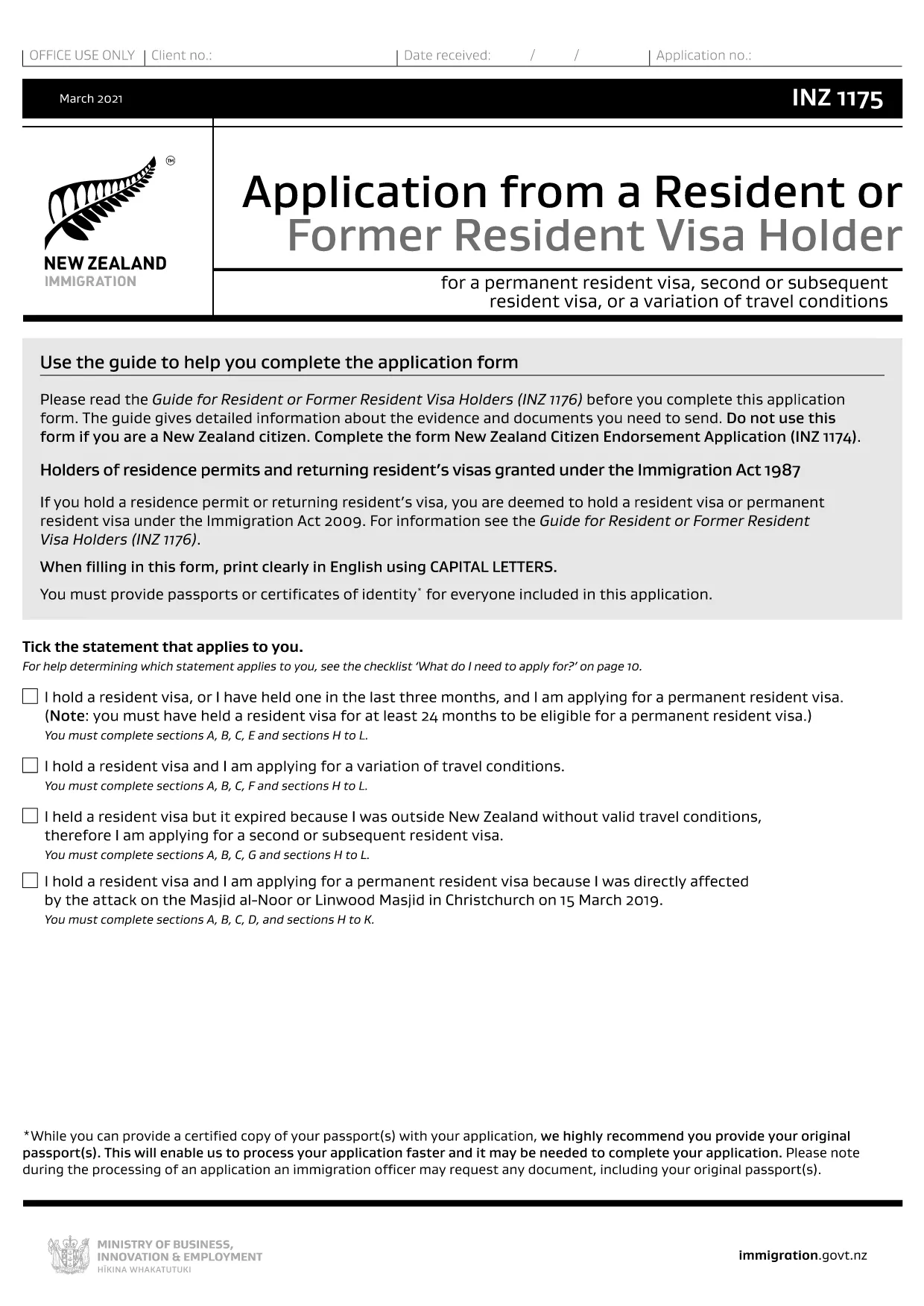
INZ 1175 – Resident or Former Resident Visa Application (Fillable PDF)

  1. Kieli Englanti
  2. Maa Uusi Seelanti
  3. Toiminta Asuinpaikka Maahanmuutto
INZ 1175 – Resident or Former Resident Visa Application (Fillable PDF)

The INZ 1175 is the official application form for New Zealand residents or former residents who need to update or vary their visa conditions. Using the fillable PDF version saves time, reduces errors, and lets you submit a clean, searchable file directly to Immigration New Zealand.

Why Use the INZ 1175 Fillable PDF?

This version is fully interactive – you can type directly into each field, add check marks, and save your progress. No extra software is required; the Formize PDF Filler loads in your browser, keeping your data secure.

How to Complete the INZ 1175 Form Online

Simply click the "Fill out this form" button on this page. The Formize PDF Filler will open, load the INZ 1175 document, and let you start entering information immediately.

Common Mistakes & Tips

  • Do not use this form if you are a New Zealand citizen – use INZ 1174 instead.
  • Read the accompanying Guide for Resident or Former Resident Visa Holders (INZ 1176) before you begin.
  • Ensure all dates are in DD/MM/YYYY format and match your supporting documents.
  • Double‑check that you have signed the form electronically before downloading the final PDF.

Supporting Documents Checklist

Gather the following before you start:

  • Passport copy (photo page)
  • Current visa label or electronic visa details
  • Proof of residence in New Zealand (e.g., utility bill, rental agreement)
  • Any additional evidence required by the INZ 1176 guide

What Happens After Submission?

After you download the completed PDF, upload it through your online Immigration New Zealand account. You will receive a confirmation email and can track the progress of your application in the portal.

FAQ
  • Who should use the INZ 1175 form?

    The form is for current New Zealand residents or former residents who need to vary conditions of their visa or provide updated information.

  • Can New Zealand citizens use INZ 1175?

    No. Citizens must complete the INZ 1174 New Zealand Citizen Endorsement Application instead.

  • Do I need the INZ 1176 guide before filling out INZ 1175?

    Yes. The guide explains the evidence required and helps you avoid common errors.

  • Is there a fee to submit the INZ 1175 form?

    The form itself is free, but your visa application may have associated processing fees. Check the Immigration New Zealand fee schedule.

  • What file format should I upload after completing the form?

    Upload the final PDF file generated by the Formize PDF Filler. Ensure it is a single combined document.

  • Can I save my progress and finish later?

    Yes. The Formize PDF Filler allows you to save the partially completed PDF to your device and reopen it later.

  • How long does the processing take after submission?

    Processing times vary by visa type. Most applications are reviewed within 2‑4 weeks, but you can check the current estimate on the Immigration New Zealand website.

MITEN

Kuinka täyttää INZ 1175 ilmaiseksi verkossa 5 helpon vaiheen avulla:

  1. 1
    Open the Fillable Form
    Click the “Fill out this form” button on the page. The Formize PDF Filler app will load in your browser.
  2. 2
    Enter Your Details
    Type directly into each field, select dates from the calendar picker, and attach supporting documents where required.
  3. 3
    Review and Sign
    Use the built‑in review feature to check for missed fields, then add your electronic signature at the bottom of the form.
  4. 4
    Download the Completed PDF
    When you’re satisfied, click “Download” to save the finished INZ 1175 PDF to your computer.
  5. 5
    Submit to Immigration New Zealand
    Log in to your online Immigration account, upload the PDF, and submit. You’ll receive a confirmation email with a reference number.
Muotoile PDF Filler -sovellus
NOIN

INZ 1175 malli

Perinteisten PDF-dokumenttien katseluun ja täyttämiseen tarkoitettujen ominaisuuksien sekä verkkosovelluksen ja responsiivisen asettelun etujen avulla voit suorittaa INZ 1175 muutamassa minuutissa.

OMINAISUUDET

PDF-täyttö

Helpoin tapa täyttää INZ 1175 verkossa

  • Täytä nopeasti INZ 1175
    Etsitkö tapaa täyttää INZ 1175 nopeasti verkossa? Online-maksuttoman PDF-lomakkeen täyttösovelluksemme avulla tiedät kuinka muokata ja täyttää tämä pdf-dokumentti alle minuutissa.
  • Helppokäyttöinen PDF-editori verkossa
    Oletko kyllästynyt tulostamaan PDF-tiedostoja, jotta voit muokata niitä, ennen kuin skannaat uudelleen ja lähetät ne takaisin? Muokkaa PDF-dokumentteja ilmaiseksi verkossa. Käytä online-pdf-editoriamme säästääksesi aikaa ja paperia.
  • Upeita työkaluja, kaikki alustat
    Mietitkö, kuinka INZ 1175 täytetään Macilla tai kuinka käyttää PDF-täyttöä ilmaiseksi? Online PDF-työkalumme toimivat kaikilla alustoilla.
  • Suojattu tiedostojen tallennus
    Valmiit "INZ 1175"-tiedostot tallennetaan suojattuun tietokantaan, jota hallinnoi Amazon Cloud hosting. Voit poistaa tiedostosi järjestelmästämme milloin tahansa. Joka tapauksessa nämä tiedostot poistetaan automaattisesti 24 tunnin kuluttua.
  • Keskustele käyttäjän INZ 1175 kanssa
    Keskustele käyttäjän "INZ 1175" kanssa Chatizessa, joka on ilmainen PDF-lukija-apuohjelma. Esitä kysymyksiä ja hanki vastauksia käyttäjältä "INZ 1175". Napsauta yllä olevaa Chat With Document -painiketta.

Poista täyttöistunto

Poistetaanko valittu täyttöistunto? Tässä tapauksessa edistymisesi lomakkeen täyttämisessä menetetään.

Poista muokkausistunto

Poistetaanko valittu muokkausistunto? Tässä tapauksessa etenemisesi lomakkeen luomisessa ja muokkaamisessa menetetään.