
Valitse kieli

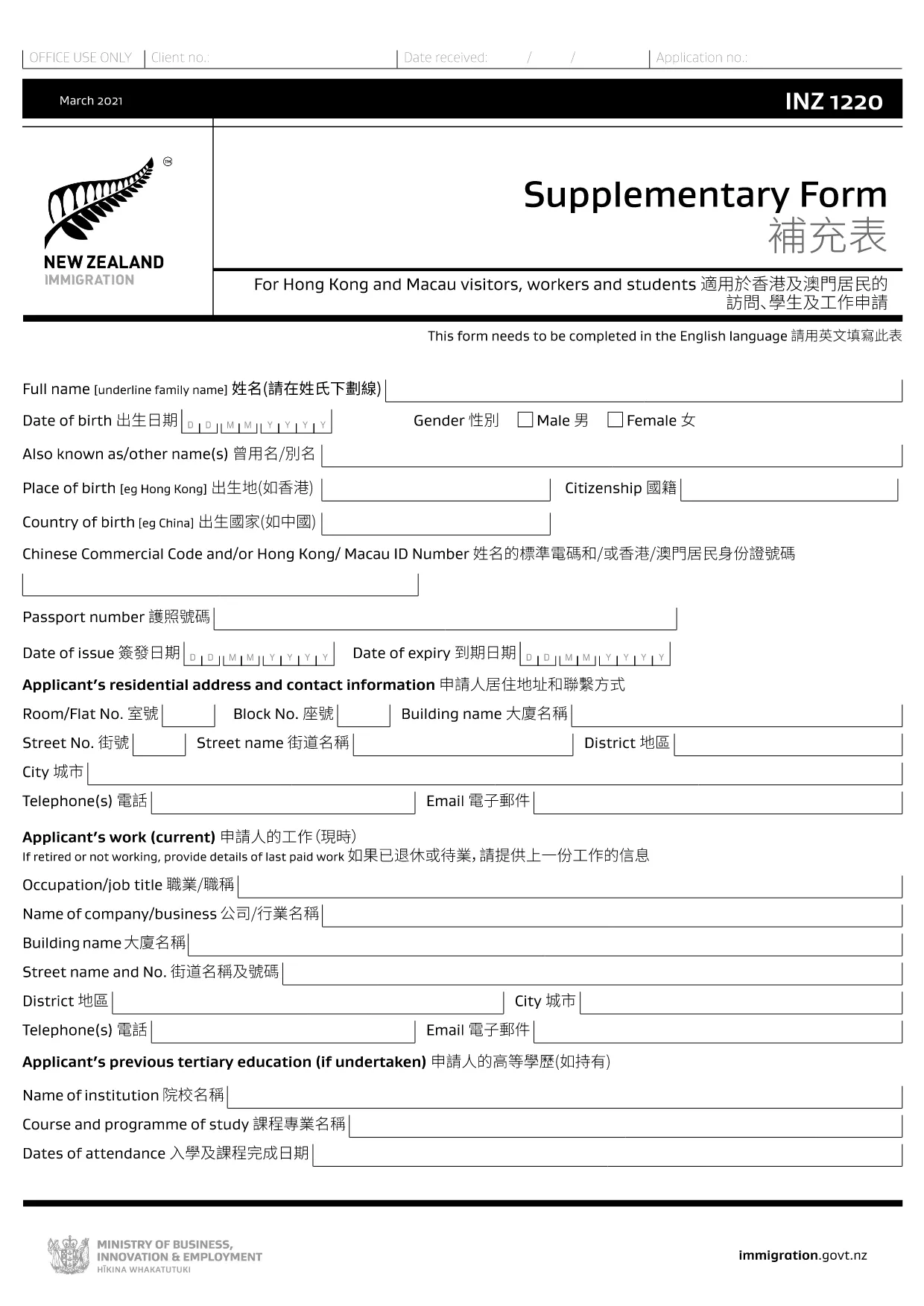
INZ 1220 Supplementary Form – Fillable PDF

  1. Maa Uusi Seelanti
  2. Kieli Englanti
  3. Toiminta Vierailu ja matkailu Tehdä työtä Maahanmuutto Opiskelu
INZ 1220 Supplementary Form – Fillable PDF

The INZ 1220 Supplementary Form is required by Immigration New Zealand for visitors, workers and students from Hong Kong and Macau who need to provide additional contact details. This fillable PDF lets you complete the form quickly, securely, and without printing.

Our page integrates the Formize PDF Filler app, so you can edit the document directly in your browser. No extra software, no downloads – just click, fill, and submit.

What Is the INZ 1220 Form?

INZ 1220 is a supplementary information sheet that collects the name, address, telephone, and email of a New Zealand contact (friend, family member, or sponsor). It is often requested alongside visa applications to verify local support.

How to Complete the INZ 1220 Online

Follow the simple steps below to fill out the form using Formize:

  • Click the **Fill out this form** button on this page.
  • Wait a few seconds while the Formize PDF Filler loads.
  • Enter the required details in each field – the interface highlights mandatory sections.
  • Review the information for accuracy.
  • Save the completed PDF to your device or download a copy for your records.

Common Mistakes to Avoid

  • Leaving the contact’s phone number incomplete – include country code.
  • Using an outdated email address – Immigration may send important updates.
  • Submitting the form with blank mandatory fields – the filler will flag these before you can save.

Where to Submit the Completed Form

After saving the PDF, attach it to your visa application through the Immigration New Zealand online portal, or email it to the address specified in your application instructions.

FAQs About INZ 1220

Find quick answers to the most common questions below (full FAQ list further down).

FAQ
  • Do I need to print the INZ 1220 form?

    No. Using the Formize PDF Filler you can complete the form entirely online and download the finished PDF.

  • What language is the INZ 1220 form in?

    The official form is in English. If you need a translation, you must provide a certified translation alongside the original.

  • Can I save my progress and finish later?

    Yes. While the Formize app is open, you can click **Save** to download a partially‑filled PDF, then reload it later to continue.

  • Is the contact’s New Zealand address mandatory?

    Yes. Immigration requires a full local address (street, city, postal code) to verify your support network.

  • What if I make a mistake after saving?

    Simply reopen the saved PDF in the Formize filler, correct the error, and save a new version.

  • How many pages is the INZ 1220 form?

    The supplementary form is a single‑page PDF, making it quick to fill and attach.

  • Do I need a digital signature?

    A handwritten signature is required. Print the completed PDF, sign it, then scan or take a clear photo to upload.

  • Where can I find help if I’m stuck?

    The Formize filler includes tooltip help for each field. For further assistance, consult the Immigration New Zealand website.

MITEN

Kuinka täyttää INZ 1220 ilmaiseksi verkossa 5 helpon vaiheen avulla:

  1. 1
    Open the Fillable Form
    Click the **Fill out this form** button on the page. The Formize PDF Filler app will open in a new tab.
  2. 2
    Load the Form
    Wait a few seconds while the INZ 1220 PDF loads. All fields become editable directly in the browser.
  3. 3
    Enter Your Information
    Type the required details (contact name, address, phone, email). Required fields are marked with an asterisk.
  4. 4
    Review and Save
    Check the entered data for errors, then click **Save** to download the completed PDF to your device.
  5. 5
    Submit with Your Visa Application
    Attach the saved INZ 1220 PDF to your Immigration New Zealand online application or email it as instructed.
Muotoile PDF Filler -sovellus
NOIN

Matkailulomakkeet

INZ 1220 on yksi matkailulomakkeista, joita käyttävät henkilöt tai ryhmät, jotka suunnittelevat matkailua. Nämä lomakkeet voivat vaihdella kohdemaasta tai matkapalvelun tarjoajasta riippuen, mutta ne sisältävät yleensä tietoja matkustajasta, matkareitistä ja muista asiaan liittyvistä yksityiskohdista.

Joitakin yleisiä matkailumuotoja ovat:

Matkasuunnitelma: Tässä lomakkeessa luetellaan matkustajan suunnitellut toiminnot, mukaan lukien päivämäärät, kellonajat ja lentojen, majoituksen, matkat ja muut toiminnot.

Viisumihakemus: Monet maat vaativat turisteilta viisumin ennen maahantuloa. Viisumihakemuslomakkeessa pyydetään yleensä henkilötietoja, matkatietoja ja tositteita, kuten passia, valokuvaa tai tilinpäätöstietoja.

Terveysilmoituslomake: tätä lomaketta käytetään ilmoittamaan sairaudesta tai mahdollisesta altistumisesta tartuntataudeille, kuten COVID-19. Jotkut maat vaativat matkustajia antamaan negatiivisen COVID-19-testin ennen maahantuloa.

Matkavakuutuslomake: Tämä lomake tarjoaa tietoja matkustajan matkavakuutuksesta, mukaan lukien vakuutuksen tyyppi, vakuutusrajat ja hätäyhteystiedot.

Tulliilmoituslomake: Jotkin maat vaativat tämän lomakkeen ilmoittamaan kaikki maahan tuodut tavarat, kuten lahjat, matkamuistot tai elektroniikka.

Majoituksen varauslomake: Tämä lomake antaa tietoja matkustajan majoituksesta, mukaan lukien oleskelupäivät, huonetyyppi ja mahdolliset erityistoiveet.

Lentoyhtiöt, matkatoimistot, hotellit tai muut matkapalvelujen tarjoajat voivat vaatia matkailulomakkeita, ja ne voivat olla saatavilla sähköisessä tai paperimuodossa. Heidän on tärkeää tarkistaa huolellisesti ja täyttää kaikki tarvittavat lomakkeet sujuvan ja vaivattoman matkakokemuksen varmistamiseksi.

OMINAISUUDET

PDF-täyttö

Helpoin tapa täyttää INZ 1220 verkossa

  • Täytä nopeasti INZ 1220
    Etsitkö tapaa täyttää INZ 1220 nopeasti verkossa? Online-maksuttoman PDF-lomakkeen täyttösovelluksemme avulla tiedät kuinka muokata ja täyttää tämä pdf-dokumentti alle minuutissa.
  • Helppokäyttöinen PDF-editori verkossa
    Oletko kyllästynyt tulostamaan PDF-tiedostoja, jotta voit muokata niitä, ennen kuin skannaat uudelleen ja lähetät ne takaisin? Muokkaa PDF-dokumentteja ilmaiseksi verkossa. Käytä online-pdf-editoriamme säästääksesi aikaa ja paperia.
  • Upeita työkaluja, kaikki alustat
    Mietitkö, kuinka INZ 1220 täytetään Macilla tai kuinka käyttää PDF-täyttöä ilmaiseksi? Online PDF-työkalumme toimivat kaikilla alustoilla.
  • Suojattu tiedostojen tallennus
    Valmiit "INZ 1220"-tiedostot tallennetaan suojattuun tietokantaan, jota hallinnoi Amazon Cloud hosting. Voit poistaa tiedostosi järjestelmästämme milloin tahansa. Joka tapauksessa nämä tiedostot poistetaan automaattisesti 24 tunnin kuluttua.
  • Keskustele käyttäjän INZ 1220 kanssa
    Keskustele käyttäjän "INZ 1220" kanssa Chatizessa, joka on ilmainen PDF-lukija-apuohjelma. Esitä kysymyksiä ja hanki vastauksia käyttäjältä "INZ 1220". Napsauta yllä olevaa Chat With Document -painiketta.

Poista täyttöistunto

Poistetaanko valittu täyttöistunto? Tässä tapauksessa edistymisesi lomakkeen täyttämisessä menetetään.

Poista muokkausistunto

Poistetaanko valittu muokkausistunto? Tässä tapauksessa etenemisesi lomakkeen luomisessa ja muokkaamisessa menetetään.