Valitse kieli

Application Form Model – Fillable PDF

  1. Kieli Englanti
  2. Maa USA
  3. osasto Health & Human Services
  4. Toiminta Health Insurance
Application Form Model – Fillable PDF

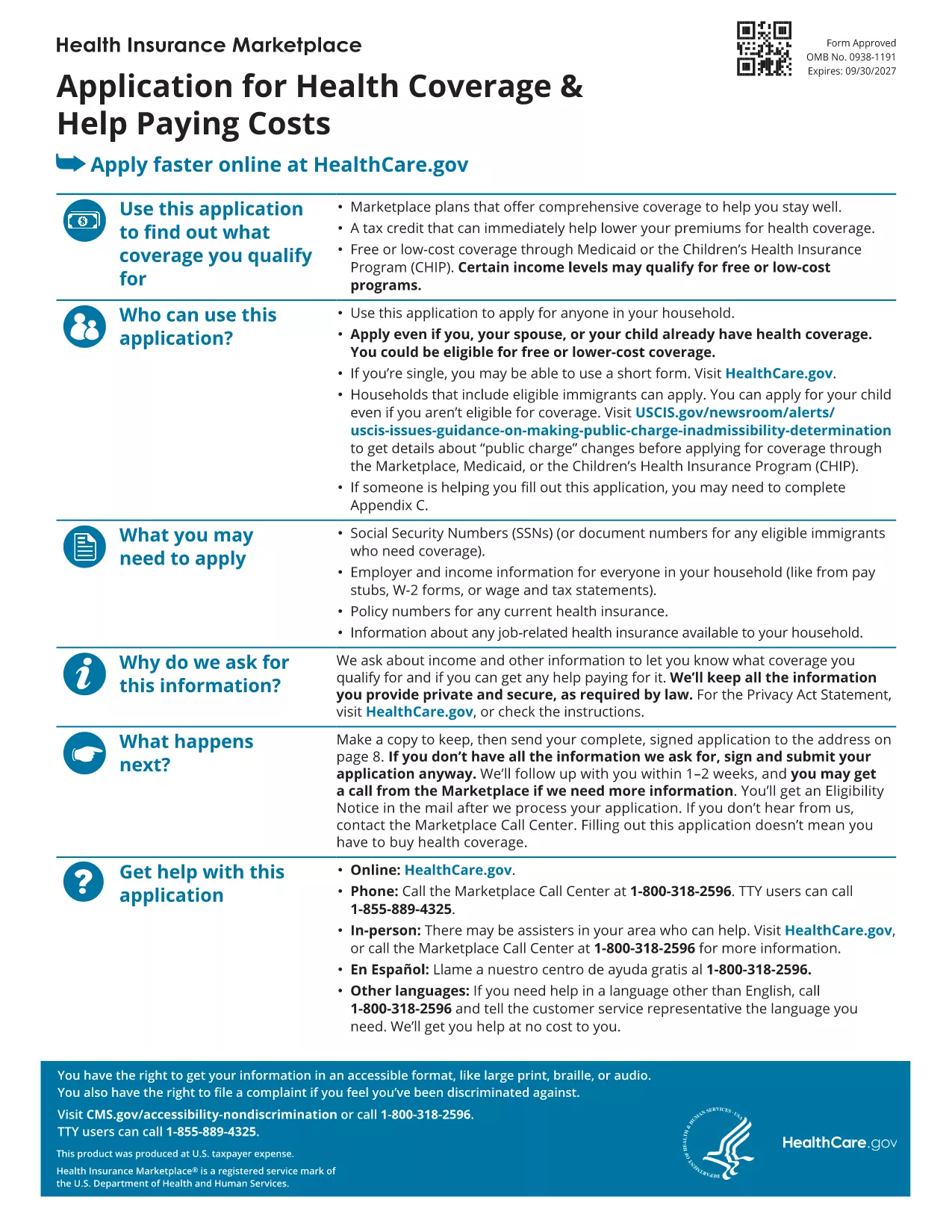
Looking for a reliable application form model that you can fill out directly in your browser? You’ve come to the right place. Our page offers a fillable PDF of the Marketplace Application for Family. This form is a perfect example of a generic application template that can be adapted for health‑coverage enrollment, scholarship requests, or any multi‑person application process.

What Is This Application Form Model?

The PDF provided by the Centers for Medicare & Medicaid Services (CMS) is a comprehensive application form model that captures household information, income details, and coverage preferences. Although it’s designed for health‑insurance enrollment, the structure—sections for personal data, dependents, and signatures—makes it an excellent reference for creating your own custom applications.

How to Fill Out the Form Online with Formize

Instead of downloading the file and opening a PDF editor, simply click the "Fill out this form" button on this page. The Formize PDF Filler app will load in seconds, letting you type, check boxes, and sign directly on the screen. All changes are saved automatically, and you can download the completed form at the end.

Common Mistakes to Avoid

  • Leaving required fields blank – the filler will highlight missing information before you submit.
  • Using the wrong date format – follow the MM/DD/YYYY pattern shown in the form.
  • Forgetting to sign – the digital signature field must be completed; otherwise the PDF is considered incomplete.

Where to Find Help and Additional Resources

If you need guidance, the CMS website offers detailed instructions for each section of the application. You can also consult the CMS Marketplace Help Center for FAQs and video tutorials.

Ready to start? Click the button below and let Formize do the heavy lifting.

FAQ
  • Do I need a PDF reader to fill out this form?

    No. The Formize PDF Filler works entirely in your web browser, so no extra software is required.

  • Can I edit the form after I download it?

    Yes. The downloaded file remains fully editable with any standard PDF editor if you need to make changes later.

  • Is my data secure while using Formize?

    Formize uses SSL encryption, ensuring that all information you enter is transmitted securely.

  • What if I make a mistake while filling the form?

    You can use the "Undo" button or simply click into the field again to correct any errors before saving.

  • Is this form suitable for non‑health‑insurance applications?

    Absolutely. The layout is a generic application model that can be adapted for scholarships, memberships, or any multi‑person request.

  • How long does it take to complete the form?

    Typical completion time is 10‑15 minutes, depending on how many household members you need to add.

  • Can I submit the form directly to an agency from Formize?

    Formize only provides the filled PDF. You’ll need to upload or mail the completed form according to the agency’s instructions.

MITEN

Kuinka täyttää application form model ilmaiseksi verkossa 3 helpon vaiheen avulla:

  1. 1
    Click the Fill Out Button
    Press the "Fill out this form" button on the page. The Formize PDF Filler app will open in a new tab.
  2. 2
    Enter Your Information
    Type directly into each field, select checkboxes, and upload signatures just like you would on paper.
  3. 3
    Save and Download
    When all required sections are completed, click "Save" and then download the finished PDF for your records.
Muotoile PDF Filler -sovellus
NOIN

application form model malli

Perinteisten PDF-dokumenttien katseluun ja täyttämiseen tarkoitettujen ominaisuuksien sekä verkkosovelluksen ja responsiivisen asettelun etujen avulla voit suorittaa application form model muutamassa minuutissa.

OMINAISUUDET

PDF-täyttö

Helpoin tapa täyttää application form model verkossa

  • Täytä nopeasti application form model
    Etsitkö tapaa täyttää application form model nopeasti verkossa? Online-maksuttoman PDF-lomakkeen täyttösovelluksemme avulla tiedät kuinka muokata ja täyttää tämä pdf-dokumentti alle minuutissa.
  • Helppokäyttöinen PDF-editori verkossa
    Oletko kyllästynyt tulostamaan PDF-tiedostoja, jotta voit muokata niitä, ennen kuin skannaat uudelleen ja lähetät ne takaisin? Muokkaa PDF-dokumentteja ilmaiseksi verkossa. Käytä online-pdf-editoriamme säästääksesi aikaa ja paperia.
  • Upeita työkaluja, kaikki alustat
    Mietitkö, kuinka application form model täytetään Macilla tai kuinka käyttää PDF-täyttöä ilmaiseksi? Online PDF-työkalumme toimivat kaikilla alustoilla.
  • Suojattu tiedostojen tallennus
    Valmiit "application form model"-tiedostot tallennetaan suojattuun tietokantaan, jota hallinnoi Amazon Cloud hosting. Voit poistaa tiedostosi järjestelmästämme milloin tahansa. Joka tapauksessa nämä tiedostot poistetaan automaattisesti 24 tunnin kuluttua.
  • Keskustele käyttäjän application form model kanssa
    Keskustele käyttäjän "application form model" kanssa Chatizessa, joka on ilmainen PDF-lukija-apuohjelma. Esitä kysymyksiä ja hanki vastauksia käyttäjältä "application form model". Napsauta yllä olevaa Chat With Document -painiketta.

Poista täyttöistunto

Poistetaanko valittu täyttöistunto? Tässä tapauksessa edistymisesi lomakkeen täyttämisessä menetetään.

Poista muokkausistunto

Poistetaanko valittu muokkausistunto? Tässä tapauksessa etenemisesi lomakkeen luomisessa ja muokkaamisessa menetetään.