
Valitse kieli

FE-6 Claim for Death Benefits – Fillable PDF Form

  1. Kieli Englanti
  2. Maa USA
  3. osasto Henkilöstöhallinnon toimisto
  4. sektori Federal Employees Group Line Insurance Forms
FE-6 Claim for Death Benefits – Fillable PDF Form

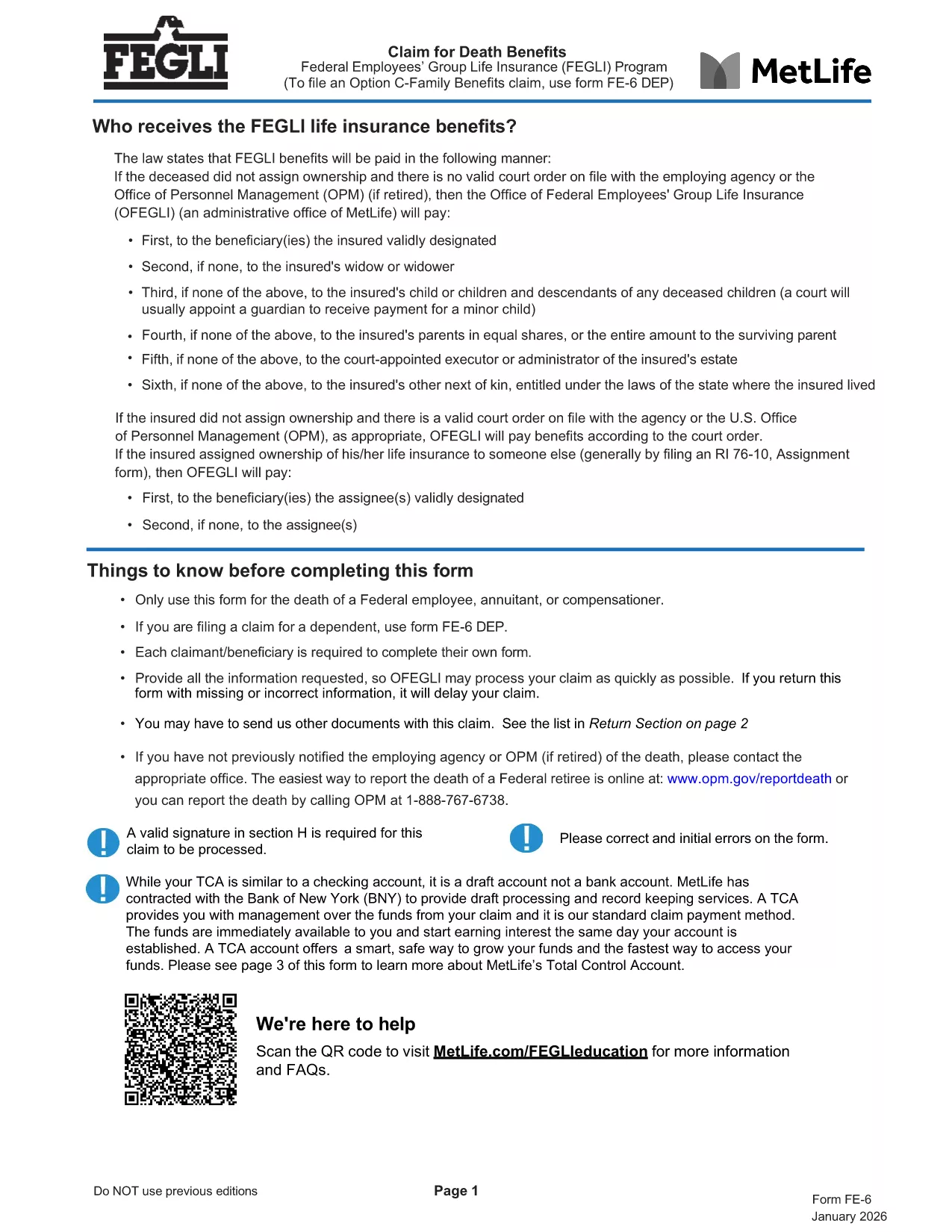
The FE-6 Claim for Death Benefits is the official form used by the Office of Personnel Management (OPM) to request Federal Employees Group Life Insurance (FEGLI) benefits after the death of a federal employee, annuitant, or compensation recipient. With Formize you can open the fillable PDF directly in your browser, fill it out, and save a completed copy without installing any software.

What Is the FE-6 Form?

The FE-6 collects essential information about the deceased, the claimant, and the type of benefit being requested. It is required for:

  • Life‑insurance death benefits for a federal employee or annuitant.
  • Beneficiary designations and payment options (e.g., Total Control Account).
  • Claims for eligible dependents (use FE‑6 DEP for dependents).

How to Complete the FE-6 Online with Formize

Instead of downloading the PDF and opening a separate editor, simply click the **"Fill out this form"** button below. The Formize PDF Filler app loads the fillable document in seconds, letting you type directly into each field.

  1. Click the button – the form opens in a secure, browser‑based editor.
  2. Enter the required data – follow the on‑screen prompts for each section (deceased information, claimant details, beneficiary choices, etc.).
  3. Attach supporting documents – upload a certified copy of the death certificate and any other required paperwork.
  4. Save and download the completed PDF to your computer.
  5. Print or email the file to the address listed in the final section of the form.

Common Mistakes to Avoid

  • Leaving any required field blank – OPM will reject incomplete claims.
  • Using an uncertified death certificate – the document must bear an official stamp or signature.
  • Submitting the wrong version – ensure you are using the current FE-6 (2026 revision).
  • Not signing the form – a handwritten or electronic signature is mandatory.

Where to Send Your Completed Claim

After you have saved the filled PDF, mail it with the certified death certificate to:

Office of Federal Employees Group Life Insurance
P.O. Box 6080
Scranton, PA 18505‑6080
(For overnight delivery: OFEGLI 10 Ed Preate Drive, Moosic, PA 18507)

If you are a federal employee filing on behalf of a dependent, send the completed FE‑6 DEP to the same address or to your employing agency.

FAQ
  • Who can use the FE-6 form?

    The FE-6 is for the estate of a deceased federal employee, annuitant, or compensation recipient. Dependents use the separate FE‑6 DEP form.

  • Do I need a certified death certificate?

    Yes. OPM requires a certified copy with an official stamp or signature. Uncertified copies will cause a delay or rejection.

  • Can I fill out the FE-6 on a mobile device?

    The Formize PDF Filler works on most modern smartphones and tablets. For best results, use a larger screen or a desktop browser.

  • How long does OPM take to process the claim?

    Processing typically takes 30‑45 days after receipt of a complete, signed claim and certified death certificate.

  • What if I make a mistake after submitting?

    Contact the Office of Federal Employees Group Life Insurance at 1‑800‑633‑4542. They can advise whether a corrected form must be resubmitted.

  • Is there a filing fee for the FE-6?

    No. Filing the FE-6 claim is free of charge.

  • Can I submit the claim electronically?

    OPM currently requires a mailed hard copy with the certified death certificate. The PDF can be filled electronically, but the final submission is by mail.

MITEN

Kuinka täyttää FE-6 form ilmaiseksi verkossa 5 helpon vaiheen avulla:

  1. 1
    Open the FE-6 Form
    Click the "Fill out this form" button on the page. The Formize PDF Filler loads the official FE-6 PDF directly in your browser.
  2. 2
    Enter Required Information
    Complete each section—deceased’s details, claimant information, and beneficiary selections—exactly as instructed.
  3. 3
    Upload Supporting Documents
    Add a certified copy of the death certificate and any other required files using the upload field.
  4. 4
    Save and Download
    When all fields are filled, click "Save" to download the completed PDF to your device.
  5. 5
    Submit the Claim
    Print (or email) the saved form and mail it with the death certificate to the OPM address shown in the form.
Muotoile PDF Filler -sovellus
NOIN

Office of Personnel Management (OPM) -lomakkeet

FE-6 form on yksi virallisista lomakkeista, joita käyttää Yhdysvaltain henkilöstöhallinnon virasto, joka on liittovaltion hallituksen itsenäinen virasto, joka vastaa virkamieskunnan työvoiman hallinnasta ja liittovaltion työntekijäetuuksista. OPM vahvistaa liittovaltion työllisyyteen liittyviä käytäntöjä ja määräyksiä, hallinnoi erilaisia ​​henkilöstöohjelmia ja tarjoaa palveluita liittovaltion työntekijöille, eläkeläisille ja työnhakijoille.

Tässä on esimerkkejä Office of Personal Management -lomakkeista:

Vakiolomake 86 (SF-86) : Tätä lomaketta käytetään taustatutkintaprosessiin henkilöille, jotka hakevat turvallisuusselvitystä. Se kerää kattavat henkilö-, työ-, koulutus- ja taloustiedot sekä tiedot ulkomaisista kontakteista ja toiminnasta.

Vakiolomake 2809 (SF-2809) : Tätä lomaketta käytetään rekisteröitymiseen Federal Employees Health Benefits (FEHB) -ohjelmaan, joka tarjoaa sairausvakuutuksen liittovaltion työntekijöille, eläkeläisille ja heidän oikeutetuille perheenjäsenilleen.

Vakiolomake 2817 (SF-2817): Tällä lomakkeella haetaan FEDVIP:n (Federal Employees Dental and Vision Insurance Programme) vakuutusturvan jatkamista eläkkeelle siirtymisen tai liittovaltion palveluksesta eron jälkeen.

Vakiolomake 3107 (SF-3107) : Tätä lomaketta käytetään haettaessa eläke-etuuksia Civil Service Retirement Systemin (CSRS) mukaisesti.

Vakiolomake 2801 (SF-2801) : Tätä lomaketta käytetään eläke-etuuksien hakemiseen Federal Employees Retirement System (FERS) -järjestelmän mukaisesti.

Vakiolomake 15 (SF-15) : Tätä lomaketta käytetään hakemaan veteraanien etusijaa liittovaltion työssä. Sen ovat jättäneet veteraanit tai heidän kelvolliset perheenjäsenensä, jotka etsivät työmahdollisuuksia liittovaltion hallituksesta.

Nämä esimerkit edustavat joitain yleisiä OPM-lomakkeita, joita käytetään liittovaltion työsuhteen ja työsuhde-etuuksien yhteydessä. OPM:llä on kuitenkin joukko muita muotoja, jotka liittyvät erilaisiin henkilöstöohjelmiin, eläkkeelle, vakuutuksiin ja muihin liittovaltion työllisyyden näkökohtiin. Vaaditut erityislomakkeet voivat vaihdella haetun tapahtuman, ohjelman tai edun luonteen mukaan. On suositeltavaa tutustua Yhdysvaltain henkilöstöhallinnon toimiston viralliseen verkkosivustoon (www.opm.gov) tai pyytää ohjeita OPM:ltä tai asiaankuuluvalta henkilöstöhenkilöstöltä saadaksesi tarkat ja ajantasaiset tiedot. ajantasaiset tiedot erityisistä OPM-lomakkeista, jotka liittyvät liittovaltion työhön tai etuihin liittyviin tarpeisiisi.

OMINAISUUDET

PDF-täyttö

Helpoin tapa täyttää FE-6 form verkossa

  • Täytä nopeasti FE-6 form
    Etsitkö tapaa täyttää FE-6 form nopeasti verkossa? Online-maksuttoman PDF-lomakkeen täyttösovelluksemme avulla tiedät kuinka muokata ja täyttää tämä pdf-dokumentti alle minuutissa.
  • Helppokäyttöinen PDF-editori verkossa
    Oletko kyllästynyt tulostamaan PDF-tiedostoja, jotta voit muokata niitä, ennen kuin skannaat uudelleen ja lähetät ne takaisin? Muokkaa PDF-dokumentteja ilmaiseksi verkossa. Käytä online-pdf-editoriamme säästääksesi aikaa ja paperia.
  • Upeita työkaluja, kaikki alustat
    Mietitkö, kuinka FE-6 form täytetään Macilla tai kuinka käyttää PDF-täyttöä ilmaiseksi? Online PDF-työkalumme toimivat kaikilla alustoilla.
  • Suojattu tiedostojen tallennus
    Valmiit "FE-6 form"-tiedostot tallennetaan suojattuun tietokantaan, jota hallinnoi Amazon Cloud hosting. Voit poistaa tiedostosi järjestelmästämme milloin tahansa. Joka tapauksessa nämä tiedostot poistetaan automaattisesti 24 tunnin kuluttua.
  • Keskustele käyttäjän FE-6 form kanssa
    Keskustele käyttäjän "FE-6 form" kanssa Chatizessa, joka on ilmainen PDF-lukija-apuohjelma. Esitä kysymyksiä ja hanki vastauksia käyttäjältä "FE-6 form". Napsauta yllä olevaa Chat With Document -painiketta.

Poista täyttöistunto

Poistetaanko valittu täyttöistunto? Tässä tapauksessa edistymisesi lomakkeen täyttämisessä menetetään.

Poista muokkausistunto

Poistetaanko valittu muokkausistunto? Tässä tapauksessa etenemisesi lomakkeen luomisessa ja muokkaamisessa menetetään.