
Valitse kieli

SS-5 Application Form – Fillable PDF

  1. Kieli Englanti
  2. Maa USA
  3. Toiminta Sosiaaliturva
SS-5 Application Form – Fillable PDF

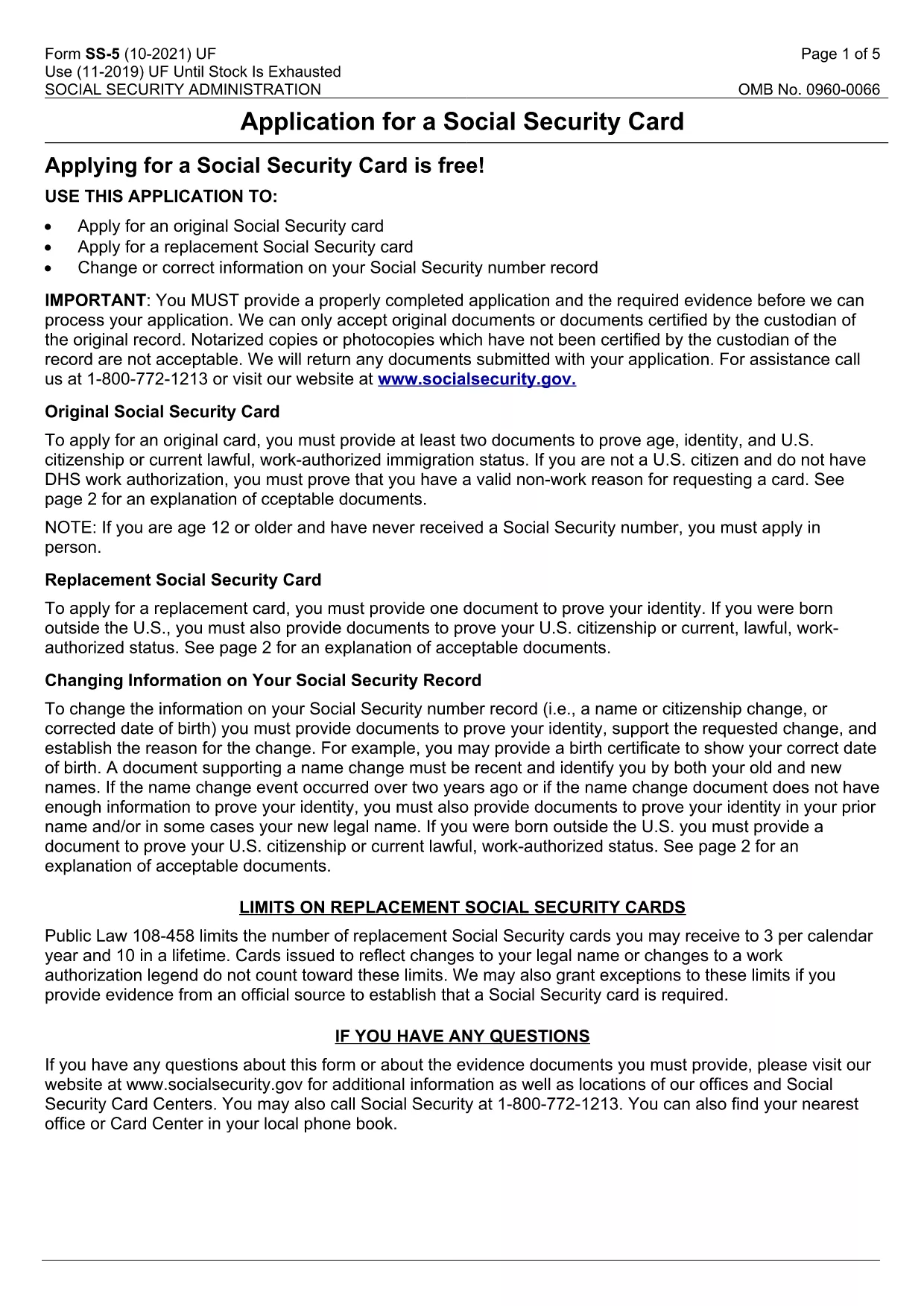
The SS-5 is the official Application for a Social Security Card issued by the Social Security Administration (SSA). Whether you need a new card, a replacement, or want to update personal information, this fillable PDF lets you complete the form quickly and securely.

Our online Formize PDF Filler loads the SS-5 directly in your browser – no extra software required. Simply click the "Fill out this form" button, enter your details, and submit the completed PDF to your local SSA office.

Below you’ll find a concise guide, common pitfalls to watch for, and answers to the most‑asked questions about the SS-5 application.

FAQ
  • What is the purpose of the SS-5 form?

    The SS-5 is used to apply for a new Social Security card, request a replacement, or update personal information on your Social Security record.

  • Can I fill out the SS-5 form online?

    Yes. Using Formize’s fillable PDF feature, you can complete the SS-5 directly in your browser without downloading any software.

  • Do I need to print the form before submitting?

    The SSA requires a printed copy with a signature. After saving the completed PDF, print it, sign, and attach the required supporting documents.

  • What documents must I submit with the SS-5?

    You need proof of identity (e.g., driver’s license, passport) and proof of citizenship or legal residency. Check the SSA website for a full list of acceptable documents.

  • How long does it take to receive my Social Security card?

    Processing typically takes 10‑14 business days after the SSA receives your completed application and documents.

  • Is there a fee for filing the SS-5?

    No. The SS-5 application is free of charge for both new and replacement cards.

  • Can I submit the SS-5 form by mail?

    Yes. Mail the signed, printed form and copies of your supporting documents to your local Social Security office.

  • What if I make a mistake on the form?

    Correct any errors before signing. If you discover a mistake after signing, you’ll need to submit a new SS-5 with the correct information.

MITEN

Kuinka täyttää SS-5 form ilmaiseksi verkossa 5 helpon vaiheen avulla:

  1. 1
    Open the Fillable SS-5 Form
    Click the "Fill out this form" button on the page. The Formize PDF Filler app will load the SS-5 PDF directly in your browser.
  2. 2
    Enter Your Information
    Complete each required field – name, date of birth, citizenship status, and contact details. Use the drop‑down menus where provided.
  3. 3
    Attach Required Documents
    After filling the form, upload scanned copies of your identity and citizenship documents as instructed on the form.
  4. 4
    Review and Save
    Double‑check every entry for accuracy, then click "Save" to download a completed PDF copy for your records.
  5. 5
    Submit to the SSA
    Print the saved PDF (or bring it on a mobile device) and submit it in person at your nearest Social Security office or mail it according to SSA guidelines.
Muotoile PDF Filler -sovellus
NOIN

Sosiaaliturvalomakkeet

SS-5 form on yksi sosiaaliturvalomakkeista, joita käytetään hakemaan erilaisia ​​Yhdysvaltain sosiaaliturvahallinnon (SSA) etuuksia ja palveluita. SSA on liittovaltion virasto, joka hallinnoi ohjelmia, jotka on suunniteltu tarjoamaan taloudellista apua tukikelpoisille henkilöille ja perheille, mukaan lukien eläke-etuudet, työkyvyttömyysetuudet, perhe-etuudet ja lisäturvatulot (SSI).

Joitakin yleisiä sosiaaliturvalomakkeita ovat:

Sosiaaliturvan eläkehakemus: Tällä lomakkeella haetaan eläke-etuuksia henkilön työhistorian ja ansioiden perusteella.

Sosiaaliturvan työkyvyttömyysetuuksien hakemus: Tätä lomaketta käytetään työkyvyttömyysetuuksien hakemiseen, jos henkilön fyysinen tai henkinen tila estää häntä tekemästä työtä.

Sosiaaliturvan jälkeenjääneiden etuuksien hakemus: Tätä lomaketta käytetään perhe-etuuksien hakemiseen, jos henkilön puoliso tai vanhempi on kuollut ja he ovat oikeutettuja perhe-etuuksiin.

Medicare-ilmoittautumishakemus: Tätä lomaketta käytetään rekisteröitymiseen Medicareen, liittovaltion sairausvakuutusohjelmaan yli 65-vuotiaille henkilöille ja henkilöille, joilla on tietty vamma tai sairaus.

Osoitteenmuutoslomake: Tätä lomaketta käytetään henkilön osoitteen päivittämiseen SSA:lla.

Ansiotietopyyntölomake: Tällä lomakkeella pyydetään kopio henkilön tulotiedoista, jota käytetään sosiaaliturvaetuuksien laskemiseen.

Nämä lomakkeet voidaan täyttää verkossa, postitse tai henkilökohtaisesti paikallisessa sosiaaliturvatoimistossa. On tärkeää tarkistaa ja täyttää huolellisesti kaikki tarvittavat lomakkeet varmistaakseen sosiaaliturvaetuuksien oikea-aikaisen ja tarkan käsittelyn.

OMINAISUUDET

PDF-täyttö

Helpoin tapa täyttää SS-5 form verkossa

  • Täytä nopeasti SS-5 form
    Etsitkö tapaa täyttää SS-5 form nopeasti verkossa? Online-maksuttoman PDF-lomakkeen täyttösovelluksemme avulla tiedät kuinka muokata ja täyttää tämä pdf-dokumentti alle minuutissa.
  • Helppokäyttöinen PDF-editori verkossa
    Oletko kyllästynyt tulostamaan PDF-tiedostoja, jotta voit muokata niitä, ennen kuin skannaat uudelleen ja lähetät ne takaisin? Muokkaa PDF-dokumentteja ilmaiseksi verkossa. Käytä online-pdf-editoriamme säästääksesi aikaa ja paperia.
  • Upeita työkaluja, kaikki alustat
    Mietitkö, kuinka SS-5 form täytetään Macilla tai kuinka käyttää PDF-täyttöä ilmaiseksi? Online PDF-työkalumme toimivat kaikilla alustoilla.
  • Suojattu tiedostojen tallennus
    Valmiit "SS-5 form"-tiedostot tallennetaan suojattuun tietokantaan, jota hallinnoi Amazon Cloud hosting. Voit poistaa tiedostosi järjestelmästämme milloin tahansa. Joka tapauksessa nämä tiedostot poistetaan automaattisesti 24 tunnin kuluttua.
  • Keskustele käyttäjän SS-5 form kanssa
    Keskustele käyttäjän "SS-5 form" kanssa Chatizessa, joka on ilmainen PDF-lukija-apuohjelma. Esitä kysymyksiä ja hanki vastauksia käyttäjältä "SS-5 form". Napsauta yllä olevaa Chat With Document -painiketta.

Poista täyttöistunto

Poistetaanko valittu täyttöistunto? Tässä tapauksessa edistymisesi lomakkeen täyttämisessä menetetään.

Poista muokkausistunto

Poistetaanko valittu muokkausistunto? Tässä tapauksessa etenemisesi lomakkeen luomisessa ja muokkaamisessa menetetään.