
Choisir la langue

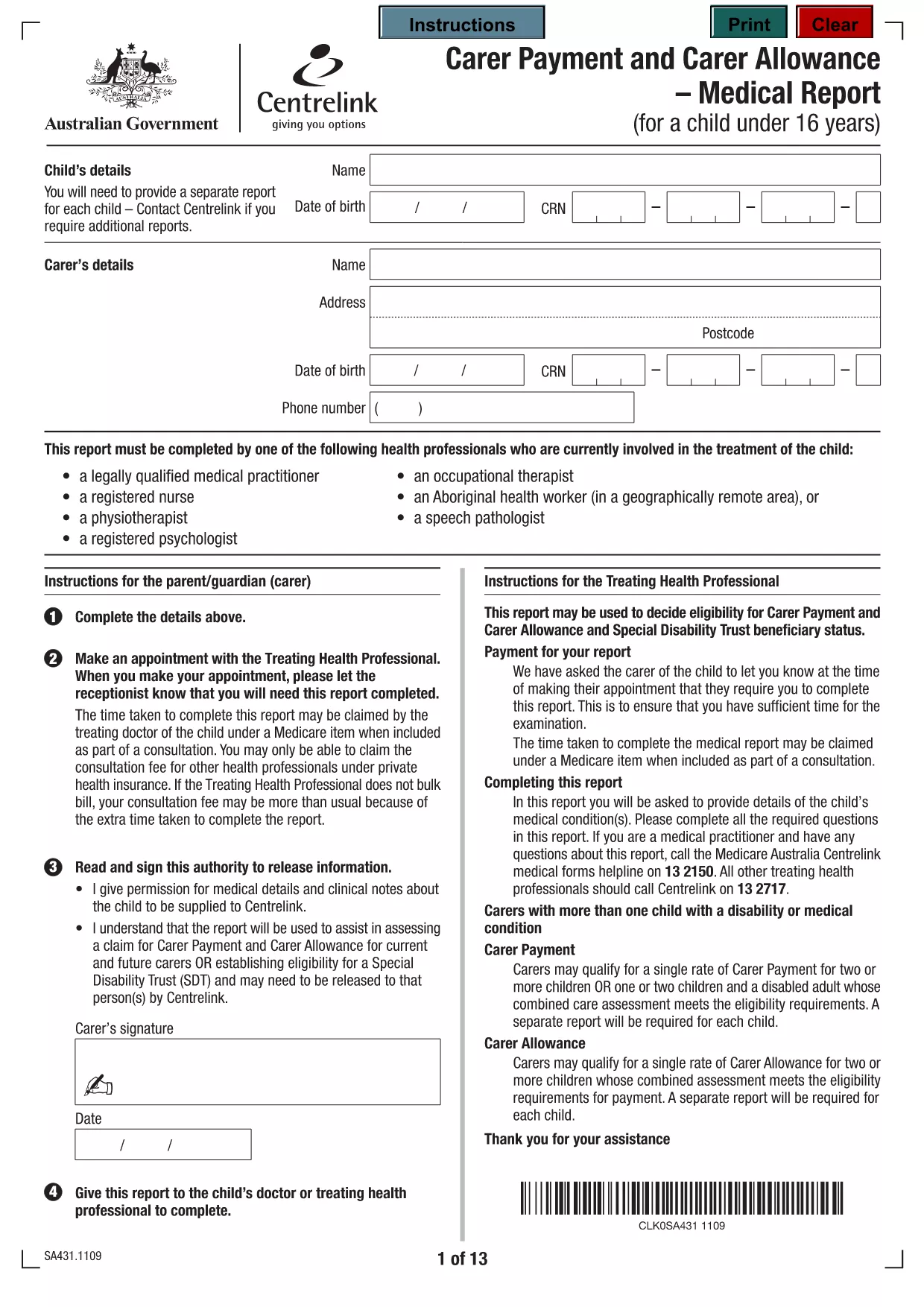
Carer Allowance Application Form (Fillable PDF)

  1. Langue Anglais
  2. De campagne Australie
  3. Activité Carer Allowance
  4. département Ministère de la justice sociale, de l'autonomisation et des minorités
Remplissez ce formulaire
Carer Allowance Application Form (Fillable PDF)

Whether you care for an elderly parent, a child with a disability, or a relative with a chronic illness, the Carer Allowance can provide vital financial support. Our page gives you a direct link to the official, fillable PDF application so you can start your claim in minutes.

What Is Carer Allowance?

The Carer Allowance is a non‑means‑tested payment for people who provide regular, substantial care for someone with a disability or long‑term health condition. It is paid in addition to other benefits and is not taxable.

Eligibility Criteria

  • You must be aged 16 years or over.
  • You provide at least 35 hours of care each week.
  • The person you care for must meet the disability or health condition definition used by the Department of Social Services.
  • You must be an Australian resident and meet the residence rules.

How to Complete the Fillable Form

Follow these simple steps to fill out the PDF directly in your browser:

  1. Click the Fill out this form button below.
  2. The Formize PDF Filler loads automatically – no download or extra software required.
  3. Enter your personal details, care‑receiver information, and the required supporting statements.
  4. Save the completed form and submit it according to the instructions on the last page.

Common Mistakes to Avoid

  • Leaving any required field blank – the filler will highlight missing information.
  • Providing inconsistent dates – double‑check dates of birth and care start dates.
  • Uploading the wrong supporting documents – ensure you attach medical certificates, care plans, and proof of residence.

Submit Your Application

After completing the form, you can either:

  • Print and post it to the address shown on the last page, or
  • Upload the saved PDF through your online MyGov account.

Processing typically takes 4‑6 weeks. Keep a copy of the submitted form for your records.

FAQ
  • What is the Carer Allowance?

    The Carer Allowance is a regular, non‑means‑tested payment for people who provide at least 35 hours of care each week to someone with a disability or long‑term health condition.

  • Can I apply online?

    Yes. After filling out the PDF with Formize, you can upload the completed form through your MyGov portal.

  • How long does it take to receive the payment?

    Once your application is approved, payments are usually made within 2‑3 weeks of the decision date.

  • Do I need to provide medical evidence?

    Yes. You must attach a recent medical certificate or care plan that confirms the care‑receiver’s condition and the level of care required.

  • Is the Carer Allowance taxable?

    No, the Carer Allowance is a non‑taxable payment and does not affect other income tests.

  • What if I make a mistake on the form?

    You can edit the fillable PDF at any time before saving. If you have already submitted, contact the Department of Social Services to request a correction.

  • Do I need to re‑apply each year?

    The Carer Allowance is reviewed annually. You’ll receive a notice to confirm your circumstances and continue receiving the payment.

COMMENT

Comment remplir carer allowance application form gratuitement, en ligne en 3 étapes simples :

  1. 1
    Open the Fillable Form
    Click the "Fill out this form" button on the page. The Formize PDF Filler loads instantly in your browser.
  2. 2
    Enter Your Information
    Complete each section – personal details, care‑receiver information, and supporting statements – using the on‑screen fields.
  3. 3
    Save and Submit
    When all required fields are filled, click "Save". Print and post the form, or upload the saved PDF via your MyGov account.
Formize l'application PDF Filler
À PROPOS

modèle carer allowance application form

Avec l'ensemble traditionnel de fonctionnalités pour afficher et remplir un document PDF, combiné aux avantages d'une application Web et d'une mise en page réactive, vous pouvez compléter carer allowance application form en quelques minutes.

CARACTÉRISTIQUES

Remplisseur de PDF

Le moyen le plus simple de remplir des formulaires PDF en ligne

  • Remplissez rapidement carer allowance application form
    Vous cherchez un moyen de remplir rapidement carer allowance application form en ligne ? Avec notre remplisseur de formulaire PDF gratuit en ligne, vous saurez comment éditer et remplir ce document pdf en moins d'une minute.
  • Éditeur PDF en ligne facile à utiliser
    Vous en avez assez d'imprimer des fichiers PDF pour pouvoir les modifier avant de les renumériser et de les renvoyer ? Modifiez des documents PDF gratuitement en ligne. Utilisez notre éditeur de pdf en ligne pour gagner du temps et du papier.
  • Excellents outils, toutes plateformes
    Vous vous demandez comment remplir carer allowance application form sur un Mac, ou peut-être comment utiliser un remplisseur PDF gratuit ? Nos outils PDF en ligne fonctionnent sur toutes les plateformes.
  • Stockage de fichiers sécurisé
    Les fichiers "carer allowance application form" terminés sont stockés dans une base de données sécurisée gérée par l'hébergement Amazon Cloud. Vous pouvez supprimer vos fichiers de notre système à tout moment. Dans tous les cas, ces fichiers sont automatiquement supprimés après 24 heures.
  • Discutez avec carer allowance application form
    Discutez avec "carer allowance application form" sur Chatize qui est un assistant de lecture PDF gratuit. Posez des questions et obtenez des réponses de "carer allowance application form". Cliquez simplement sur le bouton Discuter avec un document ci-dessus.

Supprimer la session de remplissage

Supprimer la session de remplissage sélectionnée ? Dans ce cas, votre progression dans le remplissage du formulaire sera perdue.

Supprimer la session d'édition

Supprimer la session de modification sélectionnée ? Dans ce cas, votre progression dans la création et la modification du formulaire sera perdue.